Looks like it works, doesn't interfere with anything else.trueBlue wrote: 17 Jun 2021, 20:16 @ Clinton
Please give this Widgets.RsObj a try
I have been testing this all morning and it is working perfect for me
New
Background widget
LMB + Drag = Look At selected Objects
RMB + Drag = Look At selected Objects in all opened Windows
Your CenterObjectAllWindows script found in the new UU4Clinton
This is in addition of the Ctrl + MMB = Look At selected Objects
Final trueSpace7.61 Beta 8 Std Unofficial Update
-
clintonman

- Captain
- Posts: 5659
- Joined: 21 May 2009, 21:08
- Type the number ten into the box: 0
- Location: California
Re: Final trueSpace7.61 Beta 8 Std Unofficial Update
-
trueBlue

- Captain
- Posts: 5548
- Joined: 06 Jul 2009, 22:50
- Type the number ten into the box: 10
Re: Final trueSpace7.61 Beta 8 Std Unofficial Update
RB + Drag - Look At Selection 'All Windows' is working greatclintonman wrote: 18 Jun 2021, 01:12Looks like it works, doesn't interfere with anything else.trueBlue wrote: 17 Jun 2021, 20:16 @ Clinton
Please give this Widgets.RsObj a try
I have been testing this all morning and it is working perfect for me
New
Background widget
LMB + Drag = Look At selected Objects
RMB + Drag = Look At selected Objects in all opened Windows
Your CenterObjectAllWindows script found in the new UU4Clinton
This is in addition of the Ctrl + MMB = Look At selected Objects
I added the following to your CenterObjectAllWindows script
Code: Select all
var sel = Node.Selection()
if(!sel) {
params.SetTerminationFlag()
return;
}
if(!Node.ConExists(sel,"WldMatrix")) {
params.SetTerminationFlag()
return;
}
It interferes with the PE - Select by painting
-
trueBlue
- Captain
- Posts: 5548
- Joined: 06 Jul 2009, 22:50
- Type the number ten into the box: 10
Re: Final trueSpace7.61 Beta 8 Std Unofficial Update
Update 65 for trueSpace7.61 Beta 8 Standalone Unofficial Update
June 18, 2021
viewtopic.php?t=3731
Update
tS761 Workspace Shortcut List.rtf
Window.Shortcuts.xml
Add
<RS_ACC KEY="F9" DESC="Show Object Render Attributes" GROUP="GLOBAL" COMMAND="D3DView.ShowRenderAttribsForObject('','');" />
ClintonsToolbar
Parenting
Original icon
PE/TB icon
RMB = Path
CustomCommands
toolbarScripts Author - Clinton Reese
Select
Add
Arrange Objects option
Note: Unchecked you will not see any Alphabetized changes
freezeTransforms
Location = true
MirrorMatrix Author - Clinton Reese 6/17/2021
Widgets
Background
RB + Drag - Look At Selection 'All Windows'
Camera Widget 1
Updated the Help
Point Edit Widgets 1, 2. & 3
Triangles
Add
MB click - Select All Geometry | Select Visible Geometry
The included Plugins.xml file has the Clintons3dPlugin, Clintons3dPluginExt and Clintons3dRsView, Installed and Loaded to the default path: C:\trueSpace761Std
WARNING: These 3 plugins are required to be Installed and Loaded when using trueSpace!
June 18, 2021
viewtopic.php?t=3731
Update
tS761 Workspace Shortcut List.rtf
Window.Shortcuts.xml
Add
<RS_ACC KEY="F9" DESC="Show Object Render Attributes" GROUP="GLOBAL" COMMAND="D3DView.ShowRenderAttribsForObject('','');" />
ClintonsToolbar
Parenting
Original icon
PE/TB icon
RMB = Path
CustomCommands
toolbarScripts Author - Clinton Reese
Select
Add
Arrange Objects option
Note: Unchecked you will not see any Alphabetized changes
freezeTransforms
Location = true
MirrorMatrix Author - Clinton Reese 6/17/2021
Widgets
Background
RB + Drag - Look At Selection 'All Windows'
Camera Widget 1
Updated the Help
Point Edit Widgets 1, 2. & 3
Triangles
Add
MB click - Select All Geometry | Select Visible Geometry
The included Plugins.xml file has the Clintons3dPlugin, Clintons3dPluginExt and Clintons3dRsView, Installed and Loaded to the default path: C:\trueSpace761Std
WARNING: These 3 plugins are required to be Installed and Loaded when using trueSpace!
-
trueBlue
- Captain
- Posts: 5548
- Joined: 06 Jul 2009, 22:50
- Type the number ten into the box: 10
Re: Final trueSpace7.61 Beta 8 Std Unofficial Update
@ Clinton
Here is a new Scene panel
Let me know if this is okay before I start incorporating it into the layouts
Here is a new Scene panel

- Scene.png (9.86 KiB) Viewed 2796 times
-
clintonman
- Captain
- Posts: 5659
- Joined: 21 May 2009, 21:08
- Type the number ten into the box: 0
- Location: California
Re: Final trueSpace7.61 Beta 8 Std Unofficial Update
The label on the second button, "Show Object / NURBS Render Attributes", is confusing. I didn't even know what it meant until after downloading. How come it's not just "Show Object"? It's the exact same thing as the "Show selected objects" button in the toolbar. So it should say the same thing "Show selected objects" or "Show Objects". The words NURBS, Render and Attribute don't add anything to the meaning of what it's for.trueBlue wrote: 19 Jun 2021, 18:44 @ Clinton
Here is a new Scene panel
Scene.png
Let me know if this is okay before I start incorporating it into the layouts
Other than the button label it looks good to me. One more thing to remove from my UU4Clinton scripts.
-
trueBlue
- Captain
- Posts: 5548
- Joined: 06 Jul 2009, 22:50
- Type the number ten into the box: 10
Re: Final trueSpace7.61 Beta 8 Std Unofficial Update
I am striving for a more meaningful name and I am concerned about users using the improved original ORA command "Show Object Attribs" button on selected NURBS
Not a pretty sight!
The panel that is shown
How about adding (untested) ScriptObject.Execute("Scripts/Commands/DeSelectNURBS");
Not a pretty sight!


- ORA panel.png (8.65 KiB) Viewed 2795 times
-
clintonman
- Captain
- Posts: 5659
- Joined: 21 May 2009, 21:08
- Type the number ten into the box: 0
- Location: California
Re: Final trueSpace7.61 Beta 8 Std Unofficial Update
How about adding it as an option.trueBlue wrote: 19 Jun 2021, 20:43 I am striving for a more meaningful name and I am concerned about users using the improved original ORA command "Show Object Attribs" button on selected NURBS
Not a pretty sight!
NURBS with duplicate ORA panels.png
The panel that is shown
ORA panel.png
How about adding (untested) ScriptObject.Execute("Scripts/Commands/DeSelectNURBS");
-
trueBlue
- Captain
- Posts: 5548
- Joined: 06 Jul 2009, 22:50
- Type the number ten into the box: 10
Re: Final trueSpace7.61 Beta 8 Std Unofficial Update
clintonman wrote: 19 Jun 2021, 21:03How about adding it as an option.trueBlue wrote: 19 Jun 2021, 20:43 I am striving for a more meaningful name and I am concerned about users using the improved original ORA command "Show Object Attribs" button on selected NURBS
Not a pretty sight!
NURBS with duplicate ORA panels.png
The panel that is shown
ORA panel.png
How about adding (untested) ScriptObject.Execute("Scripts/Commands/DeSelectNURBS");

- Scene panel final.png (8.71 KiB) Viewed 2793 times
-
clintonman
- Captain
- Posts: 5659
- Joined: 21 May 2009, 21:08
- Type the number ten into the box: 0
- Location: California
Re: Final trueSpace7.61 Beta 8 Std Unofficial Update
Is there any way you can get the Deselect NURBS closer to the Show Object Attribs? They are related to each other but separated by the Transparency Mode controls.trueBlue wrote: 19 Jun 2021, 21:44Scene panel final.pngclintonman wrote: 19 Jun 2021, 21:03How about adding it as an option.trueBlue wrote: 19 Jun 2021, 20:43 I am striving for a more meaningful name and I am concerned about users using the improved original ORA command "Show Object Attribs" button on selected NURBS
Not a pretty sight!
NURBS with duplicate ORA panels.png
The panel that is shown
ORA panel.png
How about adding (untested) ScriptObject.Execute("Scripts/Commands/DeSelectNURBS");
-
trueBlue
- Captain
- Posts: 5548
- Joined: 06 Jul 2009, 22:50
- Type the number ten into the box: 10
Re: Final trueSpace7.61 Beta 8 Std Unofficial Update
clintonman wrote: 19 Jun 2021, 21:50Is there any way you can get the Deselect NURBS closer to the Show Object Attribs? They are related to each other but separated by the Transparency Mode controls.trueBlue wrote: 19 Jun 2021, 21:44Scene panel final.pngclintonman wrote: 19 Jun 2021, 21:03
How about adding it as an option.

- Final Scene panel.png (8.91 KiB) Viewed 2794 times
-
clintonman
- Captain
- Posts: 5659
- Joined: 21 May 2009, 21:08
- Type the number ten into the box: 0
- Location: California
Re: Final trueSpace7.61 Beta 8 Std Unofficial Update
 Works for me.
-
trueBlue
- Captain
- Posts: 5548
- Joined: 06 Jul 2009, 22:50
- Type the number ten into the box: 10
Re: Final trueSpace7.61 Beta 8 Std Unofficial Update
Update 66 for trueSpace7.61 Beta 8 Standalone Unofficial Update
June 19, 2021
viewtopic.php?t=3731
Update
default_layout.rsl
preobjects
LayerProperties.RsObj
LayerProperties2.RsObj
Frame Window New View.RsObj
Layouts - Configurations
Modify all layout rsl files with a new Scene.RsObj, Screen thumbnail, and removed tSMainWnd nodes
The included Plugins.xml file has the Clintons3dPlugin, Clintons3dPluginExt and Clintons3dRsView, Installed and Loaded to the default path: C:\trueSpace761Std
WARNING: These 3 plugins are required to be Installed and Loaded when using trueSpace!
June 19, 2021
viewtopic.php?t=3731
Update
default_layout.rsl
preobjects
LayerProperties.RsObj
LayerProperties2.RsObj
Frame Window New View.RsObj
Layouts - Configurations
Modify all layout rsl files with a new Scene.RsObj, Screen thumbnail, and removed tSMainWnd nodes

- Scene panel.png (8.91 KiB) Viewed 3119 times
The included Plugins.xml file has the Clintons3dPlugin, Clintons3dPluginExt and Clintons3dRsView, Installed and Loaded to the default path: C:\trueSpace761Std
WARNING: These 3 plugins are required to be Installed and Loaded when using trueSpace!
-
trueBlue
- Captain
- Posts: 5548
- Joined: 06 Jul 2009, 22:50
- Type the number ten into the box: 10
Re: Final trueSpace7.61 Beta 8 Std Unofficial Update
@ Clinton
I removed the clear history from the unSelectable scripts
Also added Utility functions commands
Seems the Utility functions commands error out inside a jScript Function
Can you check out the Unlock All script to see if you can add the Utility functions commands?
Edit: I found the problem
if the file does not exist and you try to delete it, the script will error out when using the Utility functions/Delete command
I do not think the RSXcheck VERSION part is working
I removed the clear history from the unSelectable scripts
Also added Utility functions commands
Seems the Utility functions commands error out inside a jScript Function
Can you check out the Unlock All script to see if you can add the Utility functions commands?
Edit: I found the problem
if the file does not exist and you try to delete it, the script will error out when using the Utility functions/Delete command
I do not think the RSXcheck VERSION part is working
- Attachments
-
- unSelectable.RsObj
- (104.86 KiB) Downloaded 143 times
-
clintonman
- Captain
- Posts: 5659
- Joined: 21 May 2009, 21:08
- Type the number ten into the box: 0
- Location: California
Re: Final trueSpace7.61 Beta 8 Std Unofficial Update
Sounds goodtrueBlue wrote: 20 Jun 2021, 14:51 @ Clinton
I removed the clear history from the unSelectable scripts
...
OktrueBlue wrote: 20 Jun 2021, 14:51 ...
Also added Utility functions commands
...
Do you mean a function set?trueBlue wrote: 20 Jun 2021, 14:51 ...
Seems the Utility functions commands error out inside a jScript Function
...
trueBlue wrote: 20 Jun 2021, 14:51 ..
Can you check out the Unlock All script to see if you can add the Utility functions commands?
Edit: I found the problem
if the file does not exist and you try to delete it, the script will error out when using the Utility functions/Delete command
I do not think the RSXcheck VERSION part is working
 I don't follow
-
trueBlue
- Captain
- Posts: 5548
- Joined: 06 Jul 2009, 22:50
- Type the number ten into the box: 10
Re: Final trueSpace7.61 Beta 8 Std Unofficial Update
Try this
So you should use 'if Node.Exist(etc...'
Node.Delete does not have this issue
Code: Select all
var util = System.CreateDO("Clintons3D Package/Utility functions");
util.Delete(Space.CurrentScene() + "/Something That Does NOT Exist Will create an Error")
Node.Delete does not have this issue
-
clintonman
- Captain
- Posts: 5659
- Joined: 21 May 2009, 21:08
- Type the number ten into the box: 0
- Location: California
Re: Final trueSpace7.61 Beta 8 Std Unofficial Update
Right.trueBlue wrote: 21 Jun 2021, 18:18 Try thisSo you should use 'if Node.Exist(etc...'Code: Select all
var util = System.CreateDO("Clintons3D Package/Utility functions");
util.Delete(Space.CurrentScene() + "/Something That Does NOT Exist Will create an Error")
Node.Delete does not have this issue
Threw me off with "if file does not exist". Thought you were talking about the rsx file.
http://clintons3d.com/plugins/truespace ... index.html
From the webpage under section "No Undo Commands", "the associated nodes and connectors must exist for all these commands. Ex. if you try to delete a non-existent node it will error out"
-
trueBlue
- Captain
- Posts: 5548
- Joined: 06 Jul 2009, 22:50
- Type the number ten into the box: 10
Re: Final trueSpace7.61 Beta 8 Std Unofficial Update
Update 67 for trueSpace7.61 Beta 8 Standalone Unofficial Update
June 21, 2021
viewtopic.php?t=3731
Update
Window.Shortcuts.xml
tS761 Workspace Shortcut List.rtf
Removed
<RS_ACC KEY="F9" DESC="Show Object Render Attributes" GROUP="GLOBAL" COMMAND="D3DView.ShowRenderAttribsForObject('','');" /
Toolbars
ClintonsToolbar
Lock icon
Removed TagAlias
Unlock icon
RMB command Unlock All
Removed TagAlias
CustomCommands
unSelectable 'Author Clinton Reese June 21, 2021'
Removed floating popup
Removed script based locking
No longer adds node to the scene
Modifications
Change tS commands to Utility function commands
Fixed error in Unlock All script
The included Plugins.xml file has the Clintons3dPlugin, Clintons3dPluginExt and Clintons3dRsView, Installed and Loaded to the default path: C:\trueSpace761Std
WARNING: These 3 plugins are required to be Installed and Loaded when using trueSpace!
June 21, 2021
viewtopic.php?t=3731
Update
Window.Shortcuts.xml
tS761 Workspace Shortcut List.rtf
Removed
<RS_ACC KEY="F9" DESC="Show Object Render Attributes" GROUP="GLOBAL" COMMAND="D3DView.ShowRenderAttribsForObject('','');" /
Toolbars
ClintonsToolbar
Lock icon
Removed TagAlias
Unlock icon
RMB command Unlock All
Removed TagAlias
CustomCommands
unSelectable 'Author Clinton Reese June 21, 2021'
Removed floating popup
Removed script based locking
No longer adds node to the scene
Modifications
Change tS commands to Utility function commands
Fixed error in Unlock All script
The included Plugins.xml file has the Clintons3dPlugin, Clintons3dPluginExt and Clintons3dRsView, Installed and Loaded to the default path: C:\trueSpace761Std
WARNING: These 3 plugins are required to be Installed and Loaded when using trueSpace!
-
trueBlue
- Captain
- Posts: 5548
- Joined: 06 Jul 2009, 22:50
- Type the number ten into the box: 10
Re: Final trueSpace7.61 Beta 8 Std Unofficial Update
Update 68 for trueSpace7.61 Beta 8 Standalone Unofficial Update
June 22, 2021
viewtopic.php?t=3731
Update
Mesh Editor Settings
Add Select Preferences title
Changed Front faces to Visible Geometry
Set Link to PE selection style
Checked = Select Visible geometry
Unchecked = Select All geometry 'Select through'
Add Save - Mesh Editor Settings button
Yes | No Question
Are you sure you want to overwrite the backup
Mesh Editor Settings?
The included Plugins.xml file has the Clintons3dPlugin, Clintons3dPluginExt and Clintons3dRsView, Installed and Loaded to the default path: C:\trueSpace761Std
WARNING: These 3 plugins are required to be Installed and Loaded when using trueSpace!
June 22, 2021
viewtopic.php?t=3731
Update
Mesh Editor Settings

- Mesh Editor Settings panel.png (9.83 KiB) Viewed 3081 times
Changed Front faces to Visible Geometry
Set Link to PE selection style
Checked = Select Visible geometry
Unchecked = Select All geometry 'Select through'
Add Save - Mesh Editor Settings button
Yes | No Question
Are you sure you want to overwrite the backup
Mesh Editor Settings?
The included Plugins.xml file has the Clintons3dPlugin, Clintons3dPluginExt and Clintons3dRsView, Installed and Loaded to the default path: C:\trueSpace761Std
WARNING: These 3 plugins are required to be Installed and Loaded when using trueSpace!
-
trueBlue
- Captain
- Posts: 5548
- Joined: 06 Jul 2009, 22:50
- Type the number ten into the box: 10
Re: Final trueSpace7.61 Beta 8 Std Unofficial Update
Update 69 for trueSpace7.61 Beta 8 Standalone Unofficial Update
June 26, 2021
viewtopic.php?t=3731
Update
Copy.xml
Mesh Origin Author - Clinton Reese 6/25/2021
Toolbars
ClintonsToolbar/Lock & Unlock icons
Changed AgentID
The included Plugins.xml file has the Clintons3dPlugin, Clintons3dPluginExt and Clintons3dRsView, Installed and Loaded to the default path: C:\trueSpace761Std
WARNING: These 3 plugins are required to be Installed and Loaded when using trueSpace!
June 26, 2021
viewtopic.php?t=3731
Update
Copy.xml
Mesh Origin Author - Clinton Reese 6/25/2021
Toolbars
ClintonsToolbar/Lock & Unlock icons
Changed AgentID
The included Plugins.xml file has the Clintons3dPlugin, Clintons3dPluginExt and Clintons3dRsView, Installed and Loaded to the default path: C:\trueSpace761Std
WARNING: These 3 plugins are required to be Installed and Loaded when using trueSpace!
-
trueBlue
- Captain
- Posts: 5548
- Joined: 06 Jul 2009, 22:50
- Type the number ten into the box: 10
Re: Final trueSpace7.61 Beta 8 Std Unofficial Update
@Clinton
How do you use SetNodeValueFloat(str, str, real) ?
I am getting an error
var util = System.CreateDO("Clintons3D Package/Utility functions");
//Node.Value("/Widgets/Select/Camera1/Activation/Automatic activation node", "Widget weight bias") = 2.000
util.SetNodeValueFloat("/Widgets/Select/Camera/Activation/Automatic activation node", "Widget weight bias", 2.000)
I tried this as well
aan = "/Widgets/Select/Camera/Activation/Automatic activation node"
util.SetNodeValueFloat(aan, "Widget weight bias", 1)
How do you use SetNodeValueFloat(str, str, real) ?
I am getting an error
var util = System.CreateDO("Clintons3D Package/Utility functions");
//Node.Value("/Widgets/Select/Camera1/Activation/Automatic activation node", "Widget weight bias") = 2.000
util.SetNodeValueFloat("/Widgets/Select/Camera/Activation/Automatic activation node", "Widget weight bias", 2.000)
I tried this as well
aan = "/Widgets/Select/Camera/Activation/Automatic activation node"
util.SetNodeValueFloat(aan, "Widget weight bias", 1)
-
clintonman
- Captain
- Posts: 5659
- Joined: 21 May 2009, 21:08
- Type the number ten into the box: 0
- Location: California
Re: Final trueSpace7.61 Beta 8 Std Unofficial Update
var util = System.CreateDO("Clintons3D Package/Utility functions");trueBlue wrote: 28 Jun 2021, 19:53 @Clinton
How do you use SetNodeValueFloat(str, str, real) ?
I am getting an error
var util = System.CreateDO("Clintons3D Package/Utility functions");
//Node.Value("/Widgets/Select/Camera1/Activation/Automatic activation node", "Widget weight bias") = 2.000
util.SetNodeValueFloat("/Widgets/Select/Camera/Activation/Automatic activation node", "Widget weight bias", 2.000)
I tried this as well
aan = "/Widgets/Select/Camera/Activation/Automatic activation node"
util.SetNodeValueFloat(aan, "Widget weight bias", 1)
//Node.Value("/Widgets/Select/Camera1/Activation/Automatic activation node", "Widget weight bias") = 2.000
util.SetNodeValueFloat("/Widgets/Select/Camera/Activation/Automatic activation node", "Widget weight bias", 2.000)
Works here, value is set and no error. What error are you getting?
-
trueBlue
- Captain
- Posts: 5548
- Joined: 06 Jul 2009, 22:50
- Type the number ten into the box: 10
Re: Final trueSpace7.61 Beta 8 Std Unofficial Update
ERR Source object: /Widgets/Active Widgets Layer2/Active Widget, 3/Original Camera Widget Switch/Original On Error: Unspecified script error Line: 18, Char: 0 Script text: util.SetNodeValueFloat(aan, "Widget weight bias", 2)clintonman wrote: 29 Jun 2021, 14:59var util = System.CreateDO("Clintons3D Package/Utility functions");trueBlue wrote: 28 Jun 2021, 19:53 @Clinton
How do you use SetNodeValueFloat(str, str, real) ?
I am getting an error
var util = System.CreateDO("Clintons3D Package/Utility functions");
//Node.Value("/Widgets/Select/Camera1/Activation/Automatic activation node", "Widget weight bias") = 2.000
util.SetNodeValueFloat("/Widgets/Select/Camera/Activation/Automatic activation node", "Widget weight bias", 2.000)
I tried this as well
aan = "/Widgets/Select/Camera/Activation/Automatic activation node"
util.SetNodeValueFloat(aan, "Widget weight bias", 1)
//Node.Value("/Widgets/Select/Camera1/Activation/Automatic activation node", "Widget weight bias") = 2.000
util.SetNodeValueFloat("/Widgets/Select/Camera/Activation/Automatic activation node", "Widget weight bias", 2.000)
Works here, value is set and no error. What error are you getting?
This is the script in whole
Code: Select all
var util = System.CreateDO("Clintons3D Package/Utility functions");
aan = "/Widgets/Select/Camera/Activation/Automatic activation node"
if (Node.Exists("/Widgets/Select/Camera"))
{
//Node.Value("/Widgets/Select/Camera/Activation/Automatic activation node",	"Widget weight bias") = 1.000
util.SetNodeValueFloat(aan, "Widget weight bias", 1)
util.Rename("/Widgets/Select/Camera", "Camera2")
WindowsManager.Activate();
WindowsManager.UpdateWindowsStructure();
Widgets.ActivateDefaultWidget()
}
if (Node.Exists("/Widgets/Select/Camera1"))
{
//Node.Value("/Widgets/Select/Camera1/Activation/Automatic activation node", "Widget weight bias") = 2.000
util.SetNodeValueFloat(aan, "Widget weight bias", 2)
util.Rename("/Widgets/Select/Camera1", "Camera")
WindowsManager.Activate();
WindowsManager.UpdateWindowsStructure();
Widgets.ActivateDefaultWidget()
}
-
clintonman
- Captain
- Posts: 5659
- Joined: 21 May 2009, 21:08
- Type the number ten into the box: 0
- Location: California
Re: Final trueSpace7.61 Beta 8 Std Unofficial Update
...
aan = "/Widgets/Select/Camera/Activation/Automatic activation node"
...
util.Rename("/Widgets/Select/Camera", "Camera2")
Camera no longer exists
...
util.SetNodeValueFloat(aan, "Widget weight bias", 2)
aan uses Camera which was renamed to Camera2 so it fails
I'm guessing you need an aan before the second if
aan = "/Widgets/Select/Camera1/Activation/Automatic activation node"
aan = "/Widgets/Select/Camera/Activation/Automatic activation node"
...
util.Rename("/Widgets/Select/Camera", "Camera2")
Camera no longer exists
...
util.SetNodeValueFloat(aan, "Widget weight bias", 2)
aan uses Camera which was renamed to Camera2 so it fails
I'm guessing you need an aan before the second if
aan = "/Widgets/Select/Camera1/Activation/Automatic activation node"
-
trueBlue
- Captain
- Posts: 5548
- Joined: 06 Jul 2009, 22:50
- Type the number ten into the box: 10
Re: Final trueSpace7.61 Beta 8 Std Unofficial Update
Thank you!clintonman wrote: 29 Jun 2021, 15:57 ...
aan = "/Widgets/Select/Camera/Activation/Automatic activation node"
...
util.Rename("/Widgets/Select/Camera", "Camera2")
Camera no longer exists
...
util.SetNodeValueFloat(aan, "Widget weight bias", 2)
aan uses Camera which was renamed to Camera2 so it fails
I'm guessing you need an aan before the second if
aan = "/Widgets/Select/Camera1/Activation/Automatic activation node"
I ended up doing the renaming later in the script
Strange that the scripts worked before making these changes that use the plugin commands

-
trueBlue
- Captain
- Posts: 5548
- Joined: 06 Jul 2009, 22:50
- Type the number ten into the box: 10
Re: Final trueSpace7.61 Beta 8 Std Unofficial Update
Update 70 for trueSpace7.61 Beta 8 Standalone Unofficial Update
June 30, 2021
viewtopic.php?t=3731
Update
Widgets
Object Navigation Widget(s)
CycleNavWidget - Add Clintons3D Package/Utility functions commands
Point Edit Widget(s)
CyclePEWidget - Add Clintons3D Package/Utility functions commands
Camera Widget(s)
CycleCamWidget - Add Clintons3D Package/Utility functions commands
Mesh Origin Author - Clinton Reese 6/26/2021
Modifications
Add status message to all scripts
Add the FreezeScale function in the ApplyRotation script
OpenPanel script
Add
utilitydata = System.CreateDO("Clintons3D Package/Utility functions");
utilitydata.SetFrameRect(openedFrame, newLeft, top, maxStandardPanelWidth, newHeight);
StartWidgetSelect script
Add
if(!Node.ConExists(sel,"WldMatrix")) return;
The included Plugins.xml file has the Clintons3dPlugin, Clintons3dPluginExt and Clintons3dRsView, Installed and Loaded to the default path: C:\trueSpace761Std
WARNING: These 3 plugins are required to be Installed and Loaded when using trueSpace!
June 30, 2021
viewtopic.php?t=3731
Update
Widgets
Object Navigation Widget(s)
CycleNavWidget - Add Clintons3D Package/Utility functions commands
Point Edit Widget(s)
CyclePEWidget - Add Clintons3D Package/Utility functions commands
Camera Widget(s)
CycleCamWidget - Add Clintons3D Package/Utility functions commands
Mesh Origin Author - Clinton Reese 6/26/2021
Modifications
Add status message to all scripts
Add the FreezeScale function in the ApplyRotation script
OpenPanel script
Add
utilitydata = System.CreateDO("Clintons3D Package/Utility functions");
utilitydata.SetFrameRect(openedFrame, newLeft, top, maxStandardPanelWidth, newHeight);
StartWidgetSelect script
Add
if(!Node.ConExists(sel,"WldMatrix")) return;
The included Plugins.xml file has the Clintons3dPlugin, Clintons3dPluginExt and Clintons3dRsView, Installed and Loaded to the default path: C:\trueSpace761Std
WARNING: These 3 plugins are required to be Installed and Loaded when using trueSpace!
-
trueBlue
- Captain
- Posts: 5548
- Joined: 06 Jul 2009, 22:50
- Type the number ten into the box: 10
Re: Final trueSpace7.61 Beta 8 Std Unofficial Update
@Clinton
Wanting to update the Clintons3dPlugin.xml file that runs from the init.js in the UU7
Does this look correct to you?
I was not able to write it as one Alert which would be better
Wanting to update the Clintons3dPlugin.xml file that runs from the init.js in the UU7
Does this look correct to you?
I was not able to write it as one Alert which would be better
Code: Select all
function Execute(params)
{
	var warnings = preLoadWarnings()
}

function preLoadWarnings()
{
	var clintons3dview = false;
	var clintons3d = false;

	// check if plugin(s) are Installed and or Loaded
	var xmldoc = new ActiveXObject("Msxml2.DOMDocument.6.0");
	xmldoc.load(System.GetMainDir() + "\\Scripts\\Plugins.xml");

	var doc = xmldoc.documentElement;

	for(var i=0;i<doc.childNodes.length;i++) {

		var child = doc.childNodes.item(i);
		var grandchild = child.childNodes.item(0);
		var NAME = grandchild.getAttribute("NAME");

		if(NAME == "Clintons3D Package") {
			STATUS = grandchild.getAttribute("STATUS");
			if(STATUS != "LOADED") {
				System.Alert("Clintons3dPlugin is Installed, but not Loaded\n\nLoad the Clintons3dPlugin.rsx in the Package Manager and \nRestart trueSpace")
					if(!PackageManager("Project/Windows Manager Space")) {
						WindowsManager.CreateWindowFromCLSID('{3011C160-2294-48d9-AE95-BD144574FB99}', '', '', '', 1)
					}
			}

			VERSION = grandchild.getAttribute("VERSION");
			var verArr = VERSION.split(".")
			var vernum = parseInt(verArr[1]);
			if(vernum < 1638428) {
					if(Question("WARNING !\nClintons3dPlugin v.1638428 or higher is Required\n\nWould you like to download the current\n\nClintons3DPlugin.rsx file?")) {
						RsTool.OpenWebPage("clintons3d.com/plugins/downloads/Clintons3dPlugin.rsx");
					return;
					}
			}

			clintons3d = true;
		}

		if(NAME == "Clintons3d ViewPlugin Package") {
			var STATUS = grandchild.getAttribute("STATUS");
			if(STATUS != "LOADED") {
				System.Alert("Clintons3dView plugin is Installed, but not Loaded\n\nLoad the Clintons3dRsView.rsx in the Package Manager and \nRestart trueSpace")
					if(!PackageManager("Project/Windows Manager Space")) {
						WindowsManager.CreateWindowFromCLSID('{3011C160-2294-48d9-AE95-BD144574FB99}', '', '', '', 1)
					}
			}

			clintons3dview = true;
		}

	}

	if(!clintons3d)
		System.Alert("WARNING !\nClintons3D Package plugin is Required!\n\nInstall and Load the Clintons3dPlugin.rsx in the Package Manager and \nRestart trueSpace")
	if(!clintons3d && !PackageManager("Project/Windows Manager Space")) {
		WindowsManager.CreateWindowFromCLSID('{3011C160-2294-48d9-AE95-BD144574FB99}', '', '', '', 1)
	}
	if(!clintons3dview)
		System.Alert("WARNING !\nClintons3dView plugin is Required!\n\nInstall and Load the Clintons3dRsView.rsx in the Package Manager and \nRestart trueSpace")
	if(!clintons3dview && !PackageManager("Project/Windows Manager Space")) {
		WindowsManager.CreateWindowFromCLSID('{3011C160-2294-48d9-AE95-BD144574FB99}', '', '', '', 1)
	}
	return;
}

function Question(strText)
{
	var nSecondsToWait = -1;
	var strTitle = "Clintons3DPlugin.rsx v.1638428";
	var MB_YESNO = 4;
	var MB_SYSTEMMODAL = 4096;
	var MB_ICONQUESTION = 32;


	var nType = MB_YESNO+MB_SYSTEMMODAL+MB_ICONQUESTION;
	var IDYES = 6;
	var IDNO = 7;

	var shell = new ActiveXObject("WScript.shell");
	var button = shell.Popup (strText, nSecondsToWait, strTitle, nType);

	if(button == IDYES) return true;
	return false;
}

function NodeSubObject(root, index)
{
	return root + "/" + Node.SubObject(root, index);
}

function PackageManager()
{
	var WMS = "Project/Windows Manager Space";
	var numwindows = Node.SubObjectCount(WMS);

	for(var winIndex=0; winIndex < numwindows; winIndex++)
	{
		var currentWindow = NodeSubObject(WMS, winIndex);
		if(Node.SubObjectCount(currentWindow) < 1)
			continue;

		var shortname = Node.ShortName(NodeSubObject(currentWindow, 0));
		if( shortname == "Package View Node")
			return true;
	}
	return false;
}
-
clintonman
- Captain
- Posts: 5659
- Joined: 21 May 2009, 21:08
- Type the number ten into the box: 0
- Location: California
Re: Final trueSpace7.61 Beta 8 Std Unofficial Update
Seems ok.trueBlue wrote: 02 Jul 2021, 17:13 @Clinton
Wanting to update the Clintons3dPlugin.xml file that runs from the init.js in the UU7
Does this look correct to you?
I was not able to write it as one Alert which would be better
Code: Select all
function Execute(params)
{
	var warnings = preLoadWarnings()
}

function preLoadWarnings()
{
	var clintons3dview = false;
	var clintons3d = false;

	// check if plugin(s) are Installed and or Loaded
	var xmldoc = new ActiveXObject("Msxml2.DOMDocument.6.0");
	xmldoc.load(System.GetMainDir() + "\\Scripts\\Plugins.xml");

	var doc = xmldoc.documentElement;

	for(var i=0;i<doc.childNodes.length;i++) {

		var child = doc.childNodes.item(i);
		var grandchild = child.childNodes.item(0);
		var NAME = grandchild.getAttribute("NAME");

		if(NAME == "Clintons3D Package") {
			STATUS = grandchild.getAttribute("STATUS");
			if(STATUS != "LOADED") {
				System.Alert("Clintons3dPlugin is Installed, but not Loaded\n\nLoad the Clintons3dPlugin.rsx in the Package Manager and \nRestart trueSpace")
					if(!PackageManager("Project/Windows Manager Space")) {
						WindowsManager.CreateWindowFromCLSID('{3011C160-2294-48d9-AE95-BD144574FB99}', '', '', '', 1)
					}
			}

			VERSION = grandchild.getAttribute("VERSION");
			var verArr = VERSION.split(".")
			var vernum = parseInt(verArr[1]);
			if(vernum < 1638428) {
					if(Question("WARNING !\nClintons3dPlugin v.1638428 or higher is Required\n\nWould you like to download the current\n\nClintons3DPlugin.rsx file?")) {
						RsTool.OpenWebPage("clintons3d.com/plugins/downloads/Clintons3dPlugin.rsx");
					return;
					}
			}

			clintons3d = true;
		}

		if(NAME == "Clintons3d ViewPlugin Package") {
			var STATUS = grandchild.getAttribute("STATUS");
			if(STATUS != "LOADED") {
				System.Alert("Clintons3dView plugin is Installed, but not Loaded\n\nLoad the Clintons3dRsView.rsx in the Package Manager and \nRestart trueSpace")
					if(!PackageManager("Project/Windows Manager Space")) {
						WindowsManager.CreateWindowFromCLSID('{3011C160-2294-48d9-AE95-BD144574FB99}', '', '', '', 1)
					}
			}

			clintons3dview = true;
		}

	}

	if(!clintons3d)
		System.Alert("WARNING !\nClintons3D Package plugin is Required!\n\nInstall and Load the Clintons3dPlugin.rsx in the Package Manager and \nRestart trueSpace")
	if(!clintons3d && !PackageManager("Project/Windows Manager Space")) {
		WindowsManager.CreateWindowFromCLSID('{3011C160-2294-48d9-AE95-BD144574FB99}', '', '', '', 1)
	}
	if(!clintons3dview)
		System.Alert("WARNING !\nClintons3dView plugin is Required!\n\nInstall and Load the Clintons3dRsView.rsx in the Package Manager and \nRestart trueSpace")
	if(!clintons3dview && !PackageManager("Project/Windows Manager Space")) {
		WindowsManager.CreateWindowFromCLSID('{3011C160-2294-48d9-AE95-BD144574FB99}', '', '', '', 1)
	}
	return;
}

function Question(strText)
{
	var nSecondsToWait = -1;
	var strTitle = "Clintons3DPlugin.rsx v.1638428";
	var MB_YESNO = 4;
	var MB_SYSTEMMODAL = 4096;
	var MB_ICONQUESTION = 32;


	var nType = MB_YESNO+MB_SYSTEMMODAL+MB_ICONQUESTION;
	var IDYES = 6;
	var IDNO = 7;

	var shell = new ActiveXObject("WScript.shell");
	var button = shell.Popup (strText, nSecondsToWait, strTitle, nType);

	if(button == IDYES) return true;
	return false;
}

function NodeSubObject(root, index)
{
	return root + "/" + Node.SubObject(root, index);
}

function PackageManager()
{
	var WMS = "Project/Windows Manager Space";
	var numwindows = Node.SubObjectCount(WMS);

	for(var winIndex=0; winIndex < numwindows; winIndex++)
	{
		var currentWindow = NodeSubObject(WMS, winIndex);
		if(Node.SubObjectCount(currentWindow) < 1)
			continue;

		var shortname = Node.ShortName(NodeSubObject(currentWindow, 0));
		if( shortname == "Package View Node")
			return true;
	}
	return false;
}
-
trueBlue
- Captain
- Posts: 5548
- Joined: 06 Jul 2009, 22:50
- Type the number ten into the box: 10
Re: Final trueSpace7.61 Beta 8 Std Unofficial Update
Update 71 for trueSpace7.61 Beta 8 Standalone Unofficial Update
July 2, 2021
viewtopic.php?t=3731
Hopefully this is the final Update
Widgets
All widget help file scripts
Add
utilitydata = System.CreateDO("Clintons3D Package/Utility functions");
utilitydata.SetFrameRect(openedFrame, newLeft, top, maxStandardPanelWidth, newHeight);
Note: All open from Right to Left
New: Camera, View, and Background widget help files can be opened at the same time
Add Default Context widget's shortcuts to the Background widget help file
tS761 Workspace Shortcut List.rtf
Window.Shortcuts.xml
Removed
Workspace 3D Window
<RS_ACC KEY="ESC" DESC="Object tool/Unselect" GROUP="VIEW3D" COMMAND="RsTool.Arrow();var PVT_LOCKED = 2;RsStackView.RemovePanelsFromCurrSelection(PVT_LOCKED, 0);Space.Unselect();" />
Clintons3dPlugin.xml
Add
Version Check
Clintons3dPlugin v.1638428 or higher is Required
The included Plugins.xml file has the Clintons3dPlugin, Clintons3dPluginExt and Clintons3dRsView, Installed and Loaded to the default path: C:\trueSpace761Std
WARNING: These 3 plugins are required to be Installed and Loaded when using trueSpace!
July 2, 2021
viewtopic.php?t=3731
Hopefully this is the final Update
Widgets
All widget help file scripts
Add
utilitydata = System.CreateDO("Clintons3D Package/Utility functions");
utilitydata.SetFrameRect(openedFrame, newLeft, top, maxStandardPanelWidth, newHeight);

New: Camera, View, and Background widget help files can be opened at the same time
Add Default Context widget's shortcuts to the Background widget help file
tS761 Workspace Shortcut List.rtf
Window.Shortcuts.xml
Removed
Workspace 3D Window
<RS_ACC KEY="ESC" DESC="Object tool/Unselect" GROUP="VIEW3D" COMMAND="RsTool.Arrow();var PVT_LOCKED = 2;RsStackView.RemovePanelsFromCurrSelection(PVT_LOCKED, 0);Space.Unselect();" />
Clintons3dPlugin.xml
Add
Version Check
Clintons3dPlugin v.1638428 or higher is Required
The included Plugins.xml file has the Clintons3dPlugin, Clintons3dPluginExt and Clintons3dRsView, Installed and Loaded to the default path: C:\trueSpace761Std
WARNING: These 3 plugins are required to be Installed and Loaded when using trueSpace!
-
trueBlue
- Captain
- Posts: 5548
- Joined: 06 Jul 2009, 22:50
- Type the number ten into the box: 10
Re: Final trueSpace7.61 Beta 8 Std Unofficial Update
@Clinton
Here is a new Widget for the UU7 Lights that does not interfere with Point Editing
Ctrl + RB click opens the light's floating panel
Let me know if this works without any interferences
Here is a new Widget for the UU7 Lights that does not interfere with Point Editing
Ctrl + RB click opens the light's floating panel
Let me know if this works without any interferences
- Attachments
-
- Omni.RsObj
- (583.42 KiB) Downloaded 159 times
-
clintonman
- Captain
- Posts: 5659
- Joined: 21 May 2009, 21:08
- Type the number ten into the box: 0
- Location: California
Re: Final trueSpace7.61 Beta 8 Std Unofficial Update
That did the trick.trueBlue wrote: 08 Jul 2021, 14:57 @Clinton
Here is a new Widget for the UU7 Lights that does not interfere with Point Editing
Ctrl + RB click opens the light's floating panel
Let me know if this works without any interferences
-
trueBlue
- Captain
- Posts: 5548
- Joined: 06 Jul 2009, 22:50
- Type the number ten into the box: 10
Re: Final trueSpace7.61 Beta 8 Std Unofficial Update
@Clinton
Getting errors with the light(s) color picker(s)
Looks like the SetNodeValueInt is the problem
This seems to work
Can you confirm?
Getting errors with the light(s) color picker(s)

- Color Picker Error.png (13.28 KiB) Viewed 3145 times
This seems to work
Code: Select all
var	dt = new Date();
var	ms = dt.getTime();//time in ms since Jan 1 1970
var	owner = System.ThisOwner();
var	util = System.CreateDO("Clintons3D Package/Utility functions");
//	util.SetNodeValueInt(owner + "/Pause", "StartTime", ms -1621201452793);
	util.SetNodeValueFloat(owner + "/Pause", "StartTime", ms -1621201452793);
-
clintonman
- Captain
- Posts: 5659
- Joined: 21 May 2009, 21:08
- Type the number ten into the box: 0
- Location: California
Re: Final trueSpace7.61 Beta 8 Std Unofficial Update
Yeah, I see it. The problem is that the plugin integer value is limited to a maximum of about 2 billion and jscript limit is way beyond that so the plugin code fails with an overflow error. I think the truePause needs to be rewritten. I used that stupid magic number, "1621201452793" to make the time smaller and if a float is needed then the "Pause" attribute should probably be changed to a float/real value. I'll see about writing this thing properly and replace the magic number.trueBlue wrote: 08 Jul 2021, 20:02 @Clinton
Getting errors with the light(s) color picker(s)
Color Picker Error.png
Looks like the SetNodeValueInt is the problem
This seems to workCan you confirm?Code: Select all
var	dt = new Date();
var	ms = dt.getTime();//time in ms since Jan 1 1970
var	owner = System.ThisOwner();
var	util = System.CreateDO("Clintons3D Package/Utility functions");
//	util.SetNodeValueInt(owner + "/Pause", "StartTime", ms -1621201452793);
	util.SetNodeValueFloat(owner + "/Pause", "StartTime", ms -1621201452793);
-
clintonman
- Captain
- Posts: 5659
- Joined: 21 May 2009, 21:08
- Type the number ten into the box: 0
- Location: California
Re: Final trueSpace7.61 Beta 8 Std Unofficial Update
Here is a fix for the color picker error. It doesn't use the connectors to store the time, instead it uses a function set and no more magic numbers.
Replace the truePause_Plus node inside the Color Picker node.
Edit: removed attachment for further testing
Edit: is good now
Replace the truePause_Plus node inside the Color Picker node.
Edit: removed attachment for further testing
Edit: is good now
- Attachments
-
- truePause_Plus.RsObj
- (44.1 KiB) Downloaded 131 times
-
trueBlue
- Captain
- Posts: 5548
- Joined: 06 Jul 2009, 22:50
- Type the number ten into the box: 10
Re: Final trueSpace7.61 Beta 8 Std Unofficial Update
Update 72 for trueSpace7.61 Beta 8 Standalone Unofficial Update
July 9, 2021
viewtopic.php?t=3731
Hopefully this is the final Update
Lights
Including: Lights.RsObj, light01.RsObj, light02.RsObj, light03.RsObj, light04.RsObj, WS - Default.RsSLgts, WS - Black.RsSLgts, WS - Modeling.RsSLgts, My Scene.RsScn, My Backup.RsScn. and My Recording.RsScn
Fixed error in Color Picker Author - Clinton Reese
Ctrl + RMB select the unselected light's shape, opens its floating panel
Widgets
All Widget Help files
Fixed an issue with duplicate Widget Help files showing
The included Plugins.xml file has the Clintons3dPlugin, Clintons3dPluginExt and Clintons3dRsView, Installed and Loaded to the default path: C:\trueSpace761Std
WARNING: These 3 plugins are required to be Installed and Loaded when using trueSpace!
July 9, 2021
viewtopic.php?t=3731
Hopefully this is the final Update
Lights
Including: Lights.RsObj, light01.RsObj, light02.RsObj, light03.RsObj, light04.RsObj, WS - Default.RsSLgts, WS - Black.RsSLgts, WS - Modeling.RsSLgts, My Scene.RsScn, My Backup.RsScn. and My Recording.RsScn
Fixed error in Color Picker Author - Clinton Reese
Ctrl + RMB select the unselected light's shape, opens its floating panel
Widgets
All Widget Help files
Fixed an issue with duplicate Widget Help files showing
The included Plugins.xml file has the Clintons3dPlugin, Clintons3dPluginExt and Clintons3dRsView, Installed and Loaded to the default path: C:\trueSpace761Std
WARNING: These 3 plugins are required to be Installed and Loaded when using trueSpace!
-
clintonman
- Captain
- Posts: 5659
- Joined: 21 May 2009, 21:08
- Type the number ten into the box: 0
- Location: California
Re: Final trueSpace7.61 Beta 8 Std Unofficial Update
Ctrl RMB is working well for the lights.
Now I see a strange behavior when RMB click in space when a camera or spotlight or projection light is selected. The view centers on the selected object. Maybe the RMB drag in space is misbehaving for those objects? RMB drag in space centers on them, but then so does a plain RMB click in space.
Now I see a strange behavior when RMB click in space when a camera or spotlight or projection light is selected. The view centers on the selected object. Maybe the RMB drag in space is misbehaving for those objects? RMB drag in space centers on them, but then so does a plain RMB click in space.
-
trueBlue
- Captain
- Posts: 5548
- Joined: 06 Jul 2009, 22:50
- Type the number ten into the box: 10
Re: Final trueSpace7.61 Beta 8 Std Unofficial Update
Yea, I saw that but could not find where it was coming from
Command History shows
ScriptObject.RunCmd("tools package/look at current selection", "Camera", "{2C152F81-45A2-4035-8896-9E49D60C8A7A}")
Edit: Found it
Background/Perspective/CenterObjectAllWindows script
Command History shows
ScriptObject.RunCmd("tools package/look at current selection", "Camera", "{2C152F81-45A2-4035-8896-9E49D60C8A7A}")
Edit: Found it
Background/Perspective/CenterObjectAllWindows script
-
trueBlue
- Captain
- Posts: 5548
- Joined: 06 Jul 2009, 22:50
- Type the number ten into the box: 10
Re: Final trueSpace7.61 Beta 8 Std Unofficial Update
Any suggestions?clintonman wrote: 10 Jul 2021, 01:10 Ctrl RMB is working well for the lights.
Now I see a strange behavior when RMB click in space when a camera or spotlight or projection light is selected. The view centers on the selected object. Maybe the RMB drag in space is misbehaving for those objects? RMB drag in space centers on them, but then so does a plain RMB click in space.
Remove it?
Replace the Background widget's Ctrl + MB click - Look At Selection script with the CenterObjectAllWindows script
Add it to a toolbar icon?
Additionally that script could be modified and be used to Reset All Windows

- LookAtSelectionAllWindowsButton.png (12.58 KiB) Viewed 3141 times
-
clintonman
- Captain
- Posts: 5659
- Joined: 21 May 2009, 21:08
- Type the number ten into the box: 0
- Location: California
Re: Final trueSpace7.61 Beta 8 Std Unofficial Update
I would say remove it and add it to a toolbar button.trueBlue wrote: 10 Jul 2021, 13:42Any suggestions?clintonman wrote: 10 Jul 2021, 01:10 Ctrl RMB is working well for the lights.
Now I see a strange behavior when RMB click in space when a camera or spotlight or projection light is selected. The view centers on the selected object. Maybe the RMB drag in space is misbehaving for those objects? RMB drag in space centers on them, but then so does a plain RMB click in space.
Remove it?
Replace the Background widget's Ctrl + MB click - Look At Selection script with the CenterObjectAllWindows script
Add it to a toolbar icon?
Additionally that script could be modified and be used to Reset All Windows
LookAtSelectionAllWindowsButton.png
-
trueBlue
- Captain
- Posts: 5548
- Joined: 06 Jul 2009, 22:50
- Type the number ten into the box: 10
Re: Final trueSpace7.61 Beta 8 Std Unofficial Update
Update 73 for trueSpace7.61 Beta 8 Standalone Unofficial Update
July 10, 2021
viewtopic.php?t=3731
Hopefully this is the final Update
Toolbars
Including: WorkspaceMain, WorkspaceMain2, BottomBar, and BottomBar2
Add
Look At Selection (All Windows) / Reset (All Windows)
The included Plugins.xml file has the Clintons3dPlugin, Clintons3dPluginExt and Clintons3dRsView, Installed and Loaded to the default path: C:\trueSpace761Std
WARNING: These 3 plugins are required to be Installed and Loaded when using trueSpace!
July 10, 2021
viewtopic.php?t=3731
Hopefully this is the final Update
Toolbars
Including: WorkspaceMain, WorkspaceMain2, BottomBar, and BottomBar2
Add
Look At Selection (All Windows) / Reset (All Windows)

WARNING: These 3 plugins are required to be Installed and Loaded when using trueSpace!
-
trueBlue
- Captain
- Posts: 5548
- Joined: 06 Jul 2009, 22:50
- Type the number ten into the box: 10
Re: Final trueSpace7.61 Beta 8 Std Unofficial Update
Update 74 for trueSpace7.61 Beta 8 Standalone Unofficial Update
July 13, 2021
viewtopic.php?t=3731
Hopefully this is the final Update
Workspace Layers 4
Add
Popup Panel script
Automatically opens the floating panel when saved to a scene
Preference panel
Add
Status messages to Reconnect All Object Hider Nodes & Re-Hide Camera and Light ORA button scripts
Add
Save - Workspace Layers 4 button script
Saves the Workspace Layers 4 panel to CustomScriptsStore
Edge Bevel
Update - Clinton Reese 7/12/2021
Add
util.SetNodeValueInt commands to the startBevel script
The included Plugins.xml file has the Clintons3dPlugin, Clintons3dPluginExt and Clintons3dRsView, Installed and Loaded to the default path: C:\trueSpace761Std
WARNING: These 3 plugins are required to be Installed and Loaded when using trueSpace!
July 13, 2021
viewtopic.php?t=3731
Hopefully this is the final Update
Workspace Layers 4
Add
Popup Panel script
Automatically opens the floating panel when saved to a scene

- WL4 panel.png (8.82 KiB) Viewed 3134 times
Add
Status messages to Reconnect All Object Hider Nodes & Re-Hide Camera and Light ORA button scripts
Add
Save - Workspace Layers 4 button script
Saves the Workspace Layers 4 panel to CustomScriptsStore
Edge Bevel
Update - Clinton Reese 7/12/2021
Add
util.SetNodeValueInt commands to the startBevel script
The included Plugins.xml file has the Clintons3dPlugin, Clintons3dPluginExt and Clintons3dRsView, Installed and Loaded to the default path: C:\trueSpace761Std
WARNING: These 3 plugins are required to be Installed and Loaded when using trueSpace!
-
trueBlue
- Captain
- Posts: 5548
- Joined: 06 Jul 2009, 22:50
- Type the number ten into the box: 10
Re: Final trueSpace7.61 Beta 8 Std Unofficial Update
Update 75 for trueSpace7.61 Beta 8 Standalone Unofficial Update
July 16, 2021
viewtopic.php?t=3731
Hopefully this is the final Update
Workspace Layers 4 preference panel
Add
Auto show floating panel
Automatically opens the floating panel when saved to a scene
Show | Hide Aspects
The included Plugins.xml file has the Clintons3dPlugin, Clintons3dPluginExt and Clintons3dRsView, Installed and Loaded to the default path: C:\trueSpace761Std
WARNING: These 3 plugins are required to be Installed and Loaded when using trueSpace!
July 16, 2021
viewtopic.php?t=3731
Hopefully this is the final Update
Workspace Layers 4 preference panel

- WL4 panel.png (10.84 KiB) Viewed 2830 times
Auto show floating panel
Automatically opens the floating panel when saved to a scene
Show | Hide Aspects
The included Plugins.xml file has the Clintons3dPlugin, Clintons3dPluginExt and Clintons3dRsView, Installed and Loaded to the default path: C:\trueSpace761Std
WARNING: These 3 plugins are required to be Installed and Loaded when using trueSpace!
-
clintonman
- Captain
- Posts: 5659
- Joined: 21 May 2009, 21:08
- Type the number ten into the box: 0
- Location: California
Re: Final trueSpace7.61 Beta 8 Std Unofficial Update
The plane loop select script had a bug. It did not restore the selection mode, but instead only set context selection mode.
- Attachments
-
- planeLoopSelect.RsObj
- (21.99 KiB) Downloaded 153 times
-
trueBlue
- Captain
- Posts: 5548
- Joined: 06 Jul 2009, 22:50
- Type the number ten into the box: 10
Re: Final trueSpace7.61 Beta 8 Std Unofficial Update
@ Clinton
Here is an updated Scene panel
RMB command
Shows the ORA Settings aspect in the stack/Panels
You may or may not like this RMB script so let me know what you think
Removed due to update
Here is an updated Scene panel
RMB command
Shows the ORA Settings aspect in the stack/Panels
You may or may not like this RMB script so let me know what you think
Removed due to update
-
clintonman
- Captain
- Posts: 5659
- Joined: 21 May 2009, 21:08
- Type the number ten into the box: 0
- Location: California
Re: Final trueSpace7.61 Beta 8 Std Unofficial Update
So what am I looking for when I RMB it?trueBlue wrote: 04 Aug 2021, 21:25 ...
RMB command
Shows the ORA Settings aspect in the stack/Panels
You may or may not like this RMB script so let me know what you think
-
clintonman
- Captain
- Posts: 5659
- Joined: 21 May 2009, 21:08
- Type the number ten into the box: 0
- Location: California
Re: Final trueSpace7.61 Beta 8 Std Unofficial Update
Attached is a fix for the Cube View widgets CameraFromView script.
It fixes a logic problem and removes the clear history command so undos are not lost.
Removed the many Node.ConRemove(Cam, "LE2Data"); commands and replaced with single util.ConRemove(Cam, "LE2Data")
Just did some tests and camera node is going into the LE in an orderly fashion without the ConRemove. Maybe some UU update makes it not needed?
It fixes a logic problem and removes the clear history command so undos are not lost.
Removed the many Node.ConRemove(Cam, "LE2Data"); commands and replaced with single util.ConRemove(Cam, "LE2Data")
Just did some tests and camera node is going into the LE in an orderly fashion without the ConRemove. Maybe some UU update makes it not needed?
- Attachments
-
- CameraFromView.RsObj
- (10.31 KiB) Downloaded 133 times
-
trueBlue
- Captain
- Posts: 5548
- Joined: 06 Jul 2009, 22:50
- Type the number ten into the box: 10
Re: Final trueSpace7.61 Beta 8 Std Unofficial Update
I updated your Cube widget's CameraFromView to the New unreleased - Eye2Cam.xml so we are in syncclintonman wrote: 13 Aug 2021, 16:01 Attached is a fix for the Cube View widgets CameraFromView script.
It fixes a logic problem and removes the clear history command so undos are not lost.
Removed the many Node.ConRemove(Cam, "LE2Data"); commands and replaced with single util.ConRemove(Cam, "LE2Data")
Just did some tests and camera node is going into the LE in an orderly fashion without the ConRemove. Maybe some UU update makes it not needed?
Code: Select all
// 8/13/2021
function Execute(params)
{
var Win = WindowsManager.GetWorkWindow();
var ID = Node.Value(Win, "WinID");
var Eye = "/D3DView/EyeCamera_" + ID;
if (Node.SubObjectCount("/D3DView") == 0) return;
if (!Node.ConExists(Win, "WinID")) return;
if (!Node.Exists("/D3DView/EyeCamera_" + ID)) return;
if (Node.Value(Eye, "CameraType") != 0) {
System.Alert("Switch to Perspetive view first");
return;
}
var cmd = '';
cmd += 'util = System.CreateDO("Clintons3D Package/Utility functions");'
cmd += 'var Cam = Node.Copy("/Preferences/Cameras/Camera", Space.CurrentScene());'
cmd += 'var Win = WindowsManager.GetWorkWindow();'
cmd += 'var ID = Node.Value(Win, "WinID");'
cmd += 'var Eye = "/D3DView/EyeCamera_" + ID;'
cmd += 'Node.Value(Cam, "Matrix") = Node.Value(Eye, "WldMatrix");'
cmd += 'Node.Value(Cam, "FOV") = Node.Value(Eye, "FOV");'
cmd += 'Node.ConRemove(Cam, "LE2Data");'
cmd += 'D3DView.SetActiveCamera(Cam, ID);'
cmd += 'util.SetStatusMessage("Now viewing from the new Camera", 5000);'
RsApp.RunScriptBuffer(cmd);
}
-
trueBlue
- Captain
- Posts: 5548
- Joined: 06 Jul 2009, 22:50
- Type the number ten into the box: 10
Re: Final trueSpace7.61 Beta 8 Std Unofficial Update
I made some improvements for your Select scripts
I found another possible Layers Info hidden node that should be excluded!
Fix for the Alphabetize/Selected Object script so it will not run on a Script
Added a selected count attribute
Runs the NURBStoCPMeshSelection script where needed
Added a Scene button that selects everything that has a WldMatrix con
Note: You can move the whole scene around
The All button runs the None script then the Inverse script
Cameras script starts the Move widget and None script closes the Move widget
Note: Before it was wonky moving multiple selected Cameras with the last selected Camera's widget
Added 3D Groups & 2D Groups scripts
Added a floating panel frame node & Open Panel script
Removed Attachment

- Select panel.png (5.57 KiB) Viewed 2416 times

- Layers Info.png (1.06 KiB) Viewed 2371 times
Added a selected count attribute
Runs the NURBStoCPMeshSelection script where needed
Added a Scene button that selects everything that has a WldMatrix con
Note: You can move the whole scene around
The All button runs the None script then the Inverse script
Cameras script starts the Move widget and None script closes the Move widget
Note: Before it was wonky moving multiple selected Cameras with the last selected Camera's widget
Added 3D Groups & 2D Groups scripts
Added a floating panel frame node & Open Panel script
Removed Attachment
-
clintonman
- Captain
- Posts: 5659
- Joined: 21 May 2009, 21:08
- Type the number ten into the box: 0
- Location: California
Re: Final trueSpace7.61 Beta 8 Std Unofficial Update
Why not alphabetize a script?trueBlue wrote: 13 Aug 2021, 22:10 ...
Fix for the Alphabetize/Selected Object script so it will not run on a Script
...
I can't test the CPMesh selection stuff since I reverted to the last UU.
I don't see a floating panel so I guess that's a toolbar button change?
It looks like the Search term is the label for the count. That part of the UI needs rearranging.
The new scripts seem to work well.
NOTE for manual: camera selection don't use the camera widget, move widget is active
-
clintonman
- Captain
- Posts: 5659
- Joined: 21 May 2009, 21:08
- Type the number ten into the box: 0
- Location: California
Re: Final trueSpace7.61 Beta 8 Std Unofficial Update
Updated your updated Eye2Cam so it doesn't have repeated code. All is inside the cmd.trueBlue wrote: 13 Aug 2021, 21:27I updated your Cube widget's CameraFromView to the New unreleased - Eye2Cam.xml so we are in syncclintonman wrote: 13 Aug 2021, 16:01 Attached is a fix for the Cube View widgets CameraFromView script.
It fixes a logic problem and removes the clear history command so undos are not lost.
Removed the many Node.ConRemove(Cam, "LE2Data"); commands and replaced with single util.ConRemove(Cam, "LE2Data")
Just did some tests and camera node is going into the LE in an orderly fashion without the ConRemove. Maybe some UU update makes it not needed?Code: Select all
// 8/13/2021
function Execute(params)
{
var Win = WindowsManager.GetWorkWindow();
var ID = Node.Value(Win, "WinID");
var Eye = "/D3DView/EyeCamera_" + ID;
if (Node.SubObjectCount("/D3DView") == 0) return;
if (!Node.ConExists(Win, "WinID")) return;
if (!Node.Exists("/D3DView/EyeCamera_" + ID)) return;
if (Node.Value(Eye, "CameraType") != 0) {
System.Alert("Switch to Perspetive view first");
return;
}
var cmd = '';
cmd += 'util = System.CreateDO("Clintons3D Package/Utility functions");'
cmd += 'var Cam = Node.Copy("/Preferences/Cameras/Camera", Space.CurrentScene());'
cmd += 'var Win = WindowsManager.GetWorkWindow();'
cmd += 'var ID = Node.Value(Win, "WinID");'
cmd += 'var Eye = "/D3DView/EyeCamera_" + ID;'
cmd += 'Node.Value(Cam, "Matrix") = Node.Value(Eye, "WldMatrix");'
cmd += 'Node.Value(Cam, "FOV") = Node.Value(Eye, "FOV");'
cmd += 'Node.ConRemove(Cam, "LE2Data");'
cmd += 'D3DView.SetActiveCamera(Cam, ID);'
cmd += 'util.SetStatusMessage("Now viewing from the new Camera", 5000);'
RsApp.RunScriptBuffer(cmd);
}
The CameraFromView is going away and all will use the Eye2Cam. That's 2 places in the cube widget.
I'm guessing the Cam2Eye scfript is the same as the cube widget SetCameraView, so that will change too.
Code: Select all
// Execute
// Called to execute the command
function Execute(params)
{
	var cmd = '';
	cmd += 'util = System.CreateDO("Clintons3D Package/Utility functions");';

	cmd += 'if(Node.SubObjectCount("/D3DView") == 0) return;';

	cmd += 'var workwindow = WindowsManager.GetWorkWindow();';

	cmd += 'if(!Node.ConExists(workwindow,"Def3D")) return;';
	cmd += 'if(Node.Value(workwindow,"Def3D") == "") return;';

	cmd += 'if(!Node.ConExists(workwindow,"View Index")) return;';
	cmd += 'if(Node.Value(workwindow,"View Index") != 0) return;';

	cmd += 'if(!Node.ConExists(workwindow,"WinID")) return;';

	cmd += 'var winid = Node.Value(workwindow,"WinID");';

	cmd += 'if(!Node.Exists("/D3DView/EyeCamera_" + winid)) return;';

	cmd += 'var Eye = "/D3DView/EyeCamera_" + winid;';

	cmd += 'if(Node.Value(Eye,"CameraType") != 0) {';
		cmd += '	System.Alert("Switch to Perspetive view first");';
		cmd += '	return;';
		cmd += '}';

		cmd += 'var Cam = Node.Copy("/Preferences/Cameras/Camera", Space.CurrentScene());';

		cmd += 'Node.Value(Cam,"Matrix") = Node.Value(Eye,"WldMatrix");';
		cmd += 'Node.Value(Cam + "/Camera","ClippingFar") = Node.Value(Eye,"ClippingFar");';
		cmd += 'Node.Value(Cam + "/Camera","ClippingNear") = Node.Value(Eye,"ClippingNear");';
		cmd += 'Node.Value(Cam + "/Camera","Focus") = Node.Value(Eye,"Focus");';
		cmd += 'Node.Value(Cam,"FOV") = Node.Value(Eye,"FOV");';
		cmd += 'Node.Value(Cam + "/Camera","Perspective") = Node.Value(Eye,"Perspective");';

		cmd += 'D3DView.SetActiveCamera(Cam, winid);';

		cmd += 'util.SetStatusMessage("Now viewing from the new camera", 3000);';

		RsApp.RunScriptBuffer(cmd);

}-
clintonman
- Captain
- Posts: 5659
- Joined: 21 May 2009, 21:08
- Type the number ten into the box: 0
- Location: California
Re: Final trueSpace7.61 Beta 8 Std Unofficial Update
Cube widget SetCameraView updated
fix some broken code.
new behavior:
will search the scene for cameras inside of groups
full behavior:
if camera is selected, set the view to the camera
if no camera selected find the last camera at the top level of the scene and set the view to it
if still no camera found search inside of group items in the scene for a camera
I thought this was the same as Eye2Cam but it's different. for now I'll plan to place the script inside /Widgets/WidgetScripts and call it from the 2 places inside the cube widget that use it.
fix some broken code.
new behavior:
will search the scene for cameras inside of groups
full behavior:
if camera is selected, set the view to the camera
if no camera selected find the last camera at the top level of the scene and set the view to it
if still no camera found search inside of group items in the scene for a camera
I thought this was the same as Eye2Cam but it's different. for now I'll plan to place the script inside /Widgets/WidgetScripts and call it from the 2 places inside the cube widget that use it.
- Attachments
-
- SetCameraView.RsObj
- (6.97 KiB) Downloaded 138 times
-
trueBlue
- Captain
- Posts: 5548
- Joined: 06 Jul 2009, 22:50
- Type the number ten into the box: 10
Re: Final trueSpace7.61 Beta 8 Std Unofficial Update
....trueBlue wrote: 13 Aug 2021, 22:10 I made some improvements for your Select scripts
Select panel.png
I found another possible Layers Info hidden node that should be excluded!
Layers Info.png
Fix for the Alphabetize/Selected Object script so it will not run on a Script
Added a selected count attribute
Runs the NURBStoCPMeshSelection script where needed
Added a Scene button that selects everything that has a WldMatrix con
Note: You can move the whole scene around
The All button runs the None script then the Inverse script
Cameras script starts the Move widget and None script closes the Move widget
Note: Before it was wonky moving multiple selected Cameras with the last selected Camera's widget
Added 3D Groups & 2D Groups scripts
Added a floating panel frame node & Open Panel script
Only in the Selected Object button scriptWhy not alphabetize a script?
Old way, just opens the selected script in the Script Editor and there is no nodes to alphabetize
It is in there and will be called from the Link Editor Navigator toolbar and the Link Editor 'preferences panel'I don't see a floating panel so I guess that's a toolbar button change?
Please take a look at the scripts for selecting 3D Groups & 2D Groups
It seems to work but you could do better
I tried to add the 3D Group's siblings in the Selected Count like you do in Workspace Layers 4
ex: 1(3)
I sorta got it to work but was unreliable with the other scripts
-
clintonman
- Captain
- Posts: 5659
- Joined: 21 May 2009, 21:08
- Type the number ten into the box: 0
- Location: California
Re: Final trueSpace7.61 Beta 8 Std Unofficial Update
"Old way, just opens the selected script in the Script Editor"trueBlue wrote: 16 Aug 2021, 14:27 ....
Only in the Selected Object button scriptWhy not alphabetize a script?
Old way, just opens the selected script in the Script Editor and there is no nodes to alphabetize
It is in there and will be called from the Link Editor Navigator toolbar and the Link Editor 'preferences panel'I don't see a floating panel so I guess that's a toolbar button change?
Please take a look at the scripts for selecting 3D Groups & 2D Groups
It seems to work but you could do better
I tried to add the 3D Group's siblings in the Selected Count like you do in Workspace Layers 4
ex: 1(3)
I sorta got it to work but was unreliable with the other scripts
Wow, that's something I've wanted to do for a long time. I want to find a way to export all scripts from tS. I think I can do it with
LE.OpenLocation
ScriptObject.EditorTBCmd
and using SendKeys to set the file name and save
I'll take a look at the 3D and 2D groups.
-
trueBlue
- Captain
- Posts: 5548
- Joined: 06 Jul 2009, 22:50
- Type the number ten into the box: 10
Re: Final trueSpace7.61 Beta 8 Std Unofficial Update
Try...clintonman wrote: 16 Aug 2021, 15:45"Old way, just opens the selected script in the Script Editor"trueBlue wrote: 16 Aug 2021, 14:27 ....
Only in the Selected Object button scriptWhy not alphabetize a script?
Old way, just opens the selected script in the Script Editor and there is no nodes to alphabetize
It is in there and will be called from the Link Editor Navigator toolbar and the Link Editor 'preferences panel'I don't see a floating panel so I guess that's a toolbar button change?
Please take a look at the scripts for selecting 3D Groups & 2D Groups
It seems to work but you could do better
I tried to add the 3D Group's siblings in the Selected Count like you do in Workspace Layers 4
ex: 1(3)
I sorta got it to work but was unreliable with the other scripts
Wow, that's something I've wanted to do for a long time. I want to find a way to export all scripts from tS. I think I can do it with
LE.OpenLocation
ScriptObject.EditorTBCmd
and using SendKeys to set the file name and save
I'll take a look at the 3D and 2D groups.
var jS = WindowsManager.GetWorkWindow() + '/LE2Node'
LE.OpenLocation(jS);
Opens in active window
-
clintonman
- Captain
- Posts: 5659
- Joined: 21 May 2009, 21:08
- Type the number ten into the box: 0
- Location: California
Re: Final trueSpace7.61 Beta 8 Std Unofficial Update
Only seems to work if the LE is closed. Then it opens the link editor to what looks like the root level with a "LE2Node" title. Aspect button is blank with dropdown values of 1D and 4D.trueBlue wrote: 16 Aug 2021, 16:03Try...clintonman wrote: 16 Aug 2021, 15:45"Old way, just opens the selected script in the Script Editor"trueBlue wrote: 16 Aug 2021, 14:27 ....
Only in the Selected Object button script
Old way, just opens the selected script in the Script Editor and there is no nodes to alphabetize
It is in there and will be called from the Link Editor Navigator toolbar and the Link Editor 'preferences panel'
Please take a look at the scripts for selecting 3D Groups & 2D Groups
It seems to work but you could do better
I tried to add the 3D Group's siblings in the Selected Count like you do in Workspace Layers 4
ex: 1(3)
I sorta got it to work but was unreliable with the other scripts
Wow, that's something I've wanted to do for a long time. I want to find a way to export all scripts from tS. I think I can do it with
LE.OpenLocation
ScriptObject.EditorTBCmd
and using SendKeys to set the file name and save
I'll take a look at the 3D and 2D groups.
var jS = WindowsManager.GetWorkWindow() + '/LE2Node'
LE.OpenLocation(jS);
Opens in active window
Correction if LE is open then it opens to System.
-
trueBlue
- Captain
- Posts: 5548
- Joined: 06 Jul 2009, 22:50
- Type the number ten into the box: 10
Re: Final trueSpace7.61 Beta 8 Std Unofficial Update
What I shared was incompleteclintonman wrote: 16 Aug 2021, 16:12Only seems to work if the LE is closed. Then it opens the link editor to what looks like the root level with a "LE2Node" title. Aspect button is blank with dropdown values of 1D and 4D.trueBlue wrote: 16 Aug 2021, 16:03Try...clintonman wrote: 16 Aug 2021, 15:45
"Old way, just opens the selected script in the Script Editor"
Wow, that's something I've wanted to do for a long time. I want to find a way to export all scripts from tS. I think I can do it with
LE.OpenLocation
ScriptObject.EditorTBCmd
and using SendKeys to set the file name and save
I'll take a look at the 3D and 2D groups.
var jS = WindowsManager.GetWorkWindow() + '/LE2Node'
LE.OpenLocation(jS);
Opens in active window
Correction if LE is open then it opens to System.
Try the Open jScript / Open jScript Object button


.
.
.
I do not like the way the Camera's Synchronize button flickers!
Thinking about changing it to one of the following
Camera 2 would be the easiest change

-
trueBlue
- Captain
- Posts: 5548
- Joined: 06 Jul 2009, 22:50
- Type the number ten into the box: 10
Re: Final trueSpace7.61 Beta 8 Std Unofficial Update
Three changesclintonman wrote: 13 Aug 2021, 16:01 Updated your updated Eye2Cam so it doesn't have repeated code. All is inside the cmd.
The CameraFromView is going away and all will use the Eye2Cam. That's 2 places in the cube widget.
I'm guessing the Cam2Eye scfript is the same as the cube widget SetCameraView, so that will change too.
Code: Select all
// Execute
// Called to execute the command
function Execute(params)
{
	var cmd = '';
	cmd += 'util = System.CreateDO("Clintons3D Package/Utility functions");';

	cmd += 'if(Node.SubObjectCount("/D3DView") == 0) return;';

	cmd += 'var workwindow = WindowsManager.GetWorkWindow();';

	cmd += 'if(!Node.ConExists(workwindow,"Def3D")) return;';
	cmd += 'if(Node.Value(workwindow,"Def3D") == "") return;';

	cmd += 'if(!Node.ConExists(workwindow,"View Index")) return;';
	cmd += 'if(Node.Value(workwindow,"View Index") != 0) return;';

	cmd += 'if(!Node.ConExists(workwindow,"WinID")) return;';

	cmd += 'var winid = Node.Value(workwindow,"WinID");';

	cmd += 'if(!Node.Exists("/D3DView/EyeCamera_" + winid)) return;';

	cmd += 'var Eye = "/D3DView/EyeCamera_" + winid;';

	cmd += 'if(Node.Value(Eye,"CameraType") != 0) {';
		cmd += '	System.Alert("Switch to Perspetive view first");';
		cmd += '	return;';
		cmd += '}';

		cmd += 'var Cam = Node.Copy("/Preferences/Cameras/Camera", Space.CurrentScene());';

		cmd += 'Node.Value(Cam,"Matrix") = Node.Value(Eye,"WldMatrix");';
		cmd += 'Node.Value(Cam + "/Camera","ClippingFar") = Node.Value(Eye,"ClippingFar");';
		cmd += 'Node.Value(Cam + "/Camera","ClippingNear") = Node.Value(Eye,"ClippingNear");';
		cmd += 'Node.Value(Cam + "/Camera","Focus") = Node.Value(Eye,"Focus");';
		cmd += 'Node.Value(Cam,"FOV") = Node.Value(Eye,"FOV");';
		cmd += 'Node.Value(Cam + "/Camera","Perspective") = Node.Value(Eye,"Perspective");';

		cmd += 'D3DView.SetActiveCamera(Cam, winid);';

		cmd += 'util.SetStatusMessage("Now viewing from the new camera", 3000);';

		RsApp.RunScriptBuffer(cmd);

}
Fixed typo
cmd += 'System.Alert("Switch to Perspective view first");';
Add
cmd += 'util.ConRemove(Cam, "LE2Data");'
Changed
cmd += 'util.SetStatusMessage("Now viewing from " + Node.ShortName(Cam), 3000);'
Eye2Cam.xml
Code: Select all
// Author - Clinton Reese 8/16/2021
function Execute(params)
{
	var cmd = '';
	cmd += 'util = System.CreateDO("Clintons3D Package/Utility functions");';

	cmd += 'if(Node.SubObjectCount("/D3DView") == 0) return;';

	cmd += 'var workwindow = WindowsManager.GetWorkWindow();';

	cmd += 'if(!Node.ConExists(workwindow,"Def3D")) return;';
	cmd += 'if(Node.Value(workwindow,"Def3D") == "") return;';

	cmd += 'if(!Node.ConExists(workwindow,"View Index")) return;';
	cmd += 'if(Node.Value(workwindow,"View Index") != 0) return;';

	cmd += 'if(!Node.ConExists(workwindow,"WinID")) return;';

	cmd += 'var winid = Node.Value(workwindow,"WinID");';

	cmd += 'if(!Node.Exists("/D3DView/EyeCamera_" + winid)) return;';

	cmd += 'var Eye = "/D3DView/EyeCamera_" + winid;';

	cmd += 'if(Node.Value(Eye,"CameraType") != 0) {';
		cmd += '	System.Alert("Switch to Perspective view first");';
		cmd += '	return;';
		cmd += '}';

		cmd += 'var Cam = Node.Copy("/Preferences/Cameras/Camera", Space.CurrentScene());';
		cmd += 'util.ConRemove(Cam, "LE2Data");'

		cmd += 'Node.Value(Cam,"Matrix") = Node.Value(Eye,"WldMatrix");';
		cmd += 'Node.Value(Cam + "/Camera","ClippingFar") = Node.Value(Eye,"ClippingFar");';
		cmd += 'Node.Value(Cam + "/Camera","ClippingNear") = Node.Value(Eye,"ClippingNear");';
		cmd += 'Node.Value(Cam + "/Camera","Focus") = Node.Value(Eye,"Focus");';
		cmd += 'Node.Value(Cam,"FOV") = Node.Value(Eye,"FOV");';
		cmd += 'Node.Value(Cam + "/Camera","Perspective") = Node.Value(Eye,"Perspective");';

		cmd += 'D3DView.SetActiveCamera(Cam, winid);';

		cmd += 'util.SetStatusMessage("Now viewing from  " + Node.ShortName(Cam), 3000);'

		RsApp.RunScriptBuffer(cmd);

}
-
clintonman
- Captain
- Posts: 5659
- Joined: 21 May 2009, 21:08
- Type the number ten into the box: 0
- Location: California
Re: Final trueSpace7.61 Beta 8 Std Unofficial Update
My tests show that is not needed anymore. It runs the same with or without it. I'm guessing you changed the camera in some way so it always arranges itself in the LE without using the extra command.trueBlue wrote: 16 Aug 2021, 18:38 ...
Add
cmd += 'util.ConRemove(Cam, "LE2Data");'
...
-
trueBlue
- Captain
- Posts: 5548
- Joined: 06 Jul 2009, 22:50
- Type the number ten into the box: 10
Re: Final trueSpace7.61 Beta 8 Std Unofficial Update
No changes to the primitive Camera's positionclintonman wrote: 16 Aug 2021, 18:46My tests show that is not needed anymore. It runs the same with or without it. I'm guessing you changed the camera in some way so it always arranges itself in the LE without using the extra command.trueBlue wrote: 16 Aug 2021, 18:38 ...
Add
cmd += 'util.ConRemove(Cam, "LE2Data");'
...
When you Copy the Camera from the primitive location, it loads into the scene in the same position
Code: Select all
//cmd += 'util.ConRemove(Cam, "LE2Data");'
- Copied Camera position.png (20.35 KiB) Viewed 2094 times
-
clintonman
- Captain
- Posts: 5659
- Joined: 21 May 2009, 21:08
- Type the number ten into the box: 0
- Location: California
Re: Final trueSpace7.61 Beta 8 Std Unofficial Update
trueBlue wrote: 16 Aug 2021, 19:02No changes to the primitive Camera's positionclintonman wrote: 16 Aug 2021, 18:46My tests show that is not needed anymore. It runs the same with or without it. I'm guessing you changed the camera in some way so it always arranges itself in the LE without using the extra command.trueBlue wrote: 16 Aug 2021, 18:38 ...
Add
cmd += 'util.ConRemove(Cam, "LE2Data");'
...
When you Copy the Camera from the primitive location, it loads into the scene in the same positionWithout:Code: Select all
//cmd += 'util.ConRemove(Cam, "LE2Data");'
Copied Camera position.png

So bottom line, I stand corrected.
-
trueBlue
- Captain
- Posts: 5548
- Joined: 06 Jul 2009, 22:50
- Type the number ten into the box: 10
Re: Final trueSpace7.61 Beta 8 Std Unofficial Update

Forgot one more line
cmd += 'UserInterface.OpenToolPanelViewEx2("", "", Cam,3,0,0);'
-
clintonman
- Captain
- Posts: 5659
- Joined: 21 May 2009, 21:08
- Type the number ten into the box: 0
- Location: California
Re: Final trueSpace7.61 Beta 8 Std Unofficial Update
Point Edit Widget switching is loses the selection, so you have to re-select something before you can cycle to the next widget.
Attached code will keep the PE selection.
Copy the code into each of the /Widgets/Edit/..../Widget Switch/CyclePEWidget nodes.
Attached code will keep the PE selection.
Copy the code into each of the /Widgets/Edit/..../Widget Switch/CyclePEWidget nodes.
Code: Select all
function Execute(params)
{
	var ID = params.ConValue('ID');

	var util = System.CreateDO("Clintons3D Package/Utility functions");
	var gpid = ID;
	var objNavPath = "/Widgets/Edit";

	if (!Node.Exists("/Widgets/Edit/Point edit widget")) return;

	var numNodes = Node.SubObjectCount(objNavPath);

	//rename nodes to "default" values and find first widget
	var firstWidgetFound = false;
	var lookForNextIndex = false;
	var nextIndex = -1;

	for (var i = 0; i < numNodes; i++) {
		curNode = Node.SubObject(objNavPath, i); //get short name

		if (!Node.Exists(objNavPath + "/" + curNode + "/Widget Switch/CyclePEWidget")) continue;

		var id = Node.Value(objNavPath + "/" + curNode + "/Widget Switch/CyclePEWidget", "ID");

		util.SetNodeValueFloat(objNavPath + "/" + curNode + "/Activation/Automatic activation node", "Widget weight bias", 0.0)

		if (lookForNextIndex == true) {
			lookForNextIndex = false;
			nextIndex = i;
		}

		//save first widget
		if (firstWidgetFound == false) {
			firstWidgetFound = true;
			firstWidgetIndex = i;
		}

		//match? save subobject index
		if (id == gpid) {
			index = i;
			lookForNextIndex = true;
		}

		util.Rename(objNavPath + "/" + curNode, id);
		lastWidgetIndex = i;

	}
	//now rename the index after the current one
	if (index == lastWidgetIndex)
		nextIndex = firstWidgetIndex;

	curNode = Node.SubObject(objNavPath, nextIndex); //get short name
	util.SetNodeValueFloat(objNavPath + "/" + curNode + "/Activation/Automatic activation node", "Widget weight bias", 1.0)
	util.Rename(objNavPath + "/" + curNode, "Point edit widget");

	var firstSel = Node.FirstSelected();
	var selection = System.CreateDO("Space 3D Package/Selection Data");
	if(Node.ConExists(firstSel, "Selection"))
		selection = Node.Value(firstSel, "Selection");

	Widgets.ActivateDefaultWidget();

	MeshModifiers.ActivatePointEditWidget('', '', 'Default');

	if(Node.ConExists(firstSel, "Selection"))
		Node.Value(firstSel, "Selection") = selection
}-
trueBlue
- Captain
- Posts: 5548
- Joined: 06 Jul 2009, 22:50
- Type the number ten into the box: 10
Re: Final trueSpace7.61 Beta 8 Std Unofficial Update
Awesome!!!clintonman wrote: 16 Aug 2021, 22:41 Point Edit Widget switching is loses the selection, so you have to re-select something before you can cycle to the next widget.
Attached code will keep the PE selection.
Copy the code into each of the /Widgets/Edit/..../Widget Switch/CyclePEWidget nodes.
Code: Select all
function Execute(params)
{
	var ID = params.ConValue('ID');

	var util = System.CreateDO("Clintons3D Package/Utility functions");
	var gpid = ID;
	var objNavPath = "/Widgets/Edit";

	if (!Node.Exists("/Widgets/Edit/Point edit widget")) return;

	var numNodes = Node.SubObjectCount(objNavPath);

	//rename nodes to "default" values and find first widget
	var firstWidgetFound = false;
	var lookForNextIndex = false;
	var nextIndex = -1;

	for (var i = 0; i < numNodes; i++) {
		curNode = Node.SubObject(objNavPath, i); //get short name

		if (!Node.Exists(objNavPath + "/" + curNode + "/Widget Switch/CyclePEWidget")) continue;

		var id = Node.Value(objNavPath + "/" + curNode + "/Widget Switch/CyclePEWidget", "ID");

		util.SetNodeValueFloat(objNavPath + "/" + curNode + "/Activation/Automatic activation node", "Widget weight bias", 0.0)

		if (lookForNextIndex == true) {
			lookForNextIndex = false;
			nextIndex = i;
		}

		//save first widget
		if (firstWidgetFound == false) {
			firstWidgetFound = true;
			firstWidgetIndex = i;
		}

		//match? save subobject index
		if (id == gpid) {
			index = i;
			lookForNextIndex = true;
		}

		util.Rename(objNavPath + "/" + curNode, id);
		lastWidgetIndex = i;

	}
	//now rename the index after the current one
	if (index == lastWidgetIndex)
		nextIndex = firstWidgetIndex;

	curNode = Node.SubObject(objNavPath, nextIndex); //get short name
	util.SetNodeValueFloat(objNavPath + "/" + curNode + "/Activation/Automatic activation node", "Widget weight bias", 1.0)
	util.Rename(objNavPath + "/" + curNode, "Point edit widget");

	var firstSel = Node.FirstSelected();
	var selection = System.CreateDO("Space 3D Package/Selection Data");
	if(Node.ConExists(firstSel, "Selection"))
		selection = Node.Value(firstSel, "Selection");

	Widgets.ActivateDefaultWidget();

	MeshModifiers.ActivatePointEditWidget('', '', 'Default');

	if(Node.ConExists(firstSel, "Selection"))
		Node.Value(firstSel, "Selection") = selection
}

Thank you!

-
trueBlue
- Captain
- Posts: 5548
- Joined: 06 Jul 2009, 22:50
- Type the number ten into the box: 10
Re: Final trueSpace7.61 Beta 8 Std Unofficial Update
@ Clinton
I was able to get your ctrlSelectionGroup to work with NURBS, but only if a Link Editor view is open and in focus
In a 3D View when selecting NURBS it breaks the script
Removed Attachment
I was able to get your ctrlSelectionGroup to work with NURBS, but only if a Link Editor view is open and in focus
In a 3D View when selecting NURBS it breaks the script
Removed Attachment
-
clintonman
- Captain
- Posts: 5659
- Joined: 21 May 2009, 21:08
- Type the number ten into the box: 0
- Location: California
Re: Final trueSpace7.61 Beta 8 Std Unofficial Update
It was never designed to work in the 3D view.trueBlue wrote: 17 Aug 2021, 17:36 @ Clinton
I was able to get your ctrlSelectionGroup to work with NURBS, but only if a Link Editor view is open and in focus
In a 3D View when selecting NURBS it breaks the script
From website " CTRL add/subtract to selection does not work in the link editor.This script simulates ctrl style picking for LE nodes."
It was designed for the link editor, so it figures you would have problems making it work in the 3D view.
I'll take a look at it but don't hold your breath, like I said was never designed to do what you want it to do.
-
clintonman
- Captain
- Posts: 5659
- Joined: 21 May 2009, 21:08
- Type the number ten into the box: 0
- Location: California
Re: Final trueSpace7.61 Beta 8 Std Unofficial Update
Scripts for 3d Groups and 2D Groups look ok to me.trueBlue wrote: 16 Aug 2021, 14:27....trueBlue wrote: 13 Aug 2021, 22:10 I made some improvements for your Select scripts
Select panel.png
I found another possible Layers Info hidden node that should be excluded!
Layers Info.png
Fix for the Alphabetize/Selected Object script so it will not run on a Script
Added a selected count attribute
Runs the NURBStoCPMeshSelection script where needed
Added a Scene button that selects everything that has a WldMatrix con
Note: You can move the whole scene around
The All button runs the None script then the Inverse script
Cameras script starts the Move widget and None script closes the Move widget
Note: Before it was wonky moving multiple selected Cameras with the last selected Camera's widget
Added 3D Groups & 2D Groups scripts
Added a floating panel frame node & Open Panel script
Only in the Selected Object button scriptWhy not alphabetize a script?
Old way, just opens the selected script in the Script Editor and there is no nodes to alphabetize
It is in there and will be called from the Link Editor Navigator toolbar and the Link Editor 'preferences panel'I don't see a floating panel so I guess that's a toolbar button change?
Please take a look at the scripts for selecting 3D Groups & 2D Groups
It seems to work but you could do better
I tried to add the 3D Group's siblings in the Selected Count like you do in Workspace Layers 4
ex: 1(3)
I sorta got it to work but was unreliable with the other scripts
Attached is your count node modified to use the same logic, more or less, as in the workspace layers 4.
Check out the workspace layers page, "Group Count Notes" section to see a list of all the group count issues:
http://clintons3d.com/plugins/truespace ... yers4.html
- Attachments
-
- Count03.RsObj
- (8.86 KiB) Downloaded 134 times
-
trueBlue
- Captain
- Posts: 5548
- Joined: 06 Jul 2009, 22:50
- Type the number ten into the box: 10
Re: Final trueSpace7.61 Beta 8 Std Unofficial Update
What is the first -& second values?
I tried it on one group of 4 cubes that were encapsulated
One parent & 3 children
I got: 1 - 0 (1)
I tried it on one group of 4 cubes that were encapsulated
One parent & 3 children
I got: 1 - 0 (1)
-
clintonman
- Captain
- Posts: 5659
- Joined: 21 May 2009, 21:08
- Type the number ten into the box: 0
- Location: California
Re: Final trueSpace7.61 Beta 8 Std Unofficial Update
Try this onetrueBlue wrote: 18 Aug 2021, 03:24 What is the first -& second values?
I tried it on one group of 4 cubes that were encapsulated
One parent & 3 children
I got: 1 - 0 (1)
- Attachments
-
- Count06.RsObj
- (8.86 KiB) Downloaded 127 times
-
clintonman
- Captain
- Posts: 5659
- Joined: 21 May 2009, 21:08
- Type the number ten into the box: 0
- Location: California
Re: Final trueSpace7.61 Beta 8 Std Unofficial Update
WidgetScripts installer
some new features, most is consolidated code that's also in a form that can be converted to 1 undo processing if needed and removes repeated code so if changes are needed only 1 copy of the code needs to be updated
several of these changes are needed in the upcoming popup toolbars
Cube Widget - consolidate repeat code
- set camera view code moved into WidgetScripts
- create camera from view calls Eye2Cam script
Background Widget , Look at selection - consolidate and improve code
- Zoom 2 All code moved into WidgetScripts and updated
- Zoom 2 Selection moved into WidgetScripts and updated
- zoom option to operate on all windows available, existed but not available in the pure widget version
PE Pivot - consolidate and improve code
- pivotToPE also removed button highlighting which didn't work and was too short lived to be useful
- made the Show Axis true by default
inside also includes "CameraFromView"(Eye2Cam) which is not needed in the UU and a version of pivotToPE that still has the non-functioning button highlight
some new features, most is consolidated code that's also in a form that can be converted to 1 undo processing if needed and removes repeated code so if changes are needed only 1 copy of the code needs to be updated
several of these changes are needed in the upcoming popup toolbars
Cube Widget - consolidate repeat code
- set camera view code moved into WidgetScripts
- create camera from view calls Eye2Cam script
Background Widget , Look at selection - consolidate and improve code
- Zoom 2 All code moved into WidgetScripts and updated
- Zoom 2 Selection moved into WidgetScripts and updated
- zoom option to operate on all windows available, existed but not available in the pure widget version
PE Pivot - consolidate and improve code
- pivotToPE also removed button highlighting which didn't work and was too short lived to be useful
- made the Show Axis true by default
inside also includes "CameraFromView"(Eye2Cam) which is not needed in the UU and a version of pivotToPE that still has the non-functioning button highlight
- Attachments
-
- Cube and Lookat and PEpivot install 10.RsObj
- (837.83 KiB) Downloaded 136 times
-
trueBlue
- Captain
- Posts: 5548
- Joined: 06 Jul 2009, 22:50
- Type the number ten into the box: 10
Re: Final trueSpace7.61 Beta 8 Std Unofficial Update
Super nice!
How would you recommend exposing the zoom option, to operate on all windows?
How would you recommend exposing the zoom option, to operate on all windows?
-
clintonman
- Captain
- Posts: 5659
- Joined: 21 May 2009, 21:08
- Type the number ten into the box: 0
- Location: California
Re: Final trueSpace7.61 Beta 8 Std Unofficial Update
trueBlue wrote: 19 Aug 2021, 02:55 Super nice!
How would you recommend exposing the zoom option, to operate on all windows?

- PopupViewPreview.jpg (29.98 KiB) Viewed 2271 times
all views zoom all
all views zoom to selection
this is the "all views zoom all" button
it unchecks activeWindowOnly then runs the script
running the script resets the activeWindowOnly so it continues to work with current widgets and shortcuts etc.
the last command closes the toolbar
Code: Select all
Node.Value("/Widgets/WidgetScripts/ZoomToSelection", "activeWindowOnly")=false;Activity.Run("/Widgets/WidgetScripts/ZoomToSelection");Activity.Run("Scripts/CustomCommands/Popups/HideView")-
trueBlue
- Captain
- Posts: 5548
- Joined: 06 Jul 2009, 22:50
- Type the number ten into the box: 10
Re: Final trueSpace7.61 Beta 8 Std Unofficial Update
clintonman wrote: 17 Aug 2021, 19:37It was never designed to work in the 3D view.trueBlue wrote: 17 Aug 2021, 17:36 @ Clinton
I was able to get your ctrlSelectionGroup to work with NURBS, but only if a Link Editor view is open and in focus
In a 3D View when selecting NURBS it breaks the script
From website " CTRL add/subtract to selection does not work in the link editor.This script simulates ctrl style picking for LE nodes."
It was designed for the link editor, so it figures you would have problems making it work in the 3D view.
I'll take a look at it but don't hold your breath, like I said was never designed to do what you want it to do.
 Got it to work in the main window too!
There is a conflict with AutoSelectNURBS
doNewSelection
Add
Node.Value("/Scripts/CustomCommands/NURBSScripts/NURBSUtilities", "AutoSelectNURBS") = 0
Add another script and hook it up to the toggleCTRL's / Control Out
Code: Select all
var LEW = WindowsManager.GetWorkWindow() + '/LE2Node';
if(LEW) {
Activity.Run("Scripts/CustomCommands/NURBSScripts/NURBSUtilities/NURBStoCPMeshSelection")
Node.Value("/Scripts/CustomCommands/NURBSScripts/NURBSUtilities", "AutoSelectNURBS") = -1
}
-
trueBlue
- Captain
- Posts: 5548
- Joined: 06 Jul 2009, 22:50
- Type the number ten into the box: 10
Re: Final trueSpace7.61 Beta 8 Std Unofficial Update
Your Dialog Function Set is awesome!
I propose to make a Function Set for the Red, Blue, and all of your toolbars LMB's Command that could reside in CustomCommands
Within this Function Set would be a Function for each toolbar's Command and another Function that activates the window using your other awesome Get3DWindow script
I already tested the Get3DWindow script and it works great, even with Active floating 3D windows
No more toolbars opening in the Stack, Link Editor, Info, etc...
Could this be done in a Function Set?
Edit: Sweeeeeet! It works!
I propose to make a Function Set for the Red, Blue, and all of your toolbars LMB's Command that could reside in CustomCommands
Within this Function Set would be a Function for each toolbar's Command and another Function that activates the window using your other awesome Get3DWindow script
Code: Select all
function Execute(params)
{
	var winid = GetWindowID();

	if(winid != "") {
		var win3D = Get3DWindow(WindowsManager.GetWindowsManagerNodeName(), winid);
		WindowsManager.ActivateWorkWindow(win3D);
	}
}

function GetWindowID()
{
	var numcam = Node.SubObjectCount("/D3DView");

	if(numcam == 0)
		return "";

	var activeWinID = "";

	var RE = /\{.+/;			//	Matches "{" followed by a character and then 1 or more characters

	var activeWindow = WindowsManager.GetWorkWindow();

	if(Node.ConExists(activeWindow, "WinID")) {
		activeWinID = Node.Value(activeWindow, "WinID");
	}

	//	Find the corresponding 3d window id for the active window
	//	if active window is not 3D will use the first 3D window created

	var first3DWindowID = "";

	for(var i=0;i<numcam;i++)
	{
		var cam = Node.SubObject("/D3DView",i);

		//	Camera name matches the active window id
		var camID = cam.match(RE);

		if(camID == activeWinID) {
			return camID;
		}

		if(first3DWindowID == "")
			first3DWindowID = camID;

	}

	return first3DWindowID

}

function Get3DWindow(currentNode, winid)
{
	if(Node.ConExists(currentNode, "WinID")) {
		if(Node.Value(currentNode, "WinID") == winid) {
			return currentNode;
		}
	}

	var numChildren = Node.SubObjectCount(currentNode);

	if(numChildren == 0) return "";

	for(var i=0; i< numChildren; i++) {
		var child = currentNode + "/" + Node.SubObject(currentNode, i);
		var windowNode = Get3DWindow(child, winid);
		if(windowNode != "") {
			return windowNode;
		}
	}
	return ""
}
No more toolbars opening in the Stack, Link Editor, Info, etc...
Could this be done in a Function Set?
Edit: Sweeeeeet! It works!
Code: Select all
var cmd = '';cmd += 'DialogFS = Node.AccessFnSet("Scripts/CustomCommands/Dialog Function Set");DialogFS.Activate3DWindow();';RsApp.RunScriptBuffer(cmd);RsApp.Undo();-
trueBlue
- Captain
- Posts: 5548
- Joined: 06 Jul 2009, 22:50
- Type the number ten into the box: 10
Re: Final trueSpace7.61 Beta 8 Std Unofficial Update
@ Clinton
Can you test this modified Popup Toolbars?
Here is your modified installer PopupsAutoload8232021 script that will not run automatically 'Developer Mode'
Edit: Here is the new shortcuts too
PE tB 1 = Space
PE tB 2 = Shift + Space
PEW tB = Ctrl + Space
ONW tB = Ctrl + O
V tB = Ctrl + V
Removed attachments due to possible changes
Can you test this modified Popup Toolbars?
Here is your modified installer PopupsAutoload8232021 script that will not run automatically 'Developer Mode'
Edit: Here is the new shortcuts too
PE tB 1 = Space
PE tB 2 = Shift + Space
PEW tB = Ctrl + Space
ONW tB = Ctrl + O
V tB = Ctrl + V
Removed attachments due to possible changes
-
clintonman
- Captain
- Posts: 5659
- Joined: 21 May 2009, 21:08
- Type the number ten into the box: 0
- Location: California
Re: Final trueSpace7.61 Beta 8 Std Unofficial Update
This has copies of a bunch of stuff that live in /Scripts/Commands. Having duplicates means every time a change is needed it has to be done twice.trueBlue wrote: 23 Aug 2021, 15:28 @ Clinton
Can you test this modified Popup Toolbars?
Here is your modified installer PopupsAutoload8232021 script that will not run automatically 'Developer Mode'
Edit: Here is the new shortcuts too
PE tB 1 = Space
PE tB 2 = Shift + Space
PEW tB = Ctrl + Space
ONW tB = Ctrl + O
V tB = Ctrl + V
Ctrl + V shortcut doesn't work in PE mode so you can't use any of the zoom look at buttons.
The point edit toolbars are slow to open. Looks like they're closing which removes all the speed gains.
Point edit toolbars only open when in point edit mode.
-
trueBlue
- Captain
- Posts: 5548
- Joined: 06 Jul 2009, 22:50
- Type the number ten into the box: 10
Re: Final trueSpace7.61 Beta 8 Std Unofficial Update
I added these for when you install to a non UU installation which does not have these files. Your current version does not work that call these scripts from Scripts/Commands"This has copies of a bunch of stuff that live in /Scripts/Commands. Having duplicates means every time a change is needed it has to be done twice."
I can add a Ctrl Shift V shortcut in PointEdit context"Ctrl + V shortcut doesn't work in PE mode so you can't use any of the zoom look at buttons."
The only modification to the Popups script is in the PointEdit script"The point edit toolbars are slow to open. Looks like they're closing which removes all the speed gains."
I added an Offset attribute
If checked it offsets the toolbars to the right of the cursor
Note: I wanted to use the Q_PE... toolbars in the PointEdit2 script but there was an issue with the ButtonHighlight in the Popup Toolbar
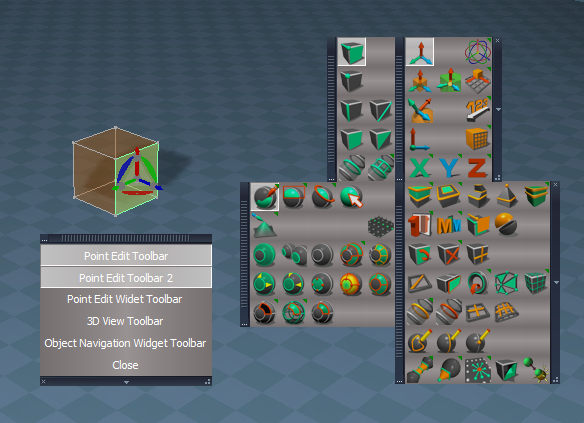
If you want to try it use this in the PointEdit2 script
Code: Select all
//	toolbarData.push( { popup: thisNode, toolbar: "PEElementToolbar", width: 78, height: 145, xOffset: -1.96 , yOffset: 1.05 });
//	toolbarData.push( { popup: thisNode, toolbar: "PESnappingToolbar", width: 107, height: 145, xOffset: -2.07 , yOffset: 1.05 });
//	toolbarData.push( { popup: thisNode, toolbar: "PESelectionToolbar", width: 165, height: 145, xOffset: -0.4 , yOffset: 0.05 });
//	toolbarData.push( { popup: thisNode, toolbar: "PEModelingToolbar", width: 165, height: 203, xOffset: -1.34 , yOffset: 0.04 });

	toolbarData.push( { popup: thisNode, toolbar: "Q_PEElementToolbar", width: 78, height: 145, xOffset: -1.96 , yOffset: 1.05 });
	toolbarData.push( { popup: thisNode, toolbar: "Q_PESnappingToolbar", width: 107, height: 145, xOffset: -2.07 , yOffset: 1.05 });
	toolbarData.push( { popup: thisNode, toolbar: "Q_PESelectionToolbar", width: 165, height: 145, xOffset: -0.4 , yOffset: 0.05 });
	toolbarData.push( { popup: thisNode, toolbar: "Q_PEModelingToolbar", width: 165, height: 203, xOffset: -1.34 , yOffset: 0.04 });
I did not add any closing commands but currently you can open both PE toolbars at the same time, which is undesirable
I find it odd to open the Point edit toolbars when the Link Editor, Status, Stack, Animation Editor, and or floating Windows have focus"Point edit toolbars only open when in point edit mode."
-
trueBlue
- Captain
- Posts: 5548
- Joined: 06 Jul 2009, 22:50
- Type the number ten into the box: 10
Re: Final trueSpace7.61 Beta 8 Std Unofficial Update
One other thing I forgot to mention, all of the opened Popup toolbars show on the Desktop when trueSpace is minimized
Any chance you can set the toolbar's frame OwnedBy attribute like you do the other toolbars?
frame = WindowsManager.GetWindowsManagerNodeName();
WindowsManager.SetFrameOwnerFrame(frame,WindowsManager.GetWorkWindow());
Any chance you can set the toolbar's frame OwnedBy attribute like you do the other toolbars?
frame = WindowsManager.GetWindowsManagerNodeName();
WindowsManager.SetFrameOwnerFrame(frame,WindowsManager.GetWorkWindow());
-
clintonman
- Captain
- Posts: 5659
- Joined: 21 May 2009, 21:08
- Type the number ten into the box: 0
- Location: California
Re: Final trueSpace7.61 Beta 8 Std Unofficial Update
I'll see what I can do. I always wondered why YOU set the OwnedBy on toolbars. Now that I know what it does it sounds good to me.trueBlue wrote: 23 Aug 2021, 23:37 One other thing I forgot to mention, all of the opened Popup toolbars show on the Desktop when trueSpace is minimized
Any chance you can set the toolbar's frame OwnedBy attribute like you do the other toolbars?
frame = WindowsManager.GetWindowsManagerNodeName();
WindowsManager.SetFrameOwnerFrame(frame,WindowsManager.GetWorkWindow());
-
clintonman
- Captain
- Posts: 5659
- Joined: 21 May 2009, 21:08
- Type the number ten into the box: 0
- Location: California
Re: Final trueSpace7.61 Beta 8 Std Unofficial Update
I'm doing tests and the popups are not showing when tS is minimized. Is there anything I can do to see it?trueBlue wrote: 23 Aug 2021, 23:37 One other thing I forgot to mention, all of the opened Popup toolbars show on the Desktop when trueSpace is minimized
...
-
trueBlue
- Captain
- Posts: 5548
- Joined: 06 Jul 2009, 22:50
- Type the number ten into the box: 10
Re: Final trueSpace7.61 Beta 8 Std Unofficial Update
One way I was able to see them is when I opened Edge and then either Minimized or Exitedclintonman wrote: 24 Aug 2021, 22:22I'm doing tests and the popups are not showing when tS is minimized. Is there anything I can do to see it?trueBlue wrote: 23 Aug 2021, 23:37 One other thing I forgot to mention, all of the opened Popup toolbars show on the Desktop when trueSpace is minimized
...
Another side effect of not assigning the WinID to the frame, is the toolbars show in front of floating windows
In this example, I was working in the main 3D Window
You can also see the the panel is behind the 3D window which is how they are suppose to be setup

-
clintonman
- Captain
- Posts: 5659
- Joined: 21 May 2009, 21:08
- Type the number ten into the box: 0
- Location: California
Re: Final trueSpace7.61 Beta 8 Std Unofficial Update
Thanks, still couldn't get floating toolbars in desktop, but I can see the toolbars above a new window.trueBlue wrote: 25 Aug 2021, 02:47One way I was able to see them is when I opened Edge and then either Minimized or Exitedclintonman wrote: 24 Aug 2021, 22:22I'm doing tests and the popups are not showing when tS is minimized. Is there anything I can do to see it?trueBlue wrote: 23 Aug 2021, 23:37 One other thing I forgot to mention, all of the opened Popup toolbars show on the Desktop when trueSpace is minimized
...
Another side effect of not assigning the WinID to the frame, is the toolbars show in front of floating windows
In this example, I was working in the main 3D Window
You can also see the the panel is behind the 3D window which is how they are suppose to be setup
No OwnedBy.png