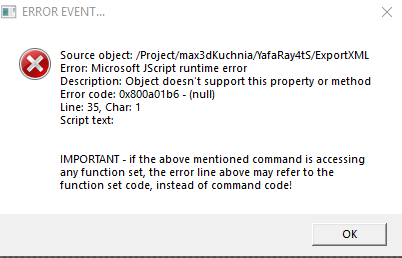
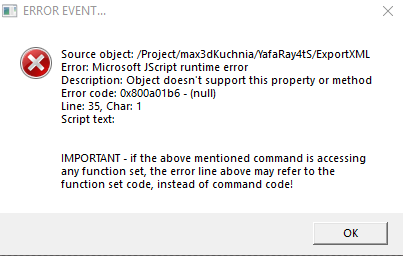
Again this is just a slightly different TESTclintonman wrote: 09 Aug 2018, 02:48What is the Errors Found message?trueBlue wrote: 08 Aug 2018, 21:52 ...
Testing your new Camera modifications.
Looks like all of the old attributes in the Cam Name script are no longer needed.
As a TEST, I selected a Yafaray Camera and pressed the Set Camera button.
Works and renders as expected.
I rename the Yafaray Camera to Camera without setting it up in the UI.
I get the Errors Found message and it renders the scene. <- The message is misleading with regards invalid selection in this scenario.
...
If the camera in the YafaRay4tS node is invalid it will give a message and then search the scene for a camera and use it. If it finds no camera at all it uses the 3D view and if it still fails it gives some other error and probably fails to render.
Set Camera is not set in the Camera aspect (Empty String) and Camera is set to Render
YafaRay Camera exist in scene
As you can see Open View is called as well as the Errors Add
Notice also that the Render is complete in the Status line but the Rendered image is not shown.
Console shows that XML file is open for writing etc.. AFTER the Render is completed

And in the case of no camera in the scene, switch to View
Code: Select all
				Yaf_CamPath = FindSceneCamera(scene);
				if(Yaf_CamPath != "") {
//tB
System.Trace("Camera not Set...");System.Trace("Found Camera in scene " + Yaf_CamPath)
//Errors.Add("Selected camera is not valid, using a scene camera instead.");

				CamMatrix = Node.Value(Yaf_CamPath, "WldMatrix");
				PerspectiveCheck = Node.Value(Yaf_CamPath + "/Camera", "Perspective");
				CamFOV = Node.Value(Yaf_CamPath + "/Camera", "FOV");
				} else {
				//System.Alert("Could not find camera.  Please choose a camera in the scene.")
				if(!d3dviewOpen) {
					System.Alert('CameraFnSet: ERROR - No 3D View window found!');
					return;
				}
				CamMatrix = Node.Value("/D3DView/" + EyeCam, "WldMatrix");
				PerspectiveCheck = Node.Value("/D3DView/" + EyeCam, "Perspective");
				CamFOV = Node.Value("/D3DView/" + EyeCam, "FOV");
//tB
//Errors.Add("No camera selected, using the active 3d view instead.");
System.Trace("Camera not Set...");System.Trace("Camera does not exist...");System.Trace("Switch to View");
Node.Value(System.ThisOwner(), 'Yaf_CamChoice') = 0;
Also the Render Object would work better (in my opinion) if there was no Alert, if nothing was selected or an invalid selection. That's the way Vray works. If you do not select an object with a mesh it does not render.
In the Default/Render Mode, after using the experimental mode, both Radio Buttons are disabled. So you do not know which mode you are using.


 100% lost here.