Final trueSpace7.61 Beta 8 Std Unofficial Update

User avatar
trueBlue
Captain
Posts: 5548
Joined: 06 Jul 2009, 22:50
Type the number ten into the box: 10

Re: Final trueSpace7.61 Beta 8 Std Unofficial Update

Post by trueBlue »

trueSpace7.61 Beta 8 Standalone Unofficial Update Version 9

Please test this prerelease

New Unofficial Update Instructions:

It is Required that you completely Uninstall and Install trueSpace7.61 Standalone to a clean directory
You can keep your Rs Main Libraries folder, but all other folders and files should be removed
Install tS761B8Std.exe to C:\trueSpace761Std


If trueSpace is open, Close trueSpace

1.) Install the YafaRay v3.3.0 render engine
2.) Install tS76_Vray1_54B8.exe to C:\trueSpace761Std (Optional)
3.) Install tS7.61B8Std.9.exe to C:\trueSpace761Std
Browse [...] to where you installed C:\trueSpace761Std, select its folder and then the [Extract] button
Select the [Yes to All] button
4.) Open trueSpace
5.) Select the [OK] button in the OptDetectors plugin Information dialog
6.) Press your keyboard's SHIFT CTRL R keys to Reset to Default Context
When trueSpace opens, select one of the layout tabs at the top
If Vray is installed,
7.) Press your keyboard's CTRL + F8 keys to open the Package Manager
Right click in the Package Manager and select Install New...
Open C:\trueSpace761Std\Vray_ts.rsx
Right click in the Package Manager's Vray Package and select Load
Close the Package Manager
8.) Close trueSpace
If Vray is installed,
9.) Delete the tS folder installed by the Vray installer

The included Clintons3dPlugin.dll v.1638433, Clintons3dPluginExt.dll v.1638413, Clintons3dRsView.dll v.1638409 and the OptDetectors.dll Author - Vladimir Sisolak, are in: C:\trueSpace761Std
WARNING: The init.js file Imports the above 4 plugins and should not be Installed from the Package Manager, including any other plugins with the same name that have the rsx extension
All scripts that check for these plugins with the rsx extension have been removed!

Updates:

CustomCommands
Dimensions
Updated scripts:
createAngleDims
createDimensions
RecreateDims
Add: No Undo script
Utililities.png
.
If the plugins do not Load, Download and Install the Microsoft Visual C++ 2008 Service Pack 1 Redistributable Package
https://www.microsoft.com/en-us/downloa ... x?id=26368

Removed due to Update
User avatar
trueBlue
Captain
Posts: 5548
Joined: 06 Jul 2009, 22:50
Type the number ten into the box: 10

Re: Final trueSpace7.61 Beta 8 Std Unofficial Update

Post by trueBlue »

trueSpace7.61 Beta 8 Standalone Unofficial Update Version 9

Please test this prerelease

New Unofficial Update Instructions:

It is Required that you completely Uninstall and Install trueSpace7.61 Standalone to a clean directory
You can keep your Rs Main Libraries folder, but all other folders and files should be removed
Install tS761B8Std.exe to C:\trueSpace761Std


If trueSpace is open, Close trueSpace

1.) Install the YafaRay v3.3.0 render engine
2.) Install tS76_Vray1_54B8.exe to C:\trueSpace761Std (Optional)
3.) Install tS7.61B8Std.9.exe to C:\trueSpace761Std
Browse [...] to where you installed C:\trueSpace761Std, select its folder and then the [Extract] button
Select the [Yes to All] button
4.) Open trueSpace
5.) Select the [OK] button in the OptDetectors plugin Information dialog
6.) Press your keyboard's SHIFT CTRL R keys to Reset to Default Context
When trueSpace opens, select one of the layout tabs at the top
If Vray is installed,
7.) Press your keyboard's CTRL + F8 keys to open the Package Manager
Right click in the Package Manager and select Install New...
Open C:\trueSpace761Std\Vray_ts.rsx
Right click in the Package Manager's Vray Package and select Load
Close the Package Manager
8.) Close trueSpace
If Vray is installed,
9.) Delete the tS folder installed by the Vray installer

The included Clintons3dPlugin.dll v.1638433, Clintons3dPluginExt.dll v.1638413, Clintons3dRsView.dll v.1638409 and the OptDetectors.dll Author - Vladimir Sisolak, are in: C:\trueSpace761Std
WARNING: The init.js file Imports the above 4 plugins and should not be Installed from the Package Manager, including any other plugins with the same name that have the rsx extension
All scripts that check for these plugins with the rsx extension have been removed!

Updates:

UUCommands
Update - Author Clinton Reese
VisUtility Function & Visibility Function
Add support for Dimensions
Note: Not tested for deeply encapsulated Dimensions

CustomCommands
Dimensions
Add: Remove All scripts
DimLinear & DimAngle
Add: Material 0/SolidTransparency (Transparency = 0.000) & LW material/Transparency (alpha = 0.000)
DimText
Add:
Material 0/Solid & LW material/Color & Reflection (ambient = 1.000)
Material 1/Solid & LW material/Color & Reflection (ambient = 1.000)
Material 2/Solid & LW material/Color & Reflection (ambient = 1.000)
Note: Vray shows Dimensions Text only

Utility Function Set/DeleteAll() function
Changed Alerts to Status Messages
Add: Space.Unslect() 'When deleting Scene_Measurements only'

Toolbars

.
Dimensions Toolbar
Fixed tooltips
Changed Misc to Utilities
Add: Remove All 'Remove All Dimensions'
Including Scene_Measurements


If the plugins do not Load, Download and Install the Microsoft Visual C++ 2008 Service Pack 1 Redistributable Package
https://www.microsoft.com/en-us/downloa ... x?id=26368

Removed due to update
User avatar
trueBlue
Captain
Posts: 5548
Joined: 06 Jul 2009, 22:50
Type the number ten into the box: 10

Re: Final trueSpace7.61 Beta 8 Std Unofficial Update

Post by trueBlue »

trueSpace7.61 Beta 8 Standalone Unofficial Update Version 9

Please test this prerelease

New Unofficial Update Instructions:

It is Required that you completely Uninstall and Install trueSpace7.61 Standalone to a clean directory
You can keep your Rs Main Libraries folder, but all other folders and files should be removed
Install tS761B8Std.exe to C:\trueSpace761Std


If trueSpace is open, Close trueSpace

1.) Install the YafaRay v3.3.0 render engine
2.) Install tS76_Vray1_54B8.exe to C:\trueSpace761Std (Optional)
3.) Install tS7.61B8Std.9.exe to C:\trueSpace761Std
Browse [...] to where you installed C:\trueSpace761Std, select its folder and then the [Extract] button
Select the [Yes to All] button
4.) Open trueSpace
5.) Select the [OK] button in the OptDetectors plugin Information dialog
6.) Press your keyboard's SHIFT CTRL R keys to Reset to Default Context
When trueSpace opens, select one of the layout tabs at the top
If Vray is installed,
7.) Press your keyboard's CTRL + F8 keys to open the Package Manager
Right click in the Package Manager and select Install New...
Open C:\trueSpace761Std\Vray_ts.rsx
Right click in the Package Manager's Vray Package and select Load
Close the Package Manager
8.) Close trueSpace
If Vray is installed,
9.) Delete the tS folder installed by the Vray installer

The included Clintons3dPlugin.dll v.1638433, Clintons3dPluginExt.dll v.1638413, Clintons3dRsView.dll v.1638409 and the OptDetectors.dll Author - Vladimir Sisolak, are in: C:\trueSpace761Std
WARNING: The init.js file Imports the above 4 plugins and should not be Installed from the Package Manager, including any other plugins with the same name that have the rsx extension
All scripts that check for these plugins with the rsx extension have been removed!

Updates:

UUCommands
Update - Author Clinton Reese
VisUtility Function & Visibility Function
Add support for Dimensions
Note: Not tested for deeply encapsulated Dimensions
Tip: Use Hide All & Show All for Dimensions

CustomCommands
Dimensions
Add:
Remove All scripts
Show All script
Hide All script

Toolbars
Dimensions Toolbar
Dimensions toolbar Remove All.png
.
Add:
Scene/
Remove All 'Remove All Dimensions'
Show All
Hide All

If the plugins do not Load, Download and Install the Microsoft Visual C++ 2008 Service Pack 1 Redistributable Package
https://www.microsoft.com/en-us/downloa ... x?id=26368

Removed due to update
User avatar
trueBlue
Captain
Posts: 5548
Joined: 06 Jul 2009, 22:50
Type the number ten into the box: 10

Re: Final trueSpace7.61 Beta 8 Std Unofficial Update

Post by trueBlue »

trueSpace7.61 Beta 8 Standalone Unofficial Update Version 9

Please test this prerelease

New Unofficial Update Instructions:

It is Required that you completely Uninstall and Install trueSpace7.61 Standalone to a clean directory
You can keep your Rs Main Libraries folder, but all other folders and files should be removed
Install tS761B8Std.exe to C:\trueSpace761Std


If trueSpace is open, Close trueSpace

1.) Install the YafaRay v3.3.0 render engine
2.) Install tS76_Vray1_54B8.exe to C:\trueSpace761Std (Optional)
3.) Install tS7.61B8Std.9.exe to C:\trueSpace761Std
Browse [...] to where you installed C:\trueSpace761Std, select its folder and then the [Extract] button
Select the [Yes to All] button
4.) Open trueSpace
5.) Select the [OK] button in the OptDetectors plugin Information dialog
6.) Press your keyboard's SHIFT CTRL R keys to Reset to Default Context
When trueSpace opens, select one of the layout tabs at the top
If Vray is installed,
7.) Press your keyboard's CTRL + F8 keys to open the Package Manager
Right click in the Package Manager and select Install New...
Open C:\trueSpace761Std\Vray_ts.rsx
Right click in the Package Manager's Vray Package and select Load
Close the Package Manager
8.) Close trueSpace
If Vray is installed,
9.) Delete the tS folder installed by the Vray installer

The included Clintons3dPlugin.dll v.1638433, Clintons3dPluginExt.dll v.1638413, Clintons3dRsView.dll v.1638409 and the OptDetectors.dll Author - Vladimir Sisolak, are in: C:\trueSpace761Std
WARNING: The init.js file Imports the above 4 plugins and should not be Installed from the Package Manager, including any other plugins with the same name that have the rsx extension
All scripts that check for these plugins with the rsx extension have been removed!

Updates:

Rs Main Libraries
OptDetectors
Update:
Video iOpt Player

Toolbars
Fixed UVEditor toolbar node's missing attribute
Removed the Name value for all toolbars

Q_PEModelingToolbar - 'Removed the Object attribute'

Custom Toolbar 'Red'
Add: Uneditable - LMB = Opens the floating panel
Uneditable panel and icon.png
Uneditable panel and icon.png (20.73 KiB) Viewed 1497 times
Uneditable.png
Uneditable.png (1.48 KiB) Viewed 1497 times
.
UUCommands
Add: Uneditable - 'Create, Remove, and Set All'

UUFunctionSet
function FlattenObjects()
Add
if(Node.ConExists(sel, 'Uneditable')) return;

CustomCommands
Dimensions
DimLinear, DimAngle, & DimText
DimLinear.png
DimLinear.png (1.72 KiB) Viewed 1489 times
Add:
Dimension attribute - [Button] LMB = Enter owner name / RMB = Select dimension owner
Object Render Attributes Setttings - [Button] LMB = Open - Object Render Attributes Setttings

DimText
Material Colors.png
Material Colors.png (1.55 KiB) Viewed 1483 times
Add:
Material Colors - [Update] LMB = Sets the D3D & Vray Color

Widgets
Object Navigation Widget(s)
Enter edit mode/ Uneditable script
Add:

Code: Select all

	if(Node.IsLight(Node.FirstSelected())) {
		params.SetTerminationFlag()
		return
	}

	if(Node.Exists(Node.FirstSelected() + '/MeasureNode')) {
		params.SetTerminationFlag()
		return
	}

	if(Node.ConExists(Node.FirstSelected(), 'Dimension')) {
		params.SetTerminationFlag()
		return
	}

	var obj = Node.ShortName(Node.FirstSelected())
	if(Question(' ' + obj + ' is Uneditable\n\nWould you like to remove the Uneditable attribute?'))
		Node.ConRemove(Node.FirstSelected(), 'Uneditable')
		if(!Node.ConExists(Node.FirstSelected(), 'Uneditable'))
		util.SetStatusMessage(' ' + obj + ' Uneditable attribute removed ', 3000)
		params.SetTerminationFlag()
		return
	}

If the plugins do not Load, Download and Install the Microsoft Visual C++ 2008 Service Pack 1 Redistributable Package
https://www.microsoft.com/en-us/downloa ... x?id=26368

Removed due to update
User avatar
trueBlue
Captain
Posts: 5548
Joined: 06 Jul 2009, 22:50
Type the number ten into the box: 10

Re: Final trueSpace7.61 Beta 8 Std Unofficial Update

Post by trueBlue »

trueSpace7.61 Beta 8 Standalone Unofficial Update Version 9

Please test this RC1 11/19/2022 :bananatyping:

New Unofficial Update Instructions:

It is Required that you completely Uninstall and Install trueSpace7.61 Standalone to a clean directory
You can keep your Rs Main Libraries folder, but all other folders and files should be removed
Install tS761B8Std.exe to C:\trueSpace761Std


If trueSpace is open, Close trueSpace

1.) Install the YafaRay v3.3.0 render engine
2.) Install tS76_Vray1_54B8.exe to C:\trueSpace761Std (Optional)
3.) Install tS7.61B8Std.9.exe to C:\trueSpace761Std
Browse [...] to where you installed C:\trueSpace761Std, select its folder and then the [Extract] button
Select the [Yes to All] button
4.) Open trueSpace
5.) Select the [OK] button in the OptDetectors plugin Information dialog
6.) Press your keyboard's SHIFT CTRL R keys to Reset to Default Context
When trueSpace opens, select one of the layout tabs at the top
If Vray is installed,
7.) Press your keyboard's CTRL + F8 keys to open the Package Manager
Right click in the Package Manager and select Install New...
Open C:\trueSpace761Std\Vray_ts.rsx
Right click in the Package Manager's Vray Package and select Load
Close the Package Manager
8.) Close trueSpace
If Vray is installed,
9.) Delete the tS folder installed by the Vray installer

The included Clintons3dPlugin.dll v.1638433, Clintons3dPluginExt.dll v.1638413, Clintons3dRsView.dll v.1638409 and the OptDetectors.dll Author - Vladimir Sisolak, are in: C:\trueSpace761Std
WARNING: The init.js file Imports the above 4 plugins and should not be Installed from the Package Manager, including any other plugins with the same name that have the rsx extension
All scripts that check for these plugins with the rsx extension have been removed!

Updates:

CustomCommands
Dimensions
Update:
RecreateDims
Remove All


If the plugins do not Load, Download and Install the Microsoft Visual C++ 2008 Service Pack 1 Redistributable Package
https://www.microsoft.com/en-us/downloa ... x?id=26368

Removed due to update
User avatar
trueBlue
Captain
Posts: 5548
Joined: 06 Jul 2009, 22:50
Type the number ten into the box: 10

Re: Final trueSpace7.61 Beta 8 Std Unofficial Update

Post by trueBlue »

trueSpace7.61 Beta 8 Standalone Unofficial Update Version 9

Please test this RC2 11/21/2022 :bananatyping:

New Unofficial Update Instructions:

It is Required that you completely Uninstall and Install trueSpace7.61 Standalone to a clean directory
You can keep your Rs Main Libraries folder, but all other folders and files should be removed
Install tS761B8Std.exe to C:\trueSpace761Std


If trueSpace is open, Close trueSpace

1.) Install the YafaRay v3.3.0 render engine
2.) Install tS76_Vray1_54B8.exe to C:\trueSpace761Std (Optional)
3.) Install tS7.61B8Std.9.exe to C:\trueSpace761Std
Browse [...] to where you installed C:\trueSpace761Std, select its folder and then the [Extract] button
Select the [Yes to All] button
4.) Open trueSpace
5.) Select the [OK] button in the OptDetectors plugin Information dialog
6.) Press your keyboard's SHIFT CTRL R keys to Reset to Default Context
When trueSpace opens, select one of the layout tabs at the top
If Vray is installed,
7.) Press your keyboard's CTRL + F8 keys to open the Package Manager
Right click in the Package Manager and select Install New...
Open C:\trueSpace761Std\Vray_ts.rsx
Right click in the Package Manager's Vray Package and select Load
Close the Package Manager
8.) Close trueSpace
If Vray is installed,
9.) Delete the tS folder installed by the Vray installer

The included Clintons3dPlugin.dll v.1638433, Clintons3dPluginExt.dll v.1638413, Clintons3dRsView.dll v.1638409 and the OptDetectors.dll Author - Vladimir Sisolak, are in: C:\trueSpace761Std
WARNING: The init.js file Imports the above 4 plugins and should not be Installed from the Package Manager, including any other plugins with the same name that have the rsx extension
All scripts that check for these plugins with the rsx extension have been removed!

Updates:

CustomCommands
Hierarchy
Hierarchy Function Set - Changed Status Message - "(selected object name) is the Parent"

AutoKey - Updated code in cases where Auto Keyframing is active, and the panel is closed
AutokeyWidgets/Automatic Keyframing - Updated button code and removed Clear History commands
New:
Automatic Keyframing.png
Automatic Keyframing.png (14.24 KiB) Viewed 1445 times
Activate changes the Object Navigation Widget's sphere to Green
Deactivate changes the Object Navigation Widget's sphere back to default Gray color

Dimensions
Utility Function Set/SelectNext() - Changed Alert to Status Message
Hide All script - Add support for NURBS

UUCommands
Add: ResetPerspective script

Toolbars/WinGUID_Bar/Reset View - RMB = 'Reset Perspective' - Activity.Run('Scripts/UUCommands/ResetPerspective');

Window.Shortcuts.xml
Removed - Animation Editor ESC shortcut

tS761 Workspace Shortcut List.rtf
Removed - Animation Editor ESC shortcut


If the plugins do not Load, Download and Install the Microsoft Visual C++ 2008 Service Pack 1 Redistributable Package
https://www.microsoft.com/en-us/downloa ... x?id=26368

Removed due to update
User avatar
trueBlue
Captain
Posts: 5548
Joined: 06 Jul 2009, 22:50
Type the number ten into the box: 10

Re: Final trueSpace7.61 Beta 8 Std Unofficial Update

Post by trueBlue »

trueSpace7.61 Beta 8 Standalone Unofficial Update Version 9

Please test this RC3 11/25/2022 :bananatyping:

New Unofficial Update Instructions:

It is Required that you completely Uninstall and Install trueSpace7.61 Standalone to a clean directory
You can keep your Rs Main Libraries folder, but all other folders and files should be removed
Install tS761B8Std.exe to C:\trueSpace761Std


If trueSpace is open, Close trueSpace

1.) Install the YafaRay v3.3.0 render engine
2.) Install tS76_Vray1_54B8.exe to C:\trueSpace761Std (Optional)
3.) Install tS7.61B8Std.9.exe to C:\trueSpace761Std
Browse [...] to where you installed C:\trueSpace761Std, select its folder and then the [Extract] button
Select the [Yes to All] button
4.) Open trueSpace
5.) Select the [OK] button in the OptDetectors plugin Information dialog
6.) Press your keyboard's SHIFT CTRL R keys to Reset to Default Context
When trueSpace opens, select one of the layout tabs at the top
If Vray is installed,
7.) Press your keyboard's CTRL + F8 keys to open the Package Manager
Right click in the Package Manager and select Install New...
Open C:\trueSpace761Std\Vray_ts.rsx
Right click in the Package Manager's Vray Package and select Load
Close the Package Manager
8.) Close trueSpace
If Vray is installed,
9.) Delete the tS folder installed by the Vray installer

The included Clintons3dPlugin.dll v.1638433, Clintons3dPluginExt.dll v.1638413, Clintons3dRsView.dll v.1638409 and the OptDetectors.dll Author - Vladimir Sisolak, are in: C:\trueSpace761Std
WARNING: The init.js file Imports the above 4 plugins and should not be Installed from the Package Manager, including any other plugins with the same name that have the rsx extension
All scripts that check for these plugins with the rsx extension have been removed!

Updates:

UUCommands
Add: Commands
Note: Commands and Undo scripts that manage the amount of Undo commands available and the ability to Undo several Undo(s) at once
Commands panel.png
Commands panel.png (6.26 KiB) Viewed 1398 times
.
Toolbars
CustomToolbar 'Red'
Add: Commands icon - 'Opens the Commands panel'

AnimationBar
Add: Automatic Keyframing icon
LMB - Opens and Activates - Automatic Keyframing
RMB - Closes and Deactivates - Automatic Keyframing

CustomCommands
Dimensions
Hide All - Add: RsApp.ClearHistory()

Rs Main Libraries
Add: Buttons - Buttons libray
Includes a modified blank ToolbarButton

Objects - tS7.61 Update objects
Update:
Sequence Player
Animation Panel

OptDetectors
Update:
Video iOpt Player


If the plugins do not Load, Download and Install the Microsoft Visual C++ 2008 Service Pack 1 Redistributable Package
https://www.microsoft.com/en-us/downloa ... x?id=26368

Removed due to update
User avatar
trueBlue
Captain
Posts: 5548
Joined: 06 Jul 2009, 22:50
Type the number ten into the box: 10

Re: Final trueSpace7.61 Beta 8 Std Unofficial Update

Post by trueBlue »

trueSpace7.61 Beta 8 Standalone Unofficial Update Version 9

Please test this RC4 11/27/2022 :bananatyping:

New Unofficial Update Instructions:

It is Required that you completely Uninstall and Install trueSpace7.61 Standalone to a clean directory
You can keep your Rs Main Libraries folder, but all other folders and files should be removed
Install tS761B8Std.exe to C:\trueSpace761Std


If trueSpace is open, Close trueSpace

1.) Install the YafaRay v3.3.0 render engine
2.) Install tS76_Vray1_54B8.exe to C:\trueSpace761Std (Optional)
3.) Install tS7.61B8Std.9.exe to C:\trueSpace761Std
Browse [...] to where you installed C:\trueSpace761Std, select its folder and then the [Extract] button
Select the [Yes to All] button
4.) Open trueSpace
5.) Select the [OK] button in the OptDetectors plugin Information dialog
6.) Press your keyboard's SHIFT CTRL R keys to Reset to Default Context
When trueSpace opens, select one of the layout tabs at the top
If Vray is installed,
7.) Press your keyboard's CTRL + F8 keys to open the Package Manager
Right click in the Package Manager and select Install New...
Open C:\trueSpace761Std\Vray_ts.rsx
Right click in the Package Manager's Vray Package and select Load
Close the Package Manager
8.) Close trueSpace
If Vray is installed,
9.) Delete the tS folder installed by the Vray installer

The included Clintons3dPlugin.dll v.1638433, Clintons3dPluginExt.dll v.1638413, Clintons3dRsView.dll v.1638409 and the OptDetectors.dll Author - Vladimir Sisolak, are in: C:\trueSpace761Std
WARNING: The init.js file Imports the above 4 plugins and should not be Installed from the Package Manager, including any other plugins with the same name that have the rsx extension
All scripts that check for these plugins with the rsx extension have been removed!

Updates:

Removed - Workspace Layers 3

Widgets
Background - Fixed: Hide Unselected (period + LB drag) & Show All (coma + LB drag)

preobjects
Update: Lights, Cameras, light01, light02, light03, light04, Camera1
Synchronize Object script

Rs Main Libraries
Lights
Update: WS - Default & WS - Black


If the plugins do not Load, Download and Install the Microsoft Visual C++ 2008 Service Pack 1 Redistributable Package
https://www.microsoft.com/en-us/downloa ... x?id=26368

Remove due to update
User avatar
trueBlue
Captain
Posts: 5548
Joined: 06 Jul 2009, 22:50
Type the number ten into the box: 10

Re: Final trueSpace7.61 Beta 8 Std Unofficial Update

Post by trueBlue »

trueSpace7.61 Beta 8 Standalone Unofficial Update Version 9

Please test this RC5 12/2/2022 :bananatyping:

New Unofficial Update Instructions:

It is Required that you completely Uninstall and Install trueSpace7.61 Standalone to a clean directory
You can keep your Rs Main Libraries folder, but all other folders and files should be removed
Install tS761B8Std.exe to C:\trueSpace761Std


If trueSpace is open, Close trueSpace

1.) Install the YafaRay v3.3.0 render engine
2.) Install tS76_Vray1_54B8.exe to C:\trueSpace761Std (Optional)
3.) Install tS7.61B8Std.9.exe to C:\trueSpace761Std
Browse [...] to where you installed C:\trueSpace761Std, select its folder and then the [Extract] button
Select the [Yes to All] button
4.) Open trueSpace
5.) Select the [OK] button in the OptDetectors plugin Information dialog
6.) Press your keyboard's SHIFT CTRL R keys to Reset to Default Context
When trueSpace opens, select one of the layout tabs at the top
If Vray is installed,
7.) Press your keyboard's CTRL + F8 keys to open the Package Manager
Right click in the Package Manager and select Install New...
Open C:\trueSpace761Std\Vray_ts.rsx
Right click in the Package Manager's Vray Package and select Load
Close the Package Manager
8.) Close trueSpace
If Vray is installed,
9.) Delete the tS folder installed by the Vray installer

The included Clintons3dPlugin.dll v.1638433, Clintons3dPluginExt.dll v.1638413, Clintons3dRsView.dll v.1638409 and the OptDetectors.dll Author - Vladimir Sisolak, are in: C:\trueSpace761Std
WARNING: The init.js file Imports the above 4 plugins and should not be Installed from the Package Manager, including any other plugins with the same name that have the rsx extension
All scripts that check for these plugins with the rsx extension have been removed!

Updates:

Widgets
View widget - Fixed: Encircle 'Green' - Shift + RB - Eye Camera panel

Toolbars
WorkspaceNav
Toolbar Manager.png
.
Add
Toolbar Manager icon
LMB = Toolbar Manager
RMB = Open All toolbars

CustomCommands
Add
Toolbar Manager - Author Clinton Reese
Removed the previous version
Toolbar Manager panels.png
.

If the plugins do not Load, Download and Install the Microsoft Visual C++ 2008 Service Pack 1 Redistributable Package
https://www.microsoft.com/en-us/downloa ... x?id=26368
Note: When downloading the Microsoft Visual C++ 2008 Service Pack 1 Redistributable Package you are given 3 choices
Choose the 32-bit version; vcredist_x86.exe
.
Removed due to update
User avatar
trueBlue
Captain
Posts: 5548
Joined: 06 Jul 2009, 22:50
Type the number ten into the box: 10

Re: Final trueSpace7.61 Beta 8 Std Unofficial Update

Post by trueBlue »

trueSpace7.61 Beta 8 Standalone Unofficial Update Version 9

Please test this RC6 12/14/2022 :bananatyping:

New Unofficial Update Instructions:

It is Required that you completely Uninstall and Install trueSpace7.61 Standalone to a clean directory
You can keep your Rs Main Libraries folder, but all other folders and files should be removed
Install tS761B8Std.exe to C:\trueSpace761Std


If trueSpace is open, Close trueSpace

1.) Install the YafaRay v3.3.0 render engine
2.) Install tS76_Vray1_54B8.exe to C:\trueSpace761Std (Optional)
3.) Install tS7.61B8Std.9.exe to C:\trueSpace761Std
Browse [...] to where you installed C:\trueSpace761Std, select its folder and then the [Extract] button
Select the [Yes to All] button
4.) Open trueSpace
5.) Select the [OK] button in the OptDetectors plugin Information dialog
6.) Press your keyboard's SHIFT CTRL R keys to Reset to Default Context
When trueSpace opens, select one of the layout tabs at the top
If Vray is installed,
7.) Press your keyboard's CTRL + F8 keys to open the Package Manager
Right click in the Package Manager and select Install New...
Open C:\trueSpace761Std\Vray_ts.rsx
Right click in the Package Manager's Vray Package and select Load
Close the Package Manager
8.) Close trueSpace
If Vray is installed,
9.) Delete the tS folder installed by the Vray installer

The included Clintons3dPlugin.dll v.1638433, Clintons3dPluginExt.dll v.1638413, Clintons3dRsView.dll v.1638409 and the OptDetectors.dll Author - Vladimir Sisolak, are in: C:\trueSpace761Std
WARNING: The init.js file Imports the above 4 plugins and should not be Installed from the Package Manager, including any other plugins with the same name that have the rsx extension
All scripts that check for these plugins with the rsx extension have been removed!

Updates:

Widgets
Changed the widget(s) shortcut panel's mouse button names & Open panel scripts

PE widget
Sphere
Shift key on selected element sets the Origin
Also enables Visible if unchecked

Toolbars
ClintonsToolbar
Fix: alignHandleSmoothButton & alignHandleSharpButton 'names'

WorkspaceNav
Removed: Toolbar Manager RMB command

WorkspaceMainMenu/Help
Add:
Shortcuts - Author Clinton Reese
Help Shortcuts.png
Help Shortcuts.png (10.9 KiB) Viewed 1302 times
.
Todo: Fix Shortcut error - Shift Ctrl R = Reset to Default Context

Scripts
Add & Update:
Widget.Shortcuts.xml
Window.Shortcuts.xml
tS761 Workspace Shortcut List.rtf

preobjects
UUCommands 'Removed the Global Function Set and updated the Open panel scripts'

CustomScriptsStore
Add & Update:
ShortcutRunner - Author Clinton Reese
ToolbarManager - Author Clinton Reese
Global Function Set - Author Clinton Reese
Updated almost every script to use the Global Function Set
Todo: NURBS scripts 'Open Panel scripts'

If the plugins do not Load, Download and Install the Microsoft Visual C++ 2008 Service Pack 1 Redistributable Package
https://www.microsoft.com/en-us/downloa ... x?id=26368
Note: When downloading the Microsoft Visual C++ 2008 Service Pack 1 Redistributable Package you are given 3 choices
Choose the 32-bit version; vcredist_x86.exe

Removed due to update
User avatar
clintonman
Captain
Posts: 5659
Joined: 21 May 2009, 21:08
Type the number ten into the box: 0
Location: California

Re: Final trueSpace7.61 Beta 8 Std Unofficial Update

Post by clintonman »

Here is a fix for the shortcut runner and shift ctrl r reset default context.
Replace RunShortcut inside the encaps.
Attachments
RunShortcut04.RsObj
(8.88 KiB) Downloaded 80 times
Clinton Reese

http://clintons3d.com
User avatar
trueBlue
Captain
Posts: 5548
Joined: 06 Jul 2009, 22:50
Type the number ten into the box: 10

Re: Final trueSpace7.61 Beta 8 Std Unofficial Update

Post by trueBlue »

clintonman wrote: 15 Dec 2022, 15:38 Here is a fix for the shortcut runner and shift ctrl r reset default context.
Replace RunShortcut inside the encaps.
Thanks Clinton!
Have not looked at the above yet
I just made some changes to an unreleased UU9
Toolbars
Reset Default button(s)
LMB Command
if(!Node.Exists("Scripts/UUCommands")){RsApp.Reset();};cmd='GFS=Node.AccessFnSet("Scripts/CustomCommands/Global Function Set");UUFS=Node.AccessFnSet("Scripts/UUCommands/UUFunctionSet");UUFS.GlobalFS=GFS;UUFS.ResetContext();';RsApp.RunScriptBuffer(cmd);

Also changed the Shift Ctrl R shortcut to use the above

Will these changes be okay with your fix for the shortcut runner and shift ctrl r reset default context?
User avatar
clintonman
Captain
Posts: 5659
Joined: 21 May 2009, 21:08
Type the number ten into the box: 0
Location: California

Re: Final trueSpace7.61 Beta 8 Std Unofficial Update

Post by clintonman »

trueBlue wrote: 15 Dec 2022, 17:57
clintonman wrote: 15 Dec 2022, 15:38 Here is a fix for the shortcut runner and shift ctrl r reset default context.
Replace RunShortcut inside the encaps.
Thanks Clinton!
Have not looked at the above yet
I just made some changes to an unreleased UU9
Toolbars
Reset Default button(s)
LMB Command
if(!Node.Exists("Scripts/UUCommands")){RsApp.Reset();};cmd='GFS=Node.AccessFnSet("Scripts/CustomCommands/Global Function Set");UUFS=Node.AccessFnSet("Scripts/UUCommands/UUFunctionSet");UUFS.GlobalFS=GFS;UUFS.ResetContext();';RsApp.RunScriptBuffer(cmd);

Also changed the Shift Ctrl R shortcut to use the above

Will these changes be okay with your fix for the shortcut runner and shift ctrl r reset default context?
Nope, the fix for the shortcut runner and shift ctrl r reset default context will have to be modified again.

Edit:

This might work, not tested.

cmd='if(!Node.Exists("Scripts/UUCommands")){RsApp.Reset();return;};GFS=Node.AccessFnSet("Scripts/CustomCommands/Global Function Set");UUFS=Node.AccessFnSet("Scripts/UUCommands/UUFunctionSet");UUFS.GlobalFS=GFS;UUFS.ResetContext();';RsApp.RunScriptBuffer(cmd);
Clinton Reese

http://clintons3d.com
User avatar
trueBlue
Captain
Posts: 5548
Joined: 06 Jul 2009, 22:50
Type the number ten into the box: 10

Re: Final trueSpace7.61 Beta 8 Std Unofficial Update

Post by trueBlue »

Yippie, that works! :D
Took me awhile, Shortcut Runner did not like the question mark in the description: Reset to Default Context?
Last on the Todo list is the NURBS open floating panel scripts
I looked, it looked complicated and did not want to mess it up
User avatar
clintonman
Captain
Posts: 5659
Joined: 21 May 2009, 21:08
Type the number ten into the box: 0
Location: California

Re: Final trueSpace7.61 Beta 8 Std Unofficial Update

Post by clintonman »

trueBlue wrote: 15 Dec 2022, 18:46 Yippie, that works! :D
Took me awhile, Shortcut Runner did not like the question mark in the description: Reset to Default Context?
Last on the Todo list is the NURBS open floating panel scripts
I looked, it looked complicated and did not want to mess it up
What did you want to change about them?
Clinton Reese

http://clintons3d.com
User avatar
trueBlue
Captain
Posts: 5548
Joined: 06 Jul 2009, 22:50
Type the number ten into the box: 10

Re: Final trueSpace7.61 Beta 8 Std Unofficial Update

Post by trueBlue »

clintonman wrote: 15 Dec 2022, 18:49
trueBlue wrote: 15 Dec 2022, 18:46 Yippie, that works! :D
Took me awhile, Shortcut Runner did not like the question mark in the description: Reset to Default Context?
Last on the Todo list is the NURBS open floating panel scripts
I looked, it looked complicated and did not want to mess it up
What did you want to change about them?
Open them using your short form like all the others
I believe I changed every known open floating panel script(s) except for the NURBS
User avatar
clintonman
Captain
Posts: 5659
Joined: 21 May 2009, 21:08
Type the number ten into the box: 0
Location: California

Re: Final trueSpace7.61 Beta 8 Std Unofficial Update

Post by clintonman »

Here are the changes for the NURBS open panels code

3 scripts changed:
NURBSScripts/NURBSUtlities/openPanelFrame
NURBSScripts/latheCurveScript/openPanelFrame
NURBSScripts/rebuildNURBSScript/openPanelFrame
Attachments
NURBSScripts1bc6.RsObj
(2.67 MiB) Downloaded 82 times
Clinton Reese

http://clintons3d.com
User avatar
trueBlue
Captain
Posts: 5548
Joined: 06 Jul 2009, 22:50
Type the number ten into the box: 10

Re: Final trueSpace7.61 Beta 8 Std Unofficial Update

Post by trueBlue »

Thanks Clinton!
You make it look so simple
Beforehand, I think I looked at the Utilities panel open panel script, and said WTH?
I did shorten that one up a bit
When a panel frame is stationary, you only need to set the RootNode and PanelEditorNode attributes once
User avatar
trueBlue
Captain
Posts: 5548
Joined: 06 Jul 2009, 22:50
Type the number ten into the box: 10

Re: Final trueSpace7.61 Beta 8 Std Unofficial Update

Post by trueBlue »

trueSpace7.61 Beta 8 Standalone Unofficial Update Version 9

Please test this RC7 12/15/2022 :bananatyping:

New Unofficial Update Instructions:

It is Required that you completely Uninstall and Install trueSpace7.61 Standalone to a clean directory
You can keep your Rs Main Libraries folder, but all other folders and files should be removed
Install tS761B8Std.exe to C:\trueSpace761Std


If trueSpace is open, Close trueSpace

1.) Install the YafaRay v3.3.0 render engine
2.) Install tS76_Vray1_54B8.exe to C:\trueSpace761Std (Optional)
3.) Install tS7.61B8Std.9.exe to C:\trueSpace761Std
Browse [...] to where you installed C:\trueSpace761Std, select its folder and then the [Extract] button
Select the [Yes to All] button
4.) Open trueSpace
5.) Select the [OK] button in the OptDetectors plugin Information dialog
6.) Press your keyboard's SHIFT CTRL R keys to Reset to Default Context
When trueSpace opens, select one of the layout tabs at the top
If Vray is installed,
7.) Press your keyboard's CTRL + F8 keys to open the Package Manager
Right click in the Package Manager and select Install New...
Open C:\trueSpace761Std\Vray_ts.rsx
Right click in the Package Manager's Vray Package and select Load
Close the Package Manager
8.) Close trueSpace
If Vray is installed,
9.) Delete the tS folder installed by the Vray installer

The included Clintons3dPlugin.dll v.1638433, Clintons3dPluginExt.dll v.1638413, Clintons3dRsView.dll v.1638409 and the OptDetectors.dll Author - Vladimir Sisolak, are in: C:\trueSpace761Std
WARNING: The init.js file Imports the above 4 plugins and should not be Installed from the Package Manager, including any other plugins with the same name that have the rsx extension
All scripts that check for these plugins with the rsx extension have been removed!

Updates:

Widgets
PE widget
Sphere
Shift key on selected element sets the Origin
Also enables Visible if unchecked
Removed Switch widgets

Obj widget
Sphere
Removed Switch widgets

WidgetScripts
CycleObjectNavigationWidget & CyclePointEditNavigationWidget
Removed Switch widgets from the Sphere

Toolbars
Reset Default button(s)
Changed the LMB Command

preobjects
ToolbarsBACKUP

Scripts
Update:
Widget.Shortcuts.xml
Window.Shortcuts.xml

CustomScriptsStore
Update:
ShortcutRunner
NURBS Scripts

If the plugins do not Load, Download and Install the Microsoft Visual C++ 2008 Service Pack 1 Redistributable Package
https://www.microsoft.com/en-us/downloa ... x?id=26368
Note: When downloading the Microsoft Visual C++ 2008 Service Pack 1 Redistributable Package you are given 3 choices
Choose the 32-bit version; vcredist_x86.exe
Removed due to update
User avatar
trueBlue
Captain
Posts: 5548
Joined: 06 Jul 2009, 22:50
Type the number ten into the box: 10

Re: Final trueSpace7.61 Beta 8 Std Unofficial Update

Post by trueBlue »

trueSpace7.61 Beta 8 Standalone Unofficial Update Version 9

Please test this RC8 12/17/2022 :bananatyping:

New Unofficial Update Instructions:

It is Required that you completely Uninstall and Install trueSpace7.61 Standalone to a clean directory
You can keep your Rs Main Libraries folder, but all other folders and files should be removed
Install tS761B8Std.exe to C:\trueSpace761Std


If trueSpace is open, Close trueSpace

1.) Install the YafaRay v3.3.0 render engine
2.) Install tS76_Vray1_54B8.exe to C:\trueSpace761Std (Optional but required before installing the Update)
3.) Install tS7.61B8Std.9.exe to C:\trueSpace761Std
Browse [...] to where you installed C:\trueSpace761Std, select its folder and then the [Extract] button
Select the [Yes to All] button
4.) Open trueSpace
5.) Select the [OK] button in the OptDetectors plugin Information dialog
6.) Press your keyboard's SHIFT CTRL R keys to Reset to Default Context
When trueSpace opens, select one of the layout tabs at the top
If Vray is installed,
7.) Press your keyboard's CTRL + F8 keys to open the Package Manager
Right click in the Package Manager and select Install New...
Open C:\trueSpace761Std\Vray_ts.rsx
Right click in the Package Manager's Vray Package and select Load
Close the Package Manager
8.) Close trueSpace
If Vray is installed,
9.) Delete the tS folder installed by the Vray installer

The included Clintons3dPlugin.dll v.1638433, Clintons3dPluginExt.dll v.1638413, Clintons3dRsView.dll v.1638409 and the OptDetectors.dll Author - Vladimir Sisolak, are in: C:\trueSpace761Std
WARNING: The init.js file Imports the above 4 plugins and should not be Installed from the Package Manager, including any other plugins with the same name that have the rsx extension
All scripts that check for these plugins with the rsx extension have been removed!

Unofficial Update Version 9
Started on Fri Sep 02, 2022

Commands
Removed all of the discontinued xml scripts

Plugins Author - Clinton Reese
Renamed from rsx to dll:
Clintons3dPlugin.dll
Clintons3dRsView.dll
Clintons3dPluginExt.dll
Add
OptDetectors.dll Author - Vladimir Sisolak

Library
Add
OptDetectors
OptDetectors - Help objects
OptDetectors - Samples

Scripts
Update
init.js 'Loads the above 4 plugins'
Window.Shortcuts.xml
tS761 Workspace Shortcut List.rtf
Widget.Shortcuts.xml

CustomCommands Author - Clinton Reese
Add
JSON Function Set
Global Function Set
Dimensions
Hierarchy
Toolbar Manager
ShortcutRunner

preobjects
Add
UUCommands
Add
Commands
Uneditable

If the plugins do not Load, Download and Install the Microsoft Visual C++ 2008 Service Pack 1 Redistributable Package
https://www.microsoft.com/en-us/downloa ... x?id=26368
Note: When downloading the Microsoft Visual C++ 2008 Service Pack 1 Redistributable Package you are given 3 choices
Choose the 32-bit version; vcredist_x86.exe
Removed due to Update
User avatar
trueBlue
Captain
Posts: 5548
Joined: 06 Jul 2009, 22:50
Type the number ten into the box: 10

Re: Final trueSpace7.61 Beta 8 Std Unofficial Update

Post by trueBlue »

trueSpace7.61 Beta 8 Standalone Unofficial Update Version 9

Please test this RC9 12/18/2022 :bananatyping:

New Unofficial Update Instructions:

It is Required that you completely Uninstall and Install trueSpace7.61 Standalone to a clean directory
You can keep your Rs Main Libraries folder, but all other folders and files should be removed
Install tS761B8Std.exe to C:\trueSpace761Std


If trueSpace is open, Close trueSpace

1.) Install the YafaRay v3.3.0 render engine
2.) Install tS76_Vray1_54B8.exe to C:\trueSpace761Std (Optional but required before installing the Update)
3.) Install tS7.61B8Std.9.exe to C:\trueSpace761Std
Browse [...] to where you installed C:\trueSpace761Std, select its folder and then the [Extract] button
Select the [Yes to All] button
4.) Open trueSpace
5.) Select the [OK] button in the OptDetectors plugin Information dialog
6.) Press your keyboard's SHIFT CTRL R keys to Reset to Default Context
When trueSpace opens, select one of the layout tabs at the top
If Vray is installed,
7.) Press your keyboard's CTRL + F8 keys to open the Package Manager
Right click in the Package Manager and select Install New...
Open C:\trueSpace761Std\Vray_ts.rsx
Right click in the Package Manager's Vray Package and select Load
Close the Package Manager
8.) Close trueSpace
If Vray is installed,
9.) Delete the tS folder installed by the Vray installer

The included Clintons3dPlugin.dll v.1638433, Clintons3dPluginExt.dll v.1638413, Clintons3dRsView.dll v.1638409 and the OptDetectors.dll Author - Vladimir Sisolak, are in: C:\trueSpace761Std
WARNING: The init.js file Imports the above 4 plugins and should not be Installed from the Package Manager, including any other plugins with the same name that have the rsx extension
All scripts that check for these plugins with the rsx extension have been removed!

Unofficial Update Version 9
Started on Fri Sep 02, 2022

Commands
Removed all of the discontinued xml scripts

Plugins Author - Clinton Reese
Renamed from rsx to dll:
Clintons3dPlugin.dll
Clintons3dRsView.dll
Clintons3dPluginExt.dll
Add
OptDetectors.dll Author - Vladimir Sisolak

Library
Add
OptDetectors
OptDetectors - Help objects
OptDetectors - Samples

Scripts
Update
init.js 'Loads the above 4 plugins'
Window.Shortcuts.xml
tS761 Workspace Shortcut List.rtf
Widget.Shortcuts.xml

CustomCommands Author - Clinton Reese
Add
JSON Function Set
Global Function Set
Dimensions
Hierarchy
Toolbar Manager
ShortcutRunner

preobjects
Add
UUCommands
Add
Commands
Uneditable

12/18/2022 - Fixed Reset to Default Context shortcut & toolbar commands

If the plugins do not Load, Download and Install the Microsoft Visual C++ 2008 Service Pack 1 Redistributable Package
https://www.microsoft.com/en-us/downloa ... x?id=26368
Note: When downloading the Microsoft Visual C++ 2008 Service Pack 1 Redistributable Package you are given 3 choices
Choose the 32-bit version; vcredist_x86.exe
Removed due to update
User avatar
trueBlue
Captain
Posts: 5548
Joined: 06 Jul 2009, 22:50
Type the number ten into the box: 10

Re: Final trueSpace7.61 Beta 8 Std Unofficial Update

Post by trueBlue »

trueSpace7.61 Beta 8 Standalone Unofficial Update Version 9

Please test this RC10 12/20/2022 :bananatyping:

New Unofficial Update Instructions:

It is Required that you completely Uninstall and Install trueSpace7.61 Standalone to a clean directory
You can keep your Rs Main Libraries folder, but all other folders and files should be removed
Install tS761B8Std.exe to C:\trueSpace761Std


If trueSpace is open, Close trueSpace

1.) Install the YafaRay v3.3.0 render engine
2.) Install tS76_Vray1_54B8.exe to C:\trueSpace761Std (Optional but required before installing the Update)
3.) Install tS7.61B8Std.9.exe to C:\trueSpace761Std
Browse [...] to where you installed C:\trueSpace761Std, select its folder and then the [Extract] button
Select the [Yes to All] button
4.) Open trueSpace
5.) Select the [OK] button in the OptDetectors plugin Information dialog
6.) Press your keyboard's SHIFT CTRL R keys to Reset to Default Context
When trueSpace opens, select one of the layout tabs at the top
If Vray is installed,
7.) Press your keyboard's CTRL + F8 keys to open the Package Manager
Right click in the Package Manager and select Install New...
Open C:\trueSpace761Std\Vray_ts.rsx
Right click in the Package Manager's Vray Package and select Load
Close the Package Manager
8.) Close trueSpace
If Vray is installed,
9.) Delete the tS folder installed by the Vray installer

The included Clintons3dPlugin.dll v.1638433, Clintons3dPluginExt.dll v.1638413, Clintons3dRsView.dll v.1638409 and the OptDetectors.dll Author - Vladimir Sisolak, are in: C:\trueSpace761Std
WARNING: The init.js file Imports the above 4 plugins and should not be Installed from the Package Manager, including any other plugins with the same name that have the rsx extension
All scripts that check for these plugins with the rsx extension have been removed!

Unofficial Update Version 9
Started on Fri Sep 02, 2022

Commands
Removed all of the discontinued xml scripts

Plugins Author - Clinton Reese
Renamed from rsx to dll:
Clintons3dPlugin.dll
Clintons3dRsView.dll
Clintons3dPluginExt.dll
Add
OptDetectors.dll Author - Vladimir Sisolak

Library
Add
OptDetectors
OptDetectors - Help objects
OptDetectors - Samples

Scripts
Update
init.js 'Loads the above 4 plugins'
Window.Shortcuts.xml
tS761 Workspace Shortcut List.rtf
Widget.Shortcuts.xml

CustomCommands Author - Clinton Reese
Add
JSON Function Set
Global Function Set
Dimensions
Hierarchy
Toolbar Manager
ShortcutRunner

preobjects
Add
UUCommands
Add
Commands
Uneditable

12/20/2022 - Fixed UUCommands & trueSpace Toolbars RClick command

If the plugins do not Load, Download and Install the Microsoft Visual C++ 2008 Service Pack 1 Redistributable Package
https://www.microsoft.com/en-us/downloa ... x?id=26368
Note: When downloading the Microsoft Visual C++ 2008 Service Pack 1 Redistributable Package you are given 3 choices
Choose the 32-bit version; vcredist_x86.exe
Removed due to update
User avatar
trueBlue
Captain
Posts: 5548
Joined: 06 Jul 2009, 22:50
Type the number ten into the box: 10

Re: Final trueSpace7.61 Beta 8 Std Unofficial Update

Post by trueBlue »

trueSpace7.61 Beta 8 Standalone Unofficial Update Version 9

Please test this RC11 12/21/2022 :bananatyping:

New Unofficial Update Instructions:

It is Required that you completely Uninstall and Install trueSpace7.61 Standalone to a clean directory
You can keep your Rs Main Libraries folder, but all other folders and files should be removed
Install tS761B8Std.exe to C:\trueSpace761Std


If trueSpace is open, Close trueSpace

1.) Install the YafaRay v3.3.0 render engine
2.) Install tS76_Vray1_54B8.exe to C:\trueSpace761Std (Optional but required before installing the Update)
3.) Install tS7.61B8Std.9.exe to C:\trueSpace761Std
Browse [...] to where you installed C:\trueSpace761Std, select its folder and then the [Extract] button
Select the [Yes to All] button
4.) Open trueSpace
5.) Select the [OK] button in the OptDetectors plugin Information dialog
6.) Press your keyboard's SHIFT CTRL R keys to Reset to Default Context
When trueSpace opens, select one of the layout tabs at the top
If Vray is installed,
7.) Press your keyboard's CTRL + F8 keys to open the Package Manager
Right click in the Package Manager and select Install New...
Open C:\trueSpace761Std\Vray_ts.rsx
Right click in the Package Manager's Vray Package and select Load
Close the Package Manager
8.) Close trueSpace
If Vray is installed,
9.) Delete the tS folder installed by the Vray installer

The included Clintons3dPlugin.dll v.1638433, Clintons3dPluginExt.dll v.1638413, Clintons3dRsView.dll v.1638409 and the OptDetectors.dll Author - Vladimir Sisolak, are in: C:\trueSpace761Std
WARNING: The init.js file Imports the above 4 plugins and should not be Installed from the Package Manager, including any other plugins with the same name that have the rsx extension
All scripts that check for these plugins with the rsx extension have been removed!

Unofficial Update Version 9
Started on Fri Sep 02, 2022

Commands
Removed all of the discontinued xml scripts

Plugins Author - Clinton Reese
Renamed from rsx to dll:
Clintons3dPlugin.dll
Clintons3dRsView.dll
Clintons3dPluginExt.dll
Add
OptDetectors.dll Author - Vladimir Sisolak

Library
Add
OptDetectors
OptDetectors - Help objects
OptDetectors - Samples

Scripts
Update
init.js 'Loads the above 4 plugins'
Window.Shortcuts.xml
tS761 Workspace Shortcut List.rtf
Widget.Shortcuts.xml

CustomCommands Author - Clinton Reese
Add
JSON Function Set
Global Function Set
Dimensions
Hierarchy
Toolbar Manager
ShortcutRunner

preobjects
Add
UUCommands
Add
Commands
Uneditable

12/21/2022 - Update UUCommands, Widget.Shortcuts.xml, update and add two shortcuts to Window.Shortcuts.xml and tS761 Workspace Shortcut List.rtf
Animation View
CTRL R = Render to File
CTRL O = Render Animation

If the plugins do not Load, Download and Install the Microsoft Visual C++ 2008 Service Pack 1 Redistributable Package
https://www.microsoft.com/en-us/downloa ... x?id=26368
Note: When downloading the Microsoft Visual C++ 2008 Service Pack 1 Redistributable Package you are given 3 choices
Choose the 32-bit version; vcredist_x86.exe
Removed due to update
User avatar
trueBlue
Captain
Posts: 5548
Joined: 06 Jul 2009, 22:50
Type the number ten into the box: 10

Re: Final trueSpace7.61 Beta 8 Std Unofficial Update

Post by trueBlue »

trueSpace7.61 Beta 8 Standalone Unofficial Update Version 9

Please test this RC12 12/22/2022 :bananatyping:

New Unofficial Update Instructions:

It is Required that you completely Uninstall and Install trueSpace7.61 Standalone to a clean directory
You can keep your Rs Main Libraries folder, but all other folders and files should be removed
Install tS761B8Std.exe to C:\trueSpace761Std


If trueSpace is open, Close trueSpace

1.) Install the YafaRay v3.3.0 render engine
2.) Install tS76_Vray1_54B8.exe to C:\trueSpace761Std (Optional but required before installing the Update)
3.) Install tS7.61B8Std.9.exe to C:\trueSpace761Std
Browse [...] to where you installed C:\trueSpace761Std, select its folder and then the [Extract] button
Select the [Yes to All] button
4.) Open trueSpace
5.) Select the [OK] button in the OptDetectors plugin Information dialog
6.) Reset to Default Context
Reset to Default Context.png
.
When trueSpace opens, select one of the layout tabs at the top
If Vray is installed,
7.) Press your keyboard's CTRL + F8 keys to open the Package Manager
Right click in the Package Manager and select Install New...
Open C:\trueSpace761Std\Vray_ts.rsx
Right click in the Package Manager's Vray Package and select Load
Close the Package Manager
8.) Close trueSpace
If Vray is installed,
9.) Delete the tS folder installed by the Vray installer

The included Clintons3dPlugin.dll v.1638433, Clintons3dPluginExt.dll v.1638413, Clintons3dRsView.dll v.1638409 and the OptDetectors.dll Author - Vladimir Sisolak, are in: C:\trueSpace761Std
WARNING: The init.js file Imports the above 4 plugins and should not be Installed from the Package Manager, including any other plugins with the same name that have the rsx extension
All scripts that check for these plugins with the rsx extension have been removed!

Unofficial Update Version 9
Started on Fri Sep 02, 2022

Commands
Removed all of the discontinued xml scripts

Plugins Author - Clinton Reese
Renamed from rsx to dll:
Clintons3dPlugin.dll
Clintons3dRsView.dll
Clintons3dPluginExt.dll
Add
OptDetectors.dll Author - Vladimir Sisolak

Library
Add
OptDetectors
OptDetectors - Help objects
OptDetectors - Samples

Scripts
Update
init.js 'Loads the above 4 plugins'
Window.Shortcuts.xml
tS761 Workspace Shortcut List.rtf
Widget.Shortcuts.xml

CustomCommands Author - Clinton Reese
Add
JSON Function Set
Global Function Set
Dimensions
Hierarchy
Toolbar Manager
ShortcutRunner

preobjects
Add
UUCommands
Add
Commands
Uneditable

12/22/2022 - Update: Window.Shortcuts.xml and tS761 Workspace Shortcut List.rtf
SHIFT CTRL R = Reset to Default Context
CTRL R = Render to File
CTRL O = Render Animation

If the plugins do not Load, Download and Install the Microsoft Visual C++ 2008 Service Pack 1 Redistributable Package
https://www.microsoft.com/en-us/downloa ... x?id=26368
Note: When downloading the Microsoft Visual C++ 2008 Service Pack 1 Redistributable Package you are given 3 choices
Choose the 32-bit version; vcredist_x86.exe
Removed due to update
User avatar
clintonman
Captain
Posts: 5659
Joined: 21 May 2009, 21:08
Type the number ten into the box: 0
Location: California

Re: Final trueSpace7.61 Beta 8 Std Unofficial Update

Post by clintonman »

BackYardYafError.jpg


Fix for error when rendering the Backyard scene with yafaray
Replace the MaterialsFnSet inside of Yafaray Folder/YafaRay4tS
Delete the YafaRay4tS from the scene if it already exists so the scene gets updated.


Yafaray4tS was never designed for the old built in scenes. The render won't be pretty, but it also won't give a script error requiring a restart of tS to clear the file lock.
Attachments
MaterialsFnSet02.RsObj
(120.22 KiB) Downloaded 112 times
Clinton Reese

http://clintons3d.com
User avatar
trueBlue
Captain
Posts: 5548
Joined: 06 Jul 2009, 22:50
Type the number ten into the box: 10

Re: Final trueSpace7.61 Beta 8 Std Unofficial Update

Post by trueBlue »

clintonman wrote: 23 Dec 2022, 16:09 BackYardYafError.jpg


Fix for error when rendering the Backyard scene with yafaray
Replace the MaterialsFnSet inside of Yafaray Folder/YafaRay4tS
Delete the YafaRay4tS from the scene if it already exists so the scene gets updated.


Yafaray4tS was never designed for the old built in scenes. The render won't be pretty, but it also won't give a script error requiring a restart of tS to clear the file lock.
Awesome, thank you!
Took this for a quick spin in the Backyard and looks like you have fixed this issue
Going head out to see Avatar2 today, so will test more later
I tried to Convert the Materials to YafaRay4tS and got an error and a stuck Status Message
This is with a Backyard scene that I have been trying to fix so may get different results
D3D Material Converter D3D Shader to YafaRay4tS.png
Stuck Status Message.png
Stuck Status Message.png (3.14 KiB) Viewed 1242 times
.

Code: Select all

ERR   Source object: /Material Editor/Material Editor/D3D Material Converter/convert one d3d to yafaray Error: Microsoft JScript runtime error Description: Invalid procedure call or argument Error code: 0x800a0005 - (null) Line: 61, Char: 3 Script text:  bitmap = Node.Value(parent + "/NormalMapShader","NormalMap");
You mentioned a dialog in YafaRay4tS that gives you an option to Convert Cameras & Lights
I am not seeing that
User avatar
clintonman
Captain
Posts: 5659
Joined: 21 May 2009, 21:08
Type the number ten into the box: 0
Location: California

Re: Final trueSpace7.61 Beta 8 Std Unofficial Update

Post by clintonman »

trueBlue wrote: 23 Dec 2022, 17:53
clintonman wrote: 23 Dec 2022, 16:09 BackYardYafError.jpg


Fix for error when rendering the Backyard scene with yafaray
Replace the MaterialsFnSet inside of Yafaray Folder/YafaRay4tS
Delete the YafaRay4tS from the scene if it already exists so the scene gets updated.


Yafaray4tS was never designed for the old built in scenes. The render won't be pretty, but it also won't give a script error requiring a restart of tS to clear the file lock.
Awesome, thank you!
Took this for a quick spin in the Backyard and looks like you have fixed this issue
Going head out to see Avatar2 today, so will test more later
I tried to Convert the Materials to YafaRay4tS and got an error and a stuck Status Message
This is with a Backyard scene that I have been trying to fix so may get different results
D3D Material Converter D3D Shader to YafaRay4tS.png
Stuck Status Message.png
.

Code: Select all

ERR   Source object: /Material Editor/Material Editor/D3D Material Converter/convert one d3d to yafaray Error: Microsoft JScript runtime error Description: Invalid procedure call or argument Error code: 0x800a0005 - (null) Line: 61, Char: 3 Script text:  bitmap = Node.Value(parent + "/NormalMapShader","NormalMap");
You mentioned a dialog in YafaRay4tS that gives you an option to Convert Cameras & Lights
I am not seeing that
Enjoy the movie, think it's supposed to be really long.
Just like yafaray, the material converters dont work with old scene materials.

Dialog happens when you first switch to yafaray offline renderer from vray.
Clinton Reese

http://clintons3d.com
User avatar
clintonman
Captain
Posts: 5659
Joined: 21 May 2009, 21:08
Type the number ten into the box: 0
Location: California

Re: Final trueSpace7.61 Beta 8 Std Unofficial Update

Post by clintonman »

Fix for the VRay Room scene error.
Error inside LightsFnSet line 82
Area lights all have different geometry. VRay scene had older version and the 2018 fix for yafaray area light broke it for that vray scene area light
Fix is attached.

Code: Select all

	//2018 yaf area fixed
	//2020 vray fix
	if(CurMesh.GetNumVertices() >= 68) {
		VCornerSrc.x = dV.x(62); //0 to 1 to 62
		VCornerSrc.y = dV.y(62);
		VCornerSrc.z = dV.z(62);
		VCornerDest = MTrans.TransformPoint(VCornerSrc);

		VPoint2Src.x = dV.x(68); //june11 2 to 1 to 9 to 68
		VPoint2Src.y = dV.y(68);
		VPoint2Src.z = dV.z(68);
		VPoint2Dest = MTrans.TransformPoint(VPoint2Src);

		VOuterSrc.x = dV.x(65); //june 11 5 to 9 to 6 to 65
		VOuterSrc.y = dV.y(65);
		VOuterSrc.z = dV.z(65);
		VOuterDest = MTrans.TransformPoint(VOuterSrc);

		VPoint1Src.x = dV.x(61); //june11 4 to 6 to 0 to 61
		VPoint1Src.y = dV.y(61);
		VPoint1Src.z = dV.z(61);
		VPoint1Dest = MTrans.TransformPoint(VPoint1Src);
	}
Attachments
LightsFnSet.RsObj
(55.64 KiB) Downloaded 83 times
Clinton Reese

http://clintons3d.com
User avatar
trueBlue
Captain
Posts: 5548
Joined: 06 Jul 2009, 22:50
Type the number ten into the box: 10

Re: Final trueSpace7.61 Beta 8 Std Unofficial Update

Post by trueBlue »

Great, thank you! :D
User avatar
trueBlue
Captain
Posts: 5548
Joined: 06 Jul 2009, 22:50
Type the number ten into the box: 10

Re: Final trueSpace7.61 Beta 8 Std Unofficial Update

Post by trueBlue »

trueSpace7.61 Beta 8 Standalone Unofficial Update Version 9

Please test this RC13 12/24/2022 :bananatyping:

New Unofficial Update Instructions:

It is Required that you completely Uninstall and Install trueSpace7.61 Standalone to a clean directory
You can keep your Rs Main Libraries folder, but all other folders and files should be removed
Install tS761B8Std.exe to C:\trueSpace761Std


If trueSpace is open, Close trueSpace

1.) Install the YafaRay v3.3.0 render engine
2.) Install tS76_Vray1_54B8.exe to C:\trueSpace761Std (Optional but required before installing the Update)
3.) Install tS7.61B8Std.9.exe to C:\trueSpace761Std
Browse [...] to where you installed C:\trueSpace761Std, select its folder and then the [Extract] button
Select the [Yes to All] button
4.) Open trueSpace
5.) Select the [OK] button in the OptDetectors plugin Information dialog
6.) Reset to Default Context
Reset to Default Context.png
.
When trueSpace opens, select one of the layout tabs at the top
7.)If Vray is installed, Press your keyboard's CTRL + F8 keys to open the Package Manager
Right click in the Package Manager and select Install New...
Open C:\trueSpace761Std\Vray_ts.rsx
Right click in the Package Manager's Vray Package and select Load
Close the Package Manager
8.) Close trueSpace
9.) DeIf Vray is installed, Dlete the tS folder installed by the Vray installer

The included Clintons3dPlugin.dll v.1638433, Clintons3dPluginExt.dll v.1638413, Clintons3dRsView.dll v.1638409 and the OptDetectors.dll Author - Vladimir Sisolak, are in: C:\trueSpace761Std
WARNING: The init.js file Imports the above 4 plugins and should not be Installed from the Package Manager, including any other plugins with the same name that have the rsx extension
All scripts that check for these plugins with the rsx extension have been removed!

Unofficial Update Version 9
Started on Fri Sep 02, 2022

Commands
Removed all of the discontinued xml scripts

Plugins Author - Clinton Reese
Renamed from rsx to dll:
Clintons3dPlugin.dll
Clintons3dRsView.dll
Clintons3dPluginExt.dll
Add
OptDetectors.dll Author - Vladimir Sisolak

Library
Add
OptDetectors
OptDetectors - Help objects
OptDetectors - Samples

Scripts
Update
init.js 'Loads the above 4 plugins'
Window.Shortcuts.xml
tS761 Workspace Shortcut List.rtf
Widget.Shortcuts.xml

CustomCommands Author - Clinton Reese
Add
JSON Function Set
Global Function Set
Dimensions
Hierarchy
Toolbar Manager
ShortcutRunner

preobjects
Add
UUCommands
Add
Commands
Uneditable

12/24/2022 - Update: Yafaray Folder & YafaRay4tS.RsScn Author - Clinton Reese


If the plugins do not Load, Download and Install the Microsoft Visual C++ 2008 Service Pack 1 Redistributable Package
https://www.microsoft.com/en-us/downloa ... x?id=26368
Note: When downloading the Microsoft Visual C++ 2008 Service Pack 1 Redistributable Package you are given 3 choices
Choose the 32-bit version; vcredist_x86.exe
Removed due to update
User avatar
trueBlue
Captain
Posts: 5548
Joined: 06 Jul 2009, 22:50
Type the number ten into the box: 10

Re: Final trueSpace7.61 Beta 8 Std Unofficial Update

Post by trueBlue »

trueSpace7.61 Beta 8 Standalone Unofficial Update Version 9

Please test this RC14 12/27/2022 :bananatyping:

New Unofficial Update Instructions:

It is Required that you completely Uninstall and Install trueSpace7.61 Standalone to a clean directory
You can keep your Rs Main Libraries folder, but all other folders and files should be removed
Install tS761B8Std.exe to C:\trueSpace761Std


If trueSpace is open, Close trueSpace

1.) Install the YafaRay v3.3.0 render engine
2.) Install tS76_Vray1_54B8.exe to C:\trueSpace761Std (Optional but required before installing the Update)
3.) Install tS7.61B8Std.9.exe to C:\trueSpace761Std
Browse [...] to where you installed C:\trueSpace761Std, select its folder and then the [Extract] button
Select the [Yes to All] button
4.) Open trueSpace
5.) Select the [OK] button in the OptDetectors plugin Information dialog
6.) Reset to Default Context
When trueSpace opens, select one of the layout tabs at the top
If Vray is installed,
7.) Press your keyboard's CTRL + F8 keys to open the Package Manager
Right click in the Package Manager and select Install New...
Open C:\trueSpace761Std\Vray_ts.rsx
Right click in the Package Manager's Vray Package and select Load
Close the Package Manager
8.) Close trueSpace
If Vray is installed,
9.) Delete the tS folder installed by the Vray installer

The included Clintons3dPlugin.dll v.1638433, Clintons3dPluginExt.dll v.1638413, Clintons3dRsView.dll v.1638409 and the OptDetectors.dll Author - Vladimir Sisolak, are in: C:\trueSpace761Std
WARNING: The init.js file Imports the above 4 plugins and should not be Installed from the Package Manager, including any other plugins with the same name that have the rsx extension
All scripts that check for these plugins with the rsx extension have been removed!

Unofficial Update Version 9
Started on Fri Sep 02, 2022

Commands
Removed all of the discontinued xml scripts

Plugins Author - Clinton Reese
Renamed from rsx to dll:
Clintons3dPlugin.dll
Clintons3dRsView.dll
Clintons3dPluginExt.dll
Add
OptDetectors.dll Author - Vladimir Sisolak

Library
Add
OptDetectors
OptDetectors - Help objects
OptDetectors - Samples

Scripts
Update
init.js 'Loads the above 4 plugins'
Window.Shortcuts.xml
tS761 Workspace Shortcut List.rtf
Widget.Shortcuts.xml

CustomCommands Author - Clinton Reese
Add
JSON Function Set
Global Function Set
Dimensions
Hierarchy
Toolbar Manager
ShortcutRunner

preobjects
Add
UUCommands
Add
Commands
Uneditable

12/27/2022 - Update: YafaRay4tSv0.9.99 Author - Clinton Reese
YafaRay4tS.rsl
Add:
YafaRay Scenes

If the plugins do not Load, Download and Install the Microsoft Visual C++ 2008 Service Pack 1 Redistributable Package
https://www.microsoft.com/en-us/downloa ... x?id=26368
Note: When downloading the Microsoft Visual C++ 2008 Service Pack 1 Redistributable Package you are given 3 choices
Choose the 32-bit version; vcredist_x86.exe
Removed due to Update
User avatar
trueBlue
Captain
Posts: 5548
Joined: 06 Jul 2009, 22:50
Type the number ten into the box: 10

Re: Final trueSpace7.61 Beta 8 Std Unofficial Update

Post by trueBlue »

trueSpace7.61 Beta 8 Standalone Unofficial Update Version 9
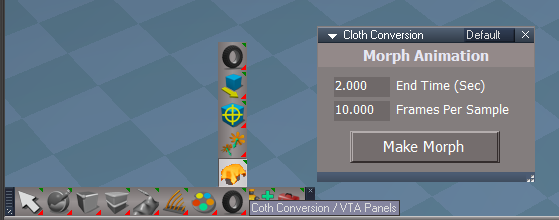
Please test this RC15 1/7/2023 :bananatyping:

New Unofficial Update Instructions:

It is Required that you completely Uninstall and Install trueSpace7.61 Standalone to a clean directory
You can keep your Rs Main Libraries folder, but all other folders and files should be removed
Install tS761B8Std.exe to C:\trueSpace761Std


If trueSpace is open, Close trueSpace

1.) Install the YafaRay v3.3.0 render engine
2.) Install tS76_Vray1_54B8.exe to C:\trueSpace761Std (Optional but required before installing the Update)
3.) Install tS7.61B8Std.9.exe to C:\trueSpace761Std
Browse [...] to where you installed C:\trueSpace761Std, select its folder and then the [Extract] button
Select the [Yes to All] button
4.) Open trueSpace
5.) Select the [OK] button in the OptDetectors plugin Information dialog
6.) Reset to Default Context
When trueSpace opens, select one of the layout tabs at the top
If Vray is installed,
7.) Press your keyboard's CTRL + F8 keys to open the Package Manager
Right click in the Package Manager and select Install New...
Open C:\trueSpace761Std\Vray_ts.rsx
Right click in the Package Manager's Vray Package and select Load
Close the Package Manager
8.) Close trueSpace
If Vray is installed,
9.) Delete the tS folder installed by the Vray installer

The included Clintons3dPlugin.dll v.1638433, Clintons3dPluginExt.dll v.1638413, Clintons3dRsView.dll v.1638409 and the OptDetectors.dll Author - Vladimir Sisolak, are in: C:\trueSpace761Std
WARNING: The init.js file Imports the above 4 plugins and should not be Installed from the Package Manager, including any other plugins with the same name that have the rsx extension
All scripts that check for these plugins with the rsx extension have been removed!

Unofficial Update Version 9
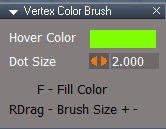
Started on Fri Sep 02, 2022

Commands
Removed all of the discontinued xml scripts

Plugins Author - Clinton Reese
Renamed from rsx to dll:
Clintons3dPlugin.dll
Clintons3dRsView.dll
Clintons3dPluginExt.dll
Add
OptDetectors.dll Author - Vladimir Sisolak

Library
Add
OptDetectors
OptDetectors - Help objects
OptDetectors - Samples

Scripts
Update
init.js 'Loads the above 4 plugins'
Window.Shortcuts.xml
tS761 Workspace Shortcut List.rtf
Widget.Shortcuts.xml

CustomCommands Author - Clinton Reese
Add
JSON Function Set
Global Function Set
Dimensions
Hierarchy
Toolbar Manager
ShortcutRunner

preobjects
Add
UUCommands
Add
Commands
Uneditable

1/7/2023 - Update: Workspace Layers and Web Server - Author - Clinton Reese

If the plugins do not Load, Download and Install the Microsoft Visual C++ 2008 Service Pack 1 Redistributable Package
https://www.microsoft.com/en-us/downloa ... x?id=26368
Note: When downloading the Microsoft Visual C++ 2008 Service Pack 1 Redistributable Package you are given 3 choices
Choose the 32-bit version; vcredist_x86.exe
Removed due to update
User avatar
trueBlue
Captain
Posts: 5548
Joined: 06 Jul 2009, 22:50
Type the number ten into the box: 10

Re: Final trueSpace7.61 Beta 8 Std Unofficial Update

Post by trueBlue »

trueSpace7.61 Beta 8 Standalone Unofficial Update Version 9

Please test this RC16 1/9/2023 :bananatyping:

New Unofficial Update Instructions:

It is Required that you completely Uninstall and Install trueSpace7.61 Standalone to a clean directory
You can keep your Rs Main Libraries folder, but all other folders and files should be removed
Install tS761B8Std.exe to C:\trueSpace761Std


If trueSpace is open, Close trueSpace

1.) Install the YafaRay v3.3.0 render engine
2.) Install tS76_Vray1_54B8.exe to C:\trueSpace761Std (Optional but required before installing the Update)
3.) Install tS7.61B8Std.9.exe to C:\trueSpace761Std
Browse [...] to where you installed C:\trueSpace761Std, select its folder and then the [Extract] button
Select the [Yes to All] button
4.) Open trueSpace
5.) Select the [OK] button in the OptDetectors plugin Information dialog
6.) Reset to Default Context
When trueSpace opens, select one of the layout tabs at the top
If Vray is installed,
7.) Press your keyboard's CTRL + F8 keys to open the Package Manager
Right click in the Package Manager and select Install New...
Open C:\trueSpace761Std\Vray_ts.rsx
Right click in the Package Manager's Vray Package and select Load
Close the Package Manager
8.) Close trueSpace
If Vray is installed,
9.) Delete the tS folder installed by the Vray installer

The included Clintons3dPlugin.dll v.1638433, Clintons3dPluginExt.dll v.1638413, Clintons3dRsView.dll v.1638409 and the OptDetectors.dll Author - Vladimir Sisolak, are in: C:\trueSpace761Std
WARNING: The init.js file Imports the above 4 plugins and should not be Installed from the Package Manager, including any other plugins with the same name that have the rsx extension
All scripts that check for these plugins with the rsx extension have been removed!

Unofficial Update Version 9
Started on Fri Sep 02, 2022

Commands
Removed all of the discontinued xml scripts

Plugins Author - Clinton Reese
Renamed from rsx to dll:
Clintons3dPlugin.dll
Clintons3dRsView.dll
Clintons3dPluginExt.dll
Add
OptDetectors.dll Author - Vladimir Sisolak

Library
Add
OptDetectors
OptDetectors - Help objects
OptDetectors - Samples

Scripts
Update
init.js 'Loads the above 4 plugins'
Window.Shortcuts.xml
tS761 Workspace Shortcut List.rtf
Widget.Shortcuts.xml

CustomCommands Author - Clinton Reese
Add
JSON Function Set
Global Function Set
Dimensions
Hierarchy
Toolbar Manager
ShortcutRunner

preobjects
Add
UUCommands
Add
Commands
Uneditable

1/9/2023 - Update: Workspace Layers and Web Server
Author - Clinton Reese


If the plugins do not Load, Download and Install the Microsoft Visual C++ 2008 Service Pack 1 Redistributable Package
https://www.microsoft.com/en-us/downloa ... x?id=26368
Note: When downloading the Microsoft Visual C++ 2008 Service Pack 1 Redistributable Package you are given 3 choices
Choose the 32-bit version; vcredist_x86.exe
Removed due to update
User avatar
trueBlue
Captain
Posts: 5548
Joined: 06 Jul 2009, 22:50
Type the number ten into the box: 10

Re: Final trueSpace7.61 Beta 8 Std Unofficial Update

Post by trueBlue »

trueSpace7.61 Beta 8 Standalone Unofficial Update Version 9

Please test this RC17 1/10/2023 :bananatyping:

New Unofficial Update Instructions:

It is Required that you completely Uninstall and Install trueSpace7.61 Standalone to a clean directory
You can keep your Rs Main Libraries folder, but all other folders and files should be removed
Install tS761B8Std.exe to C:\trueSpace761Std


If trueSpace is open, Close trueSpace

1.) Install the YafaRay v3.3.0 render engine
2.) Install tS76_Vray1_54B8.exe to C:\trueSpace761Std (Optional but required before installing the Update)
3.) Install tS7.61B8Std.9.exe to C:\trueSpace761Std
Browse [...] to where you installed C:\trueSpace761Std, select its folder and then the [Extract] button
Select the [Yes to All] button
4.) Open trueSpace
5.) Select the [OK] button in the OptDetectors plugin Information dialog
6.) Reset to Default Context
When trueSpace opens, select one of the layout tabs at the top
If Vray is installed,
7.) Press your keyboard's CTRL + F8 keys to open the Package Manager
Right click in the Package Manager and select [Install New...]
[Open] C:\trueSpace761Std\Vray_ts.rsx
Right click in the Package Manager's Vray Package and select [Load]
Close the Package Manager
8.) Close trueSpace
If Vray is installed,
9.) Delete the tS folder installed by the Vray installer

The included Clintons3dPlugin.dll v.1638433, Clintons3dPluginExt.dll v.1638413, Clintons3dRsView.dll v.1638409 and the OptDetectors.dll Author - Vladimir Sisolak, are in: C:\trueSpace761Std
WARNING: The init.js file Imports the above 4 plugins and should not be Installed from the Package Manager, including any other plugins with the same name that have the rsx extension
All scripts that check for these plugins with the rsx extension have been removed!

Unofficial Update Version 9
Started on Fri Sep 02, 2022

Commands
Removed all of the discontinued xml scripts

Plugins Author - Clinton Reese
Renamed from rsx to dll:
Clintons3dPlugin.dll
Clintons3dRsView.dll
Clintons3dPluginExt.dll
Add
OptDetectors.dll Author - Vladimir Sisolak

Library
Add
OptDetectors
OptDetectors - Help objects
OptDetectors - Samples

Scripts
Update
init.js 'Loads the above 4 plugins'
Window.Shortcuts.xml
tS761 Workspace Shortcut List.rtf
Widget.Shortcuts.xml

CustomCommands Author - Clinton Reese
Add
JSON Function Set
Global Function Set
Dimensions
Hierarchy
Toolbar Manager
ShortcutRunner

preobjects
Add
UUCommands
Add
Commands
Uneditable

1/10/2023 - Add: SHIFT F "Run Shortcuts"
Window.Shortcuts.xml
tS761 Workspace Shortcut List.rtf


If the plugins do not Load, Download and Install the Microsoft Visual C++ 2008 Service Pack 1 Redistributable Package
https://www.microsoft.com/en-us/downloa ... x?id=26368
Note: When downloading the Microsoft Visual C++ 2008 Service Pack 1 Redistributable Package you are given 3 choices
Choose the 32-bit version; vcredist_x86.exe
Removed due to update
User avatar
trueBlue
Captain
Posts: 5548
Joined: 06 Jul 2009, 22:50
Type the number ten into the box: 10

Re: Final trueSpace7.61 Beta 8 Std Unofficial Update

Post by trueBlue »

trueSpace7.61 Beta 8 Standalone Unofficial Update Version 9

Please test this RC18 1/13/2023 :bananatyping:

New Unofficial Update Instructions:

It is Required that you completely Uninstall and Install trueSpace7.61 Standalone to a clean directory
You can keep your Rs Main Libraries folder, but all other folders and files should be removed
Install tS761B8Std.exe to C:\trueSpace761Std


If trueSpace is open, Close trueSpace

1.) Install the YafaRay v3.3.0 render engine
2.) Install tS76_Vray1_54B8.exe to C:\trueSpace761Std (Optional but required before installing the Update)
3.) Install tS7.61B8Std.9.exe to C:\trueSpace761Std
Browse [...] to where you installed C:\trueSpace761Std, select its folder and then the [Extract] button
Select the [Yes to All] button
4.) Open trueSpace
5.) Select the [OK] button in the OptDetectors plugin Information dialog
6.) Reset to Default Context
When trueSpace opens, select one of the layout tabs at the top
If Vray is installed,
7.) Press your keyboard's CTRL + F8 keys to open the Package Manager
Right click in the Package Manager and select [Install New...]
[Open] C:\trueSpace761Std\Vray_ts.rsx
Right click in the Package Manager's Vray Package and select [Load]
Close the Package Manager
8.) Close trueSpace
If Vray is installed,
9.) Delete the tS folder installed by the Vray installer

The included Clintons3dPlugin.dll v.1638433, Clintons3dPluginExt.dll v.1638413, Clintons3dRsView.dll v.1638409 and the OptDetectors.dll Author - Vladimir Sisolak, are in: C:\trueSpace761Std
WARNING: The init.js file Imports the above 4 plugins and should not be Installed from the Package Manager, including any other plugins with the same name that have the rsx extension
All scripts that check for these plugins with the rsx extension have been removed!

Unofficial Update Version 9
Started on Fri Sep 02, 2022

Commands
Removed all of the discontinued xml scripts

Plugins Author - Clinton Reese
Renamed from rsx to dll:
Clintons3dPlugin.dll
Clintons3dRsView.dll
Clintons3dPluginExt.dll
Add
OptDetectors.dll Author - Vladimir Sisolak

Library
Add
OptDetectors
OptDetectors - Help objects
OptDetectors - Samples

Scripts
Update
init.js 'Loads the above 4 plugins'
Window.Shortcuts.xml
tS761 Workspace Shortcut List.rtf
Widget.Shortcuts.xml

CustomCommands Author - Clinton Reese
Add
JSON Function Set
Global Function Set
Dimensions
Hierarchy
Toolbar Manager
ShortcutRunner

preobjects
Add
UUCommands
Add
Commands
Uneditable

1/13/2023 Updates:
UUCommands
YafaRay4tS


If the plugins do not Load, Download and Install the Microsoft Visual C++ 2008 Service Pack 1 Redistributable Package
https://www.microsoft.com/en-us/downloa ... x?id=26368
Note: When downloading the Microsoft Visual C++ 2008 Service Pack 1 Redistributable Package you are given 3 choices
Choose the 32-bit version; vcredist_x86.exe
.
Attachments
tS7.61B8Std.9.zip
(72.02 MiB) Downloaded 84 times
garcia
Chief Petty Officer
Posts: 80
Joined: 23 Jan 2023, 02:51
Type the number ten into the box: 10

Re: Final trueSpace7.61 Beta 8 Std Unofficial Update

Post by garcia »

I tried it out on winxp, I'm guessing it's a dead system to target?
I installed the 2008 sdk first and followed the steps(as well as i could).
Update v8 seems to have worked (correct toolbar/icons), v9 didn't for me.

This is the winxp VM I"m using: https://archive.org/details/net-yaroze- ... xp-vm-2022
It works fine, just have to capture the mouse or use a dedicated mouse (or it goes crazy when the mouse leaves the VM).

I think it's just me, I'm unable to do the CTRL-SHIFT R
Okay, it's done via the UI
download/file.php?id=19161&mode=view
Attachments
ts-v9.png
garcia
Chief Petty Officer
Posts: 80
Joined: 23 Jan 2023, 02:51
Type the number ten into the box: 10

Re: Final trueSpace7.61 Beta 8 Std Unofficial Update

Post by garcia »

I can't find the reset button?
download/file.php?id=19161&mode=view

The button isn't there on the original layout, and when I click on different layout, the main buttons go white.


Also, are there instructions on installing YafaRay v3.3.0?
I'm extracting YafaRay.v3.3.0.Standalone.build.MinGW.for.Win7.Win8.1.Win10.32bit.zip from github
I extracted it to Program Files C:\Program Files\yafaray_v3
Do I need to set bin in the path or anything else?


Oh clicking the mid icon (triangle upside down) and click reset gives you access, and then it works

Success with v9 and yafaray!
Attachments
renderer.png
reest.png
reest.png (8.85 KiB) Viewed 1120 times
garcia
Chief Petty Officer
Posts: 80
Joined: 23 Jan 2023, 02:51
Type the number ten into the box: 10

Re: Final trueSpace7.61 Beta 8 Std Unofficial Update

Post by garcia »

success! vray 7.61 with v9 :) :bananacheers: :bananathumb: :bananalove: :bananatyping:


I would recommend including tS761_UU_Artists_Guide.pdf as part of the update, it really is a must read. :mrgreen:

I'm relatively new, but thanks for keeping it TS alive and keeping support for winXP too :bananathumb:
Attachments
vray-v9.png
Last edited by garcia on 25 Jan 2023, 03:14, edited 1 time in total.
User avatar
trueBlue
Captain
Posts: 5548
Joined: 06 Jul 2009, 22:50
Type the number ten into the box: 10

Re: Final trueSpace7.61 Beta 8 Std Unofficial Update

Post by trueBlue »

garcia wrote: 25 Jan 2023, 02:11 I can't find the reset button?
download/file.php?id=19161&mode=view

The button isn't there on the original layout, and when I click on different layout, the main buttons go white.


Also, are there instructions on installing YafaRay v3.3.0?
I'm extracting YafaRay.v3.3.0.Standalone.build.MinGW.for.Win7.Win8.1.Win10.32bit.zip from github
I extracted it to Program Files C:\Program Files\yafaray_v3
Do I need to set bin in the path or anything else?


Oh clicking the mid icon (triangle upside down) and click reset gives you access, and then it works

Success with v9 and yafaray!
The link to the picture clearly shows where the Reset to Default context icon is, above the Info Panel
Is that what you mean by "reset button"?
I am confused with your questions
You say, "Success with v9 and yafaray!"
If your main buttons turn white, trueSpace is not working correctly with your OS
garcia
Chief Petty Officer
Posts: 80
Joined: 23 Jan 2023, 02:51
Type the number ten into the box: 10

Re: Final trueSpace7.61 Beta 8 Std Unofficial Update

Post by garcia »

[/quote]
The link to the picture clearly shows where the Reset to Default context icon is, above the Info Panel
[/quote]

the first image the blanked out buttons (white on screen) is what it looks like after restarting with the update, and changing layout.
clicking the upside down triangle in the middle of the bar and then reset fixed it, and I was able to continue :bananaguitar:
Attachments
reset-fix.png
User avatar
trueBlue
Captain
Posts: 5548
Joined: 06 Jul 2009, 22:50
Type the number ten into the box: 10

Re: Final trueSpace7.61 Beta 8 Std Unofficial Update

Post by trueBlue »

Okay
From the pictures you are posting, it does not look like it is working very well for you
I do not know anything about your VM
trueSpace should work on a normal XP OS that has DirectX 9c and a decent Video card
garcia
Chief Petty Officer
Posts: 80
Joined: 23 Jan 2023, 02:51
Type the number ten into the box: 10

Re: Final trueSpace7.61 Beta 8 Std Unofficial Update

Post by garcia »

I'm a linux user, VM's have 3D support via their guest drivers, it works well enough.
User avatar
trueBlue
Captain
Posts: 5548
Joined: 06 Jul 2009, 22:50
Type the number ten into the box: 10

Re: Final trueSpace7.61 Beta 8 Std Unofficial Update

Post by trueBlue »

garcia wrote: 25 Jan 2023, 23:11 I'm a linux user, VM's have 3D support via their guest drivers, it works well enough.
Okay, here is a tip when you change Layouts
Right click Toolbars
Reset All Toolbars.png
garcia
Chief Petty Officer
Posts: 80
Joined: 23 Jan 2023, 02:51
Type the number ten into the box: 10

Re: Final trueSpace7.61 Beta 8 Std Unofficial Update

Post by garcia »

trueBlue wrote: 26 Jan 2023, 01:38
garcia wrote: 25 Jan 2023, 23:11 I'm a linux user, VM's have 3D support via their guest drivers, it works well enough.
Okay, here is a tip when you change Layouts
Right click Toolbars
Reset All Toolbars.png
Thanks for that :)

I was looking at the older version and it has a lot of noob/help features...
Icon helper
icon finder
the Tooltip bar (next to File, Help menu)

Is there anything like the above in rosetta or can be migrated to rossetta?

There is also a lot more documentation and videos for the older version and not so much for the newer version... so any help would really be appreciated!
gS_help.chm (gamespace from MS Legacy) is also a great resource!
User avatar
trueBlue
Captain
Posts: 5548
Joined: 06 Jul 2009, 22:50
Type the number ten into the box: 10

Re: Final trueSpace7.61 Beta 8 Std

Post by trueBlue »

Nothing like that in trueSpace7.61 Beta 8 Std 'Rosetta'
It is the only version that does not include a Bridge to Model, which is an updated version of trueSpace6.6

Here is a Link that should give you a better understanding:
viewtopic.php?p=2043#p2043

This forum has a wealth of information that you can search and read.
You could also start your own thread and ask questions.

This thread is for the trueSpace7.61 Beta 8 Std Unofficial Update
Currently, the Unofficial Update version 9 is in a testing phase and will soon replace the Unofficial Update version 8
garcia
Chief Petty Officer
Posts: 80
Joined: 23 Jan 2023, 02:51
Type the number ten into the box: 10

Re: Final trueSpace7.61 Beta 8 Std Unofficial Update

Post by garcia »

I get all that, that's my point, Rosetta isn't beginner friendly, and the unofficial updates changing things, kinda makes it harder, when it's not documented in your own doc... I get it's a WIP but adding something in app would help beginners adopting Rosetta over the older versions.
Your the maintainer of the UU, just giving some feedback.


std I know you mean standalone (Rosetta) but std is often abbreviated to standard, ie the full version.... I got caught in that at the start, so I'll call it Rosetta to avoid confusion :mrgreen:

Edit: std is what caligari called the installer and install folder for rosetta, if you know that then it makes more sense, but if not it's not clear.
User avatar
trueBlue
Captain
Posts: 5548
Joined: 06 Jul 2009, 22:50
Type the number ten into the box: 10

Re: Final trueSpace7.61 Beta 8 Std Unofficial Update

Post by trueBlue »

garcia wrote: 26 Jan 2023, 22:12 I get all that, that's my point, Rosetta isn't beginner friendly, and the unofficial updates changing things, kinda makes it harder, when it's not documented in your own doc... I get it's a WIP but adding something in app would help beginners adopting Rosetta over the older versions.
Your the maintainer of the UU, just giving some feedback.


std I know you mean standalone (Rosetta) but std is often abbreviated to standard, ie the full version.... I got caught in that at the start, so I'll call it Rosetta to avoid confusion :mrgreen:

Edit: std is what caligari called the installer and install folder for rosetta, if you know that then it makes more sense, but if not it's not clear.
garcia wrote: ↑
unofficial updates changing things
Kind of insulting, really!
I would not say that things were changed but rather a lot of things were FIXED and thanks to Clinton, a lot of great tools were added
You do not have install the Unofficial Update(s)

I think you aleady have the UU Artist Guide

You can read the text file that is included with the updates
C:\trueSpace761Std\trueSpace Beta 7.61 Standalone Unofficial Update.txt

The original trueSpace7.61Std Beta 8 'Rosetta' has a PDFMan Help icon that never worked that was supposed to open the ts76_manual.html
The original trueSpace7.61 Beta 8 has the same icon that does work if you install the tS76PDF.exe and tS76Video.exe files
Most of the information about Workspace in these help files are the same for Rosetta and trueSpace7.61 Beta 8 with the exception of the Bridge and Model

All Unofficial Updates version 8 & 9 include a YafaRaytS v0.9.7 Help file that you can open from the YafaRay4tS toolbar
Also includes a C:\trueSpace761Std\Scripts\tS761 Workspace Shortcut List.rtf
garcia
Chief Petty Officer
Posts: 80
Joined: 23 Jan 2023, 02:51
Type the number ten into the box: 10

Re: Final trueSpace7.61 Beta 8 Std Unofficial Update

Post by garcia »

I'm not here to insult anyone. i'm new and obviously ignorant, but I do read and search the doc's and manuals (joining the PDF's into one large one via pdfunite helps a lot)... it's just not an intuitive help system, compared to the old TS.... IMO anyway.

I did search for toolbar and reset in your UU txt file when I got stuck with the white toolbars, but didn't find mention your reset toolbar tip, I don't doubt it's there tho. :)
User avatar
trueBlue
Captain
Posts: 5548
Joined: 06 Jul 2009, 22:50
Type the number ten into the box: 10

Re: Final trueSpace7.61 Beta 8 Std Unofficial Update

Post by trueBlue »

They say a picture is worth a thousand words.
I like to watch videos and do courses.
http://clintons3d.com/tutorials/caligari.html
Unfortunately, they are outdated but still very useful.
garcia
Chief Petty Officer
Posts: 80
Joined: 23 Jan 2023, 02:51
Type the number ten into the box: 10

Re: Final trueSpace7.61 Beta 8 Std Unofficial Update

Post by garcia »

yes very helpful, thanks :)
Especially for the workspace side
User avatar
clintonman
Captain
Posts: 5659
Joined: 21 May 2009, 21:08
Type the number ten into the box: 0
Location: California

Re: Final trueSpace7.61 Beta 8 Std Unofficial Update

Post by clintonman »

Here is the update for copy with the option to not select the copies.
I have it set to on because pressing undo twice is more convenient than having to select the copied nodes. That's to say when I make a copy I will do something with the copy and I don't want the extra work of having to select every time I copy something.

UUFunctionSet goes into Scripts/UUCommands
Copy preferences to /Preferences/CustomPreferences
Attachments
UUFunctionSet02ab.RsObj
(58.59 KiB) Downloaded 83 times
Copy preferences4e13.RsObj
(42.15 KiB) Downloaded 82 times
Clinton Reese

http://clintons3d.com
User avatar
trueBlue
Captain
Posts: 5548
Joined: 06 Jul 2009, 22:50
Type the number ten into the box: 10

Re: Final trueSpace7.61 Beta 8 Std Unofficial Update

Post by trueBlue »

Thanks, got it.
User avatar
trueBlue
Captain
Posts: 5548
Joined: 06 Jul 2009, 22:50
Type the number ten into the box: 10

Re: Final trueSpace7.61 Beta 8 Std Unofficial Update

Post by trueBlue »

trueSpace7.61 Beta 8 Standalone Unofficial Update Version 9

Please test this RC19 2/22/2023 :bananatyping:

New Unofficial Update Instructions:

It is Required that you completely Uninstall and Install trueSpace7.61 Standalone to a clean directory
You can keep your Rs Main Libraries folder, but all other folders and files should be removed
Install tS761B8Std.exe to C:\trueSpace761Std


If trueSpace is open, Close trueSpace

1.) Install the YafaRay v3.3.0 render engine
2.) Install tS76_Vray1_54B8.exe to C:\trueSpace761Std (Optional but required before installing the Update)
3.) Install tS7.61B8Std.9.exe to C:\trueSpace761Std
Browse [...] to where you installed C:\trueSpace761Std, select its folder and then the [Extract] button
Select the [Yes to All] button
4.) Open trueSpace
5.) Select the [OK] button in the OptDetectors plugin Information dialog
6.) Reset to Default Context
When trueSpace opens, select one of the layout tabs at the top
If Vray is installed,
7.) Press your keyboard's CTRL + F8 keys to open the Package Manager
Right click in the Package Manager and select Install New...
Open C:\trueSpace761Std\Vray_ts.rsx
Right click in the Package Manager's Vray Package and select Load
Close the Package Manager
8.) Close trueSpace
If Vray is installed,
9.) Delete the tS folder installed by the Vray installer

The included Clintons3dPlugin.dll v.1638440, Clintons3dPluginExt.dll v.1638413, Clintons3dRsView.dll v.1638409 and the OptDetectors.dll Author - Vladimir Sisolak, are in: C:\trueSpace761Std
WARNING: The init.js file Imports the above 4 plugins and should not be Installed from the Package Manager, including any other plugins with the same name that have the rsx extension
All scripts that check for these plugins with the rsx extension have been removed!

Unofficial Update Version 9
Started on Fri Sep 02, 2022

Commands
Removed all of the discontinued xml scripts

Plugins Author - Clinton Reese
Renamed from rsx to dll:
Clintons3dPlugin.dll v1638440
Clintons3dRsView.dll
Clintons3dPluginExt.dll
Add
OptDetectors.dll Author - Vladimir Sisolak

Library
Add
OptDetectors
OptDetectors - Help objects
OptDetectors - Samples

Scripts
Update
init.js 'Loads the above 4 plugins'
Window.Shortcuts.xml
tS761 Workspace Shortcut List.rtf
Widget.Shortcuts.xml

CustomCommands Author - Clinton Reese :worship:
Add
JSON Function Set
Global Function Set
Dimensions
Hierarchy
Toolbar Manager
Shortcut Runner
Color Picker
Paint Vertex Color
Cloth Conversion
Enhanced Collada

2/22/2023
UUCommands
ImportExport
Toolbars
Status Message
MaterialEditor
Custom preferences
Camera1
light01
light02
light03
light04
WS - Default
Widgets
Primitives
Layouts - Configurations
BlankDXMaterial
DX9 Vertex Color
DX9 Vertex Constant Color
Solid Transparency Vertex

Window.Shortcuts - SHIFT C = Color Picker

If the plugins do not Load, Download and Install the Microsoft Visual C++ 2008 Service Pack 1 Redistributable Package
https://www.microsoft.com/en-us/downloa ... x?id=26368
Note: When downloading the Microsoft Visual C++ 2008 Service Pack 1 Redistributable Package you are given 3 choices
Choose the 32-bit version; vcredist_x86.exe

Color Picker - SHIFT C 'Selected item' or from the Red Toolbar
Color Picker.png
.
Paint Vertex Color
Paint Vertices.png
.
Cloth Conversion
Cloth Conversion.png
.
Enhanced Collada
Enhanced Collada.png
Enhanced Collada.png (24.72 KiB) Viewed 1224 times
.
Removed due to update
User avatar
trueBlue
Captain
Posts: 5548
Joined: 06 Jul 2009, 22:50
Type the number ten into the box: 10

Re: Final trueSpace7.61 Beta 8 Std Unofficial Update

Post by trueBlue »

trueSpace7.61 Beta 8 Standalone Unofficial Update Version 9

Please test this RC20 2/23/2023 :bananatyping:

New Unofficial Update Instructions:

It is Required that you completely Uninstall and Install trueSpace7.61 Standalone to a clean directory
You can keep your Rs Main Libraries folder, but all other folders and files should be removed
Install tS761B8Std.exe to C:\trueSpace761Std


If trueSpace is open, Close trueSpace

1.) Install the YafaRay v3.3.0 render engine
2.) Install tS76_Vray1_54B8.exe to C:\trueSpace761Std (Optional but required before installing the Update)
3.) Install tS7.61B8Std.9.exe to C:\trueSpace761Std
Browse [...] to where you installed C:\trueSpace761Std, select its folder and then the [Extract] button
Select the [Yes to All] button
4.) Open trueSpace
5.) Select the [OK] button in the OptDetectors plugin Information dialog
6.) Reset to Default Context
When trueSpace opens, select one of the layout tabs at the top
If Vray is installed,
7.) Press your keyboard's CTRL + F8 keys to open the Package Manager
Right click in the Package Manager and select Install New...
Open C:\trueSpace761Std\Vray_ts.rsx
Right click in the Package Manager's Vray Package and select Load
Close the Package Manager
8.) Close trueSpace
If Vray is installed,
9.) Delete the tS folder installed by the Vray installer

The included Clintons3dPlugin.dll v.1638440, Clintons3dPluginExt.dll v.1638413, Clintons3dRsView.dll v.1638409 and the OptDetectors.dll Author - Vladimir Sisolak, are in: C:\trueSpace761Std
WARNING: The init.js file Imports the above 4 plugins and should not be Installed from the Package Manager, including any other plugins with the same name that have the rsx extension
All scripts that check for these plugins with the rsx extension have been removed!

Unofficial Update Version 9
Started on Fri Sep 02, 2022

Commands
Removed all of the discontinued xml scripts

Plugins Author - Clinton Reese
Renamed from rsx to dll:
Clintons3dPlugin.dll v1638440
Clintons3dRsView.dll
Clintons3dPluginExt.dll
Add
OptDetectors.dll Author - Vladimir Sisolak

Library
Add
OptDetectors
OptDetectors - Help objects
OptDetectors - Samples

Scripts
Update
init.js 'Loads the above 4 plugins'
Window.Shortcuts.xml
tS761 Workspace Shortcut List.rtf
Widget.Shortcuts.xml

CustomCommands Author - Clinton Reese
Add
JSON Function Set
Global Function Set
Dimensions
Hierarchy
Toolbar Manager
Shortcut Runner
Color Picker
Paint Vertex Color
Cloth Conversion
Enhanced Collada

2/23/2023
MaterialEditor
Paint Vertex Color - Changed widget shortcuts [ & ] Increase Decrease - Brush Size to RDrag - Brush Size + -
Note: Undoable
Widgets
Vertex Color Brush.png
Vertex Color Brush.png (4.15 KiB) Viewed 1208 times

If the plugins do not Load, Download and Install the Microsoft Visual C++ 2008 Service Pack 1 Redistributable Package
https://www.microsoft.com/en-us/downloa ... x?id=26368
Note: When downloading the Microsoft Visual C++ 2008 Service Pack 1 Redistributable Package you are given 3 choices
Choose the 32-bit version; vcredist_x86.exe
Removed due to update
User avatar
trueBlue
Captain
Posts: 5548
Joined: 06 Jul 2009, 22:50
Type the number ten into the box: 10

Re: Final trueSpace7.61 Beta 8 Std Unofficial Update

Post by trueBlue »

trueSpace7.61 Beta 8 Standalone Unofficial Update Version 9

Please test this RC21 2/25/2023 :bananatyping:

New Unofficial Update Instructions:

It is Required that you completely Uninstall and Install trueSpace7.61 Standalone to a clean directory
You can keep your Rs Main Libraries folder, but all other folders and files should be removed
Install tS761B8Std.exe to C:\trueSpace761Std


If trueSpace is open, Close trueSpace

1.) Install the YafaRay v3.3.0 render engine
2.) Install tS76_Vray1_54B8.exe to C:\trueSpace761Std (Optional but required before installing the Update)
3.) Install tS7.61B8Std.9.exe to C:\trueSpace761Std
Browse [...] to where you installed C:\trueSpace761Std, select its folder and then the [Extract] button
Select the [Yes to All] button
4.) Open trueSpace
5.) Select the [OK] button in the OptDetectors plugin Information dialog
6.) Reset to Default Context
When trueSpace opens, select one of the layout tabs at the top
If Vray is installed,
7.) Press your keyboard's CTRL + F8 keys to open the Package Manager
Right click in the Package Manager and select Install New...
Open C:\trueSpace761Std\Vray_ts.rsx
Right click in the Package Manager's Vray Package and select Load
Close the Package Manager
8.) Close trueSpace
If Vray is installed,
9.) Delete the tS folder installed by the Vray installer

The included Clintons3dPlugin.dll v.1638440, Clintons3dPluginExt.dll v.1638413, Clintons3dRsView.dll v.1638409 and the OptDetectors.dll Author - Vladimir Sisolak, are in: C:\trueSpace761Std
WARNING: The init.js file Imports the above 4 plugins and should not be Installed from the Package Manager, including any other plugins with the same name that have the rsx extension
All scripts that check for these plugins with the rsx extension have been removed!

Unofficial Update Version 9
Started on Fri Sep 02, 2022

Commands
Removed all of the discontinued xml scripts

Plugins Author - Clinton Reese
Renamed from rsx to dll:
Clintons3dPlugin.dll v1638440
Clintons3dRsView.dll
Clintons3dPluginExt.dll
Add
OptDetectors.dll Author - Vladimir Sisolak

Library
Add
OptDetectors
OptDetectors - Help objects
OptDetectors - Samples

Scripts
Update
init.js 'Loads the above 4 plugins'
Window.Shortcuts.xml
tS761 Workspace Shortcut List.rtf
Widget.Shortcuts.xml

CustomCommands Author - Clinton Reese
Add
JSON Function Set
Global Function Set
Dimensions
Hierarchy
Toolbar Manager
Shortcut Runner

Color Picker
Paint Vertex Color
Cloth Conversion
Enhanced Collada

2/25/2023
UUCommands
ctrlSelectionGroup
Widget.Shortcuts.xml

If the plugins do not Load, Download and Install the Microsoft Visual C++ 2008 Service Pack 1 Redistributable Package
https://www.microsoft.com/en-us/downloa ... x?id=26368
Note: When downloading the Microsoft Visual C++ 2008 Service Pack 1 Redistributable Package you are given 3 choices
Choose the 32-bit version; vcredist_x86.exe
Removed due to update
User avatar
clintonman
Captain
Posts: 5659
Joined: 21 May 2009, 21:08
Type the number ten into the box: 0
Location: California

Re: Final trueSpace7.61 Beta 8 Std Unofficial Update

Post by clintonman »

I made a small change to the UUCommands/Visibility Function Set
When I ran it to hide all objects, tS looked frozen because it was taking so long.

I added a status message to the IsolateSelected and SetAllInvisible functions.
Attachments
Visibility Function Set3c99.RsObj
(46.2 KiB) Downloaded 79 times
Clinton Reese

http://clintons3d.com
User avatar
trueBlue
Captain
Posts: 5548
Joined: 06 Jul 2009, 22:50
Type the number ten into the box: 10

Re: Final trueSpace7.61 Beta 8 Std Unofficial Update

Post by trueBlue »

Thanks!
I added the Visibility Function Set and Widget.Shortcuts.xml to both updates.
See previous post.
User avatar
trueBlue
Captain
Posts: 5548
Joined: 06 Jul 2009, 22:50
Type the number ten into the box: 10

Re: Final trueSpace7.61 Beta 8 Std Unofficial Update

Post by trueBlue »

trueSpace7.61 Beta 8 Standalone Unofficial Update Version 9

Please test this RC22 2/26/2023 :bananatyping:

New Unofficial Update Instructions:

It is Required that you completely Uninstall and Install trueSpace7.61 Standalone to a clean directory
You can keep your Rs Main Libraries folder, but all other folders and files should be removed
Install tS761B8Std.exe to C:\trueSpace761Std


If trueSpace is open, Close trueSpace

1.) Install the YafaRay v3.3.0 render engine
2.) Install tS76_Vray1_54B8.exe to C:\trueSpace761Std (Optional but required before installing the Update)
3.) Install tS7.61B8Std.9.exe to C:\trueSpace761Std
Browse [...] to where you installed C:\trueSpace761Std, select its folder and then the [Extract] button
Select the [Yes to All] button
4.) Open trueSpace
5.) Select the [OK] button in the OptDetectors plugin Information dialog
6.) Reset to Default Context
When trueSpace opens, select one of the layout tabs at the top
If Vray is installed,
7.) Press your keyboard's CTRL + F8 keys to open the Package Manager
Right click in the Package Manager and select Install New...
Open C:\trueSpace761Std\Vray_ts.rsx
Right click in the Package Manager's Vray Package and select Load
Close the Package Manager
8.) Close trueSpace
If Vray is installed,
9.) Delete the tS folder installed by the Vray installer

The included Clintons3dPlugin.dll v.1638440, Clintons3dPluginExt.dll v.1638413, Clintons3dRsView.dll v.1638409 and the OptDetectors.dll Author - Vladimir Sisolak, are in: C:\trueSpace761Std
WARNING: The init.js file Imports the above 4 plugins and should not be Installed from the Package Manager, including any other plugins with the same name that have the rsx extension
All scripts that check for these plugins with the rsx extension have been removed!

Unofficial Update Version 9
Started on Fri Sep 02, 2022

Commands
Removed all of the discontinued xml scripts

Plugins Author - Clinton Reese
Renamed from rsx to dll:
Clintons3dPlugin.dll v1638440
Clintons3dRsView.dll
Clintons3dPluginExt.dll
Add
OptDetectors.dll Author - Vladimir Sisolak

Library
Add
OptDetectors
OptDetectors - Help objects
OptDetectors - Samples

Scripts
Update
init.js 'Loads the above 4 plugins'
Window.Shortcuts.xml
tS761 Workspace Shortcut List.rtf
Widget.Shortcuts.xml

CustomCommands Author - Clinton Reese
Add
JSON Function Set
Global Function Set
Dimensions
Hierarchy
Toolbar Manager
Shortcut Runner

Color Picker
Paint Vertex Color
Cloth Conversion
Enhanced Collada

2/26/2023
Cloth Conversion 'Add checks for preexisting Cloth Conversions'

UUCommands/UUFunctionSet
function FlattenObjects()
Add:
Node.ConRemove(sel, "vOffset")
Node.ConRemove(sel, "AnimTrack")


If the plugins do not Load, Download and Install the Microsoft Visual C++ 2008 Service Pack 1 Redistributable Package
https://www.microsoft.com/en-us/downloa ... x?id=26368
Note: When downloading the Microsoft Visual C++ 2008 Service Pack 1 Redistributable Package you are given 3 choices
Choose the 32-bit version; vcredist_x86.exe
Removed due to update
User avatar
trueBlue
Captain
Posts: 5548
Joined: 06 Jul 2009, 22:50
Type the number ten into the box: 10

Re: Final trueSpace7.61 Beta 8 Std Unofficial Update

Post by trueBlue »

trueSpace7.61 Beta 8 Standalone Unofficial Update Version 9

Please test this RC23 2/27/2023 :bananatyping:

New Unofficial Update Instructions:

It is Required that you completely Uninstall and Install trueSpace7.61 Standalone to a clean directory
You can keep your Rs Main Libraries folder, but all other folders and files should be removed
Install tS761B8Std.exe to C:\trueSpace761Std


If trueSpace is open, Close trueSpace

1.) Install the YafaRay v3.3.0 render engine
2.) Install tS76_Vray1_54B8.exe to C:\trueSpace761Std (Optional but required before installing the Update)
3.) Install tS7.61B8Std.9.exe to C:\trueSpace761Std
Browse [...] to where you installed C:\trueSpace761Std, select its folder and then the [Extract] button
Select the [Yes to All] button
4.) Open trueSpace
5.) Select the [OK] button in the OptDetectors plugin Information dialog
6.) Reset to Default Context
When trueSpace opens, select one of the layout tabs at the top
If Vray is installed,
7.) Press your keyboard's CTRL + F8 keys to open the Package Manager
Right click in the Package Manager and select Install New...
Open C:\trueSpace761Std\Vray_ts.rsx
Right click in the Package Manager's Vray Package and select Load
Close the Package Manager
8.) Close trueSpace
If Vray is installed,
9.) Delete the tS folder installed by the Vray installer

The included Clintons3dPlugin.dll v.1638440, Clintons3dPluginExt.dll v.1638413, Clintons3dRsView.dll v.1638409 and the OptDetectors.dll Author - Vladimir Sisolak, are in: C:\trueSpace761Std
WARNING: The init.js file Imports the above 4 plugins and should not be Installed from the Package Manager, including any other plugins with the same name that have the rsx extension
All scripts that check for these plugins with the rsx extension have been removed!

Unofficial Update Version 9
Started on Fri Sep 02, 2022

Commands
Removed all of the discontinued xml scripts

Plugins Author - Clinton Reese
Renamed from rsx to dll:
Clintons3dPlugin.dll v1638440
Clintons3dRsView.dll
Clintons3dPluginExt.dll
Add
OptDetectors.dll Author - Vladimir Sisolak

Library
Add
OptDetectors
OptDetectors - Help objects
OptDetectors - Samples

Scripts
Update
init.js 'Loads the above 4 plugins'
Window.Shortcuts.xml
tS761 Workspace Shortcut List.rtf
Widget.Shortcuts.xml

CustomCommands Author - Clinton Reese
Add
JSON Function Set
Global Function Set
Dimensions
Hierarchy
Toolbar Manager
Shortcut Runner

Color Picker
Paint Vertex Color
Cloth Conversion
Enhanced Collada

2/27/2023
Cloth Conversion 'Add checks for preexisting Cloth Conversions'

If the plugins do not Load, Download and Install the Microsoft Visual C++ 2008 Service Pack 1 Redistributable Package
https://www.microsoft.com/en-us/downloa ... x?id=26368
Note: When downloading the Microsoft Visual C++ 2008 Service Pack 1 Redistributable Package you are given 3 choices
Choose the 32-bit version; vcredist_x86.exe
Removed due to update
User avatar
trueBlue
Captain
Posts: 5548
Joined: 06 Jul 2009, 22:50
Type the number ten into the box: 10

Re: Final trueSpace7.61 Beta 8 Std Unofficial Update

Post by trueBlue »

trueSpace7.61 Beta 8 Standalone Unofficial Update Version 9

Please test this RC24 3/3/2023 :bananatyping:

New Unofficial Update Instructions:

It is Required that you completely Uninstall and Install trueSpace7.61 Standalone to a clean directory
You can keep your Rs Main Libraries folder, but all other folders and files should be removed
Install tS761B8Std.exe to C:\trueSpace761Std


If trueSpace is open, Close trueSpace

1.) Install the YafaRay v3.3.0 render engine
2.) Install tS76_Vray1_54B8.exe to C:\trueSpace761Std (Optional but required before installing the Update)
3.) Install tS7.61B8Std.9.exe to C:\trueSpace761Std
Browse [...] to where you installed C:\trueSpace761Std, select its folder and then the [Extract] button
Select the [Yes to All] button
4.) Open trueSpace
5.) Select the [OK] button in the OptDetectors plugin Information dialog
6.) Reset to Default Context
When trueSpace opens, select one of the layout tabs at the top
If Vray is installed,
7.) Press your keyboard's CTRL + F8 keys to open the Package Manager
Right click in the Package Manager and select Install New...
Open C:\trueSpace761Std\Vray_ts.rsx
Right click in the Package Manager's Vray Package and select Load
Close the Package Manager
8.) Close trueSpace
If Vray is installed,
9.) Delete the tS folder installed by the Vray installer

The included Clintons3dPlugin.dll v.1638440, Clintons3dPluginExt.dll v.1638413, Clintons3dRsView.dll v.1638409 and the OptDetectors.dll Author - Vladimir Sisolak, are in: C:\trueSpace761Std
WARNING: The init.js file Imports the above 4 plugins and should not be Installed from the Package Manager, including any other plugins with the same name that have the rsx extension
All scripts that check for these plugins with the rsx extension have been removed!

Unofficial Update Version 9
Started on Fri Sep 02, 2022

Commands
Removed all of the discontinued xml scripts

Plugins Author - Clinton Reese
Renamed from rsx to dll:
Clintons3dPlugin.dll v1638440
Clintons3dRsView.dll
Clintons3dPluginExt.dll
Add
OptDetectors.dll Author - Vladimir Sisolak

Library
Add
OptDetectors
OptDetectors - Help objects
OptDetectors - Samples

Scripts
Update
init.js 'Loads the above 4 plugins'
Window.Shortcuts.xml
tS761 Workspace Shortcut List.rtf
Widget.Shortcuts.xml

CustomCommands Author - Clinton Reese
Add
JSON Function Set
Global Function Set
Dimensions
Hierarchy
Toolbar Manager
Shortcut Runner

Color Picker
Paint Vertex Color
Cloth Conversion
Enhanced Collada

3/3/2023
Close X Cover Panels
init.js

If the plugins do not Load, Download and Install the Microsoft Visual C++ 2008 Service Pack 1 Redistributable Package
https://www.microsoft.com/en-us/downloa ... x?id=26368
Note: When downloading the Microsoft Visual C++ 2008 Service Pack 1 Redistributable Package you are given 3 choices
Choose the 32-bit version; vcredist_x86.exe
Removed due to update
User avatar
clintonman
Captain
Posts: 5659
Joined: 21 May 2009, 21:08
Type the number ten into the box: 0
Location: California

Re: Final trueSpace7.61 Beta 8 Std Unofficial Update

Post by clintonman »

LEToolbarMods.jpg
LEToolbarMods.jpg (23.66 KiB) Viewed 1420 times
LE Toolbar proposal.

Buttons add the le toolbar to the opened le windows.
Adds 2 more buttons to show the state of the "New Window" option.
NewWin = open in new window
OldWin = open in 'old' existing LE window
Effects the Scene, Project and System sections of the toolbar

It also changes the way it opens the le locations. It will always use the highlighted le window for the old window and new windows will be set as the active le window. It runs a version of SetLE when it opens the le windows. This is the main reason for all of this. I was having trouble remembering which window was the actual active le window. Now whichever le window is selected will be the active le window.
Advantage is less confusing. Disadvantage is it runs more slowly because of the SetLE process.

LEToolbarModsOpt.jpg
LEToolbarModsOpt.jpg (27.92 KiB) Viewed 1420 times
There is nothing to open the panel so "Include Toolbar" is always active. New Window changes with the new buttons.

Reset context after testing to get back the original le toolbar and scripts.

Edit: removed files, they files got messed up while testing and lost the toolbar changes :(

Edit: got the new toolbar changes back :)

Note to myself, test install instructions:
1. copy "_LENavigatorBar" into the TPE
2. remove the original "LENavigatorBar", no underscore prefix
3. update all the connector values from "_LENavigatorBar" to "LENavigatorBar", remove the underscore
4. choose a layout to remove any open LENavigatorBar toolbars
Last edited by clintonman on 06 Mar 2023, 02:45, edited 2 times in total.
Clinton Reese

http://clintons3d.com
User avatar
trueBlue
Captain
Posts: 5548
Joined: 06 Jul 2009, 22:50
Type the number ten into the box: 10

Re: Final trueSpace7.61 Beta 8 Std Unofficial Update

Post by trueBlue »

I will try it out when I get back
In the meantime, you can RClick the Link Editor icon that opens a new LE View with the LE Navigator toolbar
LE toolbar.png
Can you test using the above and with your new additions?
Any conflicts?

One thing I do not like about the above, is it opens multiple LE Views
Is there a way to limit it to one floating LE View?
User avatar
trueBlue
Captain
Posts: 5548
Joined: 06 Jul 2009, 22:50
Type the number ten into the box: 10

Re: Final trueSpace7.61 Beta 8 Std Unofficial Update

Post by trueBlue »

trueSpace7.61 Beta 8 Standalone Unofficial Update Version 9

Please test this RC25 3/6/2023 :bananatyping:

New Unofficial Update Instructions:

It is Required that you completely Uninstall and Install trueSpace7.61 Standalone to a clean directory
You can keep your Rs Main Libraries folder, but all other folders and files should be removed
Install tS761B8Std.exe to C:\trueSpace761Std


If trueSpace is open, Close trueSpace

1.) Install the YafaRay v3.3.0 render engine
2.) Install tS76_Vray1_54B8.exe to C:\trueSpace761Std (Optional but required before installing the Update)
3.) Install tS7.61B8Std.9.exe to C:\trueSpace761Std
Browse [...] to where you installed C:\trueSpace761Std, select its folder and then the [Extract] button
Select the [Yes to All] button
4.) Open trueSpace
5.) Select the [OK] button in the OptDetectors plugin Information dialog
6.) Reset to Default Context
When trueSpace opens, select one of the layout tabs at the top
If Vray is installed,
7.) Press your keyboard's CTRL + F8 keys to open the Package Manager
Right click in the Package Manager and select Install New...
Open C:\trueSpace761Std\Vray_ts.rsx
Right click in the Package Manager's Vray Package and select Load
Close the Package Manager
8.) Close trueSpace
If Vray is installed,
9.) Delete the tS folder installed by the Vray installer

The included Clintons3dPlugin.dll v.1638440, Clintons3dPluginExt.dll v.1638413, Clintons3dRsView.dll v.1638409 and the OptDetectors.dll Author - Vladimir Sisolak, are in: C:\trueSpace761Std
WARNING: The init.js file Imports the above 4 plugins and should not be Installed from the Package Manager, including any other plugins with the same name that have the rsx extension
All scripts that check for these plugins with the rsx extension have been removed!

Unofficial Update Version 9
Started on Fri Sep 02, 2022

Commands
Removed all of the discontinued xml scripts

Plugins Author - Clinton Reese
Renamed from rsx to dll:
Clintons3dPlugin.dll v1638440
Clintons3dRsView.dll
Clintons3dPluginExt.dll
Add
OptDetectors.dll Author - Vladimir Sisolak

Library
Add
OptDetectors
OptDetectors - Help objects
OptDetectors - Samples

Scripts
Update
init.js 'Loads the above 4 plugins'
Window.Shortcuts.xml
tS761 Workspace Shortcut List.rtf
Widget.Shortcuts.xml

CustomCommands Author - Clinton Reese
Add
JSON Function Set
Global Function Set
Dimensions
Hierarchy
Toolbar Manager
Shortcut Runner

Color Picker
Paint Vertex Color
Cloth Conversion
Enhanced Collada

3/6/2023
UUCommands 'Update SetCamera functions' Restrict to Camera
Toolbars 'Update Main, Main2 toolbars'
Lights 'Update Spot and Projector lights' Angle to Camera FOV
LEtools 'Link Editor Navigator closes up to 3 windows that have LE NAV toolbar'
LInk Editor Navigator.png
LInk Editor Navigator.png (29.79 KiB) Viewed 1372 times
.
If the plugins do not Load, Download and Install the Microsoft Visual C++ 2008 Service Pack 1 Redistributable Package
https://www.microsoft.com/en-us/downloa ... x?id=26368
Note: When downloading the Microsoft Visual C++ 2008 Service Pack 1 Redistributable Package you are given 3 choices
Choose the 32-bit version; vcredist_x86.exe
Removed due to update
User avatar
clintonman
Captain
Posts: 5659
Joined: 21 May 2009, 21:08
Type the number ten into the box: 0
Location: California

Re: Final trueSpace7.61 Beta 8 Std Unofficial Update

Post by clintonman »

Made a new installer for the LE Toolbar proposal mentioned above.
Does not include the latest UU release of LEtools that restricts the number of open LE windows.

Press the install button and then switch layouts.

After testing can reset default context to remove changes.
Attachments
LE Nav Test Install.RsObj
(153.18 KiB) Downloaded 95 times
Clinton Reese

http://clintons3d.com
User avatar
trueBlue
Captain
Posts: 5548
Joined: 06 Jul 2009, 22:50
Type the number ten into the box: 10

Re: Final trueSpace7.61 Beta 8 Std Unofficial Update

Post by trueBlue »

clintonman wrote: 08 Mar 2023, 04:42 Made a new installer for the LE Toolbar proposal mentioned above.
Does not include the latest UU release of LEtools that restricts the number of open LE windows.

Press the install button and then switch layouts.

After testing can reset default context to remove changes.
Getting an error:
ERR Source object: /Scripts/CustomCommands/LEtools/OpenLocation Error: Unspecified script error Line: 16, Char: 2 Script text: var aspect = utilitydata.GetWindowAspect(activeWindow);

Can you give me a summary of how this is supposed to work better than the previous version?
Looks like you still have to Set LE in the active window, so I am not seeing any advantage.
The NewWin and OldWin buttons seems out of place in the Link Editor Navigator toolbar
Ideally the Link Editor Navigator toolbar is supposed to be used for opening areas in trueSpace, not necessarily in a new Link Editor Window

Also getting duplicate LE toolbars
Duplicate LE toolbars.png
User avatar
clintonman
Captain
Posts: 5659
Joined: 21 May 2009, 21:08
Type the number ten into the box: 0
Location: California

Re: Final trueSpace7.61 Beta 8 Std Unofficial Update

Post by clintonman »

Requested virgin tS7.61 layout files attached below
Attachments
Layouts - Configurations.zip
(268.42 KiB) Downloaded 95 times
default_layout.rsl
(180.79 KiB) Downloaded 78 times
Clinton Reese

http://clintons3d.com
User avatar
clintonman
Captain
Posts: 5659
Joined: 21 May 2009, 21:08
Type the number ten into the box: 0
Location: California

Re: Final trueSpace7.61 Beta 8 Std Unofficial Update

Post by clintonman »

Some wokspace layers fixes
Attached Does not include the missing visibility nodes.
"AddToLayer" has the fix for quick processing where no ORA exists

Workspace layers code to ignore Yafaray node
This is just adding the line below to several of the scripts

Code: Select all

	if(thenode == Space.CurrentScene() + "/YafaRay4tS") return;
Attachments
workspacelayers4.RsObj
(270.39 KiB) Downloaded 91 times
Clinton Reese

http://clintons3d.com
User avatar
clintonman
Captain
Posts: 5659
Joined: 21 May 2009, 21:08
Type the number ten into the box: 0
Location: California

Re: Final trueSpace7.61 Beta 8 Std Unofficial Update

Post by clintonman »

Fix (again, hopefully for real this time) the AddToLayer quick option and added ORA object name.

Edit: uploaded the correct file, doh!
Attachments
AddToLayer.RsObj
(39.26 KiB) Downloaded 82 times
Clinton Reese

http://clintons3d.com
User avatar
clintonman
Captain
Posts: 5659
Joined: 21 May 2009, 21:08
Type the number ten into the box: 0
Location: California

Re: Final trueSpace7.61 Beta 8 Std Unofficial Update

Post by clintonman »

Changes to try to clean panels failed.
Here are the changed nodes.

The "Layers Function Set" goes inside the WebServer, it was changed to allow your UserInterface.OpenPreferencesPanelViewExWithFlag command to run.

Cleaning did work, outside in a stand alone command script.
Attachments
AddToLayer80cc.RsObj
(40.41 KiB) Downloaded 82 times
Layers Function Set.RsObj
(29.52 KiB) Downloaded 88 times
Clinton Reese

http://clintons3d.com
User avatar
trueBlue
Captain
Posts: 5548
Joined: 06 Jul 2009, 22:50
Type the number ten into the box: 10

Re: Final trueSpace7.61 Beta 8 Std Unofficial Update

Post by trueBlue »

clintonman wrote: 08 Mar 2023, 04:42 Made a new installer for the LE Toolbar proposal mentioned above.
Does not include the latest UU release of LEtools that restricts the number of open LE windows.

Press the install button and then switch layouts.

After testing can reset default context to remove changes.
Took me awhile to figure out where the Command History entries are coming from.
It is in the LENavigatorBar button commands.
let="/Scripts/CustomCommands/LEtools";Node.Value(let,"Location")=Space.CurrentScene();Activity.Run(let+"/OpenLocation");

Shouldn't these be or wouldn't it be better if they were using util commands?
User avatar
clintonman
Captain
Posts: 5659
Joined: 21 May 2009, 21:08
Type the number ten into the box: 0
Location: California

Re: Final trueSpace7.61 Beta 8 Std Unofficial Update

Post by clintonman »

trueBlue wrote: 24 Mar 2023, 22:58
clintonman wrote: 08 Mar 2023, 04:42 Made a new installer for the LE Toolbar proposal mentioned above.
Does not include the latest UU release of LEtools that restricts the number of open LE windows.

Press the install button and then switch layouts.

After testing can reset default context to remove changes.
Took me awhile to figure out where the Command History entries are coming from.
It is in the LENavigatorBar button commands.
let="/Scripts/CustomCommands/LEtools";Node.Value(let,"Location")=Space.CurrentScene();Activity.Run(let+"/OpenLocation");

Shouldn't these be or wouldn't it be better if they were using util commands?
Makes sense to me.
Clinton Reese

http://clintons3d.com
User avatar
clintonman
Captain
Posts: 5659
Joined: 21 May 2009, 21:08
Type the number ten into the box: 0
Location: California

Re: Final trueSpace7.61 Beta 8 Std Unofficial Update

Post by clintonman »

Did a test and looks like it works.

changed

Code: Select all

let="/Scripts/CustomCommands/LEtools";Node.Value(let,"Location")=Space.CurrentScene();Activity.Run(let+"/OpenLocation");
to

Code: Select all

let="/Scripts/CustomCommands/LEtools";(System.CreateDO("Clintons3D Package/Utility functions")).SetNodeValueString(let,"Location",Space.CurrentScene());Activity.Run(let+"/OpenLocation");
You probably haven't seen this form before, I wasn't even sure if it would work in tS and it's only a tiny bit shorter.

It uses

Code: Select all

(System.CreateDO("Clintons3D Package/Utility functions")).SetNodeValueString(let,"Location",Space.CurrentScene());
instead of

Code: Select all

util=System.CreateDO("Clintons3D Package/Utility functions");util.SetNodeValueString(let,"Location",Space.CurrentScene());
Clinton Reese

http://clintons3d.com
User avatar
trueBlue
Captain
Posts: 5548
Joined: 06 Jul 2009, 22:50
Type the number ten into the box: 10

Re: Final trueSpace7.61 Beta 8 Std Unofficial Update

Post by trueBlue »

clintonman wrote: 24 Mar 2023, 23:34 Did a test and looks like it works.

changed

Code: Select all

let="/Scripts/CustomCommands/LEtools";Node.Value(let,"Location")=Space.CurrentScene();Activity.Run(let+"/OpenLocation");
to

Code: Select all

let="/Scripts/CustomCommands/LEtools";(System.CreateDO("Clintons3D Package/Utility functions")).SetNodeValueString(let,"Location",Space.CurrentScene());Activity.Run(let+"/OpenLocation");
You probably haven't seen this form before, I wasn't even sure if it would work in tS and it's only a tiny bit shorter.

It uses

Code: Select all

(System.CreateDO("Clintons3D Package/Utility functions")).SetNodeValueString(let,"Location",Space.CurrentScene());
instead of

Code: Select all

util=System.CreateDO("Clintons3D Package/Utility functions");util.SetNodeValueString(let,"Location",Space.CurrentScene());
I like the simple form but what about the missing:
Activity.Run(let+"/OpenLocation");
User avatar
clintonman
Captain
Posts: 5659
Joined: 21 May 2009, 21:08
Type the number ten into the box: 0
Location: California

Re: Final trueSpace7.61 Beta 8 Std Unofficial Update

Post by clintonman »

trueBlue wrote: 25 Mar 2023, 00:25
clintonman wrote: 24 Mar 2023, 23:34 Did a test and looks like it works.

changed

Code: Select all

let="/Scripts/CustomCommands/LEtools";Node.Value(let,"Location")=Space.CurrentScene();Activity.Run(let+"/OpenLocation");
to

Code: Select all

let="/Scripts/CustomCommands/LEtools";(System.CreateDO("Clintons3D Package/Utility functions")).SetNodeValueString(let,"Location",Space.CurrentScene());Activity.Run(let+"/OpenLocation");
You probably haven't seen this form before, I wasn't even sure if it would work in tS and it's only a tiny bit shorter.

It uses

Code: Select all

(System.CreateDO("Clintons3D Package/Utility functions")).SetNodeValueString(let,"Location",Space.CurrentScene());
instead of

Code: Select all

util=System.CreateDO("Clintons3D Package/Utility functions");util.SetNodeValueString(let,"Location",Space.CurrentScene());
I like the simple form but what about the missing:
Activity.Run(let+"/OpenLocation");
The first code is the original without using utility functions
The second uses the utility functions

The last 2 are just an illustration of the difference between having a utli variable and not, the actual code to run is the longest line above. There's so much going on it's hard to see, so here's another example. These 2 lines of code do the same thing. The second one does not have the word "util" anywhere.

Code: Select all

util = System.CreateDO("Clintons3D Package/Utility functions");util.SetStatusMessage("hey", 500);

(System.CreateDO("Clintons3D Package/Utility functions")).SetStatusMessage("hey", 500);
Clinton Reese

http://clintons3d.com
User avatar
trueBlue
Captain
Posts: 5548
Joined: 06 Jul 2009, 22:50
Type the number ten into the box: 10

Re: Final trueSpace7.61 Beta 8 Std Unofficial Update

Post by trueBlue »

Kind of difficult to write but got it done

Code: Select all

(System.CreateDO("Clintons3D Package/Utility functions")).SetNodeValueString('/Scripts/CustomCommands/LEtools','Location','/Widgets/Select/Default object navigation widget');Activity.Run('/Scripts/CustomCommands/LEtools/OpenLocation')
User avatar
trueBlue
Captain
Posts: 5548
Joined: 06 Jul 2009, 22:50
Type the number ten into the box: 10

Re: Final trueSpace7.61 Beta 8 Std Unofficial Update

Post by trueBlue »

trueSpace7.61 Beta 8 Standalone Unofficial Update Version 9

Please test this RC26 3/25/2023 :bananatyping:

New Unofficial Update Instructions:

It is Required that you completely Uninstall and Install trueSpace7.61 Standalone to a clean directory
You can keep your Rs Main Libraries folder, but all other folders and files should be removed
Install tS761B8Std.exe to C:\trueSpace761Std


If trueSpace is open, Close trueSpace

1.) Install the YafaRay v3.3.0 render engine
2.) Install tS76_Vray1_54B8.exe to C:\trueSpace761Std (Optional but required before installing the Update)
3.) Install tS7.61B8Std.9.exe to C:\trueSpace761Std
Browse [...] to where you installed C:\trueSpace761Std, select its folder and then the [Extract] button
Select the [Yes to All] button
4.) Open trueSpace
5.) Select the [OK] button in the OptDetectors plugin Information dialog
6.) Reset to Default Context
When trueSpace opens, select one of the layout tabs at the top
If Vray is installed,
7.) Press your keyboard's CTRL + F8 keys to open the Package Manager
Right click in the Package Manager and select Install New...
Open C:\trueSpace761Std\Vray_ts.rsx
Right click in the Package Manager's Vray Package and select Load
Close the Package Manager
8.) Close trueSpace
If Vray is installed,
9.) Delete the tS folder installed by the Vray installer

The included Clintons3dPlugin.dll v.1638440, Clintons3dPluginExt.dll v.1638413, Clintons3dRsView.dll v.1638409 and the OptDetectors.dll Author - Vladimir Sisolak, are in: C:\trueSpace761Std
WARNING: The init.js file Imports the above 4 plugins and should not be Installed from the Package Manager, including any other plugins with the same name that have the rsx extension
All scripts that check for these plugins with the rsx extension have been removed!

Unofficial Update Version 9
Started on Fri Sep 02, 2022

Commands
Removed all of the discontinued xml scripts

Plugins Author - Clinton Reese
Renamed from rsx to dll:
Clintons3dPlugin.dll v1638441
Clintons3dRsView.dll
Clintons3dPluginExt.dll
Add
OptDetectors.dll Author - Vladimir Sisolak

Library
Add
OptDetectors
OptDetectors - Help objects
OptDetectors - Samples

Scripts
Update
init.js 'Loads the above 4 plugins'
Window.Shortcuts.xml
tS761 Workspace Shortcut List.rtf
Widget.Shortcuts.xml

CustomCommands Author - Clinton Reese
Add
JSON Function Set
Global Function Set
Dimensions
Hierarchy
Toolbar Manager
Shortcut Runner

Color Picker
Paint Vertex Color
Cloth Conversion
Enhanced Collada
Scene View 2
Object Statistics
Scene View 2.png
Object Statistics.png
.
3/25/2023
Toolbars:
Main 'Add: Scene View 2 icon'
Main2 'Add: Scene View 2 icon'
ClintonToolbar 'Add: Object Statistics icon'
LENavigatorBar 'Update buttons'

CustomCommands:
LE Tools 'Update'

If the plugins do not Load, Download and Install the Microsoft Visual C++ 2008 Service Pack 1 Redistributable Package
https://www.microsoft.com/en-us/downloa ... x?id=26368
Note: When downloading the Microsoft Visual C++ 2008 Service Pack 1 Redistributable Package you are given 3 choices
Choose the 32-bit version; vcredist_x86.exe
Removed due to update
User avatar
trueBlue
Captain
Posts: 5548
Joined: 06 Jul 2009, 22:50
Type the number ten into the box: 10

Re: Final trueSpace7.61 Beta 8 Std Unofficial Update

Post by trueBlue »

trueSpace7.61 Beta 8 Standalone Unofficial Update Version 9

Please test this RC27 3/25/2023 :bananatyping:

New Unofficial Update Instructions:

It is Required that you completely Uninstall and Install trueSpace7.61 Standalone to a clean directory
You can keep your Rs Main Libraries folder, but all other folders and files should be removed
Install tS761B8Std.exe to C:\trueSpace761Std


If trueSpace is open, Close trueSpace

1.) Install the YafaRay v3.3.0 render engine
2.) Install tS76_Vray1_54B8.exe to C:\trueSpace761Std (Optional but required before installing the Update)
3.) Install tS7.61B8Std.9.exe to C:\trueSpace761Std
Browse [...] to where you installed C:\trueSpace761Std, select its folder and then the [Extract] button
Select the [Yes to All] button
4.) Open trueSpace
5.) Select the [OK] button in the OptDetectors plugin Information dialog
6.) Reset to Default Context
When trueSpace opens, select one of the layout tabs at the top
If Vray is installed,
7.) Press your keyboard's CTRL + F8 keys to open the Package Manager
Right click in the Package Manager and select Install New...
Open C:\trueSpace761Std\Vray_ts.rsx
Right click in the Package Manager's Vray Package and select Load
Close the Package Manager
8.) Close trueSpace
If Vray is installed,
9.) Delete the tS folder installed by the Vray installer

The included Clintons3dPlugin.dll v.1638440, Clintons3dPluginExt.dll v.1638413, Clintons3dRsView.dll v.1638409 and the OptDetectors.dll Author - Vladimir Sisolak, are in: C:\trueSpace761Std
WARNING: The init.js file Imports the above 4 plugins and should not be Installed from the Package Manager, including any other plugins with the same name that have the rsx extension
All scripts that check for these plugins with the rsx extension have been removed!

Unofficial Update Version 9
Started on Fri Sep 02, 2022

Commands
Removed all of the discontinued xml scripts

Plugins Author - Clinton Reese
Renamed from rsx to dll:
Clintons3dPlugin.dll v1638441
Clintons3dRsView.dll
Clintons3dPluginExt.dll
Add
OptDetectors.dll Author - Vladimir Sisolak

Library
Add
OptDetectors
OptDetectors - Help objects
OptDetectors - Samples

Scripts
Update
init.js 'Loads the above 4 plugins'
Window.Shortcuts.xml
tS761 Workspace Shortcut List.rtf
Widget.Shortcuts.xml

CustomCommands Author - Clinton Reese
Add
JSON Function Set
Global Function Set
Dimensions
Hierarchy
Toolbar Manager
Shortcut Runner

Color Picker
Paint Vertex Color
Cloth Conversion
Enhanced Collada
Scene View 2
Object Statistics

3/25/2023 - Second Update
UUCommands

CustomCommands:
SceneView
Close X Cover Panels

If the plugins do not Load, Download and Install the Microsoft Visual C++ 2008 Service Pack 1 Redistributable Package
https://www.microsoft.com/en-us/downloa ... x?id=26368
Note: When downloading the Microsoft Visual C++ 2008 Service Pack 1 Redistributable Package you are given 3 choices
Choose the 32-bit version; vcredist_x86.exe
Removed due to update
User avatar
trueBlue
Captain
Posts: 5548
Joined: 06 Jul 2009, 22:50
Type the number ten into the box: 10

Re: Final trueSpace7.61 Beta 8 Std Unofficial Update

Post by trueBlue »

trueSpace7.61 Beta 8 Standalone Unofficial Update Version 9

Please test this RC28 3/26/2023 :bananatyping:

New Unofficial Update Instructions:

It is Required that you completely Uninstall and Install trueSpace7.61 Standalone to a clean directory
You can keep your Rs Main Libraries folder, but all other folders and files should be removed
Install tS761B8Std.exe to C:\trueSpace761Std


If trueSpace is open, Close trueSpace

1.) Install the YafaRay v3.3.0 render engine
2.) Install tS76_Vray1_54B8.exe to C:\trueSpace761Std (Optional but required before installing the Update)
3.) Install tS7.61B8Std.9.exe to C:\trueSpace761Std
Browse [...] to where you installed C:\trueSpace761Std, select its folder and then the [Extract] button
Select the [Yes to All] button
4.) Open trueSpace
5.) Select the [OK] button in the OptDetectors plugin Information dialog
6.) Reset to Default Context
When trueSpace opens, select one of the layout tabs at the top
If Vray is installed,
7.) Press your keyboard's CTRL + F8 keys to open the Package Manager
Right click in the Package Manager and select Install New...
Open C:\trueSpace761Std\Vray_ts.rsx
Right click in the Package Manager's Vray Package and select Load
Close the Package Manager
8.) Close trueSpace
If Vray is installed,
9.) Delete the tS folder installed by the Vray installer

The included Clintons3dPlugin.dll v.1638440, Clintons3dPluginExt.dll v.1638413, Clintons3dRsView.dll v.1638409 and the OptDetectors.dll Author - Vladimir Sisolak, are in: C:\trueSpace761Std
WARNING: The init.js file Imports the above 4 plugins and should not be Installed from the Package Manager, including any other plugins with the same name that have the rsx extension
All scripts that check for these plugins with the rsx extension have been removed!

Unofficial Update Version 9
Started on Fri Sep 02, 2022

Commands
Removed all of the discontinued xml scripts

Plugins Author - Clinton Reese
Renamed from rsx to dll:
Clintons3dPlugin.dll v1638441
Clintons3dRsView.dll v1638412
Clintons3dPluginExt.dll
Add
OptDetectors.dll Author - Vladimir Sisolak

Library
Add
OptDetectors
OptDetectors - Help objects
OptDetectors - Samples

Scripts
Update
init.js 'Loads the above 4 plugins'
Window.Shortcuts.xml
tS761 Workspace Shortcut List.rtf
Widget.Shortcuts.xml

CustomCommands Author - Clinton Reese
Add
JSON Function Set
Global Function Set
Dimensions
Hierarchy
Toolbar Manager
Shortcut Runner

Color Picker
Paint Vertex Color
Cloth Conversion
Enhanced Collada
Scene View 2
Object Statistics

3/26/2023
Scene View 2
Clintons3dRsView.dll
Object Statistics
Object Statistics.png
Object Statistics.png (8.72 KiB) Viewed 1655 times
.
Object Information.png
Object Information.png (5.85 KiB) Viewed 1649 times
Freeze will open the Shear panel where you can Freeze the Shear values
.
Object Statistics Matrix.png
Object Statistics Matrix.png (9.5 KiB) Viewed 1675 times
Add: Selection Change Event 'If Active, will Update upon selection'
.
Object Statistics Scene.png
Object Statistics Scene.png (7.58 KiB) Viewed 1657 times
Add: Selection Change Event 'If Active, will Update upon selection'
.
If the plugins do not Load, Download and Install the Microsoft Visual C++ 2008 Service Pack 1 Redistributable Package
https://www.microsoft.com/en-us/downloa ... x?id=26368
Note: When downloading the Microsoft Visual C++ 2008 Service Pack 1 Redistributable Package you are given 3 choices
Choose the 32-bit version; vcredist_x86.exe
Removed due to update
User avatar
clintonman
Captain
Posts: 5659
Joined: 21 May 2009, 21:08
Type the number ten into the box: 0
Location: California

Re: Final trueSpace7.61 Beta 8 Std Unofficial Update

Post by clintonman »

I couldn't find a way to make it work with 1 button. This works but needed 2 buttons.

button "open floating" will open the panel for the camera
the old blue camera icon button will switch the view
Attachments
Camera3e96.RsObj
(84.45 KiB) Downloaded 87 times
Clinton Reese

http://clintons3d.com
User avatar
the_ant
Chief Petty Officer
Posts: 155
Joined: 02 Jun 2009, 09:26
Type the number ten into the box: 0
Location: Perugia - Italy

Re: Final trueSpace7.61 Beta 8 Std Unofficial Update

Post by the_ant »

Hi Clint and True...the tSp magicians (thanks for your great job that mantaining tSp alive in time) :worship: :worship:

hope my question isn't too much off-topic...

last two years ran tsp (7.61 b8 modelside) exporting *.stl objects created for my Artillery Genius 3d printer
and it's a great tool so i don't learn new 3d software for.

Now my question is ...if i will use your UUpdate tSp StdAlone for my 3d print ideas could then export objects in *.stl (or *.obj in alternative)?

Return to “General Discussion”
