
Vray Standalone for Truespace - Project.
-
stan
- Master Chief Petty Officer
- Posts: 584
- Joined: 21 May 2009, 17:20
Re: Vray Standalone for Truespace - Project.
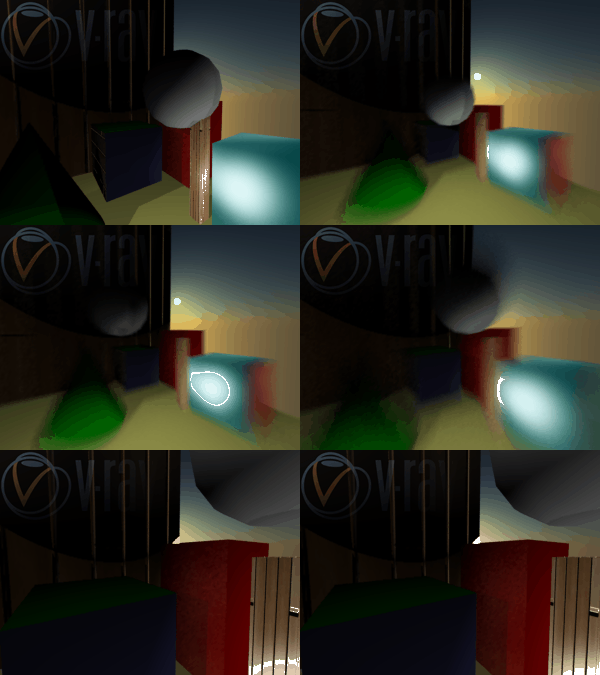
here is the same ani with motion blur
- Attachments
-
- animation2.gif (258.63 KiB) Viewed 916 times
-
BooxieMalone
- Chief Petty Officer
- Posts: 127
- Joined: 14 Jul 2009, 22:34
Re: Vray Standalone for Truespace - Project.
I'll be back in a second, just gotta feed fish - too much speed blur! 
-
froo
- Captain
- Posts: 2554
- Joined: 22 May 2009, 12:13
Re: Vray Standalone for Truespace - Project.
Very Cool Stan! Very Cool Indeed! 
-
stan
- Master Chief Petty Officer
- Posts: 584
- Joined: 21 May 2009, 17:20
Re: Vray Standalone for Truespace - Project.
Here is an ani with rigged objects.
I had to create a loop method like Clinton did for yafaray for skeleton rigs to work.
I had to create a loop method like Clinton did for yafaray for skeleton rigs to work.
- Attachments
-

- horseanimation.gif (437.1 KiB) Viewed 819 times
-
stan
- Master Chief Petty Officer
- Posts: 584
- Joined: 21 May 2009, 17:20
Re: Vray Standalone for Truespace - Project.
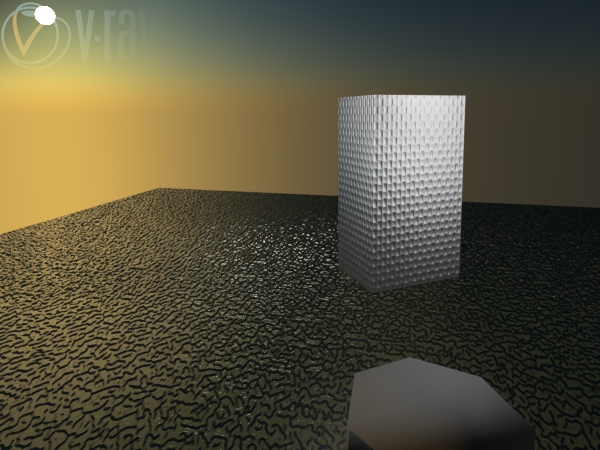
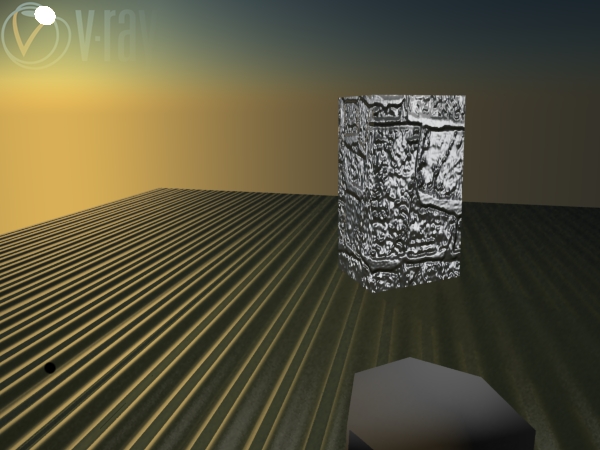
here is bump and normal mapping done with textures and image files in phong shader..This was a struggle to figure out. 
vray textures mountain and cloth
files corgated.jpg and stone-normals.jpg
vray textures mountain and cloth
files corgated.jpg and stone-normals.jpg
- Attachments
-
-
-
Steinie

- Captain
- Posts: 2958
- Joined: 21 May 2009, 17:38
- Type the number ten into the box: 10
Re: Vray Standalone for Truespace - Project.
What a huge step forward! Great work!!!
-
stan
- Master Chief Petty Officer
- Posts: 584
- Joined: 21 May 2009, 17:20
Re: Vray Standalone for Truespace - Project.
mmm..donuts..displacement donuts.
Got the displacement option working on all shaders. woot!
A leather texture displacement on the blinn donut in back.
A alfafa bump.jpg displacement on darktree holstien in front.
The rest are bump or normal textures. The blue one is actually the caligari logo with some effects on the texture.
Glad you like the progress!
Got the displacement option working on all shaders. woot!
A leather texture displacement on the blinn donut in back.
A alfafa bump.jpg displacement on darktree holstien in front.
The rest are bump or normal textures. The blue one is actually the caligari logo with some effects on the texture.
Glad you like the progress!
- Attachments
-

-
bitkar

- Captain
- Posts: 2089
- Joined: 16 Mar 2010, 07:14
- Type the number ten into the box: 0
- Location: Czech Republic
Re: Vray Standalone for Truespace - Project.
i love displacement!
Michal aka bitkar
tS freak since tS2 (1998) and forever (tS7.61 modeler)
tS freak since tS2 (1998) and forever (tS7.61 modeler)
-
stan
- Master Chief Petty Officer
- Posts: 584
- Joined: 21 May 2009, 17:20
Re: Vray Standalone for Truespace - Project.
here are working layers..
It's got 4 layers loaded with 5 max..the cali logo is on the first layer in a blinn shader.
I also have volume shaders working on all shaders and in the enviroment slot.
almost all attributes are now available.
material override is working but not setup completely. I guess there should be an override for each possible material on an object, not just one for the object.
Not much left..woot
It's got 4 layers loaded with 5 max..the cali logo is on the first layer in a blinn shader.
I also have volume shaders working on all shaders and in the enviroment slot.
almost all attributes are now available.
material override is working but not setup completely. I guess there should be an override for each possible material on an object, not just one for the object.
Not much left..woot
- Attachments
-

-
clintonman

- Captain
- Posts: 5659
- Joined: 21 May 2009, 21:08
- Type the number ten into the box: 0
- Location: California
Re: Vray Standalone for Truespace - Project.
Nice. So what's still on your "to do" list for this thing?stan wrote:...
Not much left..woot
-
stan
- Master Chief Petty Officer
- Posts: 584
- Joined: 21 May 2009, 17:20
Re: Vray Standalone for Truespace - Project.
Clinton, my to do list is as follows..
vraymtl ..that I may just leave as one huge shader. It actually can make many types of shaders. Later on I may make a better glass from it once I find out better how to use it.
finish the lights..there is some texture buttons that need work and add the animation interpolation part to those that don't yet have it.
Most important is the normals because I don't get faceted material and I believe all the shaders on curves will look properly then. I used the 'Mesh.GetNormals()'with 'Space 3D Package/Normals Stream Data' but they dont seem right. Might need help on that one..
There is also a value issue I have that I can't find an answer for yet. In the Scatter fog it uses values like this: 'thickness=1e+009;' maxwell? translated from long numbers.
Of course there will be loose ends to repair that might have slipped my mind.lol
I won't make materials animated in this version. There is combined about 7500 lines of code in the material and texture fnsets..So I just don't feel like setting up the interpolation value part just yet .
I was wondering if I can export the fnsets scripts as xml and code them as a plugin like the devs did with some things? I won't rewrite the my code to c++ though. Far too much work.. That or just move the vray panel out of the scene, which causes its own problem..saving the vray values to scene..At the moment the panel adds 1.76 mgs to a scene.
vraymtl ..that I may just leave as one huge shader. It actually can make many types of shaders. Later on I may make a better glass from it once I find out better how to use it.
finish the lights..there is some texture buttons that need work and add the animation interpolation part to those that don't yet have it.
Most important is the normals because I don't get faceted material and I believe all the shaders on curves will look properly then. I used the 'Mesh.GetNormals()'with 'Space 3D Package/Normals Stream Data' but they dont seem right. Might need help on that one..
There is also a value issue I have that I can't find an answer for yet. In the Scatter fog it uses values like this: 'thickness=1e+009;' maxwell? translated from long numbers.
Of course there will be loose ends to repair that might have slipped my mind.lol
I won't make materials animated in this version. There is combined about 7500 lines of code in the material and texture fnsets..So I just don't feel like setting up the interpolation value part just yet .
I was wondering if I can export the fnsets scripts as xml and code them as a plugin like the devs did with some things? I won't rewrite the my code to c++ though. Far too much work..
That or just move the vray panel out of the scene, which causes its own problem..saving the vray values to scene..At the moment the panel adds 1.76 mgs to a scene.-
Johny

- Petty Officer First Class
- Posts: 53
- Joined: 21 May 2009, 17:14
V-Ray 2.0 for Maya Goes Beta
today I got newsletter from Chaos Group about V-Ray 2.0
here is link for read the newsletter: http://chaosgroup.com/newsletters/20110330/"
So Stan, I think its better if you try to send join request to V-Ray 2.0 Beta program.
here is link for read the newsletter: http://chaosgroup.com/newsletters/20110330/"
So Stan, I think its better if you try to send join request to V-Ray 2.0 Beta program.
-
stan
- Master Chief Petty Officer
- Posts: 584
- Joined: 21 May 2009, 17:20
Re: Vray Standalone for Truespace - Project.
It's been awhile I know, I have been working on the normals.  Here is pic of what I now have..
Here is pic of what I now have..- Attachments
-

- faceted on left smooth on right none in middle.

-
froo
- Captain
- Posts: 2554
- Joined: 22 May 2009, 12:13
Re: Vray Standalone for Truespace - Project.
Looks Very Very Nice stan! Great job man! 
-
Steinie
- Captain
- Posts: 2958
- Joined: 21 May 2009, 17:38
- Type the number ten into the box: 10
Re: Vray Standalone for Truespace - Project.
Really fantastic accomplishments!
-
stan
- Master Chief Petty Officer
- Posts: 584
- Joined: 21 May 2009, 17:20
Re: Vray Standalone for Truespace - Project.
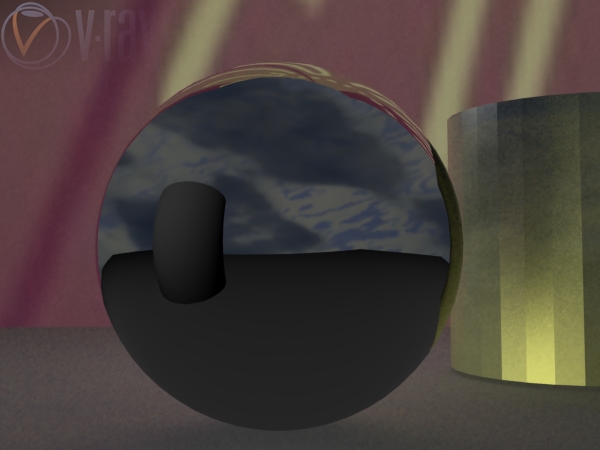
mirror and glass on a ball, normals look right now.
- Attachments
-
-

-
froo
- Captain
- Posts: 2554
- Joined: 22 May 2009, 12:13
Re: Vray Standalone for Truespace - Project.
Very nice stan!
-
stan
- Master Chief Petty Officer
- Posts: 584
- Joined: 21 May 2009, 17:20
Re: Vray Standalone for Truespace - Project.
latest work on normals..
- Attachments
-

-
froo
- Captain
- Posts: 2554
- Joined: 22 May 2009, 12:13
Re: Vray Standalone for Truespace - Project.
That looks really good stan.
Did you get all the problems with normals resolved?
Did you get all the problems with normals resolved?
-
stan
- Master Chief Petty Officer
- Posts: 584
- Joined: 21 May 2009, 17:20
Re: Vray Standalone for Truespace - Project.
I'm not sure but the facetized ones do look alot better to me.
no out of range face vertices..
no out of range face vertices..
-
froo
- Captain
- Posts: 2554
- Joined: 22 May 2009, 12:13
Re: Vray Standalone for Truespace - Project.
Excellent.
That's what I was wondering about: the out of range face vertices.
Sweet!
That's what I was wondering about: the out of range face vertices.
Sweet!
-
stan
- Master Chief Petty Officer
- Posts: 584
- Joined: 21 May 2009, 17:20
Re: Vray Standalone for Truespace - Project.
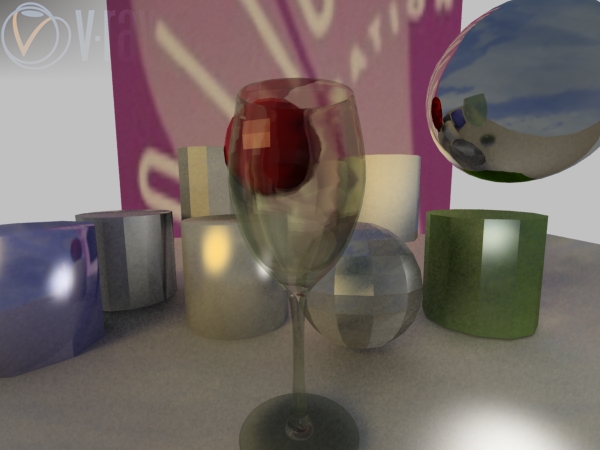
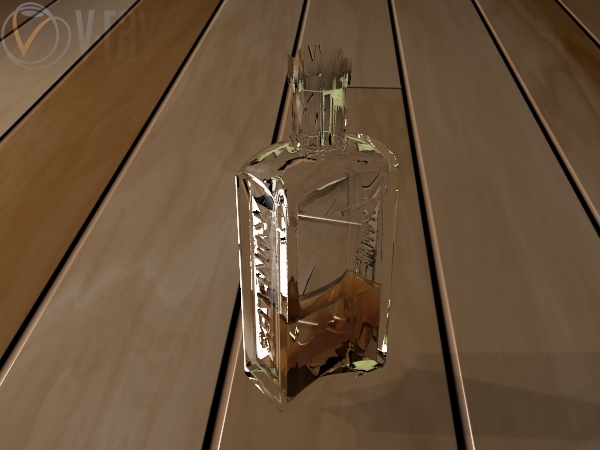
here is my best glass so far, rendered with brute force GI.
- Attachments
-
-
stan
- Master Chief Petty Officer
- Posts: 584
- Joined: 21 May 2009, 17:20
Re: Vray Standalone for Truespace - Project.
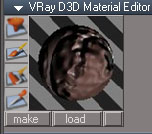
I revisited the material editor preview. I think it shows as it should now. Its still a manual op for any setting changes, but good to go...
I also remade the simbiont so the attributes show up on different panel.
Time to get some beta testing done while I try to figure out how to made facet normals render without adding an angle node
This is still a vray 1.5 version, the vray 2.0 comes after..

- phongE
- mated1.jpg (12.06 KiB) Viewed 741 times
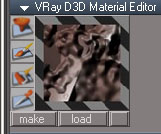
- rust steel
- rusty.jpg (13.19 KiB) Viewed 740 times
- also added a button to go from sphere preview to plane
- rusty_plane.jpg (13.56 KiB) Viewed 744 times
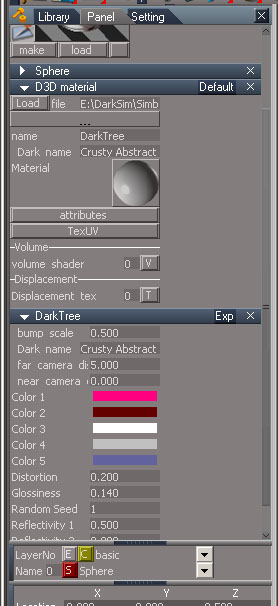
This is still a vray 1.5 version, the vray 2.0 comes after..
-
bitkar
- Captain
- Posts: 2089
- Joined: 16 Mar 2010, 07:14
- Type the number ten into the box: 0
- Location: Czech Republic
Re: Vray Standalone for Truespace - Project.
i guess it will be simliar to yafaray4ts in the way of using....? having some panel and button for export to external vray etc.?
Michal aka bitkar
tS freak since tS2 (1998) and forever (tS7.61 modeler)
tS freak since tS2 (1998) and forever (tS7.61 modeler)
-
stan
- Master Chief Petty Officer
- Posts: 584
- Joined: 21 May 2009, 17:20
Re: Vray Standalone for Truespace - Project.
yes Bitkar, a very similar panel for setting, except vray has many more settings. vray will open on top of truespace when you click the render button..there are lights and shaders specific to vray standalone.
-
stan
- Master Chief Petty Officer
- Posts: 584
- Joined: 21 May 2009, 17:20
Re: Vray Standalone for Truespace - Project.
Glass and other VRayMtl materials, using new VRayMtl code. The backdrop is darktree mtls. Two local lights in scene. Spheres are 12 lat, 12 long.
- Attachments
-

-
stan
- Master Chief Petty Officer
- Posts: 584
- Joined: 21 May 2009, 17:20
Re: Vray Standalone for Truespace - Project.
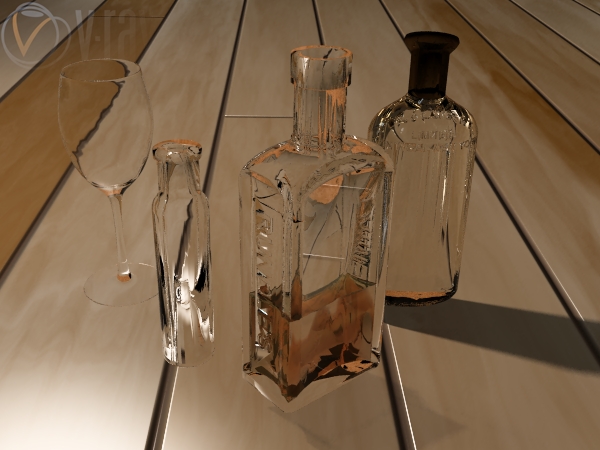
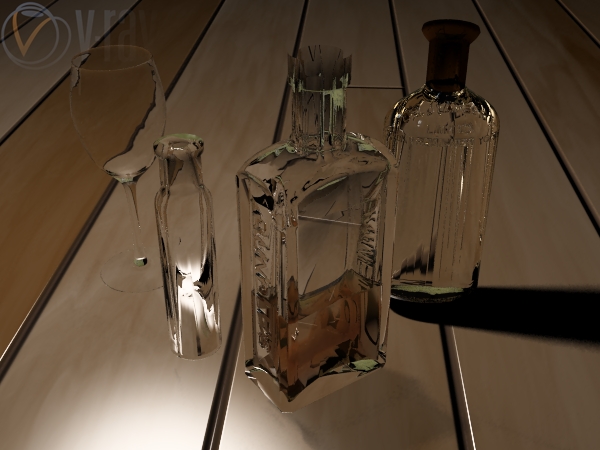
here is some glass with and without GI..

- Attachments
-

- GI irradiance map and photon map.one light ..about one hour to render..
-

- GI irradiance map and photon map three lights but 7 hours to render
-
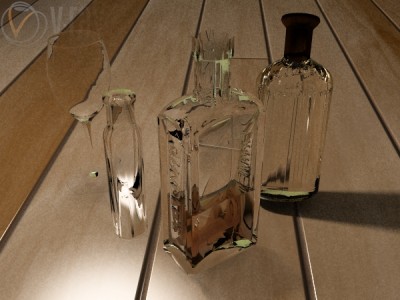
- grainy
-

- more bottles .green is the back wall colour
-
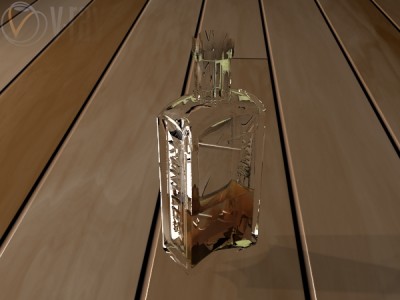
- no GI just two lights


-
Prodigy

- Site Admin
- Posts: 957
- Joined: 21 May 2009, 14:46
- Type the number ten into the box: 0
- Location: Uruguay
Re: Vray Standalone for Truespace - Project.
Stan, very nice results.. 
I reinstalled my computer, i'll try to install vray again and test the installation workflow. last time i had problem with.
I reinstalled my computer, i'll try to install vray again and test the installation workflow. last time i had problem with.
๑۩۞۩๑ prodigy ๑۩۞۩๑
-
stan
- Master Chief Petty Officer
- Posts: 584
- Joined: 21 May 2009, 17:20
Re: Vray Standalone for Truespace - Project.
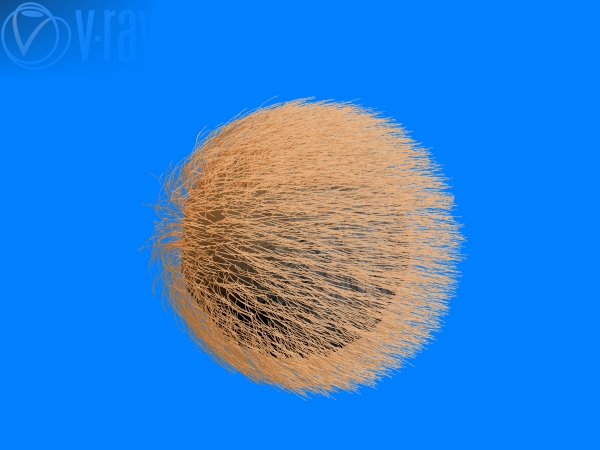
I got the vray hair node implemented with the BRDFHair material..also the vray infinite plane primitive, with darktree ashpalt material on it.
tribble ...? hairball
tribble ...? hairball
- Attachments
-
-
-


-
Emmanuel

- Chief Warrant Officer
- Posts: 670
- Joined: 14 Jun 2009, 06:47
Re: Vray Standalone for Truespace - Project.
Cool !
-
froo
- Captain
- Posts: 2554
- Joined: 22 May 2009, 12:13
Re: Vray Standalone for Truespace - Project.
Very Cool stan! Please keep goin! That last hair shot looks like the 'Memorex' commercial
with the guy getting his hair blown back by the sound! 

with the guy getting his hair blown back by the sound!
-
Prodigy
- Site Admin
- Posts: 957
- Joined: 21 May 2009, 14:46
- Type the number ten into the box: 0
- Location: Uruguay
Re: Vray Standalone for Truespace - Project.
Stan, i'm on msn.. can you contact me?
๑۩۞۩๑ prodigy ๑۩۞۩๑
-
stan
- Master Chief Petty Officer
- Posts: 584
- Joined: 21 May 2009, 17:20
Re: Vray Standalone for Truespace - Project.
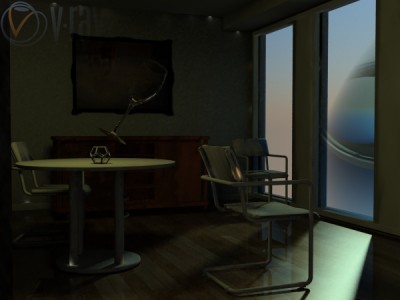
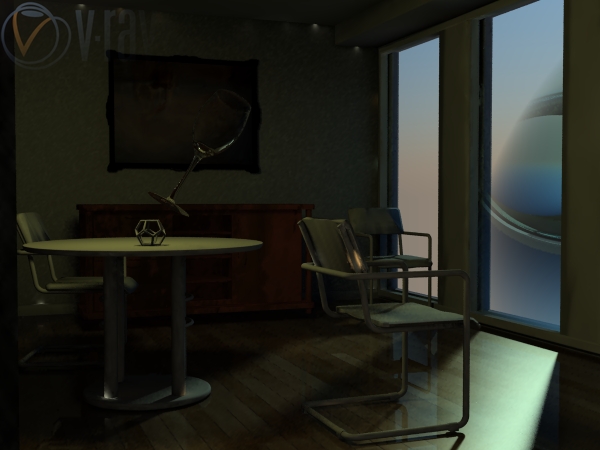
Here is an old vray for ts7.0 scene, slightly altered done with the vray standalone. I added glass to the openings and have vray sun/sky in both.There is just default white diffuse material on much of the scene, (my script can't yet read vray for ts material so sets them as white) except for some darktree woods. The glass in mid air is causing the caustics in one scene, which also had GI. There is irradiance map using medium preset with photon map second bounce in that one. Not a big difference in the two scene renders, other that the caustics and GI one took longer to render.
- Attachments
-
- The GI and caustics one.
-

-
froo
- Captain
- Posts: 2554
- Joined: 22 May 2009, 12:13
Re: Vray Standalone for Truespace - Project.
Stan,
this is awesome dude. You're making great strides in your VRay script development.
Cool pics!
this is awesome dude. You're making great strides in your VRay script development.
Cool pics!
-
stan
- Master Chief Petty Officer
- Posts: 584
- Joined: 21 May 2009, 17:20
Re: Vray Standalone for Truespace - Project.
Thanks Jason I got area render working from widget data. Too bad it doesn't render on your workspace. Here's my first successful area render matching the workspace scene!!
I got area render working from widget data. Too bad it doesn't render on your workspace. Here's my first successful area render matching the workspace scene!!- Attachments
-

-
froo
- Captain
- Posts: 2554
- Joined: 22 May 2009, 12:13
Re: Vray Standalone for Truespace - Project.
Sweet! You're rockin it out dude! Keep it up!
-
stan
- Master Chief Petty Officer
- Posts: 584
- Joined: 21 May 2009, 17:20
Re: Vray Standalone for Truespace - Project.
I wanted to see how one of my largest ts 6.6 scenes would render..found afew bad mesh as everything is nurbs,although not many. Scene has 1024 mesh objects 1608576 faces. There are many flipped faced like the seat object, but I wasn't into repairing them at this point. There was a bad mesh in rear lights that caused an error so I didn't show them.
took about 20 mins to gather the vrscene files and 2 mins to render..everything is default white.
Also have been upgrading the material editor preview. It runs faster from a rsx but
I am trying to get a notifyevent::getvalue to do what I want but scrubbers cause problems and changing objects the scanner doesnt link to new material values as it should yet..
took about 20 mins to gather the vrscene files and 2 mins to render..everything is default white.
Also have been upgrading the material editor preview. It runs faster from a rsx but
I am trying to get a notifyevent::getvalue to do what I want but scrubbers cause problems and changing objects the scanner doesnt link to new material values as it should yet..
- Attachments
-

-
froo
- Captain
- Posts: 2554
- Joined: 22 May 2009, 12:13
Re: Vray Standalone for Truespace - Project.
Sweeeeet!
-
stan
- Master Chief Petty Officer
- Posts: 584
- Joined: 21 May 2009, 17:20
Re: Vray Standalone for Truespace - Project.
Augusto here is the method to setup vray standalone in images.
As you now know the script can't install with a link to desktop folder as an address it must be in your directory C: or elsewhere. It doesn't work with the workspace standalone version.
As you now know the script can't install with a link to desktop folder as an address it must be in your directory C: or elsewhere. It doesn't work with the workspace standalone version.
- Attachments
-

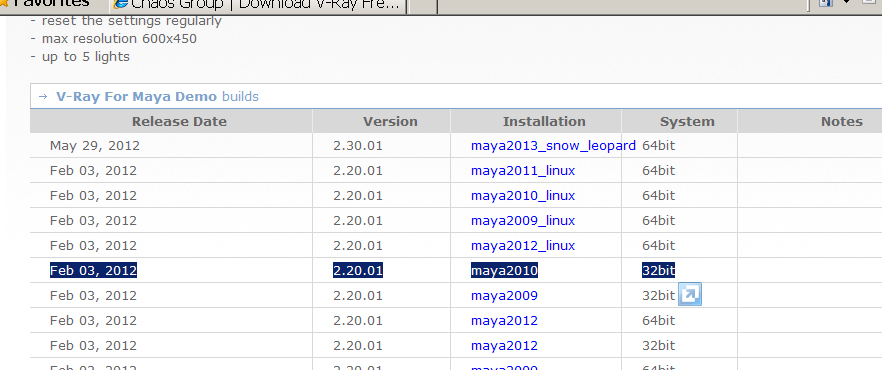
- this is the file. you can use any maya 2010 32bit but not 64bit
-

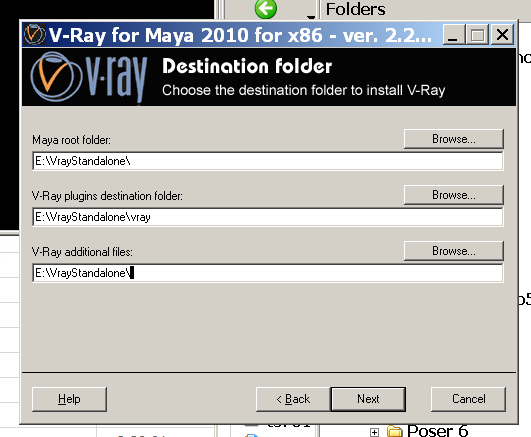
- install setup like this(do not use original method)
-
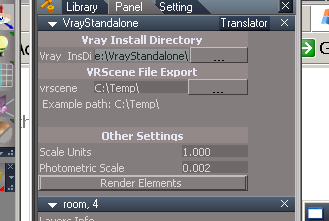
- put address in vray panel on translator like this:
E:\VrayStandalone\vray\bin\vray.exe - vraytranslator.jpg (51.8 KiB) Viewed 309 times
-
Prodigy
- Site Admin
- Posts: 957
- Joined: 21 May 2009, 14:46
- Type the number ten into the box: 0
- Location: Uruguay
Re: Vray Standalone for Truespace - Project.
Thanks Stan
๑۩۞۩๑ prodigy ๑۩۞۩๑
-
froo
- Captain
- Posts: 2554
- Joined: 22 May 2009, 12:13
Re: Vray Standalone for Truespace - Project.
Stan, I am really glad you are still working on this! Awesome work my friend!
-
stan
- Master Chief Petty Officer
- Posts: 584
- Joined: 21 May 2009, 17:20
Re: Vray Standalone for Truespace - Project.
Thanks Jason, do you want to give it a try on your new puter?
this thread has hit 10000 views
this thread has hit 10000 views
-
froo
- Captain
- Posts: 2554
- Joined: 22 May 2009, 12:13
Re: Vray Standalone for Truespace - Project.
Yeah I'd love to!
10,000 Views Hell Yeah!
10,000 Views Hell Yeah!
-
stan
- Master Chief Petty Officer
- Posts: 584
- Joined: 21 May 2009, 17:20
Re: Vray Standalone for Truespace - Project.
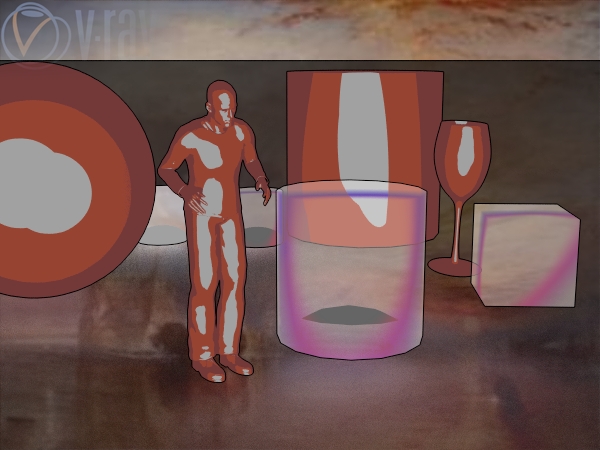
chaos fixed the code for ramp shaders (toon shaders). I'm also showing the toon outline environment shader..
I got my material editor workiing from .rsx now, it's faster!!!
I'm also showing the toon outline environment shader..I got my material editor workiing from .rsx now, it's faster!!!
- Attachments
-
-
froo
- Captain
- Posts: 2554
- Joined: 22 May 2009, 12:13
Re: Vray Standalone for Truespace - Project.
Sweet.
-
Prodigy
- Site Admin
- Posts: 957
- Joined: 21 May 2009, 14:46
- Type the number ten into the box: 0
- Location: Uruguay
Re: Vray Standalone for Truespace - Project.
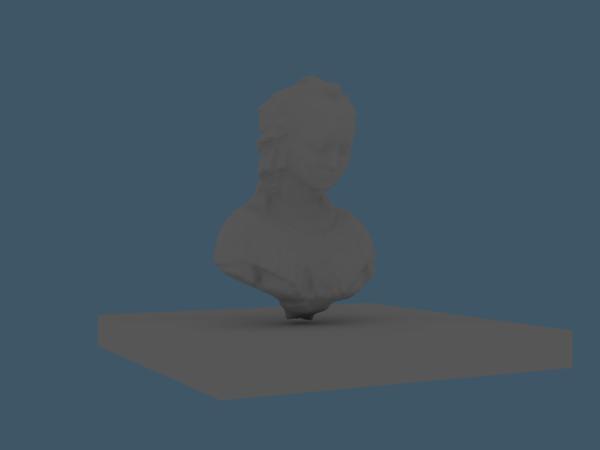
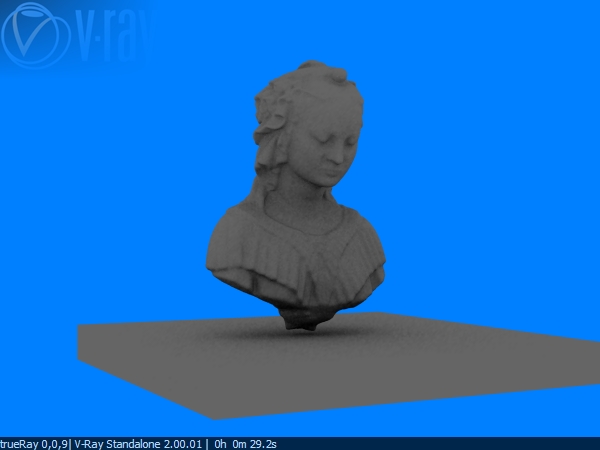
Okey Dokey.. finally i have Vray for maya working on my system..
I had some troubles with some objects and i've got a few ideas to improve the workflow and how to reduce the exportation time.. but i must to say..
Excellent work Stan
I had some troubles with some objects and i've got a few ideas to improve the workflow and how to reduce the exportation time.. but i must to say..
Excellent work Stan - Attachments
-
- vray Truespace
- test2.jpg (6.28 KiB) Viewed 261 times
-
- Vray
๑۩۞۩๑ prodigy ๑۩۞۩๑
-
stan
- Master Chief Petty Officer
- Posts: 584
- Joined: 21 May 2009, 17:20
Re: Vray Standalone for Truespace - Project.
Great your running..
don't use old ts library objects they only work sometimes..you must use made for vray scenes.I remember giving you the hair node for your preobjects long ago but its not in the install so any hair models will give an error too. I did make the horse work though.
I have not made any provisions for d3d or stock vray lights or materials. I have been thinking about and toying around with using model vray shaders so you can cross the bridge to workspace and render in a simpler to use modelside shader and light with the ability to still use all the good stuff. I will one day make material instancing possible but it wasn't a priority.
when building layered material or adding textures always use the stack loading system.
Oh, does the debug version .rsx work for you? it should only affect the area render if not.
It's a little bit different from the alpha versions.. 
don't use old ts library objects they only work sometimes..you must use made for vray scenes.I remember giving you the hair node for your preobjects long ago but its not in the install so any hair models will give an error too. I did make the horse work though.
I have not made any provisions for d3d or stock vray lights or materials. I have been thinking about and toying around with using model vray shaders so you can cross the bridge to workspace and render in a simpler to use modelside shader and light with the ability to still use all the good stuff. I will one day make material instancing possible but it wasn't a priority.
when building layered material or adding textures always use the stack loading system.
Oh, does the debug version .rsx work for you? it should only affect the area render if not.
It's a little bit different from the alpha versions..
-
Prodigy
- Site Admin
- Posts: 957
- Joined: 21 May 2009, 14:46
- Type the number ten into the box: 0
- Location: Uruguay
Re: Vray Standalone for Truespace - Project.
rsx? no i have no Rsx on the zip you sent me... 
๑۩۞۩๑ prodigy ๑۩۞۩๑
-
stan
- Master Chief Petty Officer
- Posts: 584
- Joined: 21 May 2009, 17:20
Re: Vray Standalone for Truespace - Project.
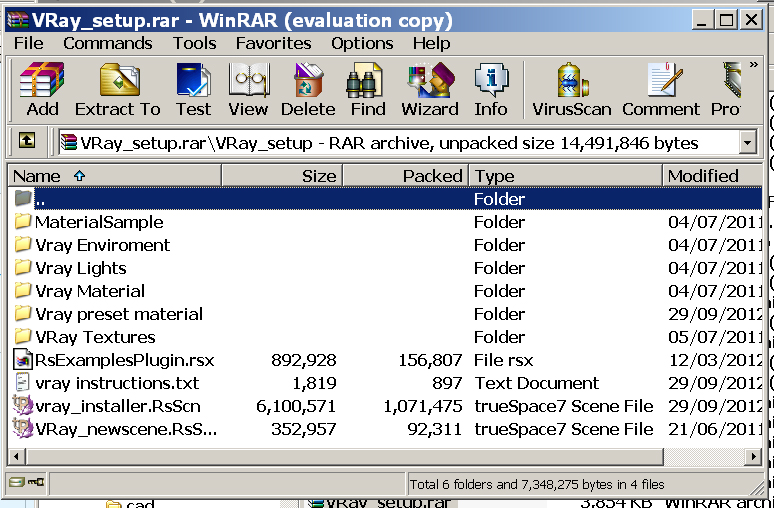
It should be there in the recent email, it's called RsExamplesPlugin.rsx rar should look like this pic 
- Attachments
-
-
Prodigy
- Site Admin
- Posts: 957
- Joined: 21 May 2009, 14:46
- Type the number ten into the box: 0
- Location: Uruguay
Re: Vray Standalone for Truespace - Project.
i installed an older version.. now i found your email on my hotmail account..
Thanks!
Thanks!
๑۩۞۩๑ prodigy ๑۩۞۩๑
-
Prodigy
- Site Admin
- Posts: 957
- Joined: 21 May 2009, 14:46
- Type the number ten into the box: 0
- Location: Uruguay
Re: Vray Standalone for Truespace - Project.
ok,
Source Object: /project/vray_installer/vray installer/folders_in
error: ms jscript runtime error
description: path not found
Error 0x800a004c - null
line 14 char 0
fso.copyfolder (folder_path +'\\materialSample', preview, true)
Also i tried to load the rsx but wont appear.. i had this kind of problems with jason's obj imported due a missing c++ 2008 installer.
Source Object: /project/vray_installer/vray installer/folders_in
error: ms jscript runtime error
description: path not found
Error 0x800a004c - null
line 14 char 0
fso.copyfolder (folder_path +'\\materialSample', preview, true)
Also i tried to load the rsx but wont appear.. i had this kind of problems with jason's obj imported due a missing c++ 2008 installer.
๑۩۞۩๑ prodigy ๑۩۞۩๑
-
stan
- Master Chief Petty Officer
- Posts: 584
- Joined: 21 May 2009, 17:20
Re: Vray Standalone for Truespace - Project.
the rsx should install without that as I make it in an earlier visual studio..I may not have changed the guid of the plugin but I usually do so it could be that its a debug version
this:fso.copyfolder (folder_path +'\\materialSample', preview, true)
I didn't see a cap M for Material missing in the latest version or the older one
fso.copyfolder (folder_path +'\\MaterialSample', preview, true)
was that the older installer? at any rate nothing has changed in there so if you have that folder in your ts directoy good if not you can just copy and paste it in truespace/ts/
I will have to make a release version of the rsx I just hate having to load and reload when still writing the plugin so sent the debug one. later today expect a new version..
this:fso.copyfolder (folder_path +'\\materialSample', preview, true)
I didn't see a cap M for Material missing in the latest version or the older one
fso.copyfolder (folder_path +'\\MaterialSample', preview, true)
was that the older installer? at any rate nothing has changed in there so if you have that folder in your ts directoy good if not you can just copy and paste it in truespace/ts/
I will have to make a release version of the rsx I just hate having to load and reload when still writing the plugin so sent the debug one. later today expect a new version..
-
Prodigy
- Site Admin
- Posts: 957
- Joined: 21 May 2009, 14:46
- Type the number ten into the box: 0
- Location: Uruguay
Re: Vray Standalone for Truespace - Project.
Rsx load fine... don't know what it does but it loads without any problem.
the Vray installer .. still getting an error..
/project/vray_installer/vray installer/folders_in
jscript runtime error
path not found
line 14 char 0
fso copyfolder (folder_path +'\\MaterialSample', preview, true)
the Vray installer .. still getting an error..
/project/vray_installer/vray installer/folders_in
jscript runtime error
path not found
line 14 char 0
fso copyfolder (folder_path +'\\MaterialSample', preview, true)
๑۩۞۩๑ prodigy ๑۩۞۩๑
-
stan
- Master Chief Petty Officer
- Posts: 584
- Joined: 21 May 2009, 17:20
Re: Vray Standalone for Truespace - Project.
then just move that folder over manually to ts main directory, it holds the material preview stuff. truespace/ts/
when I try it works..not sure maybe it's the \\
do you still run xp?
you should also check that the latest version of the libraries ii in rs main libraries, if not copy and paste them as well.
when I try it works..not sure maybe it's the \\
do you still run xp?
you should also check that the latest version of the libraries ii in rs main libraries, if not copy and paste them as well.
-
Prodigy
- Site Admin
- Posts: 957
- Joined: 21 May 2009, 14:46
- Type the number ten into the box: 0
- Location: Uruguay
Re: Vray Standalone for Truespace - Project.
ok..
๑۩۞۩๑ prodigy ๑۩۞۩๑
-
stan
- Master Chief Petty Officer
- Posts: 584
- Joined: 21 May 2009, 17:20
Re: Vray Standalone for Truespace - Project.
you can also try this replacement script. I changed some of the forward slash, those on folder_path to backslash
so you should change your path variable too if you try this.
D:\VRay_setup to D:/
I don't think it should matter but you never know. The other one generates a \
E:\trueSpace761\tS in an alert message, but the history stack uses \\
preview= System.GetMainDir() +'\\'
so you should change your path variable too if you try this.
D:\VRay_setup to D:/
I don't think it should matter but you never know. The other one generates a \
E:\trueSpace761\tS in an alert message, but the history stack uses \\
preview= System.GetMainDir() +'\\'
- Attachments
-
- folders_in.rar
- (1.94 KiB) Downloaded 15 times
-
stan
- Master Chief Petty Officer
- Posts: 584
- Joined: 21 May 2009, 17:20
Re: Vray Standalone for Truespace - Project.
Augusto, here is the proxy maker, it's a command line tool. •VRay .ply to .vrmesh converter
It's on this page:
http://www.vray.com/free_vray_tools/"
It's on this page:
http://www.vray.com/free_vray_tools/"
-
stan
- Master Chief Petty Officer
- Posts: 584
- Joined: 21 May 2009, 17:20
Re: Vray Standalone for Truespace - Project.
This week I got a vray new scene icon working using the sdk. It can be modified via script for what lights are added and the positions.
Car paint material now working..
Car paint material now working..
Code: Select all
//{8AC1B301-8385-462E-8D5F-1950BE149D23}
RS_DEFINE_GUID(CON_HF_MATERIAL,
0x8AC1B301, 0x8385, 0x462E, 0x8D, 0x5F, 0x19, 0x50, 0xBE, 0x14, 0x9D, 0x23);
//IRdME2Material
CRpExamplesPlugin::CreateDataObject<IRdME2Material>(&spMat);
//with this connector and data object on an RnExampleNode it creates a blank shader with proper out material con, but thats as far as I got
-
stan
- Master Chief Petty Officer
- Posts: 584
- Joined: 21 May 2009, 17:20
material instancing
This week I got material instancing working. It will always be on and doesn't work with the truespace instancing method, it reuses any material with the same reference id. It will make writing the material quicker at render time.
I'm wondering if the _ in VRay_setup is what causes the problem for the install. I can't tell in xp as it works fine but newer windows I don't know if VRaySetup might be better.
I'm wondering if the _ in VRay_setup is what causes the problem for the install. I can't tell in xp as it works fine but newer windows I don't know if VRaySetup might be better.