Robotech Hovercycle Take 2
-
clintonman

- Captain
- Posts: 5659
- Joined: 21 May 2009, 21:08
- Type the number ten into the box: 0
- Location: California
Robotech Hovercycle Take 2
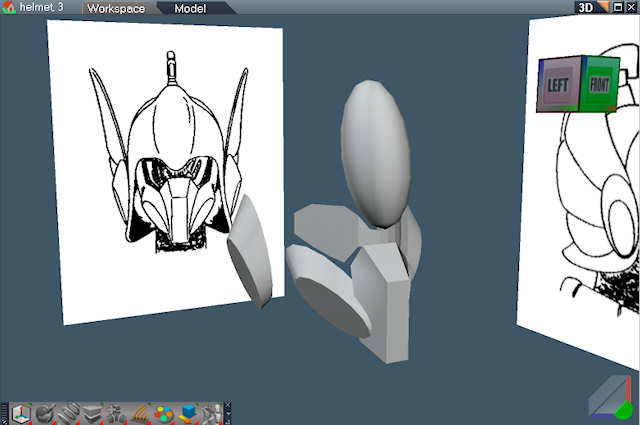
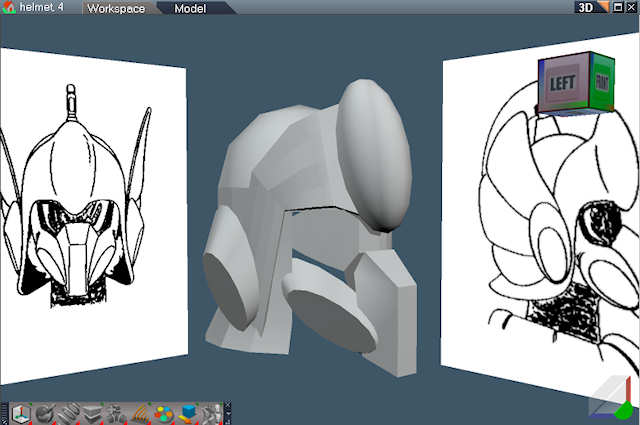
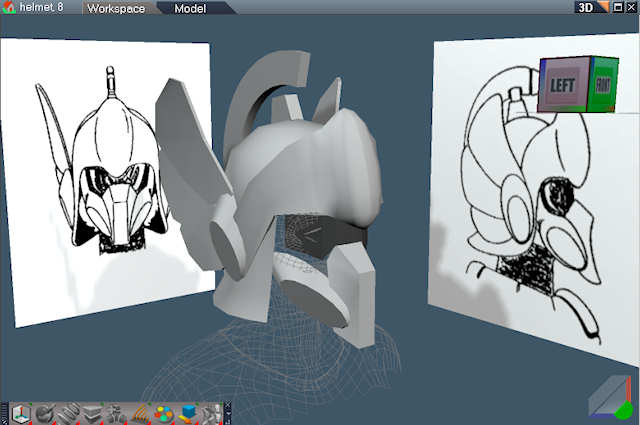
A while bake I made a model of the hovercycle from Robotech and put it in a video. The video can be found here: http://www.clintons3d.com/demoReel/index.html" , second from the bottom. The cycle never had a rider so I'm making one now. I scanned some images from my Robotech book and created image planes from them. In the first two images I start by placing simple shapes and in the third I imported a poser head to help out. Robotech was a cartoon so it's a little tricky getting everything to make sense and fit together.
-
marcel

- Captain
- Posts: 2247
- Joined: 21 May 2009, 19:52
- Type the number ten into the box: 0
- Location: paris - France
Re: Robotech Hovercycle Take 2
good start. It look like a centurion of ancient Rome.
Design - illustration - Animation
http://www.crea-vision.fr
http://www.crea-vision.fr
-
clintonman
- Captain
- Posts: 5659
- Joined: 21 May 2009, 21:08
- Type the number ten into the box: 0
- Location: California
Re: Robotech Hovercycle Take 2
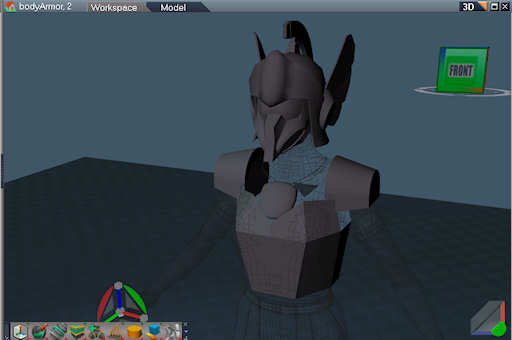
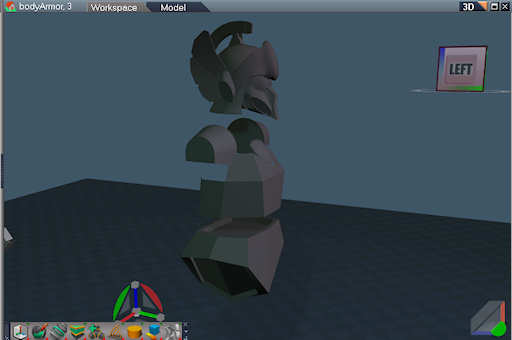
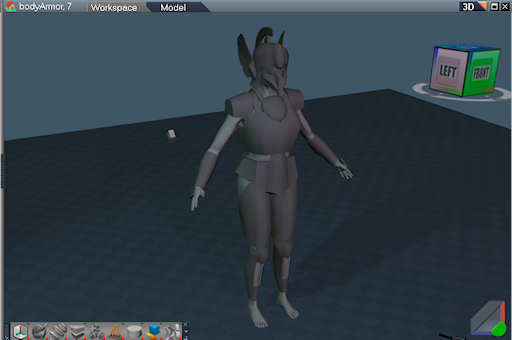
Continued. Started working on the body armor. I used the poser figure as reference. I think Marcel is right about that Roman influence. Some things aren't turning out like I expected because of the cartoon origins of the design. Real people and cartoon people don't have the same proportions. Here's 3 more picts of my progress.
-
clintonman
- Captain
- Posts: 5659
- Joined: 21 May 2009, 21:08
- Type the number ten into the box: 0
- Location: California
Re: Robotech Hovercycle Take 2
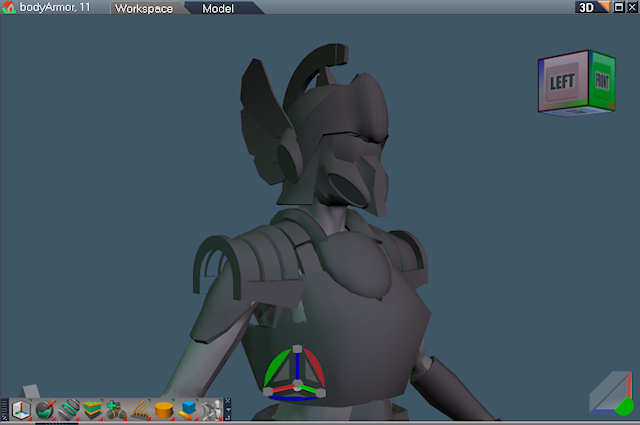
Gave her some footwear and refined some of the upper body armor.

-
clintonman
- Captain
- Posts: 5659
- Joined: 21 May 2009, 21:08
- Type the number ten into the box: 0
- Location: California
Re: Robotech Hovercycle Take 2
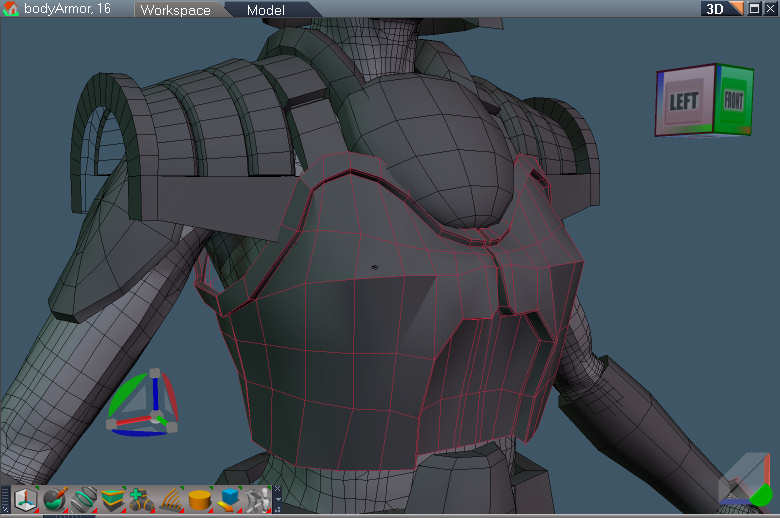
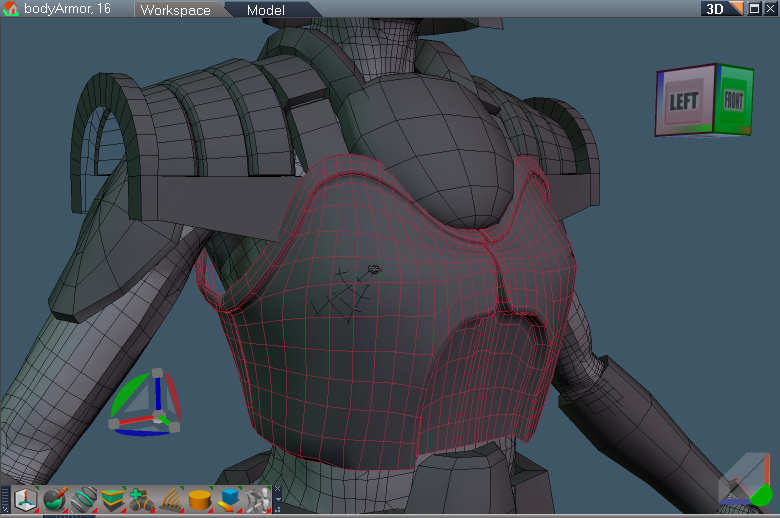
Some vest refinement. Image shows base mesh and the SDS result.
-
marcel
- Captain
- Posts: 2247
- Joined: 21 May 2009, 19:52
- Type the number ten into the box: 0
- Location: paris - France
Re: Robotech Hovercycle Take 2
Roman from Rome or Caligari? Good work.clintonman wrote: I think Marcel is right about that Roman influence.
Design - illustration - Animation
http://www.crea-vision.fr
http://www.crea-vision.fr
-
clintonman
- Captain
- Posts: 5659
- Joined: 21 May 2009, 21:08
- Type the number ten into the box: 0
- Location: California
Re: Robotech Hovercycle Take 2
Thanks.marcel wrote:Roman from Rome or Caligari? Good work.clintonman wrote: I think Marcel is right about that Roman influence.
 I don't think it matters which Roman. Haven't seen either since ancient times.
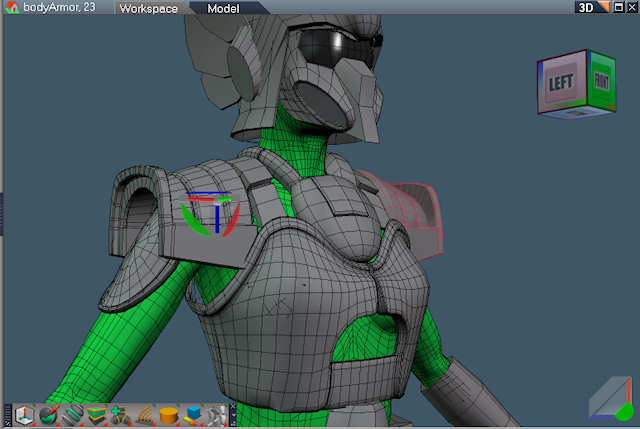
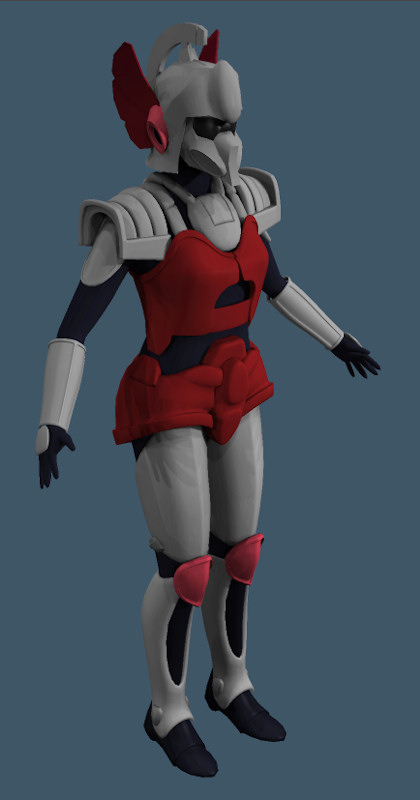
Smaller update this time. I refined the vest and shoulder pads. Also the front bulbous thingy.
-
LeonRegis

- Captain
- Posts: 1946
- Joined: 18 Aug 2009, 17:36
- Type the number ten into the box: 0
- Location: Brazil/Earth/Orion Arm/Milky Way/4th Dimension/This Universe/Multiverse???/Singularity???
Re: Robotech Hovercycle Take 2
Great Modeling!!
Keep up the work
Keep up the work
Be the change you want to see in the world. - Mohandas Gandhi
-
Steinie

- Captain
- Posts: 2958
- Joined: 21 May 2009, 17:38
- Type the number ten into the box: 10
Re: Robotech Hovercycle Take 2
I agree, nice modeling. I like how the pieces are fitting together and letting us
see how you do it.
see how you do it.
-
clintonman
- Captain
- Posts: 5659
- Joined: 21 May 2009, 21:08
- Type the number ten into the box: 0
- Location: California
Re: Robotech Hovercycle Take 2
-
clintonman
- Captain
- Posts: 5659
- Joined: 21 May 2009, 21:08
- Type the number ten into the box: 0
- Location: California
Re: Robotech Hovercycle Take 2

-
clintonman
- Captain
- Posts: 5659
- Joined: 21 May 2009, 21:08
- Type the number ten into the box: 0
- Location: California
Re: Robotech Hovercycle Take 2

-
clintonman
- Captain
- Posts: 5659
- Joined: 21 May 2009, 21:08
- Type the number ten into the box: 0
- Location: California
Re: Robotech Hovercycle Take 2
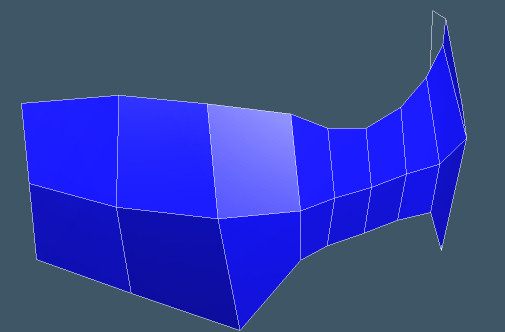
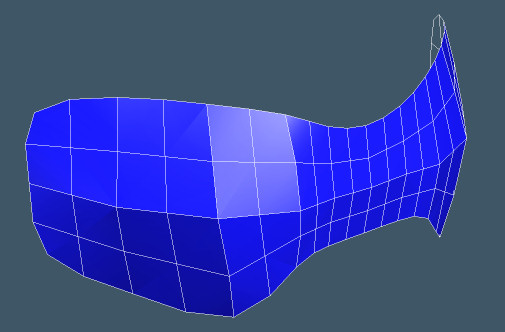
Attached is a sample of the SDS problem.
- Attachments
-
- helmetVisor.zip
- (15.69 KiB) Downloaded 524 times
-
Draise

- Captain
- Posts: 3200
- Joined: 21 Sep 2009, 19:33
- Type the number ten into the box: 0
- Location: Bogota, Colombia
Re: Robotech Hovercycle Take 2
I found that problem too.
The easy way of fixing it is subtracting the SDS to the control mesh level then subtract it once more, then flatten the history. This fixed your mesh.
Another fix is subtracting the SDS to no SDS then extract the SDS control mesh. Then reSDS it all again and it works and that fixes the majority of the errors, but I still had some errors..
I noticed that when I subtracted to SDS level 0 on your corrupt mesh, I couldn't extract the control mesh (disabled), thus I needed to subtract once again to extract it (enable the extract control mesh )or to flatten it's history without errors.
I have had those issues before.
The easy way of fixing it is subtracting the SDS to the control mesh level then subtract it once more, then flatten the history. This fixed your mesh.
Another fix is subtracting the SDS to no SDS then extract the SDS control mesh. Then reSDS it all again and it works and that fixes the majority of the errors, but I still had some errors..
I noticed that when I subtracted to SDS level 0 on your corrupt mesh, I couldn't extract the control mesh (disabled), thus I needed to subtract once again to extract it (enable the extract control mesh )or to flatten it's history without errors.
I have had those issues before.
-
clintonman
- Captain
- Posts: 5659
- Joined: 21 May 2009, 21:08
- Type the number ten into the box: 0
- Location: California
Re: Robotech Hovercycle Take 2
Thanks for looking at this. At first I didn't understand the easy way, but I think when you say subtract you mean reset. The reseting the mesh one more time did it. What is extract control mesh and where do I find it?Draise wrote:I found that problem too.
The easy way of fixing it is subtracting the SDS to the control mesh level then subtract it once more, then flatten the history. This fixed your mesh.
Another fix is subtracting the SDS to no SDS then extract the SDS control mesh. Then reSDS it all again and it works and that fixes the majority of the errors, but I still had some errors..
I noticed that when I subtracted to SDS level 0 on your corrupt mesh, I couldn't extract the control mesh (disabled), thus I needed to subtract once again to extract it (enable the extract control mesh )or to flatten it's history without errors.
I have had those issues before.
-
Draise
- Captain
- Posts: 3200
- Joined: 21 Sep 2009, 19:33
- Type the number ten into the box: 0
- Location: Bogota, Colombia
Re: Robotech Hovercycle Take 2
yes, the "reset SDS" = "extract SDS control mesh". It's the same.
Problem:

subtract to base layer, or reset SDS/extract SDS control mesh

subtract layer again, tho it has none, then flatten history - or just flatten history with the reset SDS/extracted SDS control mesh

Fixed

Problem:
subtract to base layer, or reset SDS/extract SDS control mesh
subtract layer again, tho it has none, then flatten history - or just flatten history with the reset SDS/extracted SDS control mesh
Fixed