here is the human avatar, controlled in FPN, using trueBlue's First Person Navigator node.
At present, the avatar does not walk, but that will change.
Load the scene, and in the FPN navigator node, select the Default tab if it is not already selected.
Then, Press the On button.
You are now moving the avatar according to your movement in FPN.
To confirm:
Open another 3d window. The icon is in the same flyout window as the Link Editor icon. The 3D window icon looks like
a checkerboard. It's the 2nd from the top.
Once you do this, you will see the avatar in the scene.
Click your primary 3D window (NOT the one you just loaded), then activate FPN from the standard FPN icon that came with
trueSpace (Do Not Click the On button in trueBlue's First Person Navigator).
Now, rotate your view with your mouse. You will see the avatar rotating accordingly.
Move forward and backward. You will see the avatar do the same.
Now, there are some issues.
The camera is actually up above the avatar. For some reason if I try setting the FPN Navigator tz to 0.5 or something like that, when I activate FPN by pressing the ON button, the view just jerks out of control. In other words, the FPN camera and the avatar mesh must be away from each other, in order for this to work.
Animations:
When I play the animation for the avatar, while in FPN mode, the camera is motionless, not moving in sync with the mesh.
This looks absolutely horrible; we see teeth, gums, skin, etc. jumping everywhere. Gaah!
I also see, in the extra 3d window, that the avatar is bouncing around, since he is actually Hitting the camera. Physics is enabled while in FPN, between the avatar, and the camera. We need to see if we can disable physics interaction between the camera and avatar while in FPN mode.
Perhaps a quick fix for this is to raise the camera up quite high, away from the mesh, while animation is playing, in FPN.
Human Avatar Control in FPN
-
froo
- Captain
- Posts: 2554
- Joined: 22 May 2009, 12:13
Human Avatar Control in FPN
- Attachments
-
- AvviControl2.zip
- (618.01 KiB) Downloaded 32 times
-
3dvisuals dude

- Chief Warrant Officer
- Posts: 643
- Joined: 03 Jun 2009, 02:53
- Type the number ten into the box: 0
Re: Human Avatar Control in FPN
Sweet! Thanks guy! I will check this out as soon as I can make the time here, hectic day, but this is awesome work! Thanks!froo wrote:here is the human avatar, controlled in FPN, using trueBlue's First Person Navigator node.
At present, the avatar does not walk, but that will change.
Load the scene, and in the FPN navigator node, select the Default tab if it is not already selected.
Then, Press the On button.
You are now moving the avatar according to your movement in FPN.
To confirm:
Open another 3d window. The icon is in the same flyout window as the Link Editor icon. The 3D window icon looks like
a checkerboard. It's the 2nd from the top.
Once you do this, you will see the avatar in the scene.
Click your primary 3D window (NOT the one you just loaded), then activate FPN from the standard FPN icon that came with
trueSpace (Do Not Click the On button in trueBlue's First Person Navigator).
Now, rotate your view with your mouse. You will see the avatar rotating accordingly.
Move forward and backward. You will see the avatar do the same.
Now, there are some issues.
The camera is actually up above the avatar. For some reason if I try setting the FPN Navigator tz to 0.5 or something like that, when I activate FPN by pressing the ON button, the view just jerks out of control. In other words, the FPN camera and the avatar mesh must be away from each other, in order for this to work.
Animations:
When I play the animation for the avatar, while in FPN mode, the camera is motionless, not moving in sync with the mesh.
This looks absolutely horrible; we see teeth, gums, skin, etc. jumping everywhere. Gaah!
One easy fix may be, to move camera in Z (tz) along with the avatar, while the animation is playing.
This may also resolve the issue with animating the avatar while walking: we play a walk sequence when we move in FPN.

-
froo
- Captain
- Posts: 2554
- Joined: 22 May 2009, 12:13
Re: Human Avatar Control in FPN
Cool.
Well, by watching the extra 3D view, I see that, initally, the camera position is fine.
But once the avatar prepares for his leap in the air by crouching down, the camera moves down with
the avatar, but never comes back up. And then we see the messy mesh internals.
Maybe it's just a problem with that particular animation. I'll try another.
Well, by watching the extra 3D view, I see that, initally, the camera position is fine.
But once the avatar prepares for his leap in the air by crouching down, the camera moves down with
the avatar, but never comes back up. And then we see the messy mesh internals.
Maybe it's just a problem with that particular animation. I'll try another.
-
3dvisuals dude
- Chief Warrant Officer
- Posts: 643
- Joined: 03 Jun 2009, 02:53
- Type the number ten into the box: 0
Re: Human Avatar Control in FPN
Ok... also, maybe has to do with which object the camera is locked to, or maybe we need an offset?froo wrote:Cool.
Well, by watching the extra 3D view, I see that, initally, the camera position is fine.
But once the avatar prepares for his leap in the air by crouching down, the camera moves down with
the avatar, but never comes back up. And then we see the messy mesh internals.
Maybe it's just a problem with that particular animation. I'll try another.
-
froo
- Captain
- Posts: 2554
- Joined: 22 May 2009, 12:13
Re: Human Avatar Control in FPN
We definitely need trueBlue's help on this one.
I *think* the Euler transform provides the offset.
The view we see, when in FPN, is actually fairly well above the avatar's head.
In the Exp (Expanded) tab of the First Person Navigator, I had to raise tz to: 3.636
in order to avoid the FPN + justin to bounce all over the place.
I do not understand why, but if the camera and justin intersect, we have absolutely
no control over the FPN. It just goes everywhere.
The problem occurs when an animation is played which causes the avatar to increase tz.
The camera appears to Fall. I dunno why.
But, when I played a basic walk animation, while in FPN, it was fine.
I *think* the Euler transform provides the offset.
The view we see, when in FPN, is actually fairly well above the avatar's head.
In the Exp (Expanded) tab of the First Person Navigator, I had to raise tz to: 3.636
in order to avoid the FPN + justin to bounce all over the place.
I do not understand why, but if the camera and justin intersect, we have absolutely
no control over the FPN. It just goes everywhere.
The problem occurs when an animation is played which causes the avatar to increase tz.
The camera appears to Fall. I dunno why.
But, when I played a basic walk animation, while in FPN, it was fine.
-
3dvisuals dude
- Chief Warrant Officer
- Posts: 643
- Joined: 03 Jun 2009, 02:53
- Type the number ten into the box: 0
Re: Human Avatar Control in FPN
Wow, you are so far over my head I feel like an ant looking up at all this, lol.
Yeah I do recall some funky thing about using that Euler back in the days of Dele working on something similar, like in October of 2007 I think.
Wish he was around these days too. (and Norm)
Hope trueBlue knows the answer, or we can just hammer away till the answer surrenders to us as usual!
Yeah I do recall some funky thing about using that Euler back in the days of Dele working on something similar, like in October of 2007 I think.
Wish he was around these days too. (and Norm)
Hope trueBlue knows the answer, or we can just hammer away till the answer surrenders to us as usual!
-
froo
- Captain
- Posts: 2554
- Joined: 22 May 2009, 12:13
Re: Human Avatar Control in FPN
hehe yeah really.
Well, I toyed with this for awhile, trial and error, to realize the camera and avatar can't 'touch'.
That's as far as I can get with that for now heheh...
ah man. Fun to figure this stuff out!
So, we have completed fairly basic versions of:
avatar/FPN, complete with animations
Permissions in OurSpace (will try to implement on at least one scene tonight)
OurSpace spaces and linkbars (need to link two OurSpace servers, even though Caligari linked tpportal and tsportal;
we have to do it now)
These need to be improved, but at least we have them working now, and a good understand of it all.
Well, I toyed with this for awhile, trial and error, to realize the camera and avatar can't 'touch'.
That's as far as I can get with that for now heheh...
ah man. Fun to figure this stuff out!
So, we have completed fairly basic versions of:
avatar/FPN, complete with animations
Permissions in OurSpace (will try to implement on at least one scene tonight)
OurSpace spaces and linkbars (need to link two OurSpace servers, even though Caligari linked tpportal and tsportal;
we have to do it now)
These need to be improved, but at least we have them working now, and a good understand of it all.
-
3dvisuals dude
- Chief Warrant Officer
- Posts: 643
- Joined: 03 Jun 2009, 02:53
- Type the number ten into the box: 0
Re: Human Avatar Control in FPN
yeah we are coming along at an excellent development pace. I suppose the fact most of us were doing this back before we all joined the Caligari Beta Teams doesn't hurt either! 
"Pioneers"
We have made some mighty cool discoveries all along just experimenting, and somehow the coolest new features and functions are the undocumented ones we stumble across on the way to something else entirely!
Breakable Object tests and projectile scripting is also on my not so distant agenda! Hehehe!!
"Pioneers"
We have made some mighty cool discoveries all along just experimenting, and somehow the coolest new features and functions are the undocumented ones we stumble across on the way to something else entirely!
Breakable Object tests and projectile scripting is also on my not so distant agenda! Hehehe!!
-
LeonRegis

- Captain
- Posts: 1946
- Joined: 18 Aug 2009, 17:36
- Type the number ten into the box: 0
- Location: Brazil/Earth/Orion Arm/Milky Way/4th Dimension/This Universe/Multiverse???/Singularity???
Re: Human Avatar Control in FPN
I would like to say that I'm a pioneer... But at least I can say that I saw the pioneers in action
Keep the GREAT WORK guys! This is a amazing news!!!
Cya
Keep the GREAT WORK guys! This is a amazing news!!!
Cya
Be the change you want to see in the world. - Mohandas Gandhi
-
3dvisuals dude
- Chief Warrant Officer
- Posts: 643
- Joined: 03 Jun 2009, 02:53
- Type the number ten into the box: 0
Re: Human Avatar Control in FPN
Oh no hey... you ARE a Pioneer now, no escaping it.... every time you enter an "OurSpace" you play around and discover stuff, and it's those discoveries we all make that lead us to "pioneer" other advancements we can all enjoy together!leonregis wrote:I would like to say that I'm a pioneer... But at least I can say that I saw the pioneers in action
Keep the GREAT WORK guys! This is a amazing news!!!
Cya
That is how we all started out, just like you, and it won't be long until you start learning how to "modify" scripts to do things you can imagine but which the scripts were not created to accomplish the way they were written. It is a natural progression and happens fairly quick, just watch!
You are one of us now, no escape! Hehehe!! Welcome to the wild side!
-
trueBlue

- Captain
- Posts: 5548
- Joined: 06 Jul 2009, 22:50
- Type the number ten into the box: 10
Re: Human Avatar Control in FPN
The only thing I can share about the Avatars is they are not normal tS761 objects. They are constructed like Widgets. I suppose you could covert them but I am not sure how. Next time while in Shared Space look inside one of them and you should see the differences. Really is a shame that the new Avatars were discontinued! I witnessed some awesome developments from the Developers.
-
froo
- Captain
- Posts: 2554
- Joined: 22 May 2009, 12:13
Re: Human Avatar Control in FPN
thanks tB;
do you know anything about the Euler object? Is it required for the camera in your
FPN navigator?
thanks!
froo
do you know anything about the Euler object? Is it required for the camera in your
FPN navigator?
thanks!
froo
-
trueBlue
- Captain
- Posts: 5548
- Joined: 06 Jul 2009, 22:50
- Type the number ten into the box: 10
Re: Human Avatar Control in FPN
Not really. The FPNavigator was constructed just like the tS7 Eye Camera. I added the FPN Properties and a trigger that could be used to trigger something with the Use key.
-
stan
- Master Chief Petty Officer
- Posts: 584
- Joined: 21 May 2009, 17:20
Re: Human Avatar Control in FPN
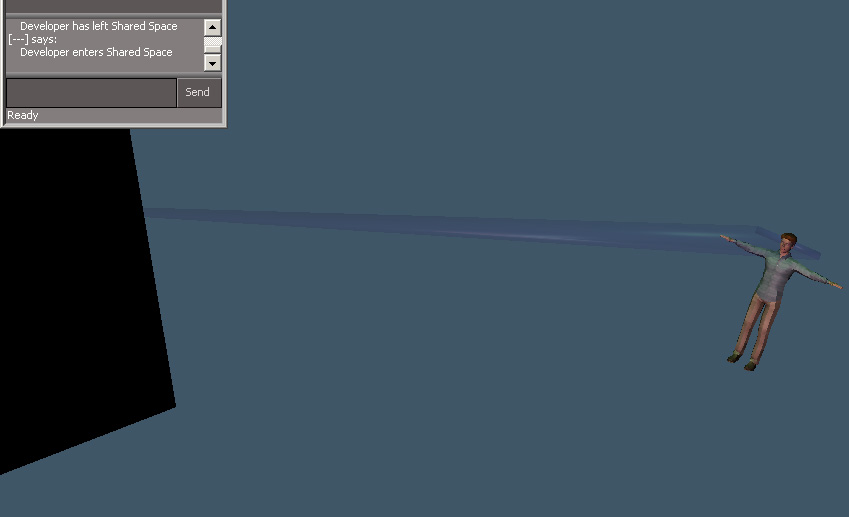
here is a rough human avatar ..no animation. had to do a mesh collapse for this experiment so it wouldn't take long to setup
- Attachments
-
- Avatar2.rar
- (1.85 MiB) Downloaded 21 times
-
-
trueBlue
- Captain
- Posts: 5548
- Joined: 06 Jul 2009, 22:50
- Type the number ten into the box: 10
Re: Human Avatar Control in FPN
Yay! I had some success with an Avatar. Don't laugh, "I am NOT a cross dresser".
This is the default Female Character in the tS761 library. I attached the clothes and hair with the CE/Attach Skin to Skeleton tool. I added an Avatar Controller, Camera, and FP Properties panel. Camera's Matrix had to be adjusted so that is above the character.
I also tested this in FrooSpace be deleting my Default Avatar and Uploading/Renaming this avatar to my user name. It works but not perfect as the hair had issues when jumping. Very cool nevertheless.
This is the default Female Character in the tS761 library. I attached the clothes and hair with the CE/Attach Skin to Skeleton tool. I added an Avatar Controller, Camera, and FP Properties panel. Camera's Matrix had to be adjusted so that is above the character.
I also tested this in FrooSpace be deleting my Default Avatar and Uploading/Renaming this avatar to my user name. It works but not perfect as the hair had issues when jumping. Very cool nevertheless.
- Attachments
-

- Capture.PNG (37.81 KiB) Viewed 300 times
-
froo
- Captain
- Posts: 2554
- Joined: 22 May 2009, 12:13
Re: Human Avatar Control in FPN
Excellent trueBlue! Glad to hear it!
Can you confirm the character was moving in the same direction as your POV, and facing the same direction?
Also, when you play one of the animations, does the camera fall and get stuck on the avatar? I had that problem
with the jump animation yesterday.
Can you confirm the character was moving in the same direction as your POV, and facing the same direction?
Also, when you play one of the animations, does the camera fall and get stuck on the avatar? I had that problem
with the jump animation yesterday.
-
3dvisuals dude
- Chief Warrant Officer
- Posts: 643
- Joined: 03 Jun 2009, 02:53
- Type the number ten into the box: 0
Re: Human Avatar Control in FPN
trueBlue wrote:Yay! I had some success with an Avatar. Don't laugh, "I am NOT a cross dresser".
This is the default Female Character in the tS761 library. I attached the clothes and hair with the CE/Attach Skin to Skeleton tool. I added an Avatar Controller, Camera, and FP Properties panel. Camera's Matrix had to be adjusted so that is above the character.
I also tested this in FrooSpace be deleting my Default Avatar and Uploading/Renaming this avatar to my user name. It works but not perfect as the hair had issues when jumping. Very cool nevertheless.

This is GREAT news !
I am very very happy to see this development taking shape!
You mentioned an "Avatar Controller" which I am not familiar with, what does that do exactly?
Thanks for testing this trueBlue, it means a lot to all of us really.
-
LeonRegis
- Captain
- Posts: 1946
- Joined: 18 Aug 2009, 17:36
- Type the number ten into the box: 0
- Location: Brazil/Earth/Orion Arm/Milky Way/4th Dimension/This Universe/Multiverse???/Singularity???
Re: Human Avatar Control in FPN
Many, many, many thanks TB!!! It's really amazing what you are doing.
Cya
Cya
Be the change you want to see in the world. - Mohandas Gandhi
-
trueBlue
- Captain
- Posts: 5548
- Joined: 06 Jul 2009, 22:50
- Type the number ten into the box: 10
Re: Human Avatar Control in FPN
Here is a video showing what the Avatar Motion Controller does with a character in FPN Mode.
- Attachments
-
- AvatarMotionController.zip
- (1.38 MiB) Downloaded 28 times
-
LeonRegis
- Captain
- Posts: 1946
- Joined: 18 Aug 2009, 17:36
- Type the number ten into the box: 0
- Location: Brazil/Earth/Orion Arm/Milky Way/4th Dimension/This Universe/Multiverse???/Singularity???
Re: Human Avatar Control in FPN
More than Extraordinary, this isn't an ordinary thing 
Now I need to create my Orc kidding.. Hey, exist any size limit to the avatar? (in megas or kbs of course)
Many Thanks
Now I need to create my Orc
kidding.. Hey, exist any size limit to the avatar? (in megas or kbs of course)Many Thanks
Be the change you want to see in the world. - Mohandas Gandhi
-
Cayenne
- Chief Petty Officer
- Posts: 119
- Joined: 03 Jun 2009, 20:05
- Type the number ten into the box: 0
- Location: U.K.
Re: Human Avatar Control in FPN
great work trueBlue,, with the avatar , it'll need checking to see if the animation/movements/positions that are triggered by the clients avatar are sent to the server and then sent to other connected clients , I am not sure if the animations will be seen by other visiting clients and will only be seen by the person who is controlling the avatar , (but I could be wrong of course , it has been known)...
-
trueBlue
- Captain
- Posts: 5548
- Joined: 06 Jul 2009, 22:50
- Type the number ten into the box: 10
Re: Human Avatar Control in FPN
Thanks everybody, but with all due respect all compliments should be paid to the tS761 Developers. Froo and I tested this out on his server last night Paul and there is issues. I was able to see most of his movement but not all, at times. Works fine when you use it offline or by yourself in Shared Space. I have a version now that is constructed like the Snowmen Avatars (I THINK?) with the Widget components, but no way to test it now that FrooSpace is down. Will you be setting up a server again anytime soon, Paul?
-
Cayenne
- Chief Petty Officer
- Posts: 119
- Joined: 03 Jun 2009, 20:05
- Type the number ten into the box: 0
- Location: U.K.
Re: Human Avatar Control in FPN
ok I set a server up here so you can try here for a while ..//80.46.98.183/1109
use these names and pass.
visitor1 pass vis
visitor2 pass vis
developer pass dev
I will need the avatar but it can be dropped to space and I should be able to copy it to the probjects for testing purposes , once I copy it youd need to log out and back to get the new modified version.
use these names and pass.
visitor1 pass vis
visitor2 pass vis
developer pass dev
I will need the avatar but it can be dropped to space and I should be able to copy it to the probjects for testing purposes , once I copy it youd need to log out and back to get the new modified version.
-
froo
- Captain
- Posts: 2554
- Joined: 22 May 2009, 12:13
Re: Human Avatar Control in FPN
Sweet thanks Paul! 
-
trueBlue
- Captain
- Posts: 5548
- Joined: 06 Jul 2009, 22:50
- Type the number ten into the box: 10
Re: Human Avatar Control in FPN
Thanks Paul for testing this first version of the Avatar Widget out. I have recreated another version that includes the Controlled objects attribute.
Just so everybody knows the first Avatar Widget version worked but it was not visible by other users.
Just so everybody knows the first Avatar Widget version worked but it was not visible by other users.
-
LeonRegis
- Captain
- Posts: 1946
- Joined: 18 Aug 2009, 17:36
- Type the number ten into the box: 0
- Location: Brazil/Earth/Orion Arm/Milky Way/4th Dimension/This Universe/Multiverse???/Singularity???
Re: Human Avatar Control in FPN
But in the future will be visible? Or it's something impossible?trueBlue wrote:Just so everybody knows the first Avatar Widget version worked but it was not visible by other users.

Many Thanks
Be the change you want to see in the world. - Mohandas Gandhi