How to create beams/rays of light
-
MikomDude

- Captain
- Posts: 1930
- Joined: 04 Oct 2010, 11:12
- Type the number ten into the box: 0
- Location: The Hague, Netherlands
How to create beams/rays of light
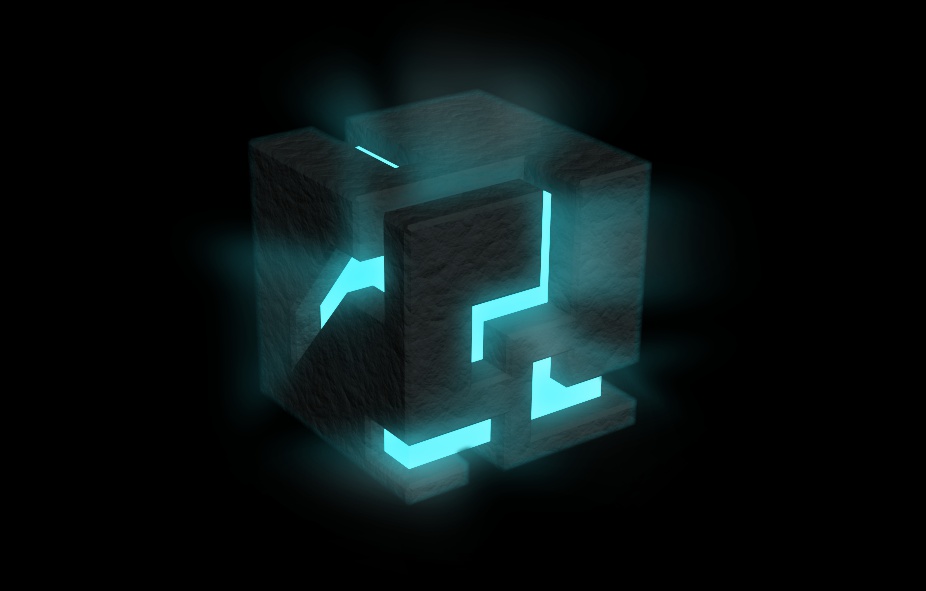
If I wanted to render an image similar to this one only using trueSpace, how would I do that?
-
RAYMAN

- Captain
- Posts: 2547
- Joined: 21 May 2009, 18:56
Re: How to create beams/rays of light
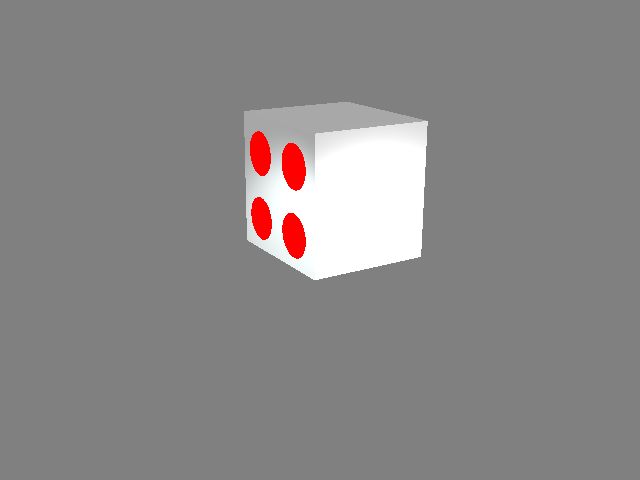
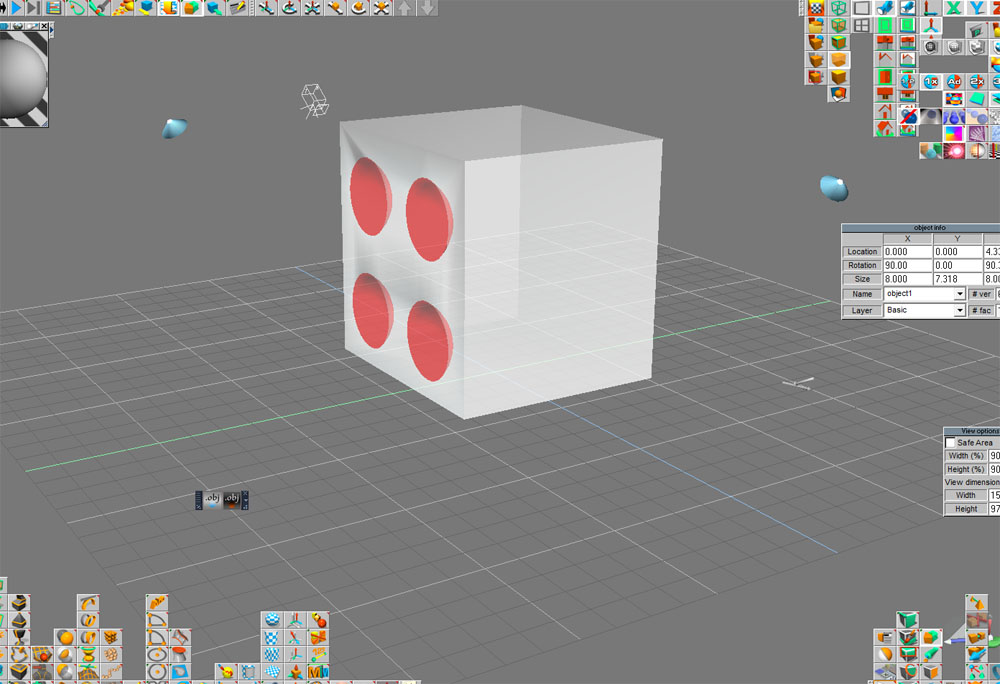
You´d use the selfilluminated shader on the modelside and make the beams also and then composite them in postproMikomDude wrote:If I wanted to render an image similar to this one only using trueSpace, how would I do that?
or just use a linear blur inside photoshop from the selfilluminated fields from the shader.....
Peter
- Attachments
-
-
- 1.jpg (9.23 KiB) Viewed 4321 times
-

-
Finis

- Captain
- Posts: 5410
- Joined: 21 May 2009, 18:26
- Type the number ten into the box: 0
- Location: America!
Re: How to create beams/rays of light
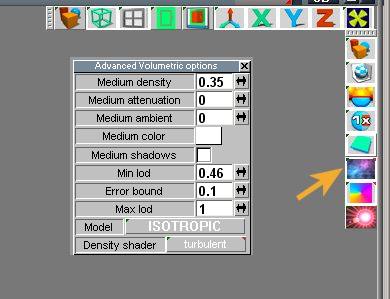
On model side you could use the advanced volumetric foreground shader. It works with most lights and the simple volumetric shader works with spot and projector lights.
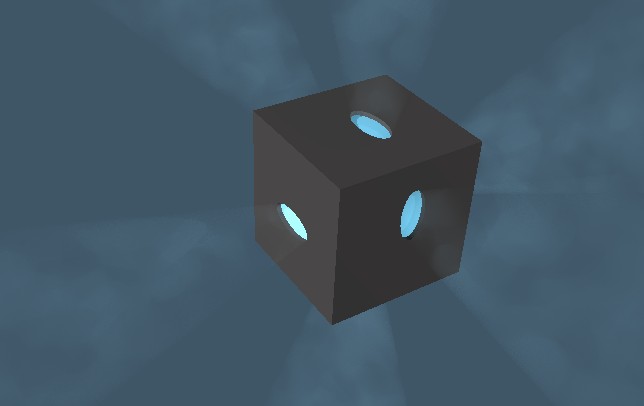
This scene:
-- Booleaned a cube to hollow it and make a hole in each side.
-- Placed another cube, solid, in the Booleaned cube for translucent shader and blue glow in holes.
-- Placed blue light with volumetrics enabled in the cube.
-- Activated advanced volumetric foreground shader.
Maybe you could use the fall off of the light to get the beams to stop close to the cube.
The zip file attached contains this scene.
This scene:
-- Booleaned a cube to hollow it and make a hole in each side.
-- Placed another cube, solid, in the Booleaned cube for translucent shader and blue glow in holes.
-- Placed blue light with volumetrics enabled in the cube.
-- Activated advanced volumetric foreground shader.
Maybe you could use the fall off of the light to get the beams to stop close to the cube.
The zip file attached contains this scene.
- Attachments
-
- voltempscene.zip
- (8.51 KiB) Downloaded 224 times
-
-
- AdVolPanel.jpg (19.78 KiB) Viewed 4295 times
I prefer dangerous freedom over peaceful servitude. -- Thomas Jefferson/Jean Jacques Rousseau
-
spacekdet

- Captain
- Posts: 1810
- Joined: 27 May 2009, 15:00
- Type the number ten into the box: 10
- Location: On the day shift at the Utility Muffin Research Kitchen
Re: How to create beams/rays of light
More than one way to skin a cat.
(Finis beat me to the punch with this method but since it was all typed up anyway, here goes:)
Volumetrics is the method used here.
Simple enough to setup.
Create or select a light: local, spot, area, or projector.
If not already open, press L or right click on light to open properties panel.
Turn shadow casting ON.
Set falloff to squared.
Turn Volumetric effect for the light ON.
In the rendering options toolbar:
Set Quality to High
Enable raytracing
Choose advanced volumetrics in Foreground shaders. Right click for options:
In volumetrics options, set density parameter to control how 'dusty' the atmosphere is.
Set attenuation to 0 or to .01 if you want to tone the effect down a little.
Any amount of attenuation will have the effect of darkening the whole scene.
Set medium ambient to 0
Choose color of medium ( fog/dust color) Choose a color lighter than your background.
Can match or contrast with color of light.
Medium shadows on.
Leave min, max LOD and error bound parameters alone.
Click and hold and choose a model- experiment with each to see which looks best. The manual describes the technical differences of each model.
Density shader parameter adds random variations in the dust density using one of the four choices of shader. Right click to set density shader parameters.
Choose a dark color, graduated, or dark image for background shader to enable the 'beams' of light to be visible.
The effect can also be more or less intense depending on the angle of the view/ angle/direction of the volumetric light.
Use Area Render to spot check effect, then Render scene when satisfied.
A couple example scenes attached.
Now use area render or scene render to see effect.
(Finis beat me to the punch with this method but since it was all typed up anyway, here goes:)
Volumetrics is the method used here.
Simple enough to setup.
Create or select a light: local, spot, area, or projector.
If not already open, press L or right click on light to open properties panel.
Turn shadow casting ON.
Set falloff to squared.
Turn Volumetric effect for the light ON.
In the rendering options toolbar:
Set Quality to High
Enable raytracing
Choose advanced volumetrics in Foreground shaders. Right click for options:
In volumetrics options, set density parameter to control how 'dusty' the atmosphere is.
Set attenuation to 0 or to .01 if you want to tone the effect down a little.
Any amount of attenuation will have the effect of darkening the whole scene.
Set medium ambient to 0
Choose color of medium ( fog/dust color) Choose a color lighter than your background.
Can match or contrast with color of light.
Medium shadows on.
Leave min, max LOD and error bound parameters alone.
Click and hold and choose a model- experiment with each to see which looks best. The manual describes the technical differences of each model.
Density shader parameter adds random variations in the dust density using one of the four choices of shader. Right click to set density shader parameters.
Choose a dark color, graduated, or dark image for background shader to enable the 'beams' of light to be visible.
The effect can also be more or less intense depending on the angle of the view/ angle/direction of the volumetric light.
Use Area Render to spot check effect, then Render scene when satisfied.
A couple example scenes attached.
Now use area render or scene render to see effect.

- Attachments
-
- Volumetric_setup.zip
- (44.15 KiB) Downloaded 224 times
-
- vol_spot_tut.zip
- (19.22 KiB) Downloaded 215 times
-
MikomDude
- Captain
- Posts: 1930
- Joined: 04 Oct 2010, 11:12
- Type the number ten into the box: 0
- Location: The Hague, Netherlands
Re: How to create beams/rays of light
Wow great guys!!! That helps a lot. I knew it was something with volumetrics I just didn't get it to work myself... I'm going to try all of these methods and report back 
-
theuns
- Lieutenant Junior Grade
- Posts: 868
- Joined: 10 Jun 2009, 11:21
- Type the number ten into the box: 0
- Location: South Africa
Re: How to create beams/rays of light
I recall a tutorial about using semi translucent cylinders and cones as well but can't recall where I saw the tutorial... will look around...
theuns - tSer since 2000
. http://theunsfvo.cgarena.com/" onclick="window.open(this.href);return false; |:.
. http://bluestarcreations.wordpress.com/" onclick="window.open(this.href);return false; |:.
.
http://theunsfvo.cgarena.com/" onclick="window.open(this.href);return false; |:..
http://bluestarcreations.wordpress.com/" onclick="window.open(this.href);return false; |:.-
MikomDude
- Captain
- Posts: 1930
- Joined: 04 Oct 2010, 11:12
- Type the number ten into the box: 0
- Location: The Hague, Netherlands
Re: How to create beams/rays of light
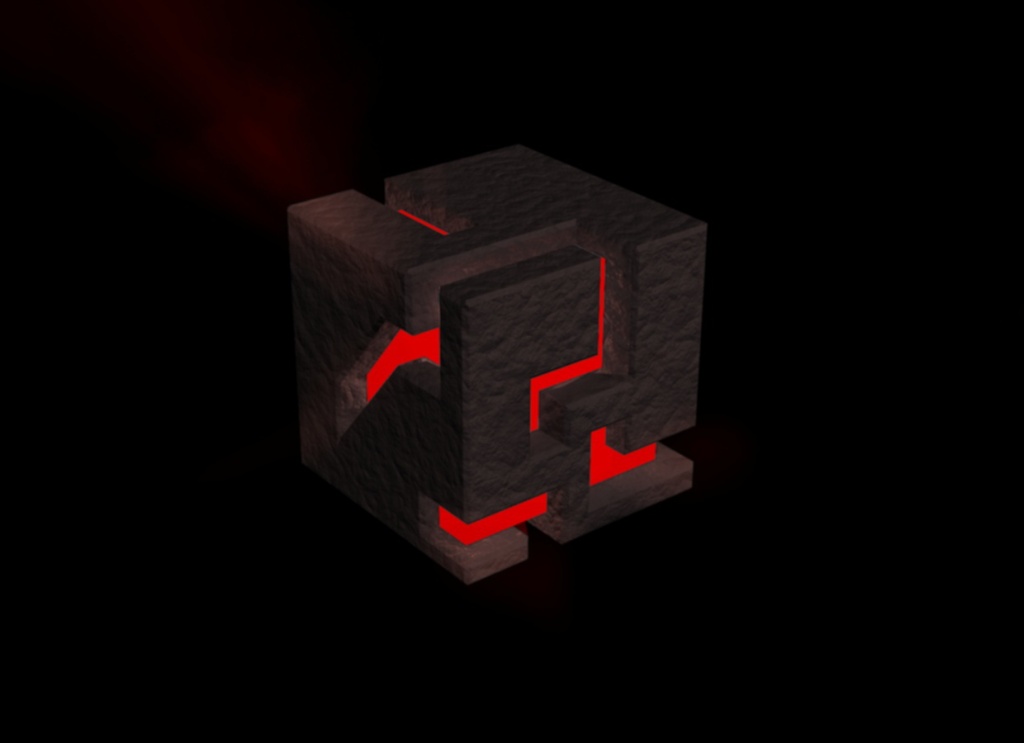
Well this project didn't go very well for me though I did get it to work, thumbs up for you guys 
Since I promised to show you my results, this is it however I must say my original post-edited images almost looks better. I will maybe try again some day however since it took 2 hours to render, I really don't like to try it exactly the same way again, hehe.
Since I promised to show you my results, this is it however I must say my original post-edited images almost looks better. I will maybe try again some day however since it took 2 hours to render, I really don't like to try it exactly the same way again, hehe.
- Attachments
-
-
jamesmc
- Captain
- Posts: 1776
- Joined: 08 Jul 2009, 15:35
Re: How to create beams/rays of light
I'd do it in post.
Walk by faith, not by sight.