Here the head im working on in sculptris had probs reimporting it to sculptris.
so i got it into 3d coat and used the retro tool to reduce the poly count,
worked a treat now no prob in ts with it and sculptris.
please be honest ,what do you think so far .its not yet finished
any tips welcome .
Thanks Ralph
Freak
-
pugman 1
- Captain
- Posts: 1555
- Joined: 21 May 2009, 19:26
- Type the number ten into the box: 0
- Location: Germany
Freak
- Attachments
-

-
pugman 1
- Captain
- Posts: 1555
- Joined: 21 May 2009, 19:26
- Type the number ten into the box: 0
- Location: Germany
Re: Freak
Here is a update trying to make the
clothes look right
clothes look right
- Attachments
-

-
pugman 1
- Captain
- Posts: 1555
- Joined: 21 May 2009, 19:26
- Type the number ten into the box: 0
- Location: Germany
Re: Freak
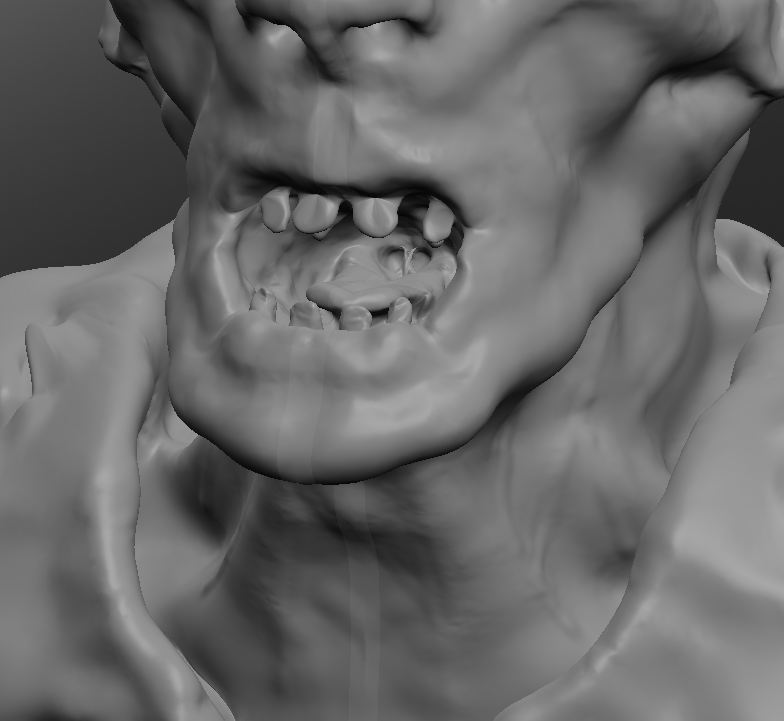
Here another shot
- Attachments
-
-
3dfrog

- Senior Chief Petty Officer
- Posts: 175
- Joined: 21 May 2009, 21:09
Re: Freak
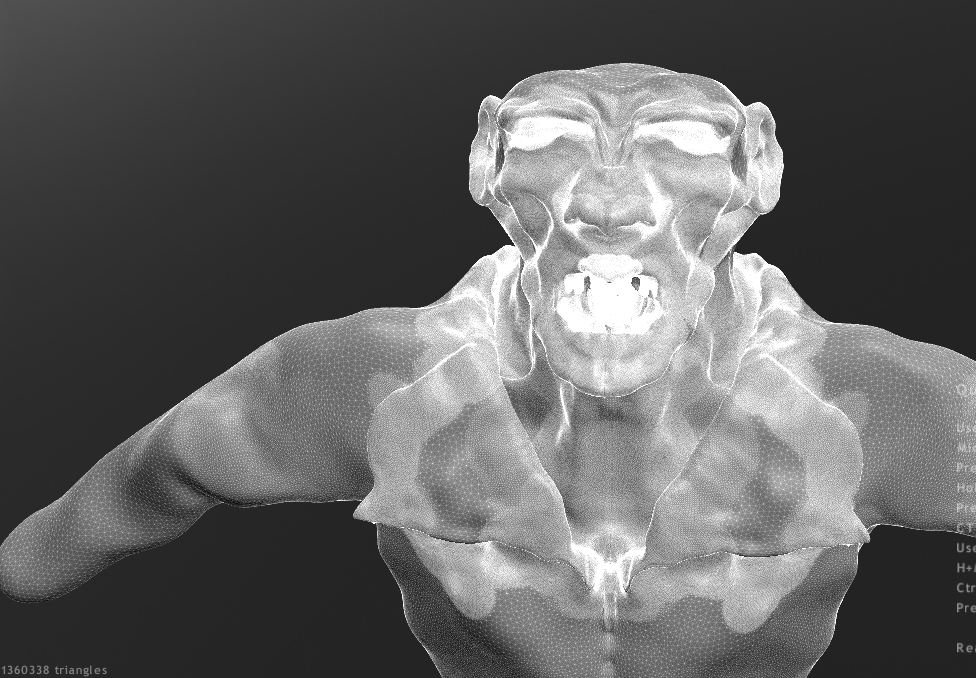
Looking good pugman, can we get a wireframe of him?
-
pugman 1
- Captain
- Posts: 1555
- Joined: 21 May 2009, 19:26
- Type the number ten into the box: 0
- Location: Germany
Re: Freak
not to good but this is from sculptris, triagle count at the bottom
- Attachments
-
-
Math Path

- Chief Petty Officer
- Posts: 92
- Joined: 22 May 2009, 18:06
- Type the number ten into the box: 0
- Location: Germany
Re: Freak
 You are doing very well Pugman
Overall shaping is good. I like the details too.
One thing to think of, it seems to be too much noise on the cloth. It distracts me a bit from the face which is much more important here. I'm truly impressed though.
-
Steinie

- Captain
- Posts: 2958
- Joined: 21 May 2009, 17:38
- Type the number ten into the box: 10
Re: Freak
I can see that your talented in clay modeling. I also see that you are picking up
Sculptris rather rapidly! Great!!!
Try comparing your creature with human bone structure and muscle groups. I think the arms
could use better bisceps and on the face I would work the cheek bones.
Did you do the mouth (gums, teeth, tongue) separate from the skull? You can get more details much easier
if you do.
I would also turn off mirror and try to bring out feature unique to one side so that the face doesn't look so balanced.
I would do that at the end of your modeling.
Sculptris rather rapidly! Great!!!
Try comparing your creature with human bone structure and muscle groups. I think the arms
could use better bisceps and on the face I would work the cheek bones.
Did you do the mouth (gums, teeth, tongue) separate from the skull? You can get more details much easier
if you do.
I would also turn off mirror and try to bring out feature unique to one side so that the face doesn't look so balanced.
I would do that at the end of your modeling.
-
MikomDude

- Captain
- Posts: 1930
- Joined: 04 Oct 2010, 11:12
- Type the number ten into the box: 0
- Location: The Hague, Netherlands
Re: Freak
Yeah, Sculptris is fun I made a character model in sculptris myself once: http://media.moddb.com/images/groups/1/ ... _00104.png
I also edited the seats for my Royal Enfield motorcycle in Sculptris, added more detail. So I'm a big fan of Sculptris myself
I made a character model in sculptris myself once: http://media.moddb.com/images/groups/1/ ... _00104.pngI also edited the seats for my Royal Enfield motorcycle in Sculptris, added more detail. So I'm a big fan of Sculptris myself
-
bitkar

- Captain
- Posts: 2089
- Joined: 16 Mar 2010, 07:14
- Type the number ten into the box: 0
- Location: Czech Republic
Re: Freak
hm, hmmmm, nice model... iam curious about texturing which will be very important.
Michal aka bitkar
tS freak since tS2 (1998) and forever (tS7.61 modeler)
tS freak since tS2 (1998) and forever (tS7.61 modeler)
-
pugman 1
- Captain
- Posts: 1555
- Joined: 21 May 2009, 19:26
- Type the number ten into the box: 0
- Location: Germany
Re: Freak
Thanks Steinie, i have not done much to the
arms yet concentating on the neck and shirt ,might change the shirt
to bulky . every thing is out of my head, no pic to compare or work from
ill look at his cheek bones they are a bit wrong BUT this is fantesy.
Bitkar, i am curious to in how to render this
arms yet concentating on the neck and shirt ,might change the shirt
to bulky . every thing is out of my head, no pic to compare or work from
ill look at his cheek bones they are a bit wrong BUT this is fantesy.
Bitkar, i am curious to in how to render this
-
pugman 1
- Captain
- Posts: 1555
- Joined: 21 May 2009, 19:26
- Type the number ten into the box: 0
- Location: Germany
Re: Freak
Here changed a few things ,still have to turn off symentry
and play a bit , maybe rip his shirt a bit if i can do that
and play a bit , maybe rip his shirt a bit if i can do that
- Attachments
-

-
pugman 1
- Captain
- Posts: 1555
- Joined: 21 May 2009, 19:26
- Type the number ten into the box: 0
- Location: Germany
Re: Freak
I just tured off symentry crash got to go back into 3d coat and hope i dont lose
to many details
to many details
-
Steinie
- Captain
- Posts: 2958
- Joined: 21 May 2009, 17:38
- Type the number ten into the box: 10
Re: Freak
Cheat sheet for Sculptris:
http://www.scribd.com/doc/39358389/Scul ... heat-Sheet"
You don't have to leave Sculptris to reduce your poly count.
There is a "Reduce Selected" button you can use to reduce the poly count. Don't overdo it
or you will loose the details. This will help you from having too many polys.
It sounds like you are hitting a limit with the count.
http://www.scribd.com/doc/39358389/Scul ... heat-Sheet"
You don't have to leave Sculptris to reduce your poly count.
There is a "Reduce Selected" button you can use to reduce the poly count. Don't overdo it
or you will loose the details. This will help you from having too many polys.
It sounds like you are hitting a limit with the count.
-
pugman 1
- Captain
- Posts: 1555
- Joined: 21 May 2009, 19:26
- Type the number ten into the box: 0
- Location: Germany
Re: Freak
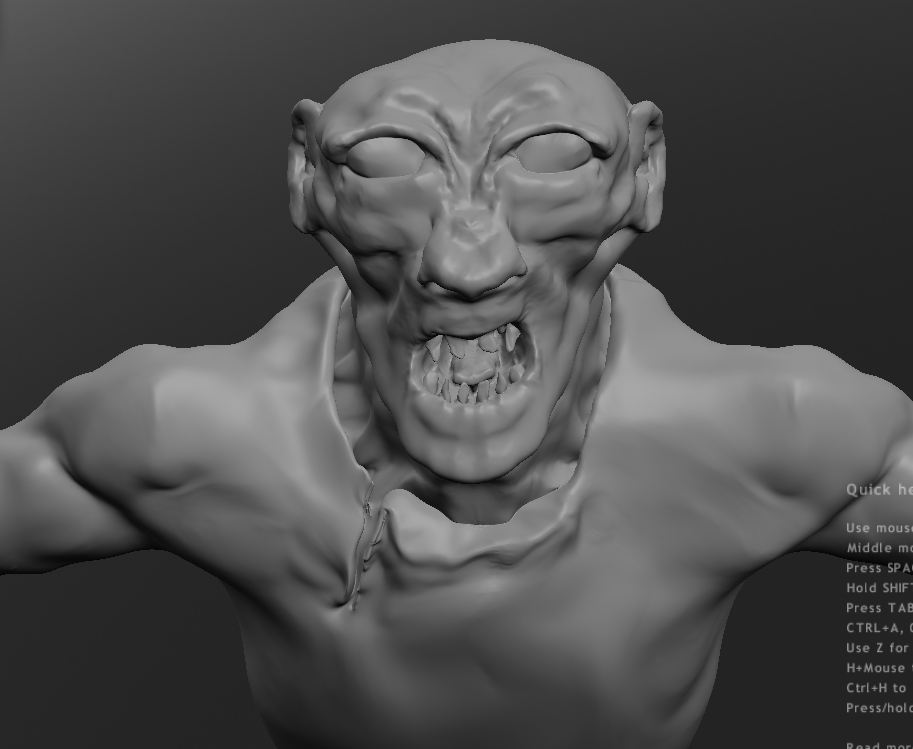
Here a update ,i think he is done .but please let me know if
i can better it . texture ,render ?
Steinie thanks for the tip it works a treat
i can better it . texture ,render ?
Steinie thanks for the tip it works a treat
- Attachments
-
-
pugman 1
- Captain
- Posts: 1555
- Joined: 21 May 2009, 19:26
- Type the number ten into the box: 0
- Location: Germany
Re: Freak
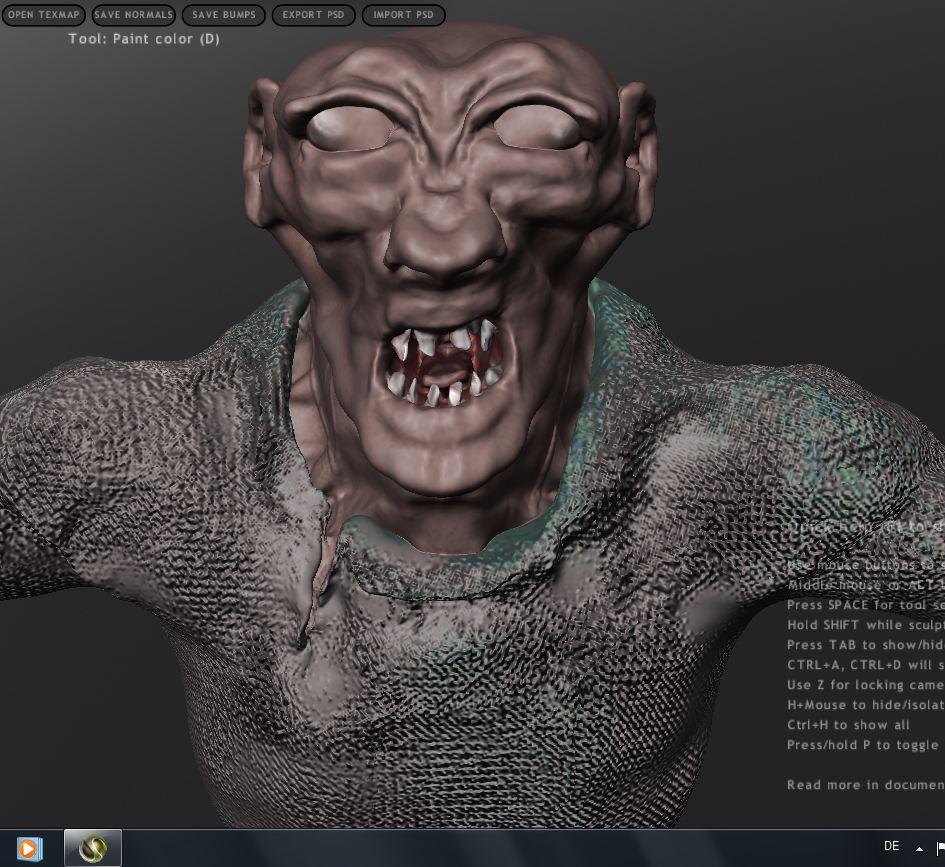
Here with texture and painted in sculptris ,one prob the eyes
i have never been any good makind eyes . has anyone a pair for me ,would be cool
and how do i get this out of scuptris with the textures .i cant find any docs for this
thanks for any help Ralph
i have never been any good makind eyes . has anyone a pair for me ,would be cool
and how do i get this out of scuptris with the textures .i cant find any docs for this
thanks for any help Ralph
- Attachments
-
-
Steinie
- Captain
- Posts: 2958
- Joined: 21 May 2009, 17:38
- Type the number ten into the box: 10
Re: Freak
Yes he is "Freaky" From what I can tell using Sculptris, I would not
add textures to him until you either retopology the object redo his UVmapping in 3dCoat. (or other app) The object is made up of all tri's and I would want quads first.
If you apply a flat UV plane on the eyes then just apply a google eye onto it. Another way is to study Madmouse's tutorial on making an eye.
vi ... 4699#p4699"
(hey I didn't get any responses from my last image post either...it sometimes will happen.)
 Keep it fun!
From what I can tell using Sculptris, I would not add textures to him until you either retopology the object redo his UVmapping in 3dCoat. (or other app) The object is made up of all tri's and I would want quads first.
If you apply a flat UV plane on the eyes then just apply a google eye onto it. Another way is to study Madmouse's tutorial on making an eye.
vi ... 4699#p4699"
(hey I didn't get any responses from my last image post either...it sometimes will happen.)
Keep it fun!-
Finis

- Captain
- Posts: 5410
- Joined: 21 May 2009, 18:26
- Type the number ten into the box: 0
- Location: America!
Re: Freak
I wish I could do things like this.
I think the hyper polycount of Sculptris, etc., is unnecessary since the tiny details are best done with textures, bumps, and displacement maps. So poly reduction isn't a bad thing.
(Steinie: I'd comment more on your pics but I'm afraid I'd wear out the thesaurus pages for "great", "awesome" ...)
I think the hyper polycount of Sculptris, etc., is unnecessary since the tiny details are best done with textures, bumps, and displacement maps. So poly reduction isn't a bad thing.
(Steinie: I'd comment more on your pics but I'm afraid I'd wear out the thesaurus pages for "great", "awesome" ...)
I prefer dangerous freedom over peaceful servitude. -- Thomas Jefferson/Jean Jacques Rousseau
-
pugman 1
- Captain
- Posts: 1555
- Joined: 21 May 2009, 19:26
- Type the number ten into the box: 0
- Location: Germany
Re: Freak
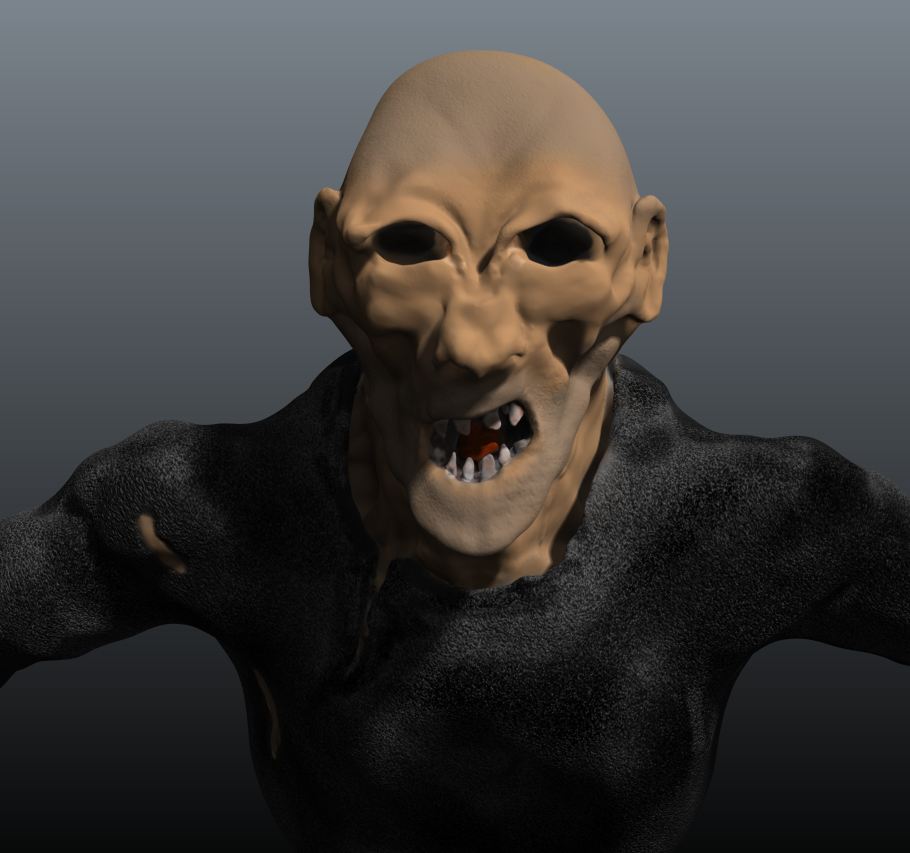
OK here another try ,this time in 3d coat, still no eyes ,i want to try to make
realy piercing eyes man there hard.
realy piercing eyes man there hard.
- Attachments
-
-
RAYMAN

- Captain
- Posts: 2547
- Joined: 21 May 2009, 18:56
Re: Freak
looking good so far !
Peter
Peter
-
Math Path
- Chief Petty Officer
- Posts: 92
- Joined: 22 May 2009, 18:06
- Type the number ten into the box: 0
- Location: Germany
Re: Freak
Hey, very well done!
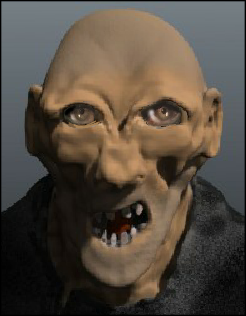
Um... eyes. Maybe using 2D for concept before you make nth 3d eye would help?
I took your picture in Corel Painter for a while... Just a thought.
Um... eyes. Maybe using 2D for concept before you make nth 3d eye would help?
I took your picture in Corel Painter for a while... Just a thought.
- Attachments
-
- vampire.png (71.77 KiB) Viewed 4794 times
-
pugman 1
- Captain
- Posts: 1555
- Joined: 21 May 2009, 19:26
- Type the number ten into the box: 0
- Location: Germany
Re: Freak
nice one .i have sunken the eye holes so mabe i must go back to
skulptris bring them back out then try this but it means re painting him
in 3d coat. fun time
skulptris bring them back out then try this but it means re painting him
in 3d coat. fun time
-
Steinie
- Captain
- Posts: 2958
- Joined: 21 May 2009, 17:38
- Type the number ten into the box: 10
Re: Freak
Pugman, what application are you using to render and what rendering engine?
You'll get more help with the eyes if they know what you are using. Remember
piercing eyes are smaller pupils
Have you tried MadMouse's tutorial yet?
I like what you have but hope this is not a self portrait...
You'll get more help with the eyes if they know what you are using. Remember
piercing eyes are smaller pupils
Have you tried MadMouse's tutorial yet?
I like what you have but hope this is not a self portrait...
-
pugman 1
- Captain
- Posts: 1555
- Joined: 21 May 2009, 19:26
- Type the number ten into the box: 0
- Location: Germany
Re: Freak
Hi i used 3d coat for it render in it as well.
and no my teeth are cleaner
and no my teeth are cleaner
-
pugman 1
- Captain
- Posts: 1555
- Joined: 21 May 2009, 19:26
- Type the number ten into the box: 0
- Location: Germany
Re: Freak
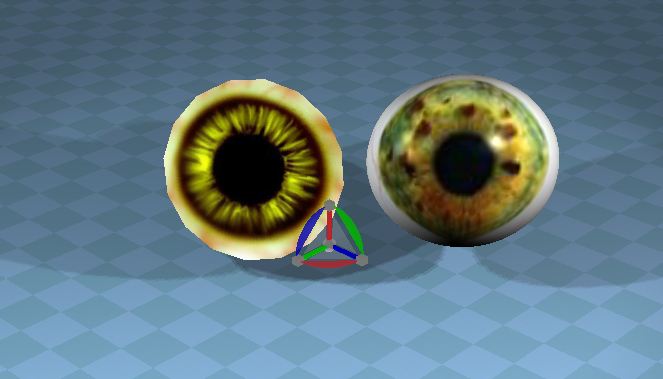
Hi made two eyes cant for the life of me get them on my model
any clues on how with all textures from both eye and model
left in blender right in ts
any clues on how with all textures from both eye and model
left in blender right in ts
- Attachments
-

-
Steinie
- Captain
- Posts: 2958
- Joined: 21 May 2009, 17:38
- Type the number ten into the box: 10
Re: Freak
Add the eyes as separate objects. If you have eyes already on the object you
will have to paint them on in 3DCoat, add the texture to the UVMap in Photoshop or remove the polys to form an eye socket.
Which program are you trying to add them to your model?
will have to paint them on in 3DCoat, add the texture to the UVMap in Photoshop or remove the polys to form an eye socket.
Which program are you trying to add them to your model?
-
pugman 1
- Captain
- Posts: 1555
- Joined: 21 May 2009, 19:26
- Type the number ten into the box: 0
- Location: Germany
Re: Freak
Hi seinie, I tryed in ts model crashes it. in vue it slows down to much to work
in 3d coat i have also tryed merging them but no joy,
I can model virtualy anything i want but texturing is my downfall ,uv
mapping no plan, idea.
in 3d coat i have also tryed merging them but no joy,
I can model virtualy anything i want but texturing is my downfall ,uv
mapping no plan, idea.
-
Steinie
- Captain
- Posts: 2958
- Joined: 21 May 2009, 17:38
- Type the number ten into the box: 10
Re: Freak
When you save the voxel object to a poly object does it ask to simplify the
poly count? (like 50%).
In trueSpace try the "Mesh Simplifier" on the workSpace side. (experiment without loosing your details)
Are you loading your object into the Modeler side or using Froo's Object Importer on the workSpace side?
It sounds like you have too many polys and everything is slowing down or crashing. What is your polygon count?
Also fill me in on your workflow. I may not know the best way but I am not crashing...
poly count? (like 50%).
In trueSpace try the "Mesh Simplifier" on the workSpace side. (experiment without loosing your details)
Are you loading your object into the Modeler side or using Froo's Object Importer on the workSpace side?
It sounds like you have too many polys and everything is slowing down or crashing. What is your polygon count?
Also fill me in on your workflow. I may not know the best way but I am not crashing...
-
pugman 1
- Captain
- Posts: 1555
- Joined: 21 May 2009, 19:26
- Type the number ten into the box: 0
- Location: Germany
Re: Freak
Hi steinie, i reduced the poly count imported it into ts workspace with luuv wavefront
added 2 eyes went back to 3d coat only the eyes were there clicked on uv the hole model
came in. shit happens the uv does not fit any more
Soooo i start again but this time add the eyes first
added 2 eyes went back to 3d coat only the eyes were there clicked on uv the hole model
came in. shit happens the uv does not fit any more
Soooo i start again but this time add the eyes first