Hey guys!
Wanted to share a new style of character I'm playing with.
Kinda going for a "clay" look and feel.
Haven't quite decided on the hands. I like the simple "stubs" with no distinguishable fingers, but I'm also thinking about morphable hands, whereby they are simple at times, but larger hands with fingers appear depending on when the character needs them. (Again, keeping with the clay style.)
I'm using the Fake Subsurface Scattering shader at the moment because I like the way it looks, but I may go with a different shader due to the way the light position has to be adjusted to match the animation. (Kinda hard to explain, but some keyframing of that particular shader is required in instances where the character changes position.)
The mouth is animated by object replacement. It's trickier in some ways, because you can't get the benefit of "inbetween" mouth shapes that you can with morph targets, but it does allow you to go wild and not worry about the vertices/geometry matching. (ie. some mouths can have teeth showing, some can be simple, etc.)
I'm really excited about some new development that will greatly help streamline the replacement mouth animation process. (Huge thanks to DesignDevil. More info on this coming soon!)
Rigging is done in MotionStudio. I've even added a skeleton for the hair, to get some secondary motion in the mix.
Thanks for checking it out!
New Character Style
-
frank
- Senior Chief Petty Officer
- Posts: 161
- Joined: 28 May 2009, 13:25
New Character Style
Last edited by frank on 08 Dec 2022, 21:54, edited 2 times in total.
-
Steinie

- Captain
- Posts: 2958
- Joined: 21 May 2009, 17:38
- Type the number ten into the box: 10
Re: New Character Style
I used to animate in 2D using similar techniques. Yes I like the "look" of your
new character. The nose isn't necessary but I think the hands might be. I'm
undecided about the black dots for eyes. For me the eyes are the most important
on a character, the hands second and the mouth third. (with big teeth )
)
Fantastic that you are sharing your new stuff with us too, Frank!
Don't Stop!
new character. The nose isn't necessary but I think the hands might be. I'm
undecided about the black dots for eyes. For me the eyes are the most important
on a character, the hands second and the mouth third. (with big teeth
)Fantastic that you are sharing your new stuff with us too, Frank!
Don't Stop!
-
DesignDevil

- Master Chief Petty Officer
- Posts: 500
- Joined: 22 May 2009, 08:52
- Type the number ten into the box: 0
- Location: Neuruppin, Germany, Earth.
Re: New Character Style
Hi Frank,
i found your post after sending my PM That explains the hair - *LOL*
I like the character very much. The clay style is great and if the character gives enough emotions i think the eyes are not so importend. Well, they are importend for many characters and storys but i think it is also a question of what you want to tell with the character(s).
For myself i decided also to create the "devil" just with black eye balls and i think it brings enough emotion to the audience as it is - without "correct" eyes. Not to forget, it is more importend that the hole character matches up as to have good looking eyes.
Anyway. Not so good in my eyes is the shader. Clay style -> yes, Subsurface scattering -> in this case - i don't like it. For me clay should be more stump but also with a bit shininess. I prefer the simbiont shaders for this, for example i would use one of these 3 here:
i found your post after sending my PM
That explains the hair - *LOL*I like the character very much. The clay style is great and if the character gives enough emotions i think the eyes are not so importend. Well, they are importend for many characters and storys but i think it is also a question of what you want to tell with the character(s).
For myself i decided also to create the "devil" just with black eye balls and i think it brings enough emotion to the audience as it is - without "correct" eyes. Not to forget, it is more importend that the hole character matches up as to have good looking eyes.
Anyway. Not so good in my eyes is the shader. Clay style -> yes, Subsurface scattering -> in this case - i don't like it. For me clay should be more stump but also with a bit shininess. I prefer the simbiont shaders for this, for example i would use one of these 3 here:
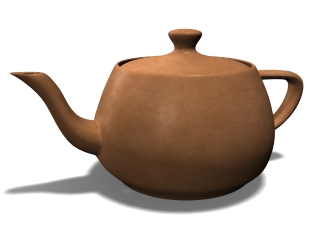
- tx_interior softleatherlight.jpg (23.63 KiB) Viewed 6779 times

- z_miscellaneous basicclay.jpg (21.59 KiB) Viewed 6781 times
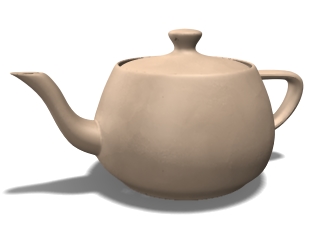
- z_miscellaneous clay_modeled.jpg (20.77 KiB) Viewed 6780 times
I still use TrueSpace 6.6
Link: My Youtube Channel
Link: www.DesignDevil.de - Plugins, Tutorials and more about TrueSpace 6.6
Link: My Youtube Channel
Link: www.DesignDevil.de - Plugins, Tutorials and more about TrueSpace 6.6
-
frank
- Senior Chief Petty Officer
- Posts: 161
- Joined: 28 May 2009, 13:25
Re: New Character Style
Steinie: Thanks for the feedback!
Playing with the eyes a bit... what do you think?
DesignDevil, I think you are correct on the shaders. I like how those look, but I'm not sure if I have the Simbiont ones. (Were they ever released for free and, if so, can they still be downloaded someplace?)
Thank you for the tip!
Playing with the eyes a bit... what do you think?
DesignDevil, I think you are correct on the shaders. I like how those look, but I'm not sure if I have the Simbiont ones. (Were they ever released for free and, if so, can they still be downloaded someplace?)
Thank you for the tip!
Last edited by frank on 08 Dec 2022, 21:55, edited 1 time in total.
-
frank
- Senior Chief Petty Officer
- Posts: 161
- Joined: 28 May 2009, 13:25
Re: New Character Style
And now for the fun part...
DesignDevil has written an incredibly useful plugin - "Visibility Recorder" - which makes object replacement animation a snap!
((HUGE thanks, DD!!!!))
DesignDevil has written an incredibly useful plugin - "Visibility Recorder" - which makes object replacement animation a snap!
((HUGE thanks, DD!!!!))
Last edited by frank on 08 Dec 2022, 21:55, edited 2 times in total.
-
DesignDevil
- Master Chief Petty Officer
- Posts: 500
- Joined: 22 May 2009, 08:52
- Type the number ten into the box: 0
- Location: Neuruppin, Germany, Earth.
Re: New Character Style
Yes, simbiontTS and the Darktree shaders are free and available here: http://www.darksim.com/html/simbiontts.html
EDIT: You will find the download in the archive !!!
EDIT2: I uploaded 314 rendered "utah teapot" images on my site under SDK & STUFF (click here and scroll down). These are images with the DarkTree Shaders that i created long time ago for a quicker search
EDIT: You will find the download in the archive !!!
EDIT2: I uploaded 314 rendered "utah teapot" images on my site under SDK & STUFF (click here and scroll down). These are images with the DarkTree Shaders that i created long time ago for a quicker search
Last edited by DesignDevil on 09 Jan 2011, 01:54, edited 2 times in total.
I still use TrueSpace 6.6
Link: My Youtube Channel
Link: www.DesignDevil.de - Plugins, Tutorials and more about TrueSpace 6.6
Link: My Youtube Channel
Link: www.DesignDevil.de - Plugins, Tutorials and more about TrueSpace 6.6
-
frank
- Senior Chief Petty Officer
- Posts: 161
- Joined: 28 May 2009, 13:25
Re: New Character Style
Many thanks! Downloading now...

-
froo
- Captain
- Posts: 2554
- Joined: 22 May 2009, 12:13
Re: New Character Style
Very nice Frank. Looking forward to seeing more.
-
frank
- Senior Chief Petty Officer
- Posts: 161
- Joined: 28 May 2009, 13:25
Re: New Character Style
DD: Just saw your edits. Yeah, it took me a minute of looking around to figure out the tS version was in the archive. LOL!
I've downloaded the teapot reference image RAR. Seeing the shader previews at-a-glance will be helpful! Thanks!
Froo: Thanks for checking it out!
I've downloaded the teapot reference image RAR. Seeing the shader previews at-a-glance will be helpful! Thanks!
Froo: Thanks for checking it out!
-
frank
- Senior Chief Petty Officer
- Posts: 161
- Joined: 28 May 2009, 13:25
Re: New Character Style
Question...
I'm really liking the results I get with the Simbiont shaders. (Thanks again for the tip, DD!)
But I just confirmed one of my concerns... which was whether or not the shaders would work on an animated mesh. (ie. MotionStudio rigged character)
Sure enough, the texture doesn't "stick" to the character when he bends... it moves "through" the character. I've seen it before in procedural shaders, and I'm sure you guys probably know what I mean.
Is there a setting in Simbiont that I can use to fix this?
I have to select "use world coordinates" for the shader/texture to be the right scale. ...maybe I should un-check that and fiddle with the separate scale setting?
Thanks for any help!
I'm really liking the results I get with the Simbiont shaders. (Thanks again for the tip, DD!)
But I just confirmed one of my concerns... which was whether or not the shaders would work on an animated mesh. (ie. MotionStudio rigged character)
Sure enough, the texture doesn't "stick" to the character when he bends... it moves "through" the character. I've seen it before in procedural shaders, and I'm sure you guys probably know what I mean.
Is there a setting in Simbiont that I can use to fix this?
I have to select "use world coordinates" for the shader/texture to be the right scale. ...maybe I should un-check that and fiddle with the separate scale setting?
Thanks for any help!
-
frank
- Senior Chief Petty Officer
- Posts: 161
- Joined: 28 May 2009, 13:25
Re: New Character Style
Ok, nevermind... it looks like the "UV Mapping" checkbox did the trick!frank wrote:Question...
I'm really liking the results I get with the Simbiont shaders. (Thanks again for the tip, DD!)
But I just confirmed one of my concerns... which was whether or not the shaders would work on an animated mesh. (ie. MotionStudio rigged character)
Sure enough, the texture doesn't "stick" to the character when he bends... it moves "through" the character. I've seen it before in procedural shaders, and I'm sure you guys probably know what I mean.
Is there a setting in Simbiont that I can use to fix this?
I have to select "use world coordinates" for the shader/texture to be the right scale. ...maybe I should un-check that and fiddle with the separate scale setting?
Thanks for any help!
-
Emmanuel

- Chief Warrant Officer
- Posts: 670
- Joined: 14 Jun 2009, 06:47
Re: New Character Style
An other nice character Frank ! Your creative style is always cool to see. I hope you will come with a little movie this year !
Regarding the eye style, I think I prefer the simple/black one although it may be less rich in emotions.
DD, your new plugin is splendid ! I see plenty of uses for it.
Glad to see you are back on the forum with new tools and inspiration
Regarding the eye style, I think I prefer the simple/black one although it may be less rich in emotions.
DD, your new plugin is splendid ! I see plenty of uses for it.
Glad to see you are back on the forum with new tools and inspiration
-
frank
- Senior Chief Petty Officer
- Posts: 161
- Joined: 28 May 2009, 13:25
Re: New Character Style
Thanks, Emmanuel!
You know me... always doing "tests". Maybe I'll do a proper animated short one of these days. <sigh>
LOL!
You know me... always doing "tests". Maybe I'll do a proper animated short one of these days. <sigh>
LOL!
-
Emmanuel
- Chief Warrant Officer
- Posts: 670
- Joined: 14 Jun 2009, 06:47
Re: New Character Style
I started to use DDVisibilityRecorder. (sorry - couldn't resist to play with a new toy  )
)
Just a feedback I want to share : at first, in my mind, the plugin was "replacing" an object (the mouth for example) with an other by switching its visibility, and at the same time moving the visible object at the hidden object location.
In fact, it is all about visibility and does not affect the original location. This is not so obvious at first.
Therefore, user must :
1. Create the different shapes of the mouth
2. Move all versions at the same 0,0,0 location (for example using SJCutnPaste plugin)
3. Glue them all to make one object
4. Next, animate that object (move, attach to a squeleton or any hierarchy, etc...)
5. And at the end, edit the visibility with DDVisibilityRecorder plugin.
DD, Frank: unless I am missing something, I think that this workflow should be stated in the Help file, just to clarify or quickly tell how to use it. What do you think ?
)Just a feedback I want to share : at first, in my mind, the plugin was "replacing" an object (the mouth for example) with an other by switching its visibility, and at the same time moving the visible object at the hidden object location.
In fact, it is all about visibility and does not affect the original location. This is not so obvious at first.
Therefore, user must :
1. Create the different shapes of the mouth
2. Move all versions at the same 0,0,0 location (for example using SJCutnPaste plugin)
3. Glue them all to make one object
4. Next, animate that object (move, attach to a squeleton or any hierarchy, etc...)
5. And at the end, edit the visibility with DDVisibilityRecorder plugin.
DD, Frank: unless I am missing something, I think that this workflow should be stated in the Help file, just to clarify or quickly tell how to use it. What do you think ?
-
theuns
- Lieutenant Junior Grade
- Posts: 868
- Joined: 10 Jun 2009, 11:21
- Type the number ten into the box: 0
- Location: South Africa
Re: New Character Style
looking good Frank, giving me some inspiration ideas
theuns - tSer since 2000
. http://theunsfvo.cgarena.com/" onclick="window.open(this.href);return false; |:.
. http://bluestarcreations.wordpress.com/" onclick="window.open(this.href);return false; |:.
.
http://theunsfvo.cgarena.com/" onclick="window.open(this.href);return false; |:..
http://bluestarcreations.wordpress.com/" onclick="window.open(this.href);return false; |:.-
frank
- Senior Chief Petty Officer
- Posts: 161
- Joined: 28 May 2009, 13:25
Re: New Character Style
Emmanuel: What you are describing is correct. In my case I moved all the mouths to the same location and, from there, attached them to the character's head bone on a Motion Studio rig.
(btw, I've just downloaded the SJ Cut N Paste plugin. I've seen it before but never used it. Thanks for mentioning!)
theuns: Thank you!
(btw, I've just downloaded the SJ Cut N Paste plugin. I've seen it before but never used it. Thanks for mentioning!)
theuns: Thank you!
-
frank
- Senior Chief Petty Officer
- Posts: 161
- Joined: 28 May 2009, 13:25
Re: New Character Style
Working on the character a bit more. Particularly the shading and details.

-
Cellulo

- Lieutenant
- Posts: 927
- Joined: 27 Sep 2012, 07:48
- Type the number ten into the box: 9
- Location: France
Re: New Character Style
I know it's old topic but where i can find the shader translucency for shadermagic made by frank that we see in the first page ?.
-
bitkar

- Captain
- Posts: 2089
- Joined: 16 Mar 2010, 07:14
- Type the number ten into the box: 0
- Location: Czech Republic
Re: New Character Style
i just want to remind you that shadermagic can cause some problems with tS7.6 stability, so its not wise to use it anymore althought its a great plugin.
Michal aka bitkar
tS freak since tS2 (1998) and forever (tS7.61 modeler)
tS freak since tS2 (1998) and forever (tS7.61 modeler)
-
Cellulo
- Lieutenant
- Posts: 927
- Joined: 27 Sep 2012, 07:48
- Type the number ten into the box: 9
- Location: France
Re: New Character Style
yes i see that when you apply a shader from shadermagic on a object, and after make a render portion a the screen, sometimes trueSpace crash, maybe shaderlab2 is more stable.