CAR Challange work in progress images
-
FHembree

- Master Chief Petty Officer
- Posts: 337
- Joined: 21 Feb 2011, 17:43
- Type the number ten into the box: 9
CAR Challange work in progress images
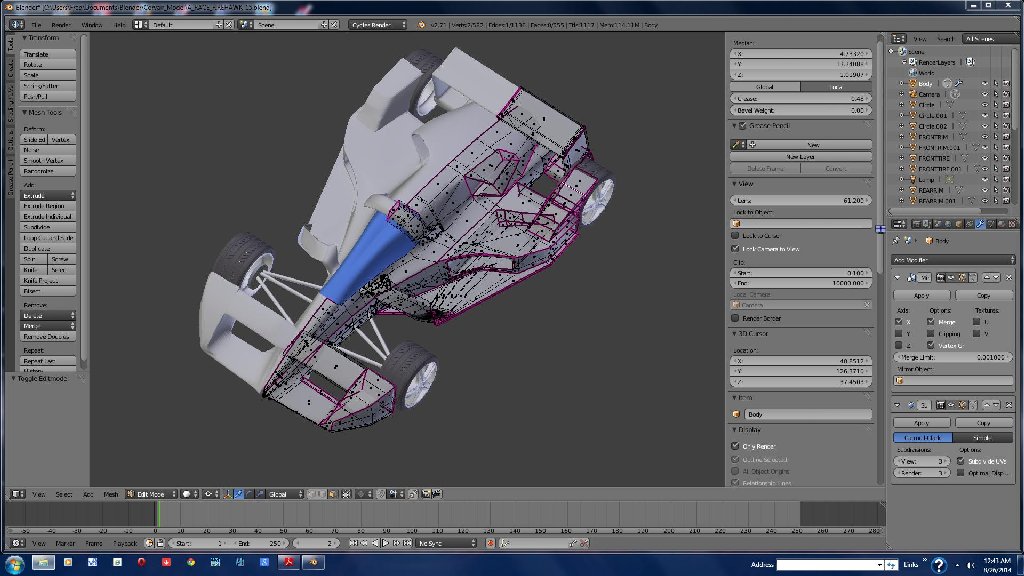
i thought I would post some work in progress wire frames of blender model.
- Attachments
-
-
-


-
FHembree
- Master Chief Petty Officer
- Posts: 337
- Joined: 21 Feb 2011, 17:43
- Type the number ten into the box: 9
Re: CAR Challange work in progress images
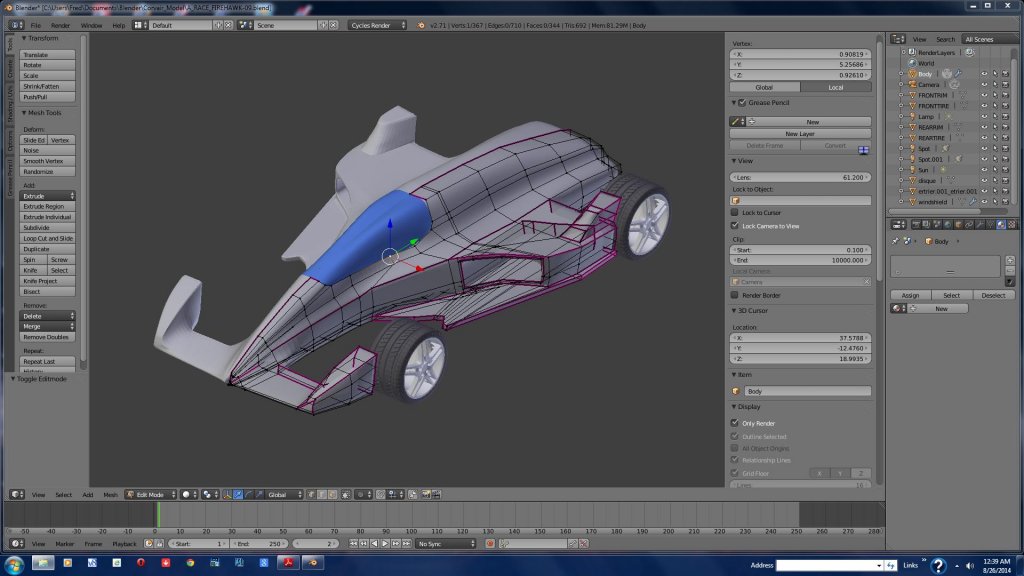
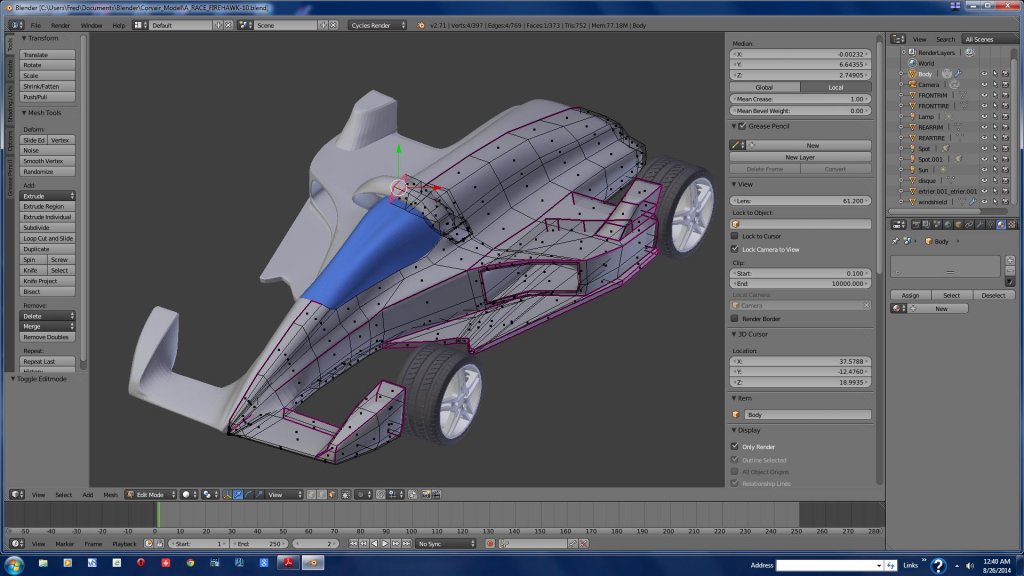
And also a few more.
- Attachments
-
-
-

-
FHembree
- Master Chief Petty Officer
- Posts: 337
- Joined: 21 Feb 2011, 17:43
- Type the number ten into the box: 9
Re: CAR Challange work in progress images
And also the first wire frame. It looks like I posted these in reverse order.
- Attachments
-

-
FHembree
- Master Chief Petty Officer
- Posts: 337
- Joined: 21 Feb 2011, 17:43
- Type the number ten into the box: 9
Re: CAR Challange work in progress images
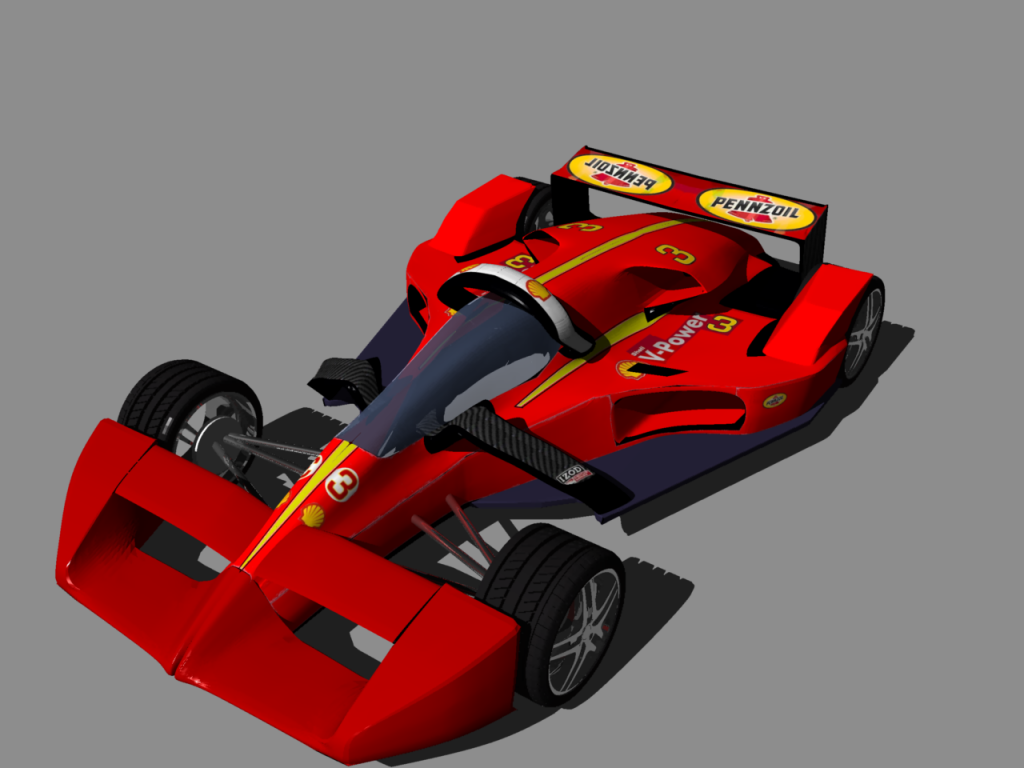
Since I had not used blender in past few months this was a chance to refresh my memory. I then after completing the model I decided
to refresh my memory on uv-unwraping, that is what little I know about it in blender.
Attached is a render of my efforts. I need to do more experimenting on how to unwrap multiple objects in same file, I guess to multiple images.
File rendered in blender. Not sure how or if carrara can do Uv-unwrapping as the UVimaghes do not translate from blender into carrara.
to refresh my memory on uv-unwraping, that is what little I know about it in blender.
Attached is a render of my efforts. I need to do more experimenting on how to unwrap multiple objects in same file, I guess to multiple images.
File rendered in blender. Not sure how or if carrara can do Uv-unwrapping as the UVimaghes do not translate from blender into carrara.
- Attachments
-

-
FHembree
- Master Chief Petty Officer
- Posts: 337
- Joined: 21 Feb 2011, 17:43
- Type the number ten into the box: 9
Re: CAR Challange work in progress images
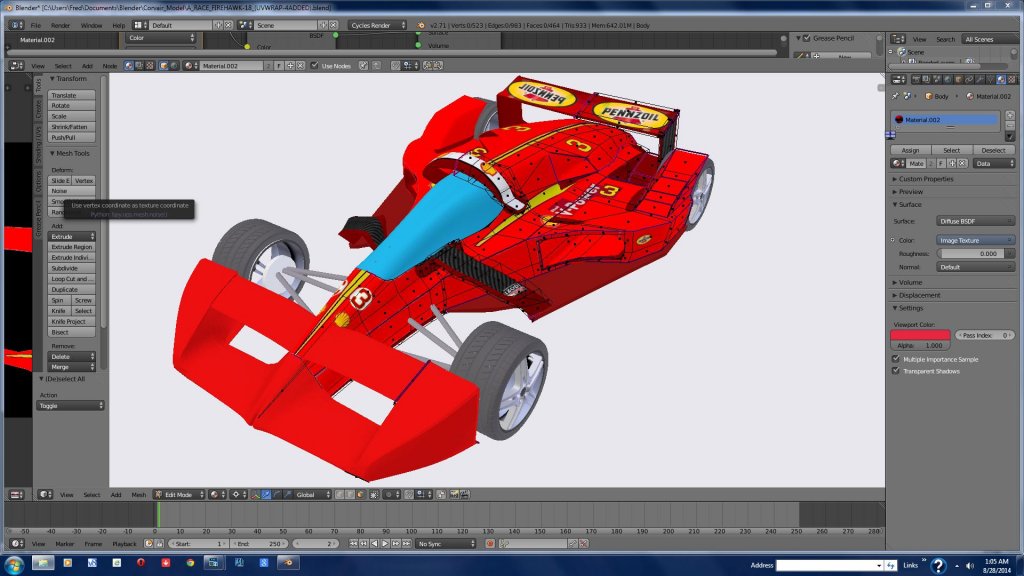
I decided to add a little more detail. just experimenting with uv-unwrap. Also attaded a blender screen shot of material 3d view.
- Attachments
-
-

-
Finis

- Captain
- Posts: 5410
- Joined: 21 May 2009, 18:26
- Type the number ten into the box: 0
- Location: America!
Re: CAR Challange work in progress images
Eager to learn Blender. Did you design this car or it is modeled after a real one? It looks believable. Like it would really work as a race car. Cycles render?
I prefer dangerous freedom over peaceful servitude. -- Thomas Jefferson/Jean Jacques Rousseau
-
FHembree
- Master Chief Petty Officer
- Posts: 337
- Joined: 21 Feb 2011, 17:43
- Type the number ten into the box: 9
Re: CAR Challange work in progress images
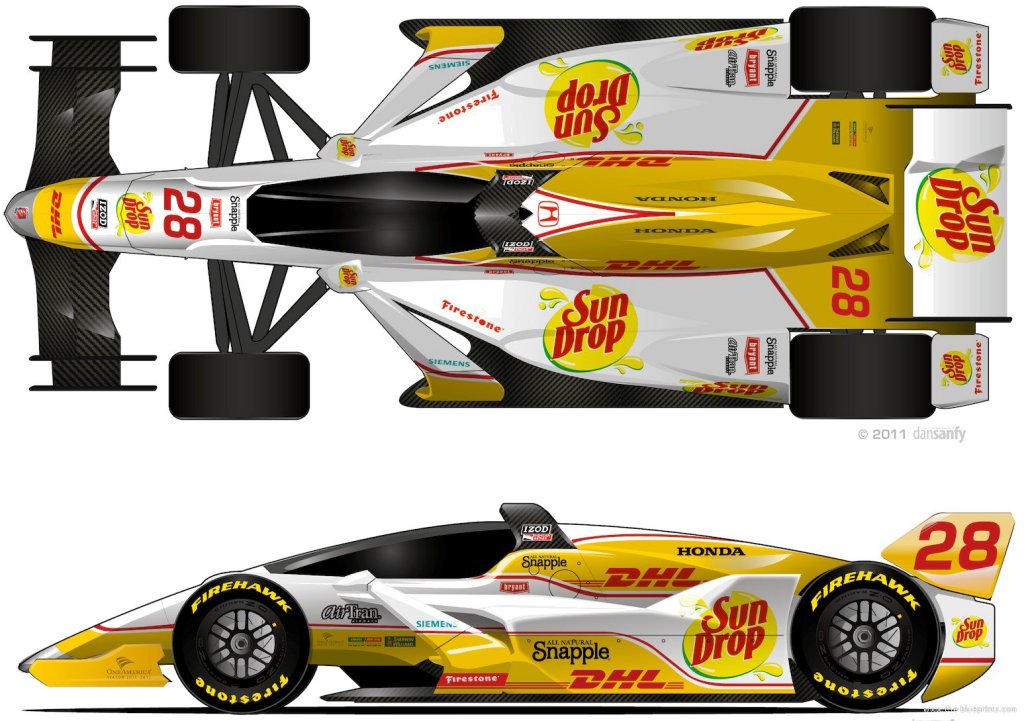
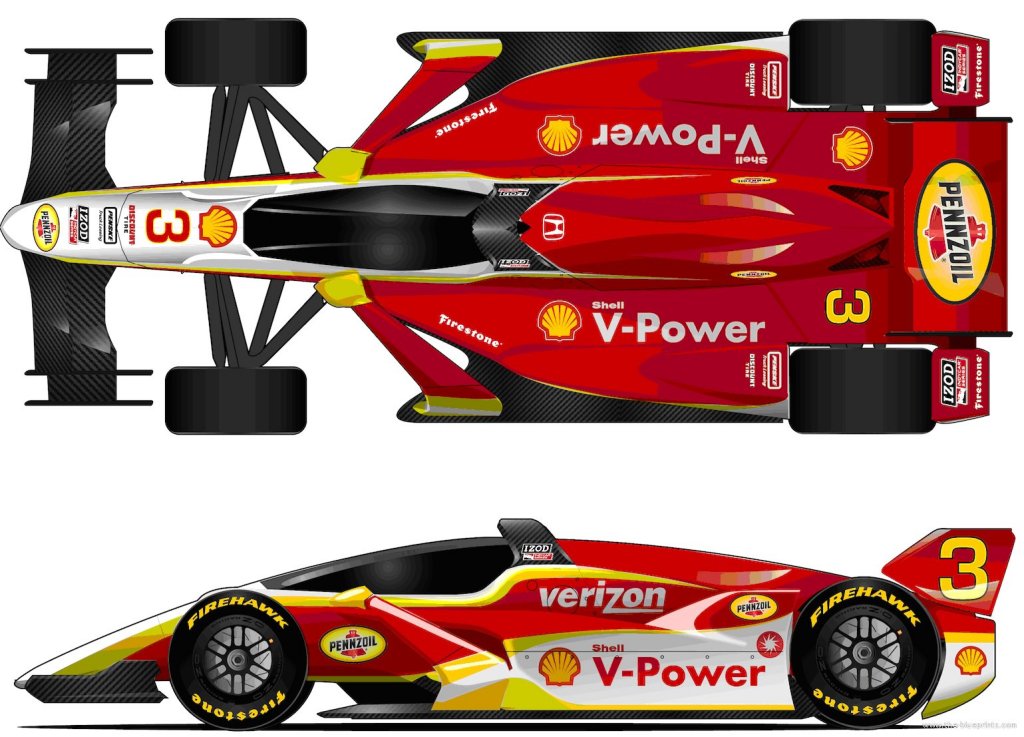
I modeled it from top and side view of an Indy concept closed cockpit drawing that I download from blueprints web site
I think car is called Dallara DW12 Indycar Closed Cockpit Concepts (2012). Since it is a concept I assume it doesn't exist.
There was no front or back views or 3D so I just used the basic shape/proportions of car and modeled it with whatever shapes were easiest.
It seemed a Indy car would be easier to model as their shape is fairly simple.
Attached are 2 images I downloaded to work from.
Yes it is cycles render.
I think car is called Dallara DW12 Indycar Closed Cockpit Concepts (2012). Since it is a concept I assume it doesn't exist.
There was no front or back views or 3D so I just used the basic shape/proportions of car and modeled it with whatever shapes were easiest.
It seemed a Indy car would be easier to model as their shape is fairly simple.
Attached are 2 images I downloaded to work from.
Yes it is cycles render.
- Attachments
-
-
-
jamesmc
- Captain
- Posts: 1776
- Joined: 08 Jul 2009, 15:35
Re: CAR Challange work in progress images
File rendered in blender. Not sure how or if carrara can do Uv-unwrapping as the UVimaghes do not translate from blender into carrara.
Why is that? There was a guy on the Carrara forums that was having trouble with Blender UV and I think another UV program translating to Carrara.
What errors show up?
Walk by faith, not by sight.
-
FHembree
- Master Chief Petty Officer
- Posts: 337
- Joined: 21 Feb 2011, 17:43
- Type the number ten into the box: 9
Re: CAR Challange work in progress images
NO errors show up, the mapping just doesn't translate.
I should also note that I'm not using the latest version of Carrara or the pro version either. I'm using ver 8.1.1.12
I have been trying to get uv-mapping to translate to Carrara using different export
and import formats and also using different settings, without success.
I was however able to get it to work by editing the shader in Carrara and manually specifying
the uv-map used in Blender. The imported file in Carrara uses the correct names from the
materail/shaders from Blender, so I just manually changed the corresponding material shader in Carrara so that
the color shader uses the UV-image texture that Blender was using.
Attached is a Carrara render.
I should also note that I'm not using the latest version of Carrara or the pro version either. I'm using ver 8.1.1.12
I have been trying to get uv-mapping to translate to Carrara using different export
and import formats and also using different settings, without success.
I was however able to get it to work by editing the shader in Carrara and manually specifying
the uv-map used in Blender. The imported file in Carrara uses the correct names from the
materail/shaders from Blender, so I just manually changed the corresponding material shader in Carrara so that
the color shader uses the UV-image texture that Blender was using.
Attached is a Carrara render.
- Attachments
-
-