Hey Folks,
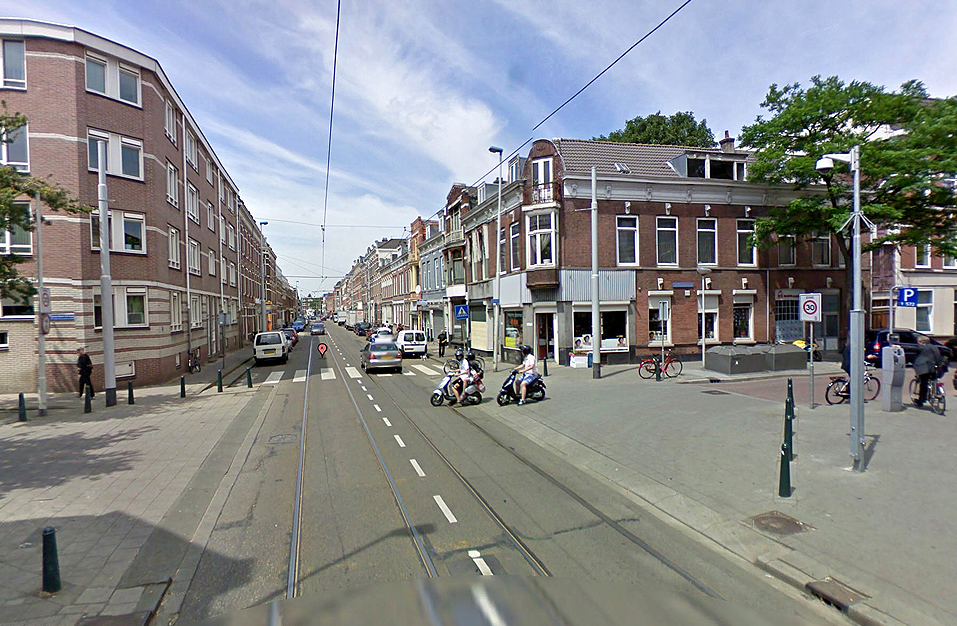
An old street in my neighbourhood is going to be revitalised with the start of the new year.
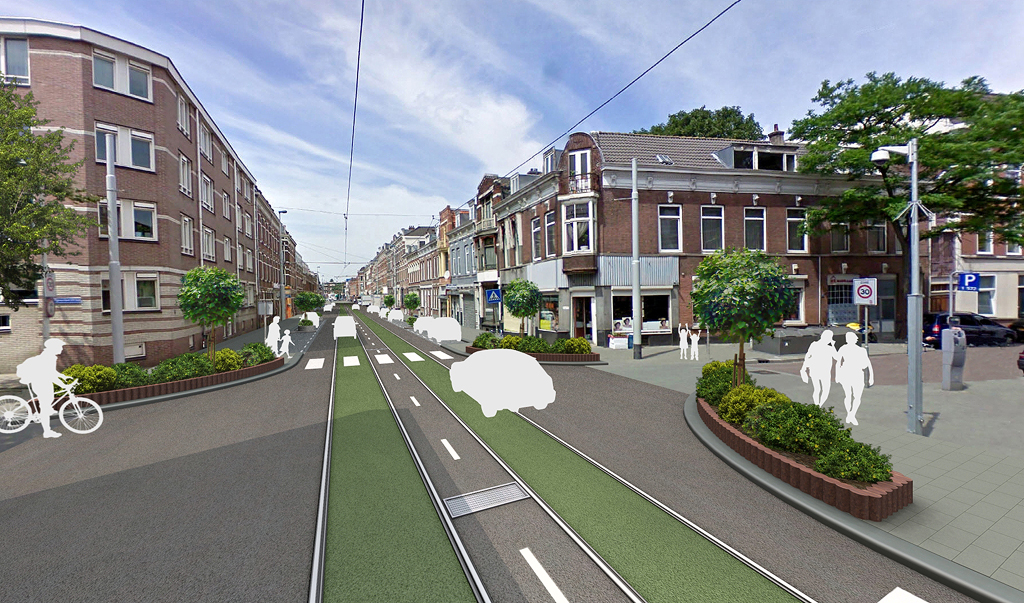
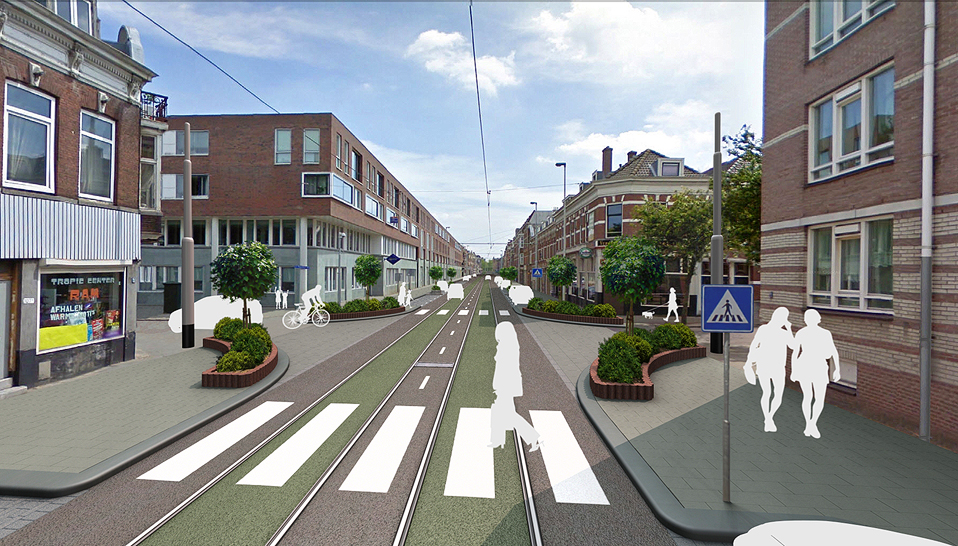
That means a new side walk, new tram rails, trees and plants added, efficient parking on the side of the road.
They asked the inhabitants to come with ideas on how to make the appearance of this street nicer.
They also came with the idea to add more green - small gardens against the wall, little trees etc.
This is what I came up with so far. Still working on the rest.
The stills were done using Google Streetview, just perfect to be used as a backdrop to work on. Amazing that
you don't have to go out and shoot these kind of pictures yourself. Just find out where to place the camera
and start modelling.
Next week there is a meeting. I'll show a little presentation and hope these images get me some paid work.
Cheers.
Revitalising old street
-
Buzz

- Chief Petty Officer
- Posts: 150
- Joined: 05 Jul 2009, 12:46
- Type the number ten into the box: 0
- Location: Netherlands
Revitalising old street
- Attachments
-
-
-
-
marcel

- Captain
- Posts: 2247
- Joined: 21 May 2009, 19:52
- Type the number ten into the box: 0
- Location: paris - France
Re: Revitalising old street
Good render and good luck for the next week. 
Design - illustration - Animation
http://www.crea-vision.fr
http://www.crea-vision.fr
-
DesignDevil

- Master Chief Petty Officer
- Posts: 500
- Joined: 22 May 2009, 08:52
- Type the number ten into the box: 0
- Location: Neuruppin, Germany, Earth.
Re: Revitalising old street
Wow, looks great.
Which software have you used for this? A small tutorial would be great. It looks very good (and i think that means it was a lot of work). To clean up the original image himself seems a lot of work. The 3d composite with the shadows from the houses and the daylight lightning fits nearly perfect into the original image.
Thumbs up and also from me good luck
Which software have you used for this? A small tutorial would be great. It looks very good (and i think that means it was a lot of work). To clean up the original image himself seems a lot of work. The 3d composite with the shadows from the houses and the daylight lightning fits nearly perfect into the original image.
Thumbs up and also from me good luck
I still use TrueSpace 6.6
Link: My Youtube Channel
Link: www.DesignDevil.de - Plugins, Tutorials and more about TrueSpace 6.6
Link: My Youtube Channel
Link: www.DesignDevil.de - Plugins, Tutorials and more about TrueSpace 6.6
-
marcel
- Captain
- Posts: 2247
- Joined: 21 May 2009, 19:52
- Type the number ten into the box: 0
- Location: paris - France
Re: Revitalising old street
3 things:
- The two people on the right are too big (especially that they are women). When you project their sizes on the panel, you can see that their heads are too high relative to the panel.
- The white stripes on the ground and at the bottom of the image seem too large (an artistic point of view).
- Is it normal that the two posts are useless? (Red circles)?
- The two people on the right are too big (especially that they are women). When you project their sizes on the panel, you can see that their heads are too high relative to the panel.
- The white stripes on the ground and at the bottom of the image seem too large (an artistic point of view).
- Is it normal that the two posts are useless? (Red circles)?
- Attachments
-
![revitalising002[1].jpg](download/file165a.jpg "revitalising002[1].jpg (203.61 KiB) Viewed 4473 times")
Design - illustration - Animation
http://www.crea-vision.fr
http://www.crea-vision.fr
-
Buzz
- Chief Petty Officer
- Posts: 150
- Joined: 05 Jul 2009, 12:46
- Type the number ten into the box: 0
- Location: Netherlands
Re: Revitalising old street
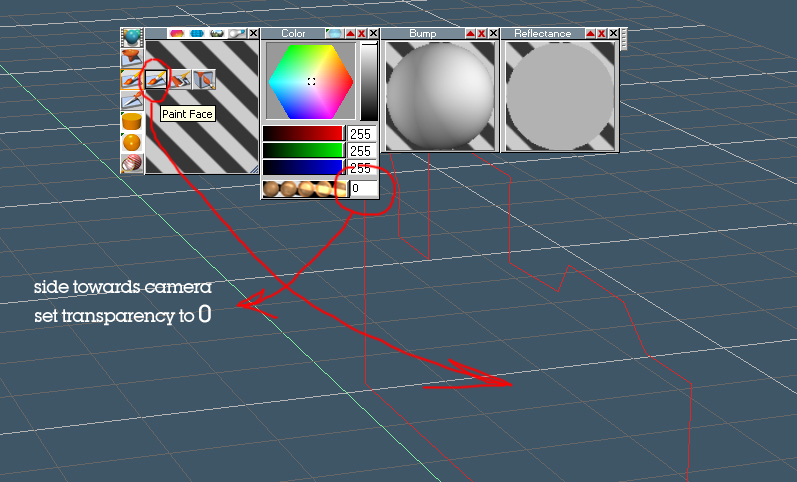
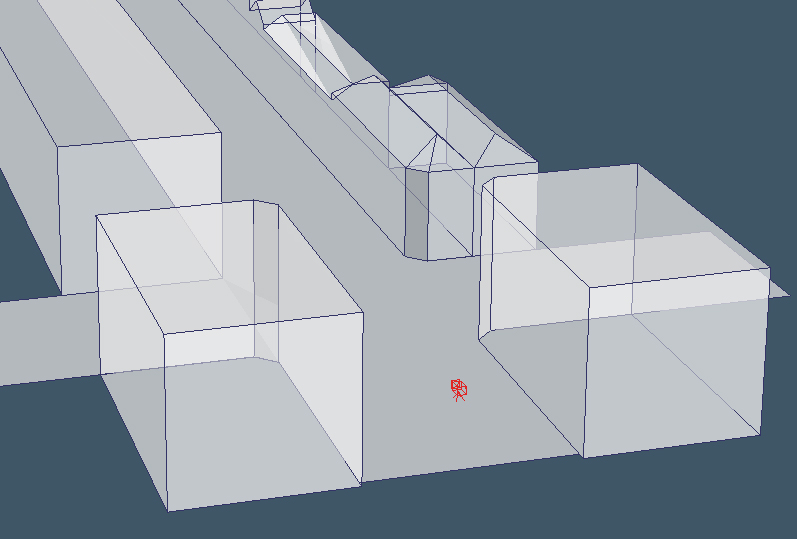
D.D.: The scene is build in trueSpace. Wat I basically did was taking a screengrab of Google Streetview. Clean up the image in Photoshop, getting rid of undesired objects. I then placed this image as a static background image, placed a camera and figured out about where the camera position should be, using the build-in grid option in trueSpace. Then I placed a plane primitive object in the scene to be used as a basis for the street. To rebuild the scene on a true scale, say the street is in reality 12 meters wide, then this plane object should be that too. If the perspective grid lines are lined up with your photo background, then everything should go fine. The method is somewhat the same as in Sketchup. The objects that cast the shadow on the added 3d objects are in fact simple objects but to hide them from view I've painted the face towards the camera with fully transparent using the Paint Face tool. That way you have the shadow of the surrounding buildings without seeing the objects. You could of course bring in some more details by rebuilding the buildings to cast more accurate shadows, but in my case it wasn't really necessary.
Now, this street is fairly strait from beginning to end, so what I basically did was creating a cross-section of the street including the rails for the Tram (Street-car) and did a sweep to extend it. Made a nice texture for it that could easily be tiled without showing up these horrible tile patterns. The side walk however is not included in this cross-section, but are separate objects.
Marcel, you're right about the scale of the people in the scene. They are indeed a bit too large. Hard to see in the picture but the poles are there to hold up the electricity cables for the Street car. That's how they look at this crossing. Further down the road these same poles are also used to carry street lights, placed on top. Then they don't look so strange any more.
Lighting is a Infinite light source for the sun, two other Infinite light sources for adding a bit of ambient light and a large IBL surrounding the entire scene for global illumination.
Now, this street is fairly strait from beginning to end, so what I basically did was creating a cross-section of the street including the rails for the Tram (Street-car) and did a sweep to extend it. Made a nice texture for it that could easily be tiled without showing up these horrible tile patterns. The side walk however is not included in this cross-section, but are separate objects.
Marcel, you're right about the scale of the people in the scene. They are indeed a bit too large. Hard to see in the picture but the poles are there to hold up the electricity cables for the Street car. That's how they look at this crossing. Further down the road these same poles are also used to carry street lights, placed on top. Then they don't look so strange any more.
Lighting is a Infinite light source for the sun, two other Infinite light sources for adding a bit of ambient light and a large IBL surrounding the entire scene for global illumination.
- Attachments
-
-
-
-
Buzz
- Chief Petty Officer
- Posts: 150
- Joined: 05 Jul 2009, 12:46
- Type the number ten into the box: 0
- Location: Netherlands
Re: Revitalising old street
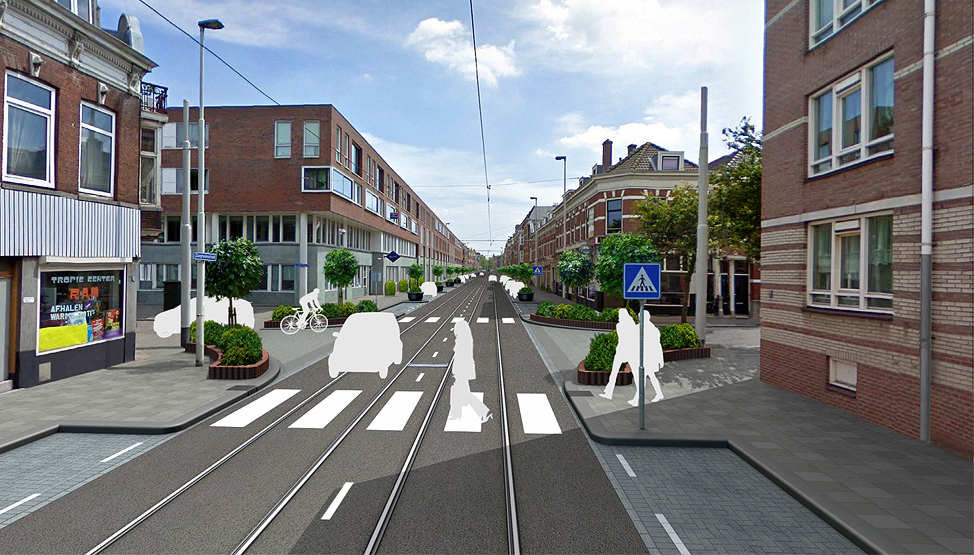
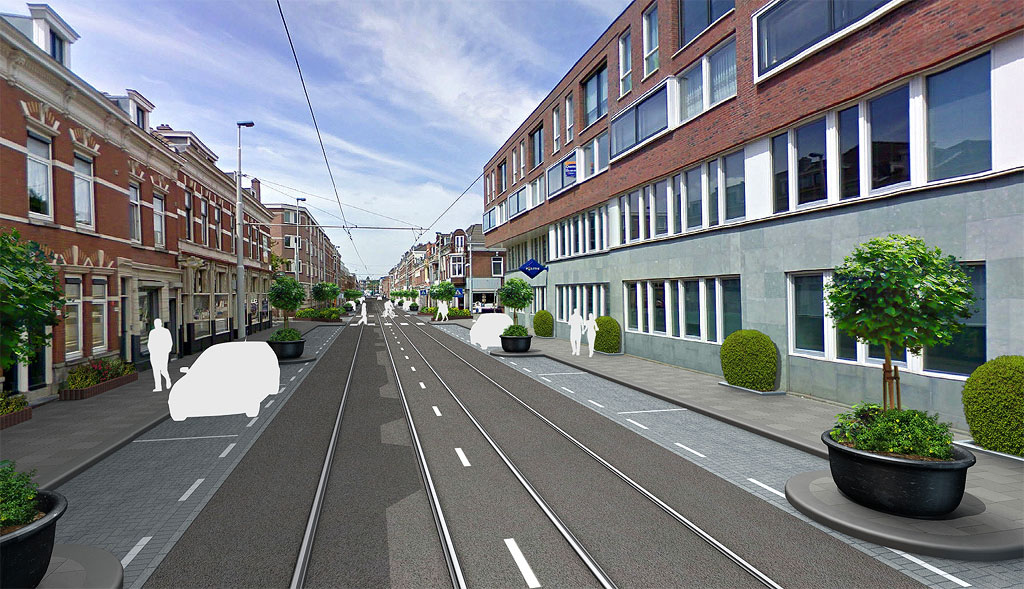
...different view. Again used the same method using the grid lines to match the perspective in the photo.
- Attachments
-
-
Buzz
- Chief Petty Officer
- Posts: 150
- Joined: 05 Jul 2009, 12:46
- Type the number ten into the box: 0
- Location: Netherlands
Re: Revitalising old street
Last edited by Buzz on 24 Jun 2010, 15:21, edited 1 time in total.
-
marcel
- Captain
- Posts: 2247
- Joined: 21 May 2009, 19:52
- Type the number ten into the box: 0
- Location: paris - France
Re: Revitalising old street
Thank for the slideshow. It is very clean, that is important for this kind of project.
Design - illustration - Animation
http://www.crea-vision.fr
http://www.crea-vision.fr
-
theuns
- Lieutenant Junior Grade
- Posts: 868
- Joined: 10 Jun 2009, 11:21
- Type the number ten into the box: 0
- Location: South Africa
Re: Revitalising old street
looks great Buzz! very inspiring... 
theuns - tSer since 2000
. http://theunsfvo.cgarena.com/" onclick="window.open(this.href);return false; |:.
. http://bluestarcreations.wordpress.com/" onclick="window.open(this.href);return false; |:.
.
http://theunsfvo.cgarena.com/" onclick="window.open(this.href);return false; |:..
http://bluestarcreations.wordpress.com/" onclick="window.open(this.href);return false; |:.-
bitkar

- Captain
- Posts: 2089
- Joined: 16 Mar 2010, 07:14
- Type the number ten into the box: 0
- Location: Czech Republic
Re: Revitalising old street
looks nice, but you cut too much of parking space I think :) and maybe some bush will be dangerous for people wanting to use a zebra. if the bush will grow, drivers will not see them well. but maybe its not that bad, its just an idea.
Visualy its very nice.
Visualy its very nice.
Michal aka bitkar
tS freak since tS2 (1998) and forever (tS7.61 modeler)
tS freak since tS2 (1998) and forever (tS7.61 modeler)