bitkar wrote:
Btw: interesting is that i experienced working it properly few times. Very randomly just few view changes. Then the bug got back again. I dont know why is that and what it is related to.
YES! That bug happens at random. I would say 80% of the time in DirectX mode, a bit less I think in OpenGL. Changing DX or OpenGL settings does not help. I tried several settings in Catalyst control panel... no way!
TrueSpace seems not compatible with Windows 7 Aero : it automatically disables Aero when trueSpace starts. So I think the bug doesn't come from a conflict between tS and Aero.
Note that the bug also comes when trueSpace focuses on a panel, then add some item in the scene. Example : clic the Object panel, then add a cube in automatic mode (not in scalable mode so the mouse doesn't hit the scene background) = the cube does not show up until you force the view update (zoom, eye rotate, etc...)
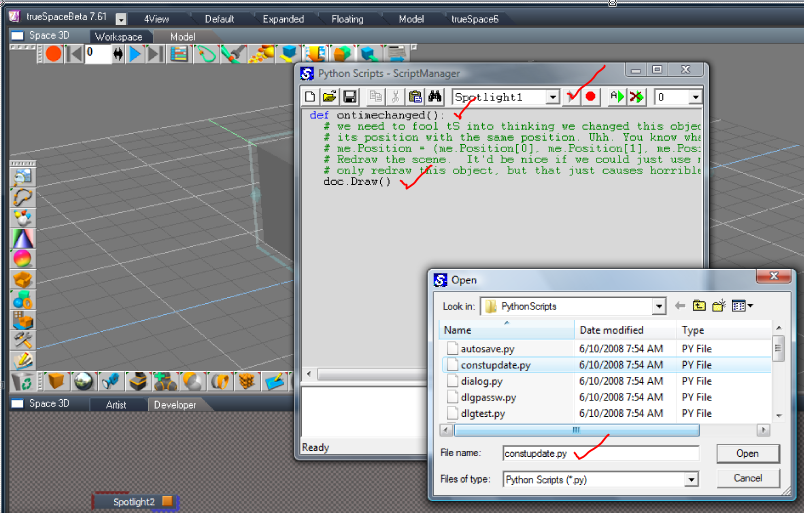
TrueBlue, thanks for pointing the constupdate.py script. Unfortunately it doesn't help in this particular case.
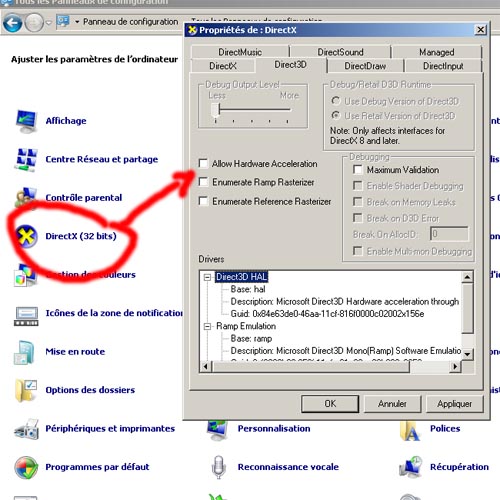
Thanks for the driver versions info Steinie. I removed the latest Catalyst driver, and installed an old one (Catalyst version 10.3), but I see that D3D version is more recent than yours (Direct3D Version 8.14.10.0735)... I bet this could be the cause. I will try to get back to an older D3D version.
Bitkar, there is a useful plugin called ERTEX, that refreshes modeler view (handy to update textures being edited in Photoshop). Too bad we have to clic to refresh... I will try to get in touch with the author, Ed Philips, to see if he still has the code source so we could add an option to make it run every second.
I installed Windows 7 32bits on my laptop. No problem at all (it uses an onboard Intel graphic chip though).
Thanks for all your help everyone


 The patch also replace the default system font with the good XP's Tahoma.