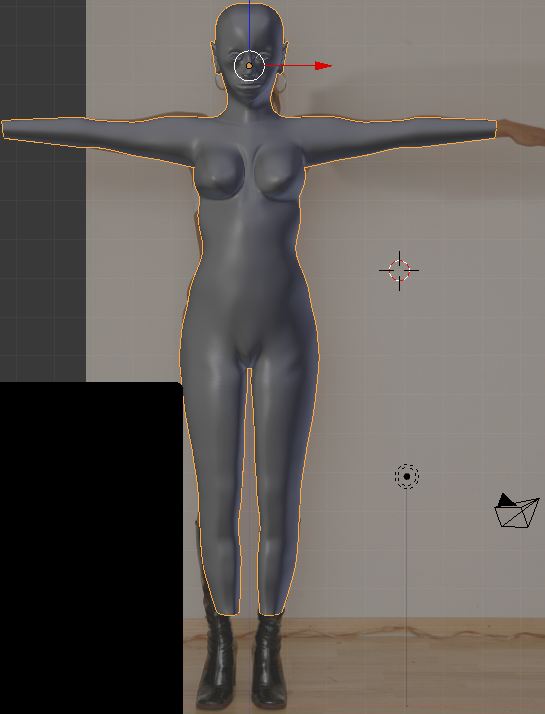
Hi i just started a course with blender ,i got the vidio workshop blenderella
So far i have done 7 parts of the course there are about 30 i think,
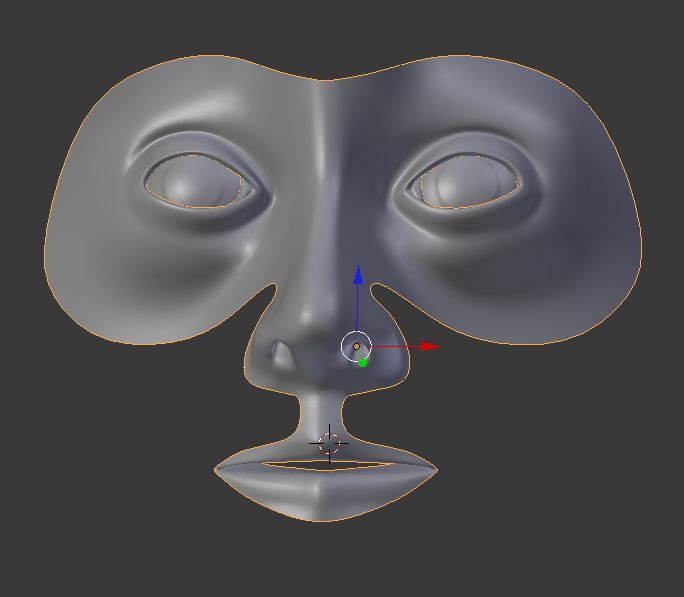
Only the eyebals and the mask for the front of her face so far.
I will post pics when i get fargther on with her.
Blender has a cool way of changing triangles to quads
When i have time i ll post a vid if anyone is intersted
blenderella
-
pugman 1
- Captain
- Posts: 1555
- Joined: 21 May 2009, 19:26
- Type the number ten into the box: 0
- Location: Germany
blenderella
-
Finis

- Captain
- Posts: 5410
- Joined: 21 May 2009, 18:26
- Type the number ten into the box: 0
- Location: America!
Re: blenderella
I want to know about the triangle to quad thing.
I prefer dangerous freedom over peaceful servitude. -- Thomas Jefferson/Jean Jacques Rousseau
-
froo
- Captain
- Posts: 2554
- Joined: 22 May 2009, 12:13
Re: blenderella
yeah that'd be cool to see pugman. 
-
pugman 1
- Captain
- Posts: 1555
- Joined: 21 May 2009, 19:26
- Type the number ten into the box: 0
- Location: Germany
Re: blenderella
Ok i will see what i can do at the weekend .i have just spent 3 hours
Adding the eyes and prfile around the eyes ,eye lids and all the rest
The topoligy must be right for later for anlmation i have to make this modle
One face at a time at the moment ,it isgoing to take a while
Adding the eyes and prfile around the eyes ,eye lids and all the rest
The topoligy must be right for later for anlmation i have to make this modle
One face at a time at the moment ,it isgoing to take a while
-
froo
- Captain
- Posts: 2554
- Joined: 22 May 2009, 12:13
Re: blenderella
Pugman,
when using the triangle-to-quad tool in blender, do you have to manually select each triangle first? Or
can you select all of them, all at once?
when using the triangle-to-quad tool in blender, do you have to manually select each triangle first? Or
can you select all of them, all at once?
-
pugman 1
- Captain
- Posts: 1555
- Joined: 21 May 2009, 19:26
- Type the number ten into the box: 0
- Location: Germany
Re: blenderella
Hi froo, when you have a sphere at the poles ther are triangles you select 2 of them
then hit Alt and J on the keybourd and it turns them to qauds you must do this for all the
triangles top and bottom, how it works i dont know that is your department.
it is some where in the scipting.
here a post of what i have after seven vidio tuts.
along way to go
then hit Alt and J on the keybourd and it turns them to qauds you must do this for all the
triangles top and bottom, how it works i dont know that is your department.
it is some where in the scipting.
here a post of what i have after seven vidio tuts.
along way to go
- Attachments
-
-
froo
- Captain
- Posts: 2554
- Joined: 22 May 2009, 12:13
Re: blenderella
That looks very good pugman!
What I meant to ask was this...
Do you have to select 2 adjacent triangles, then press: Alt-J,
and repeat, for each pair of triangles?
Or, can you select many pairs of triangles all at once, then press Alt-J?
Keep it up and looking forward to seeing more, pugman. Nice smooth
features so far.
What I meant to ask was this...
Do you have to select 2 adjacent triangles, then press: Alt-J,
and repeat, for each pair of triangles?
Or, can you select many pairs of triangles all at once, then press Alt-J?
Keep it up and looking forward to seeing more, pugman. Nice smooth
features so far.
-
pugman 1
- Captain
- Posts: 1555
- Joined: 21 May 2009, 19:26
- Type the number ten into the box: 0
- Location: Germany
Re: blenderella
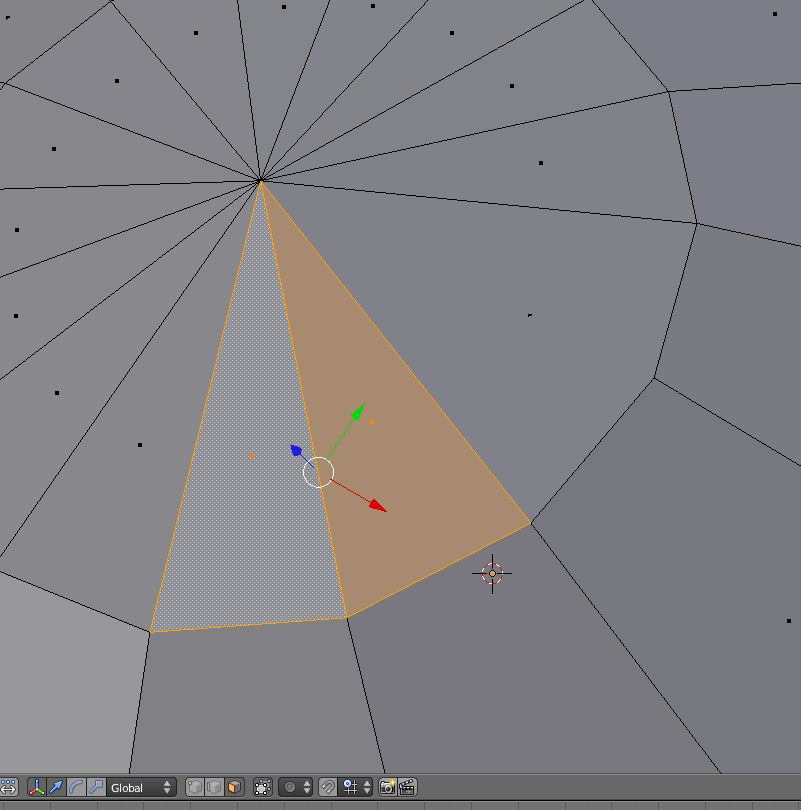
Hi Froo this works when you select 2 triagles as long as ther are 2 quads joined
if you look at the pic i changed 2 triangles
if you look at the pic i changed 2 triangles
- Attachments
-
-
froo
- Captain
- Posts: 2554
- Joined: 22 May 2009, 12:13
Re: blenderella
I see. Thanks pugman.
It would be better if the process could be more automated.
But hey, at least it works.
It would be better if the process could be more automated.
But hey, at least it works.
-
pugman 1
- Captain
- Posts: 1555
- Joined: 21 May 2009, 19:26
- Type the number ten into the box: 0
- Location: Germany
Re: blenderella
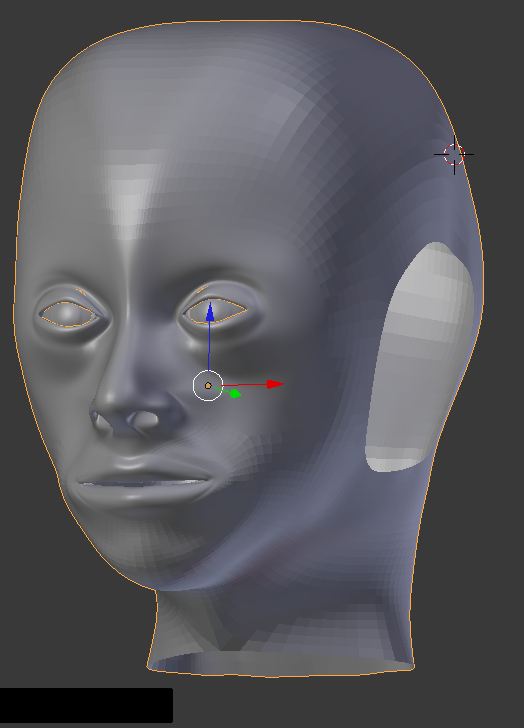
here i have got a little bit farther . i keep having to stop the vids to see the flow
of the faces, and find the right keybourd combination i think i got this sorted
hope to learn later the hair and rendering in blender.
time is also a problem .working like a dog
of the faces, and find the right keybourd combination i think i got this sorted
hope to learn later the hair and rendering in blender.
time is also a problem .working like a dog
- Attachments
-
-
pugman 1
- Captain
- Posts: 1555
- Joined: 21 May 2009, 19:26
- Type the number ten into the box: 0
- Location: Germany
Re: blenderella
small update made the ears
- Attachments
-

-
pugman 1
- Captain
- Posts: 1555
- Joined: 21 May 2009, 19:26
- Type the number ten into the box: 0
- Location: Germany
Re: blenderella
This is geting to be a pain in the bum i have faces where they should not be
I must go back a few steps and count how many faces in the row
Then exstrude more .i am on the legs at the moment.
Give me sculpting or box modling its much more simple than topoligy modling
But i will finish this.
I must go back a few steps and count how many faces in the row
Then exstrude more .i am on the legs at the moment.
Give me sculpting or box modling its much more simple than topoligy modling
But i will finish this.
-
Dragneye

- Lieutenant
- Posts: 906
- Joined: 02 Sep 2009, 22:09
Re: blenderella
Nice work pugman 1
I started full bore last month to learn Blender, and then found out they don't support ngons... yet. More power to ya for struggling through this without what I thought was a basic feature of all modeling software. Gonna wait till the next version where they seem to have tackled the problem (bmesh implementation)
I started full bore last month to learn Blender, and then found out they don't support ngons... yet. More power to ya for struggling through this without what I thought was a basic feature of all modeling software. Gonna wait till the next version where they seem to have tackled the problem (bmesh implementation)
-
pugman 1
- Captain
- Posts: 1555
- Joined: 21 May 2009, 19:26
- Type the number ten into the box: 0
- Location: Germany
Re: blenderella
Thanks Dragneye
here is another update ,still got the hands, hair, and cloaths to go
and finalize the model. it does not match the pic behind because the pic is slightly off
here is another update ,still got the hands, hair, and cloaths to go
and finalize the model. it does not match the pic behind because the pic is slightly off
- Attachments
-
-