Hi , I'm having problems with my object selection lines I got a windows 10 computer, I bought the original CD 10 years ago and I been using it all this years fine but last week when I tried installing it in my new computer I found out that when I click on an object inside truespace my green selection lines are not appearing around the object to scale it or move it around does anyone has this problem or is just me ? Maybe I need to download a plug in ? I don't think that is the solution because I only get this issue with this new pc anybody please help'
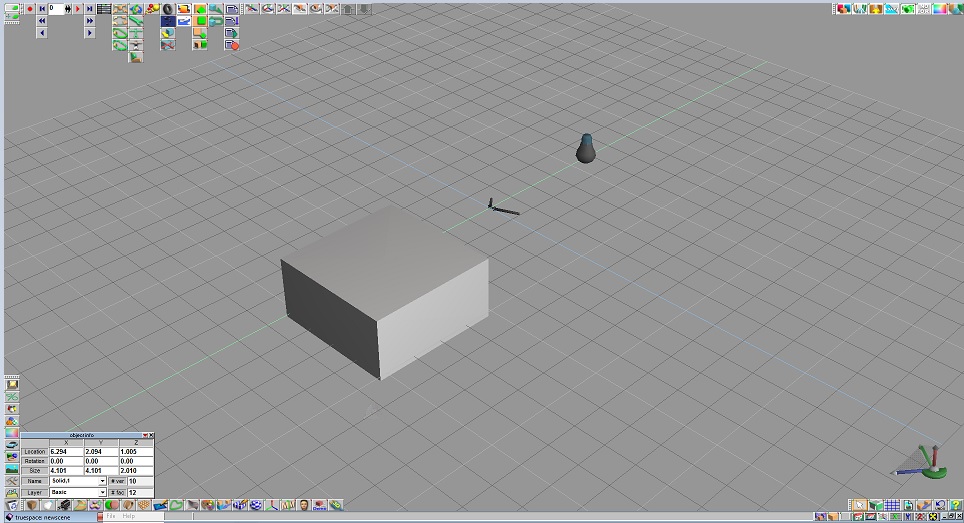
Here I'm leaving you a picture of my issue, I clicked on the object and I get no green lines on the corners to size it up or move it around.
Thank You
Object selection lines are gone ?
-
KING
- Seaman Recruit
- Posts: 4
- Joined: 20 Nov 2015, 00:40
- Type the number ten into the box: 10
Object selection lines are gone ?
- Attachments
-
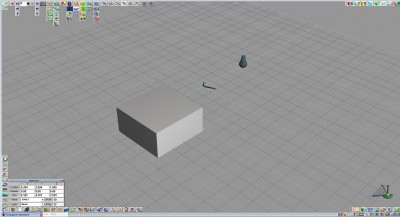
- Object lines are not appearing
-
stan
- Master Chief Petty Officer
- Posts: 584
- Joined: 21 May 2009, 17:20
Re: Object selection lines are gone ?
Try opening the setting panel of the global panel icon. Make sure selection box cntl is checked.
- Attachments
-
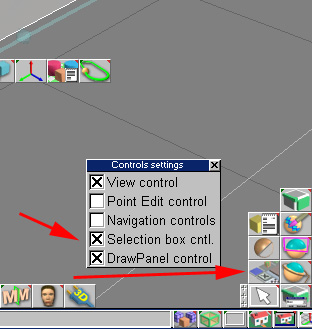
- select.jpg (42.86 KiB) Viewed 6141 times
-
KING
- Seaman Recruit
- Posts: 4
- Joined: 20 Nov 2015, 00:40
- Type the number ten into the box: 10
Re: Object selection lines are gone ?
Thanks ,
I opened it and it was selected the whole time ,I tried playing with some of the settings in there but nothing
I opened it and it was selected the whole time ,I tried playing with some of the settings in there but nothing
- Attachments
-
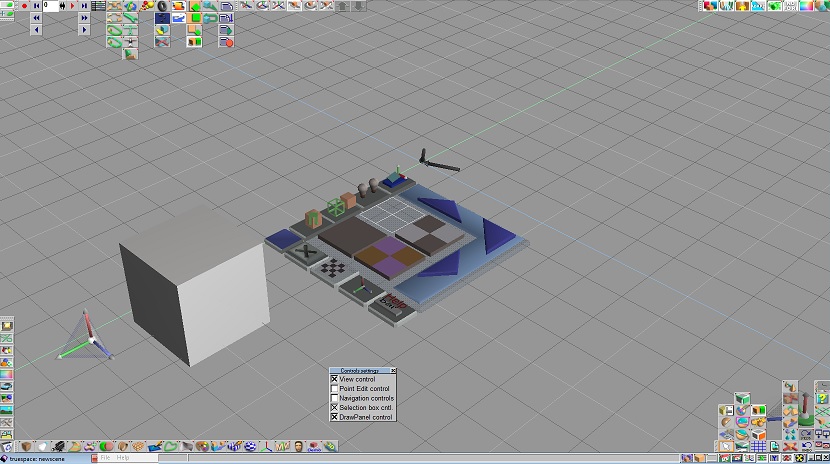
-
spacekdet

- Captain
- Posts: 1810
- Joined: 27 May 2009, 15:00
- Type the number ten into the box: 10
- Location: On the day shift at the Utility Muffin Research Kitchen
Re: Object selection lines are gone ?
Try this:
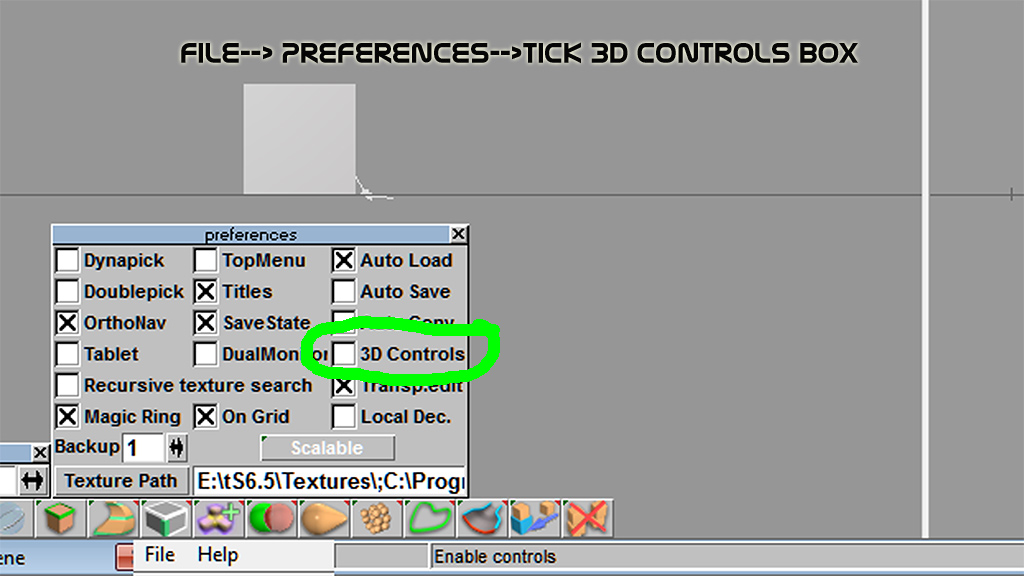
Click 'File-> Preferences.'
Make sure '3D Controls' box is checked.
Click 'File-> Preferences.'
Make sure '3D Controls' box is checked.
-
BNG

- Chief Warrant Officer
- Posts: 684
- Joined: 16 Oct 2009, 03:26
- Type the number ten into the box: 0
- Location: Texas
Re: Object selection lines are gone ?
Do you have the latest video drivers for your PC? also have you tried compatibility for Windows XP service pack 3?
Casual Truespace 3D modeling hobbyist. My Truespace blog and simple 3d Modeling Tutorials for Casual Model Makers.
-
Draise

- Captain
- Posts: 3200
- Joined: 21 Sep 2009, 19:33
- Type the number ten into the box: 0
- Location: Bogota, Colombia
Re: Object selection lines are gone ?
You may need to toggle your widget. The cage box widget usually isn't activated on the get go sometimes. By clicking the widget somewhere with some key combination (maybe?) toggles the widget.. maybe? Or is this just WS with the Box Cage Widget?
-
KING
- Seaman Recruit
- Posts: 4
- Joined: 20 Nov 2015, 00:40
- Type the number ten into the box: 10
Re: Object selection lines are gone ?
Thanks guys I tried everything and no luck I even reinstalled the software and nothing I still have the same issue

-
spacekdet
- Captain
- Posts: 1810
- Joined: 27 May 2009, 15:00
- Type the number ten into the box: 10
- Location: On the day shift at the Utility Muffin Research Kitchen
Re: Object selection lines are gone ?
There were a couple of patches, did you run those after install?
Titled 'ts66upd.exe' here (not sure if that's the original name.) 323 kb
Second one titled 'tSetup_D.exe' 74.5 mb
I know my screenshot doesn't show it, but that 3D controls checkbox should have an 'x' in it.
I can toggle the cage on or off with that checkbox.
Not running Windows 10 here so can't replicate the issue.
Titled 'ts66upd.exe' here (not sure if that's the original name.) 323 kb
Second one titled 'tSetup_D.exe' 74.5 mb
I know my screenshot doesn't show it, but that 3D controls checkbox should have an 'x' in it.
I can toggle the cage on or off with that checkbox.
Not running Windows 10 here so can't replicate the issue.
-
BNG
- Chief Warrant Officer
- Posts: 684
- Joined: 16 Oct 2009, 03:26
- Type the number ten into the box: 0
- Location: Texas
Re: Object selection lines are gone ?
If all else fails you could start using the 6.6 model side of 7.6 or 7.61 beta 8 if you can't resolve the issue?KING wrote:Thanks guys I tried everything and no luck I even reinstalled the software and nothing I still have the same issue

Update: Hmm? Maybe toggle between Dircect3D to Open GL in settings in TS to see if that makes any differences. What graphics card does your system use? It sounds like a video driver issue. When I got my new laptop the first thing I did was have Windows update search for an updated driver and to my surprise a new one was available and it installed it. I hope you can figure it out though. Leroy.
Casual Truespace 3D modeling hobbyist. My Truespace blog and simple 3d Modeling Tutorials for Casual Model Makers.
-
Finis

- Captain
- Posts: 5410
- Joined: 21 May 2009, 18:26
- Type the number ten into the box: 0
- Location: America!
Re: Object selection lines are gone ?
I never used the 3D widgets. If you can't get it to work then use the icons and numerical panels to move, scale, rotate. Better: turn all the 3D widgets off and use the icons and right-click panels for everything. A few keyboard shortcuts were good too. Even better: Blender, Modo Indie, Carerra ... Best: you need ultra dollars for the best.
I prefer dangerous freedom over peaceful servitude. -- Thomas Jefferson/Jean Jacques Rousseau
-
KING
- Seaman Recruit
- Posts: 4
- Joined: 20 Nov 2015, 00:40
- Type the number ten into the box: 10
Re: Object selection lines are gone ?
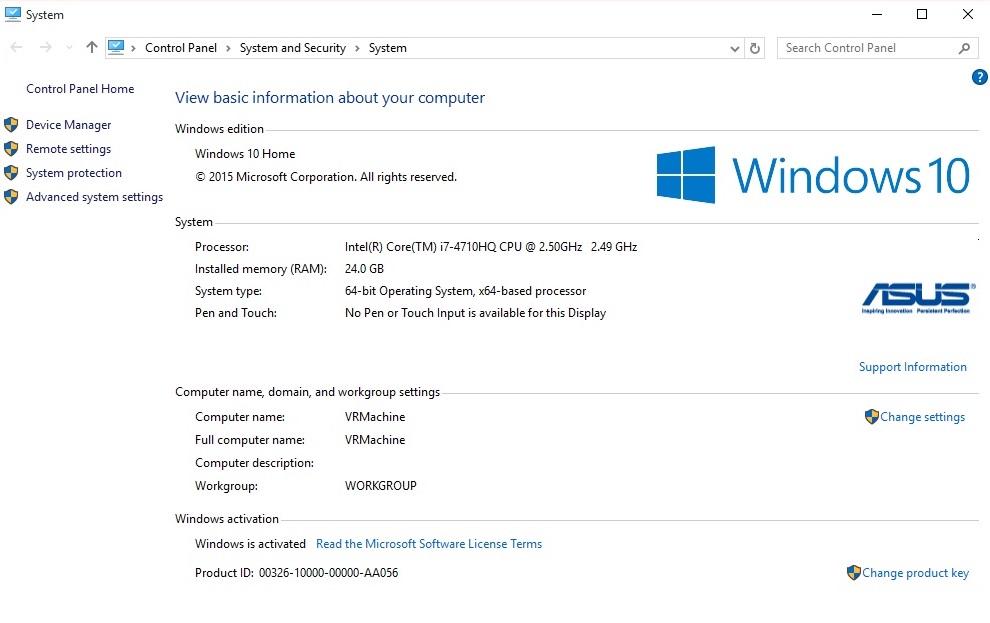
Ok I don't think is the software since I just downloaded TS 7.6 and I still having the same issue with it too , maybe is something with my laptop here I'm leaving a pic of my specs I'm not a pc guy but I think is a good pc.. maybe I have to download a patch ? I don't know anymore. 
- Attachments
-
-
Finis
- Captain
- Posts: 5410
- Joined: 21 May 2009, 18:26
- Type the number ten into the box: 0
- Location: America!
Re: Object selection lines are gone ?
Try each of the viewport types:Direct 3D, Open GL, and wireframe (Ah, BNG already said that). See if anything is different with cage widget.
Is anything else strange or not working?
Try uninstalling all your plug-ins. If that fixes it then reinstall one by one and check for the problem each time.
Caution: The following will reset things to default and you will lose any preferences you have changed. You will have to reinstall plug-ins too.
-- You could delete the default.ctx file. TS will create a new one when you start it again. This file might have been called truespace.cfg in earlier versions.
-- Draise discusses the default_layout.rsl file here vi ... 36&p=45136
-- Best to make a backup copy of any of them before deleting. Then at least you can return to the pre-deletion state.
Is anything else strange or not working?
Try uninstalling all your plug-ins. If that fixes it then reinstall one by one and check for the problem each time.
Caution: The following will reset things to default and you will lose any preferences you have changed. You will have to reinstall plug-ins too.
-- You could delete the default.ctx file. TS will create a new one when you start it again. This file might have been called truespace.cfg in earlier versions.
-- Draise discusses the default_layout.rsl file here vi ... 36&p=45136
-- Best to make a backup copy of any of them before deleting. Then at least you can return to the pre-deletion state.
I prefer dangerous freedom over peaceful servitude. -- Thomas Jefferson/Jean Jacques Rousseau
-
stan
- Master Chief Petty Officer
- Posts: 584
- Joined: 21 May 2009, 17:20
Re: Object selection lines are gone ?
This is for ts6.6 just to try a working config file. Don't use it in ts76.1b as it 66 only.. It could be your laptop..
I've had an issue with the material editor colour picker being black yet working for values in my xp machine in every version of ts, different graphics cards, which is not happening in my win7 pc..
You can also try holding ctrl down while opening ts66 which brings up a settings panel before opening..
or try one of the other config files in the library.
Using the last version with workspace does give you Gi on 66 side but a few bugs introduced.
I've had an issue with the material editor colour picker being black yet working for values in my xp machine in every version of ts, different graphics cards, which is not happening in my win7 pc..
You can also try holding ctrl down while opening ts66 which brings up a settings panel before opening..
or try one of the other config files in the library.
Using the last version with workspace does give you Gi on 66 side but a few bugs introduced.
- Attachments
-
- defaultNewConfig0.rar
- (49.38 KiB) Downloaded 320 times
-
BNG
- Chief Warrant Officer
- Posts: 684
- Joined: 16 Oct 2009, 03:26
- Type the number ten into the box: 0
- Location: Texas
Re: Object selection lines are gone ?
It's probably not Windows 10 as I had 10 briefly installed an TS 7.61 ran just fine. It's got be a video driver issue? Did you update your video driver? If so try rolling back to the previous version.
Casual Truespace 3D modeling hobbyist. My Truespace blog and simple 3d Modeling Tutorials for Casual Model Makers.