3DBuzz Blender 101
-
clintonman

- Captain
- Posts: 5659
- Joined: 21 May 2009, 21:08
- Type the number ten into the box: 0
- Location: California
3DBuzz Blender 101
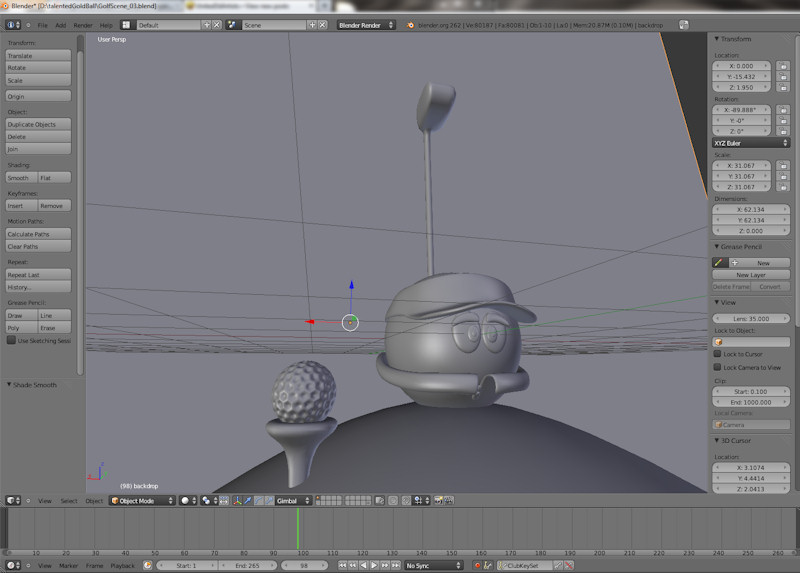
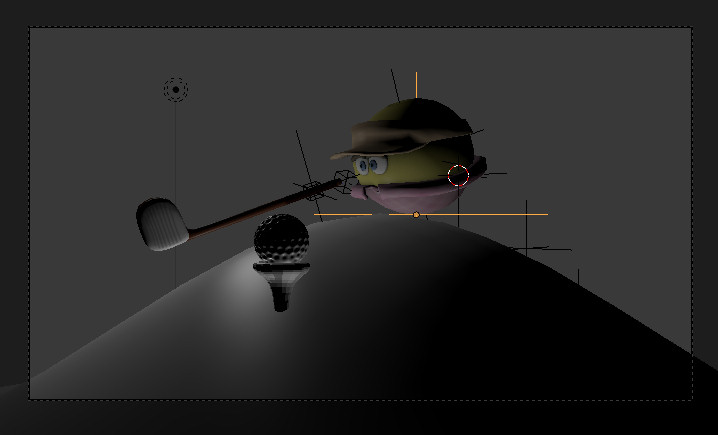
I'm watching the 3DBuzz Blender 101 classes and following along. I'm not in the class because of time conflicts. The 3 classes were mostly getting familiar with the software and working on a "bouncing ball" project. We did some animatics and modeled the items in the scene. The next lesson is texturing. The class was yesterday, but the video isn't up yet. Here's what I have so far.
-
Draise

- Captain
- Posts: 3200
- Joined: 21 Sep 2009, 19:33
- Type the number ten into the box: 0
- Location: Bogota, Colombia
Re: 3DBuzz Blender 101
Looks good. =) I want to learn blender eventually too! Good one. 
-
clintonman
- Captain
- Posts: 5659
- Joined: 21 May 2009, 21:08
- Type the number ten into the box: 0
- Location: California
Re: 3DBuzz Blender 101
-
froo
- Captain
- Posts: 2554
- Joined: 22 May 2009, 12:13
Re: 3DBuzz Blender 101
Very cool clinton! 
-
clintonman
- Captain
- Posts: 5659
- Joined: 21 May 2009, 21:08
- Type the number ten into the box: 0
- Location: California
Re: 3DBuzz Blender 101
-
Draise
- Captain
- Posts: 3200
- Joined: 21 Sep 2009, 19:33
- Type the number ten into the box: 0
- Location: Bogota, Colombia
Re: 3DBuzz Blender 101
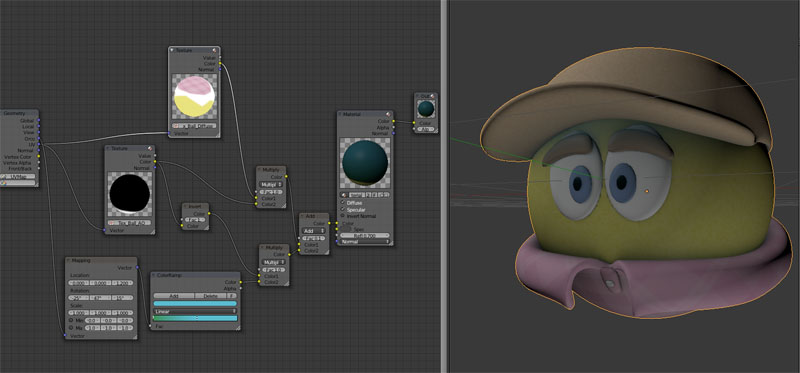
Oh cool, node based shaders! I work with them in Softimage all the time and it's super fun once you get the hang of it!
How do you get to the shader nodes editor in Blender?
How do you get to the shader nodes editor in Blender?
-
clintonman
- Captain
- Posts: 5659
- Joined: 21 May 2009, 21:08
- Type the number ten into the box: 0
- Location: California
Re: 3DBuzz Blender 101
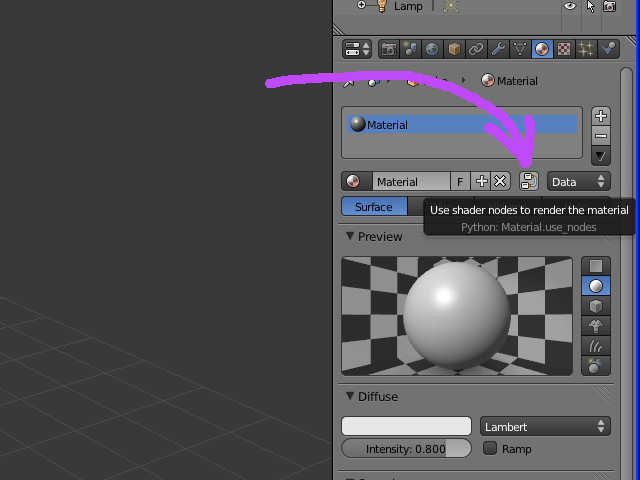
Draise wrote:Oh cool, node based shaders! I work with them in Softimage all the time and it's super fun once you get the hang of it!
How do you get to the shader nodes editor in Blender?
-
clintonman
- Captain
- Posts: 5659
- Joined: 21 May 2009, 21:08
- Type the number ten into the box: 0
- Location: California
Re: 3DBuzz Blender 101
- Attachments
-
- previewRender0001-0275.zip
- (485.33 KiB) Downloaded 210 times
-
clintonman
- Captain
- Posts: 5659
- Joined: 21 May 2009, 21:08
- Type the number ten into the box: 0
- Location: California
Re: 3DBuzz Blender 101
-
Draise
- Captain
- Posts: 3200
- Joined: 21 Sep 2009, 19:33
- Type the number ten into the box: 0
- Location: Bogota, Colombia
Re: 3DBuzz Blender 101
Looking awesome clinton! I just made some grass today, but not really from particles. Thanks on the shader tip for Blender!
-
clintonman
- Captain
- Posts: 5659
- Joined: 21 May 2009, 21:08
- Type the number ten into the box: 0
- Location: California
Re: 3DBuzz Blender 101
Thanks, Draise
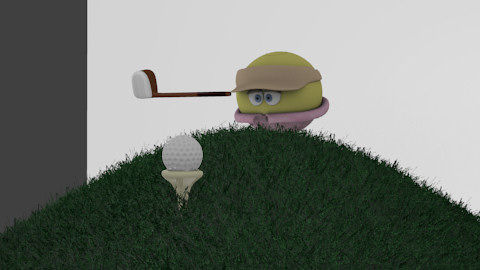
And here's the final render and the end of the class. It's lit with 3 lights. The main light is sunlight, dome light for fill and a spot light for back lighting. The frames were rendered as png files and then Blenders compositor was used to create the avi file 2.17Mb, 9 sec. The render took about 3 or 4 hours.
The next class, Blender 102, is supposed to be a modeling class. I'm looking forward to it.
And here's the final render and the end of the class. It's lit with 3 lights. The main light is sunlight, dome light for fill and a spot light for back lighting. The frames were rendered as png files and then Blenders compositor was used to create the avi file 2.17Mb, 9 sec. The render took about 3 or 4 hours.
The next class, Blender 102, is supposed to be a modeling class. I'm looking forward to it.
- Attachments
-
- GolfBallMovie0001-0275.zip
- (2.16 MiB) Downloaded 198 times
-
trueBlue

- Captain
- Posts: 5548
- Joined: 06 Jul 2009, 22:50
- Type the number ten into the box: 10
Re: 3DBuzz Blender 101
Cannot play back the video stream: no suitable decompressor could be found.
Hummm...other avi files work for me but not this one.
Hummm...other avi files work for me but not this one.
-
Finis

- Captain
- Posts: 5410
- Joined: 21 May 2009, 18:26
- Type the number ten into the box: 0
- Location: America!
Re: 3DBuzz Blender 101
I can't play it either. I'd like to see it.
I prefer dangerous freedom over peaceful servitude. -- Thomas Jefferson/Jean Jacques Rousseau
-
Draise
- Captain
- Posts: 3200
- Joined: 21 Sep 2009, 19:33
- Type the number ten into the box: 0
- Location: Bogota, Colombia
Re: 3DBuzz Blender 101
I used K-lite 8 full pack with it's media player, it worked fine.
-
clintonman
- Captain
- Posts: 5659
- Joined: 21 May 2009, 21:08
- Type the number ten into the box: 0
- Location: California
Re: 3DBuzz Blender 101
The movie was rendered straight out of Blender. I'll make an alternate format...
-
clintonman
- Captain
- Posts: 5659
- Joined: 21 May 2009, 21:08
- Type the number ten into the box: 0
- Location: California
Re: 3DBuzz Blender 101
This is a variation on the format from Blender. The difference reported by VLC media player comes down to (H264) vs (avc1). With H264 from Blender and avc1 being Youtube compatible(defined by XMedia Recode).
Edit: Finally found a little info. According to - http://msdn.microsoft.com/en-us/library ... 85%29.aspx" - the difference is that H264 has start codes and AVC1 does not. Everywhere else I looked they said the 2 were identical. Anyway, I hope that little change fixes it for some people. If not I'll make a wmv version.
Edit: Finally found a little info. According to - http://msdn.microsoft.com/en-us/library ... 85%29.aspx" - the difference is that H264 has start codes and AVC1 does not. Everywhere else I looked they said the 2 were identical. Anyway, I hope that little change fixes it for some people. If not I'll make a wmv version.
- Attachments
-
- GolfBallMovie0001-0275b318.zip
- (1.29 MiB) Downloaded 233 times
-
trueBlue
- Captain
- Posts: 5548
- Joined: 06 Jul 2009, 22:50
- Type the number ten into the box: 10
-
froo
- Captain
- Posts: 2554
- Joined: 22 May 2009, 12:13
Re: 3DBuzz Blender 101
Yes, well done Clinton!