When I load COB files into Vue 7, I lose the group information.
What am I doing wrong?
Exporting objects from Truespace 6.6 to Vue 7
-
Shell1850
- Chief Petty Officer
- Posts: 135
- Joined: 21 May 2009, 21:44
Exporting objects from Truespace 6.6 to Vue 7
-
Shell1850
- Chief Petty Officer
- Posts: 135
- Joined: 21 May 2009, 21:44
Re: Exporting objects from Truespace 6.6 to Vue 7
I can load it into vue and use vue group command.
I was hoping there is a better and easier way to do this.
I was hoping there is a better and easier way to do this.
-
RAYMAN

- Captain
- Posts: 2547
- Joined: 21 May 2009, 18:56
Re: Exporting objects from Truespace 6.6 to Vue 7
Well what you probably want to end up with is a way to apply and change materials
inside Vue 7.
So the way I go is use the glue as sibling tool inside modelside of TS 7.61 or TS 6.6 and glue the parts together in Truespace.
I then export that as one file either cob 6.6 or as obj with luuv and it comes into Vue as seperate parts.
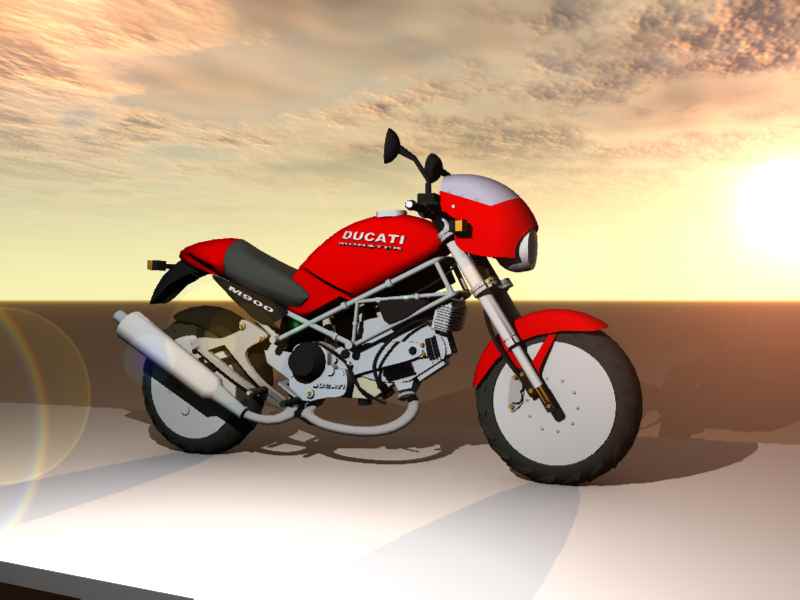
Now comes the trick. You doubleclick on the group ...in this case the Ducati and this panel opens.
You use the weld comand in that panel and then the split command and you got it seperated for each material.
if you animate that object you do that with the whole group rather then a single material selected.
Its realy simple. by the way same procedure as importing into Kerkythea.... !
You see thats how the Ducati from the modeelside library comes into Vue in one go and without changing a single material.
But you will want to adapt the materials inside Vue.
For animations export from TS 7.61 workspace side you can encapsulate the object and export using Collada. but you have to select the encapsulated group first dont forget that. You can then export a whole animation.
For further reading look into my thread about exporting physics from TS to Vue and my thread called workflow... !
What you see as a problem is a feature you can choose between split into subobjects or materials.. !
inside Vue 7.
So the way I go is use the glue as sibling tool inside modelside of TS 7.61 or TS 6.6 and glue the parts together in Truespace.
I then export that as one file either cob 6.6 or as obj with luuv and it comes into Vue as seperate parts.
Now comes the trick. You doubleclick on the group ...in this case the Ducati and this panel opens.
You use the weld comand in that panel and then the split command and you got it seperated for each material.
if you animate that object you do that with the whole group rather then a single material selected.
Its realy simple. by the way same procedure as importing into Kerkythea.... !
You see thats how the Ducati from the modeelside library comes into Vue in one go and without changing a single material.
But you will want to adapt the materials inside Vue.
For animations export from TS 7.61 workspace side you can encapsulate the object and export using Collada. but you have to select the encapsulated group first dont forget that. You can then export a whole animation.
For further reading look into my thread about exporting physics from TS to Vue and my thread called workflow... !
What you see as a problem is a feature you can choose between split into subobjects or materials.. !
- Attachments
-
-

-
Shell1850
- Chief Petty Officer
- Posts: 135
- Joined: 21 May 2009, 21:44
Re: Exporting objects from Truespace 6.6 to Vue 7
Thank you for your response. I tried it and it worked fine, but I need to experiment with it.
I bought Vue 7 3 weeks ago and have been running its tutorials. (thank god for tutorials)
I bought Vue 7 3 weeks ago and have been running its tutorials. (thank god for tutorials)